Hey guys, a few of you were having image posting issues. We are working on that now... Please give it a go as a reply to this thread. If it works, we will see images. If it does not, please let us know as a reply with details...

You are using an out of date browser. It may not display this or other websites correctly.
You should upgrade or use an alternative browser.
You should upgrade or use an alternative browser.
Image posting... and testing.... Give it a go now.
- Thread starter Ryan
- Start date
mike93lx
ALLIANCE MEMBER
Posting worked for me yesterday, and still seems ok now
four.cycle
Well-known member
okay... looks like it's okay on most of what I tried, but NOT on "1883 American Machinist Lindsay's Cutting Nipper (Stan Schulz).jpg" when I attempt to upload it using the "Attach files" button at lower left.
Attachments



four.cycle
Well-known member

but it works if I upload it using the little "mountain" icon up above.
go figure.
THIS is the issue I've been having... trying to get them to upload using the "Attach files" button so that they appear as thumbnail images below the text - it's not so overwhelming that way on posts where the images are subordinate to the text or are simply additional images.
four.cycle
Well-known member
okay.. just ran into it again with these two images, neither of which would upload when I attempted to upload them using the "Attach files" button at lower left:

^ I just uploaded that first image using the little "mountain" icon at the top.
But the second image will not upload here using the little "mountain" logo.
^ I just uploaded that first image using the little "mountain" icon at the top.
But the second image will not upload here using the little "mountain" logo.
Attachments


four.cycle
Well-known member
so... the second image (filename Ellrich Hardware Mfg. Co. ratcheting screwdriver (patent 293957)(ebay 294239536971 03) ) will not upload using the little "mountain" icon above....
.... but if I open the files in Windows Paint, select "Save as" and save it as a *.jpg image, I can get them both to upload using the "Attach files" button at lower left:
it's just SO whacky.
.... but if I open the files in Windows Paint, select "Save as" and save it as a *.jpg image, I can get them both to upload using the "Attach files" button at lower left:
it's just SO whacky.
Attachments


mike93lx
ALLIANCE MEMBER
I only use the mountain logo. Maybe that's why it hasn't been a problemokay.. just ran into it again with these two images, neither of which would upload when I attempted to upload them using the "Attach files" button at lower left:
^ I just uploaded that first image using the little "mountain" icon at the top.
But the second image will not upload here using the little "mountain" logo.
With that said, I tried the other button and it looks ok
Attachments

four.cycle
Well-known member
another one. just tried to post in another thread using the "Attach files" button at lower left but no go.
opened with windows paint, selected "save as" *.jpg file - still no go with the "Attach files" button at lower left.
when I attempted to upload using the little "mountain" icon, it worked fine.

opened with windows paint, selected "save as" *.jpg file - still no go with the "Attach files" button at lower left.
when I attempted to upload using the little "mountain" icon, it worked fine.
OP
OK... We just made some more changes... Test at will.
gleman
Well-known member

four.cycle
Well-known member
^ What is odd is that it seems to only be happening to me when I am trying to use the "Attach files" button at lower left.
Generally I don't have any issues uploading images using the little "mountain" icon at the top unless the filesize is overly large, in which case I can just resize it - that's not a big deal.
I'll let you know if I hit any more.
Generally I don't have any issues uploading images using the little "mountain" icon at the top unless the filesize is overly large, in which case I can just resize it - that's not a big deal.
I'll let you know if I hit any more.
larry4406
Well-known member

gleman
Well-known member

gleman
Well-known member
I did Insert Image and Attach files.
Jayman17
Well-known member

mike93lx
ALLIANCE MEMBER
mike93lx
ALLIANCE MEMBER

Private Lugnutz
Well-known member
Did you try the same images that failed earlier after Ryan posted post #10? I don't know what they did, but the three photos that would not post for me with the [@ Attach files] button recently - actually would post, but appear blank, like a loading fail - are now posting....it seems to only be happening to me when I am trying to use the "Attach files" button at lower left.
alwaysFlOoReD
Well-known member
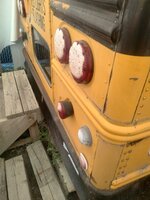
d42jeep
Well-known member
Brake spoons
seemed to work okay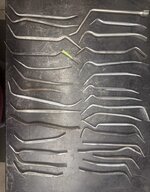
-Don
seemed to work okay
-Don
d42jeep
Well-known member
9.6v Makita flashlight.
three of four worked


one failed
three of four worked
one failed
d42jeep
Well-known member
After cropping it worked, a common occurrence.
-Don
-Don
whateg01
Well-known member
I don't know if file size matters but resaving them might be changing that?^ What is odd is that it seems to only be happening to me when I am trying to use the "Attach files" button at lower left.
Generally I don't have any issues uploading images using the little "mountain" icon at the top unless the filesize is overly large, in which case I can just resize it - that's not a big deal.
I'll let you know if I hit any more.
whateg01
Well-known member
What's the filesize before and after cropping? Or maybe it's similar to four cycle where it's just the resaving that matters?After cropping it worked, a common occurrence.
-Don
OP
File size matters... and so does the file extension... We don't support HEIC format at the moment.
four.cycle
Well-known member
No, because when I run into the problem, I start manipulating the file, so I don't have the same file that originally was at issue.Did you try the same images that failed earlier
It's really weird. It's not consistent. I'm not seeing a pattern at all, so I don't know what is causing it.
@Ryan -
I don't have any *.heic or *.png or *.jpeg images in this machine - only *.jpg, *.bmp, and *.gif. - any of the first three that come in get converted to *.jpg. because that's all my photo editing software will work with.
RTM
Well-known member
Any chance your file names are too long?so... the second image (filename Ellrich Hardware Mfg. Co. ratcheting screwdriver (patent 293957)(ebay 294239536971 03) ) will not upload using the little "mountain" icon above....
.... but if I open the files in Windows Paint, select "Save as" and save it as a *.jpg image, I can get them both to upload using the "Attach files" button at lower left:
One of our servers at work has a problem with long file names. Seems like it works when copying single files, but not batch files, some times. Moving stuff between two folders on the same “machine” wouldn’t work.
I know nothing of the background systems etc, so all I can offer is a supposition.
Outlawmws
Well-known member
Post #13 above is not displaying... << THIS is my biggest issue with pics...
EDIT: reloading the page got this ^^^ to come in: - But it does not stay...
Different sources, drag and drop exclusively:



No issues loading.
I NEVER use the "attach" functions.
EDIT: reloading the page got this ^^^ to come in: - But it does not stay...
Different sources, drag and drop exclusively:
No issues loading.
I NEVER use the "attach" functions.
whateg01
Well-known member
I think I've only ever used the mountain icon a half dozen times. I almost always use the attach function. There is no drag and drop on the phone.No issues loading.
I NEVER use the "attach" functions.
Outlawmws
Well-known member
I think I've only ever used the mountain icon a half dozen times. I almost always use the attach function. There is no drag and drop on the phone.
I don't use my phone as a computer. Calls (screened) and txt (Block at will). That's its job... It s **** camera too.
Private Lugnutz
Well-known member
Understood. I kept the last three occurrences original for that reason.I start manipulating the file, so I don't have the same file that originally was at issue.
Same. But I am hopeful Ryan & Team have it licked now. I thought it was a recent Windows 11 upgrade thing, but that was apparently just a false coincidence.It's really weird. It's not consistent. I'm not seeing a pattern at all, so I don't know what is causing it.
gtae07
Well-known member

OP
OKay... Since our last edit, we haven't gotten any errors in the log for image posting on either the server or through cloudflare. So given that, if you are still having image uploading issues I can't really explain them. Either it's your ISP, the image is too large, the image is of the wrong format, or there is something hidden going on that we can't seem to find.
Essentially, I'm tossing my hands up in the air for the time being or until the error logs show something.
Essentially, I'm tossing my hands up in the air for the time being or until the error logs show something.
Nobody-named-Olli
Well-known member
Test
Test 1, 2, 3 …
(EDIT: Pictures removed as everything worked OK!)
Kind regards,
Olli
Test 1, 2, 3 …
(EDIT: Pictures removed as everything worked OK!)
Kind regards,
Olli
Last edited:
Outlawmws
Well-known member

Nobody-named-Olli
Well-known member
That’s correct. Uploaded 2 pictures.
My issues were more related to inserting, adding text, switching windows to look something up in the dictionary. I did all that, and it posted fine.
Kind regards,
Olli
My issues were more related to inserting, adding text, switching windows to look something up in the dictionary. I did all that, and it posted fine.
Kind regards,
Olli
four.cycle
Well-known member

adding text
Lewald "Grasp-it" screw starter patent 1212743 Jan 16 1917 John W. Cowell
there's got to be another image around here somewhere...

okay... there's an image.... using the "mountain" icon...
okay and that one worked using the "Attach files' button (me and Lise' and Helen)
fire map worked okay using "Attach files" button... and "casa centro (658 kb) ... lemme try something larger...
Attachments
-
 casa_centro_district_mazatlan-0109-1.jpg657.9 KB · Views: 4
 -
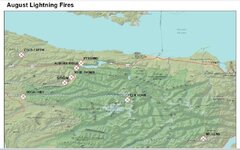 August Lightning Fires Olympic Peninsula Aug 22 2020.jpg210.6 KB · Views: 3
 -
 brian-lise-helen-carbon-river-0204-1.jpg15.1 KB · Views: 4
 -
 1916 Profitable Storekeeping Grasp-it Screwdriver ad Jun 1916 pp 45.jpg79.5 KB · Views: 5
 -
 1916 Hardware & Metal Lewald Grasp-It screwdriver ad pp 36.jpg250.9 KB · Views: 3
four.cycle
Well-known member

coconut pruning Mazatlan 468kb
let's try the "attach files" button now...
breakfast at tshletshy 1148 kb / tshletshy creek 1288kb /
Skookumchuck Wildlife Habitat Management Area 032321 20 2514 kb
Brides Bonnet (Clintonia uniflora) South Fork Snoqualmie River 070921 01 2246 kb
Majestic Princess Piazza 111124 5450 kb
I think you got it.
Thanks very much.
BK
Attachments
-
 Majestic Princess Piazza 111124.jpg1.1 MB · Views: 2
 -
 Brides Bonnet (Clintonia uniflora) South Fork Snoqualmie River 070921 01.jpg1 MB · Views: 4
 -
 Skookumchuck Wildlife Habitat Management Area 032321 20.jpg840.5 KB · Views: 4
 -
 tshletshy-creek-082806.jpg116.3 KB · Views: 4
 -
 breakfast-at-tshletshy-091106.jpg108.9 KB · Views: 4
Private Lugnutz
Well-known member
What would make the problem intermittent, @Ryan? Random concurrent activity (and bandwidth draw) across the site?
I just ran into a photo that would not attach that is an exemplar of what I have been experiencing. It's a weird failure, one I have never gotten until very recently, where it looks like it has finished loading, but it's blank, like this...

There is no "Oops! Network error!" (or whatever that notice is...) that prompts me to reduce the size, which I have gotten before.
Just a few minutes later, this same exact photo (which is 4020 x 2825) attached.
On a hunch, I went down to the Test section and on my testing thread tried to attach the very same photo/.jpg file, and it did not attach. I waited a few minutes and tried again, and it did attach. I did this several times within 15 minutes, with the photo/file intermittently failing to attach, or attach.
I edited it to reduce the size to 700 x 433, repeated my testing, and it of course attached every time.
So, clearly, size related - but whether a large photo is allowed to attach or not seems also perhaps randomly dependent on other factors.
I just ran into a photo that would not attach that is an exemplar of what I have been experiencing. It's a weird failure, one I have never gotten until very recently, where it looks like it has finished loading, but it's blank, like this...
There is no "Oops! Network error!" (or whatever that notice is...) that prompts me to reduce the size, which I have gotten before.
Just a few minutes later, this same exact photo (which is 4020 x 2825) attached.
On a hunch, I went down to the Test section and on my testing thread tried to attach the very same photo/.jpg file, and it did not attach. I waited a few minutes and tried again, and it did attach. I did this several times within 15 minutes, with the photo/file intermittently failing to attach, or attach.
I edited it to reduce the size to 700 x 433, repeated my testing, and it of course attached every time.
So, clearly, size related - but whether a large photo is allowed to attach or not seems also perhaps randomly dependent on other factors.
Last edited: