
You are using an out of date browser. It may not display this or other websites correctly.
You should upgrade or use an alternative browser.
You should upgrade or use an alternative browser.
Photo Sizes???????
- Thread starter Chipmunk
- Start date
OccupantRJ
Well-known member
You are apparently posting directly to the website from your computer. An upload from a picture hosting website as an image will appear larger and online in your post.
theoldwizard1
Well-known member
Photos to be displayed online should between 70 and 100 dpi max ! 72 dpi is typical.
kblazer87
Well-known member
download them into an album here on your user page and post the url from there into your ad.
rockchucker
Well-known member
Never mind, I figured it out....but they are still thumbnails
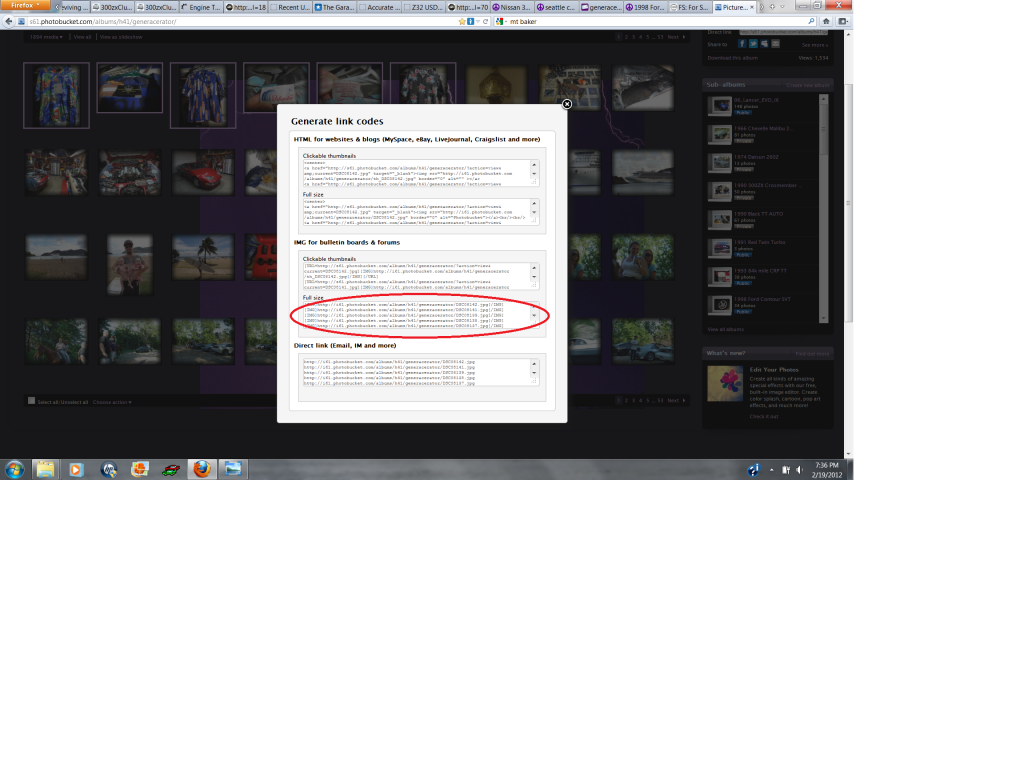
Copy and Paste the IMG code not the Thumbnail Code. If you want just a single pic then hover over the pic and click on the IMG code then paste it into the reply box. If you want to post multiple pictures select the ones you want to post then at the bottom left of the PB page there is a "Choose Action" box. Open that up and choose "Generate link codes for selected"...
Here...
slopecarver
Well-known member
I see nothing.
I personally use photobucket.
I personally use photobucket.
rockchucker
Well-known member
Thanks, I think I've got it. Check out my test photo...now that's better than any old tool box or two of them.
Nothin' but Text...
slopecarver
Well-known member
When you are done you should end up with something like this without the * and if you paste just the url between the img tags in the browser address bar you should get just the image
[*IMG]http://i390.photobucket.com/albums/oo348/slopecarver/IMG_8310.jpg[/IMG*]
[*IMG]http://i390.photobucket.com/albums/oo348/slopecarver/IMG_8310.jpg[/IMG*]