
You are using an out of date browser. It may not display this or other websites correctly.
You should upgrade or use an alternative browser.
You should upgrade or use an alternative browser.
Above 1200 Sq/FT The Salvage Garage
- Thread starter Strouty
- Start date
Wokspaces above 1200 squarefeet.
Old Man Roger
Well-known member
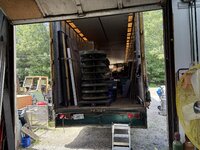
Sparsely packed.
Old Man Roger
Well-known member
I assumed.lol
I still have some computer learning to do, trying to create and print the QR codes seems overly time consuming. I think most of my issue is the Mac, they don’t like to conform to normal business type projects and I am trying to batch print. Will be trying my Windows computer to see if that is any easier. The funny part is that I found tutorials on how to do what I want to do, but they just don’t work, I know that it can be done though.
Old Man Roger
Well-known member
My QR system is in Dropbox hell, something has changed and I can no longer search the text file that has my "contents" in it. I get zero results, for things that are absolutely in the file. I am freaking out as this will destroy my system before I can even implement it fully. I am not even sure what to do, I guess I could change the text file name to have the terms in it. Dropbox is acting like this is normal and I am crazy. From my computer I can still search within the text file for terms and that comes up, but I can't search from my phone that way, so it defeats the intent of this system. I know that this worked originally as that was the only reason I moved forward with things. I know that sometimes it takes a bit for the files to be "indexed" but I had several text files that were months old and I got no results from them either.
kent_323is
Well-known member
That ***** that Dropbox is not cooperating now.
To keep moving forward, and not hold up progress on getting things put away and organized, can you go with a work around?
What if you use Excel in Onedrive to hold the info for the QR codes? The QR code would reference to a unique number that you'd enter in column A in excel, 0001, 0002, 0003, etc. Then columns B, C, D, E can be further details for location, shelf, bin, and then a list of the contents.
Excel in Onedrive should be available on both your phone and computer. So you could have it open on your phone, and enter the info as you put stuff in a bin and put it away. Since it's Onedrive, you can also easily open it on your computer, and enter further details and descriptions.
Is it an ideal solution... probably not, but if it allows you to move forward, that would be a win.
The other nice thing about excel is that you can search for key words, and there's no limit on number of lines.
I use a lot of Excel sheets for leading weekly meetings for work stuff, and 10 years later it's still my preference vs other tools.
I know from experience that you can have multiple people in the file at the same time making edits, and it works. For an upcoming meeting later this week, we'll have up to 300 people in excel online all making edits at the same time and it works. So you could easily have it open on your computer and your phone at the same time.
Just my 2 cents worth, hopefully you can move forward.
To keep moving forward, and not hold up progress on getting things put away and organized, can you go with a work around?
What if you use Excel in Onedrive to hold the info for the QR codes? The QR code would reference to a unique number that you'd enter in column A in excel, 0001, 0002, 0003, etc. Then columns B, C, D, E can be further details for location, shelf, bin, and then a list of the contents.
Excel in Onedrive should be available on both your phone and computer. So you could have it open on your phone, and enter the info as you put stuff in a bin and put it away. Since it's Onedrive, you can also easily open it on your computer, and enter further details and descriptions.
Is it an ideal solution... probably not, but if it allows you to move forward, that would be a win.
The other nice thing about excel is that you can search for key words, and there's no limit on number of lines.
I use a lot of Excel sheets for leading weekly meetings for work stuff, and 10 years later it's still my preference vs other tools.
I know from experience that you can have multiple people in the file at the same time making edits, and it works. For an upcoming meeting later this week, we'll have up to 300 people in excel online all making edits at the same time and it works. So you could easily have it open on your computer and your phone at the same time.
Just my 2 cents worth, hopefully you can move forward.
I can still use Dropbox, but I have to search for thing on my computer, it will still search locally within a text file. I just have to keep all the files on my hard drive in order to do that, not a really big deal, but I would prefer searching directly from my phone. Hopefully there is something wrong and it gets fixed, I know it worked like a champ before. Regardless, I have insulated my QR codes so if I have to swap the links to something else, it is doable and I do not have to reprint my labels.
I have been trying to figure out an easy work around, but everything that I have come up with basically doubles the data entry effort.
I have been trying to figure out an easy work around, but everything that I have come up with basically doubles the data entry effort.
I may have jumped the gun on the Dropbox issue, I forgot that it takes time for them to handle the files and make them searchable. While they are still not searchable yet, I was able to find some of the older trials and that info was searchable. Going to have to try a few things and see how long it takes for them to be available. I think it varies and there is no rhyme or reason for the amount of time it takes. I will report back.
TwoBytes
Well-known member
I just tested searching in the Dropbox app for some text that I know appears in several files in my Dropbox folders, and it found them, no problems.
I'm on Android, but I have an iPad, which I can test too, when I get a chance.
I found this...
 help.dropbox.com
Which lists the file types that are supported for file content search and it says that...
"Full-text search is only available on Dropbox Professional, Essentials, Standard, Business, Advanced, Business Plus, and Enterprise"
Have you changed anything to do with your Dropbox subscription plan since it worked before?
I'm on Android, but I have an iPad, which I can test too, when I get a chance.
I found this...
How to search the contents of your Dropbox files
Learn how to search the contents of your Dropbox files using the full-text search feature.
Which lists the file types that are supported for file content search and it says that...
"Full-text search is only available on Dropbox Professional, Essentials, Standard, Business, Advanced, Business Plus, and Enterprise"
Have you changed anything to do with your Dropbox subscription plan since it worked before?

TwoBytes
Well-known member
Interesting.
I just created a new text file, with a random text string in it, saved it, and I could find it using the text string straight away. Maybe it takes longer to index larger files, but that seemed to be pretty much immediate
I just created a new text file, with a random text string in it, saved it, and I could find it using the text string straight away. Maybe it takes longer to index larger files, but that seemed to be pretty much immediate

68400BIRD
Well-known member
You bought more, or you are changing your layout again?????
Old Man Roger
Well-known member
lolApparently
Two Door
Well-known member
Clearly you have a magnetic attraction. 
Old Man Roger
Well-known member
A likely story.lolIt was an accident
TwoBytes
Well-known member
At this point, I would consider contacting Dropbox supportI tried creating a new file with an uncommon specific word and it still won’t find it and this is on the mobile app, desktop app, and the full dot com website. There is something going on with my files, they are not indexing them properly or something.
Dropbox Support
Get help from Dropbox customer support for billing, account management, and more.
 www.dropbox.com
They've got live chat or you can log a support ticket.
Spareparts
Well-known member
It has almost been a week, hope everything's well with and family.
scooterbum46
Well-known member
He's waiting for DropBox tech support to take him off hold.It has almost been a week, hope everything's well with and family.
I wish I could report back that I was brain dead, it would be easier than dealing with the mess that I have right now. Probably won't be much of any updates for the next few weeks either, I am going to try and have a day a week at the Salvage Garage, not sure if that is going to help my sanity at all and right now I need as much of it as I can get.
scooterbum46
Well-known member
Calling on The Universe to assist in conquering your travails, may The Force be with you NOW!I wish I could report back that I was brain dead, it would be easier than dealing with the mess that I have right now.
I am once again working through my dropbox workflow and I think I figured out part of the reason for my search issue, when I created the folders it was a mass creation, I put two .txt files in each folder, one was named "contents" and had nothing in it, the other was named "MT" and had the word "empty" in it. So the folders basically had nothing in them and I think that they may not have been indexed by Dropbox because of that, must be some sort of minimum size before it indexes as the "MT" text file had one word in it. I am going to try and recreate things not using any completely empty files, maybe that will be the key to this issue. As far as I can see there is no way to force Dropbox to reindex things manually so once I have an unindexed file, I am at their mercy. I am going to work on this for a little bit longer, but I need to make up a flow chart, I am getting myself confused working across multiple devices, I need to be sure that things will work as intended, it looks like I am already going to have to scrap the QR codes I printed as the lined folders will not produce any search results no matter what I do.
OK, I think that was the issue and it looks like I can rectify the current QR codes without any issues moving forward, going to try and fix the first couple and see if things hold. I am still not sure why Dropbox wouldn't reindex a file after it is modified, but it is their sandbox, I just need to figure out how to stay away from the poop.
It appears to be even less consistent than I thought, I created a new folder and moved everything out, it indexed things that I couldn't search before, but it still won't find the word "empty" even though it is in every text file titled "MT". I am going to see if adding another word changes that, the text files named "contents" only need one word in them to be searchable now. Seems inconsistent, but I think the start of the issue was the empty files. I am going to try and bulk add some new ones and see how if it changes based on having more text in the files, I guess it also could be an issue with them all being the same word? I don't pretend to understand this, but if I can get things figured out this afternoon, I can do a bunch of shuffling tomorrow at the Salvage Garage.
Apparently moving all the folders, then moving them back has reindexed them, now I can search "empty" and all the folders show up. I hate it when you go down a rabbit hole for nothing. I am going to do some more testing, but it appears so far that I have fixed the issue that shouldn't have been an issue. I suppose if this happens again, I can move the folders around and in theory it will resolve the issue.
So far I have only added about 3000 folders, BINS A, B, and C 001-999 each. I am going to add some new ones in bulk and see if I am still going to have the same issue or if the problem was just the original upload I made. Regardless, I should be able to fix it and I am going to make a note of this as I do not want to have this problem again.
I have been testing as I go, so far bulk uploads have not been an issue, but what I did do is put the initial folders into a "temporary" folder, then add the files and adjust the names of the files. Once that is done, I move them to the final location in Dropbox, fingers crossed. I am in so far now, just going to create all the folders that I should ever need. I am using letters and numbers to make it easier on the eyes, so I have BIN-A001 through BIN-A999 and then I go to BIN-B001. I am skipping I, L, O, Q, U, and V as those seem like they could get confused from a distance, not a big deal as I will still end up with about 20,000 unique numbers and that should hold me for a while.
Old Man Roger
Well-known member
So you’re gonna make 20000 files? Why not just make files as needed?
The process to make the files is easy to do all at once, if I make them as I go, I have to remember how to do things and figure stuff out almost from scratch. Everything is done already, it isn't like I am typing things out individually, but it is a process and it involves some thought and I have to do part of it on a Windows computer. Like I said, it is all done and ready to go, the thing that takes more time is the QR codes, I haven't gotten that nearly as streamlined, but for now I am just going to make batches as needed.
TwoBytes
Well-known member
Nothing worse than trying to diagnose a problem with inconsistent symptoms!
Well done getting it figured out.
Well done getting it figured out.
I feel like it was an accident that I figured it out, must have spent three hours messing around with new folders and files across multiple devices. In some ways I am glad I haven’t had time to mess with things, walking away from the situation wasn’t ideal, but it gave me time to step back and think about things. Tomorrow should be a decent day with some actual progress, picking up where I left off.