To avoid these ads, REGISTER NOW!

Rebuilding a Do-All V-36 band saw

A_Pmech

Well-known member
Joined
May 8, 2007
Messages
8,002
Location
IL
(Cross-Post from Practical Machinist and soon my website.)

Introduction

One month ago I bought a 1947 Do-All V-36 saw as part of a package deal for some other machinery. I had been looking for a Do-All, but didn't intend to buy one that day, especially a 36". A quick inspection suggested that although the saw looked terrible, it appeared mechanically sound under all the junk. The purpose of this thread is to document the rebuild of this saw to factory-new condition.

Why rebuild a 62 year old saw?

Before beginning, addressing this question is worthwhile, as an insight to my philosophy.

Many people would say it's a waste of effort and I should buy a "newer" saw. My answer is that every used machine has problems, just like every used car. Unlike a used car, a machine's problems directly affect my ability to produce a product to the level of quality I demand of myself and my customers expect. This saw will function as-new when I'm done.

The basic design of this saw has remained unchanged. The current incarnation of this machine is the Do-All 3613-1 The only thing the 3613-1 offers over my V-36 is a higher band speed, 5,200 FPM versus 1,600 FPM. A VFD and input pulley change can fix this, should I decide it's worthwhile. The Do-All 3613-1 is a $15,000 saw from Do-All.

Beyond that, I enjoy the work. Rebuilding a well-built American machine tool is like rebuilding a vintage fine automobile or airplane. It's an exercise is preservation, pride and craftsmanship.

Do-All's 3613-1:

CMI290080_large.jpg


Initial Data

I'd like to thank PM's Grey Rider for his website chronicling the rebuild of a 1941 16" Metalmaster. I found his site several years ago and read every page one evening. 3 years later, his information helped me to evaluate my machine before purchasing. Unfortunately, his website is no longer available. Most of the data can be found in the Web Archive here:

http://web.archive.org/web/200705191.../bandsaw.shtml

The operating and parts manuals for nearly all Do-All machines can be found on Do-All's website:

www.doallsawing.com
 
Last edited:
To avoid these ads, REGISTER NOW!

Uncle Buck

Banned
Joined
Mar 7, 2005
Messages
9,120
Location
Kansas
Why rebuild a 62 year old saw?

ANSWER: Because it is a quality machine that will outlast you and be a worthwhile effort if done right.


Many people would say it's a waste of effort and I should buy a "newer" saw.

ANSWER: Only the people that do not undersatand the difference between the quality of older equipment when compared to what you could buy for a comparable amount today would ever question the wisdom of undertaking this project. Not to mention those that are just not metal fabrication/shop type folks.

Beyond that, I enjoy the work. Rebuilding a well-built American machine tool is like rebuilding a vintage fine automobile or airplane. It's an exercise is preservation, pride and craftsmanship.

Summed up nicely for those that just do not understand! Good luck and share as you go please. :beer:
 
OP
A

A_Pmech

Well-known member
Joined
May 8, 2007
Messages
8,002
Location
IL
Buck, Rsanter, you've got it. :thumbup:

Though, if our disposable society is any indication, most wouldn't understand.

Their loss! :)
 
OP
A

A_Pmech

Well-known member
Joined
May 8, 2007
Messages
8,002
Location
IL
PART TWO, THE TEARDOWN
Here are a few photos showing the "before" condition of the overall machine:

2.jpg


3.jpg


4.jpg


Disassembly

The first step in any rebuild is disassembly. I take an organized approach to rebuilding, to help keep things in order. The machine is first broken down to basic assemblies, leaving only the bare frame. After cleaning and repainting the frame, individual assemblies can be broken down themselves, the necessary work performed, and then hung on the renewed frame. In this way, disorderly boxes of parts are kept to a minimum and the project progresses with a minimum of fuss.

The first rule of disassembly is to bag and tag all the small parts! Zipper bags and note paper work well for this.

The second rule of disassembly is to take it slow. Take the time to study things and find the best method. In an old machine, it's easy to get carried away with the hammer and break something, which will only add to the work later when you have to fix it.

The third rule of disassembly is to document everything. Before digital cameras, I made notes on all the important points and tricky assemblies. Now, I simply use a camera to take lots of photos of the disassembly process. A few notes stuffed in the hardware bags on shim positions, fastener locations, fits, etc. keep those details in order.

Disassembling the Top End

The "Top End" consists of the band wheels, trunnions, band wheel doors, etc. This is all easy work.

The upper band wheel door is counterbalanced by a huge spring. The door must be opened almost 150 degrees to remove tension from the spring so the pin can be driven from the counterbalance chain and the spring removed from the frame.

The band wheel door is about 60 lbs and secured by two separate 1/4" hinge pins. I like to use Dupont's Multi-Purpose Teflon spray for this kind of thing. Spray down the pins though the hinge gaps, then pound a 3/16" rod though the hinges to extract the 1/4" pins. The door is then easily removed.

Next up is removing the trunnions and upper band wheels. The left idler wheel and trunnion can be removed as an assembly by loosening the three bolts holding the trunnion to the frame through the wheel's lightening holes.

NOTE: Both band wheel trunnions and the drive gearbox are shimmed or adjusted to the frame. Be certain to look for and note the location and thickness of the shims!

Here are the shims removed from behind the left idler trunnion:

6.jpg


A view of where the left idler trunnion mounts:

5.jpg


Once the left idler trunnion and wheel assembly has been removed, the right idler can be tackled. The first step here is to remove the band wheel to access the attachment bolts. To do this, remove the tracking adjustment knob and lock knob. Then, use a gear puller to pull the wheel off. Use a washer, socket, or similar to protect the stub shaft.

The removed tracking adjustment knob:

7.jpg


Pulling the right idler wheel:

8.jpg


Here, I found my first problem. The bearing nut securing this idler wheel was extremely loose. In addition, the stub shaft is loose in the trunnion casting. I may have to make a new shaft and heat fit it into the trunnion.

Be sure to take note of any shims used on the stub shaft between the trunnion and the band wheel. I had several.

Before removing the upper trunnion, remove the blade guide elevating and clamping controls. The elevating wheel on the top is pinned to it's shaft. The clamping handle can be screwed out with it's shaft after the elevating wheel has been removed.

I should mention that Do-All used several different designs for their upper trunnions. The "early" style was a massive cast-iron frame bolted to the left side of the upper C-frame. My saw has the slightly "later" trunnion, which is bolted to a 3/8" sheet of steel welded into the bandwheel cavity. It is adjusted with a set of concentric bolts instead of shimming, as with the older trunnions. As a consequence, it is vitally important to avoid turning the adjustment bolts.

The center bolts secure the trunnion to the frame. The larger, concentric bolts bear on the frame, providing the adjustment. The nuts at the bottom of the trunnion lock the adjustment. Hold the concentric adjustment bolt while initially loosening the securing bolt.

The right idler trunnion assembly:

9.jpg


This style of trunnion is pinned to the frame. To remove this, install longer bolts where the securing bolts came out. Then, use a gear puller to pull on the concentric adjustment bolt, extracting the trunnion from the alignment pins. Slide the trunnion off onto the bolts, then remove the trunnion.

Extracting the trunnion from the alignment pins:

10.jpg
 
OP
A

A_Pmech

Well-known member
Joined
May 8, 2007
Messages
8,002
Location
IL
Removing the Tables

The auxillary table uses the same concentric bolt system as the "late" style right idler trunnion. Simply remove the center bolts and lift off the table. With the table off, unbolt and remove the cast iron table riser, then remove and bag all the hardware.

Two of the four aux. table concentric bolts (loosened):

11.jpg


The main table is a little more challenging. On my saw, the table is 31" square. A quick calculation put the table weight at somewhere between 200lbs and 250lbs. For this step, I used a forklift. Before beginning, remove any feed or workholding accessories mounted to the table.

Underneath the table you'll need to remove 12 bolts. 8 of them connect the trunnion pivot bracket to the table bottom. 4 bolts secure the table trunnion pivot straps. Loosen and remove 6 of the 8 pivot bracket bolts, but only loosen the trunnion pivot strap bolts.

Underneath the table. Four of the 8 trunnion pivot bracket bolts, and one of the trunnion pivot straps:

12.jpg


With the hardware loosened, place the forklift forks just barely touching the underside of the table. Remove the remaining hardware and lift off the table. Easy does it!

Removing the table:

13.jpg


With the table off, you can now attack the trunnion. It is amazing how small the trunnion pivot is! Removing the trunnion clamp pivot nut, then removing the lower blade guide assembly will release the table trunnion from the trunnion base. Be careful, as the blade guide assembly is pinned to the trunnion base.

Trunnion and guide assembly:

14.jpg


Blade guide and holder, showing alignment pins:

15.jpg


With the trunnion pivot off, the trunnion base can be removed. It can be debated whether this needs to be removed. However, I decided to remove it so it would not be subjected to sandblasting. There are four internal wrenching bolts on the "back" side, under all the ****. There are also two 5/16 pins aligning this assembly. Use care when parting the two.

Disassembling the "Power Feed"

These saws generally came with a weight-actuated power feed. To disassemble it, first remove all the old, frayed cable assemblies. To do this, remove the lower pulley from the weight bracket.

Then, remove the weight. This is a solid cast-iron block, which I estimate to be about 75 lbs. Simply remove the jammed nuts on the end of the adjustment shaft and crank the feed adjustment wheel until the weight falls off the end. Easy!

Running the weight off:

16.jpg


To remove the power feed system, pull the foot pedal and part the balance chain at the foot pedal by driving out the pin. With that removed, pull the adjuster handwheel by parting it at the U-joint inside the frame. The wheel itself is secured to it's shaft with a malleable taper pin which cannot be driven out. On the U-joint you'll encounter both a set screw and a pin securing the shaft. Then, remove the four bolts securing the power feed trunnion to the frame and pull the whole assembly out of the frame.

The removed power feed assembly:

17.jpg


Disassembling the Drive

The drive is a classic machine tool vari-drive. It is not difficult to remove, although some parts are rather heavy.

The Vari-Drive, with it's Bakelite sheave. These sheaves are generally beyond repair. They tend to crack radially outward from the steel center bearing, eventually breaking up into chunks. This pulley set is in excellent condition!

Note the pivot pin for the Bakelite sheave set and how it has walked back over an inch in it's bore. When I operated the machine before purchase, this pin made a loud clanging sound against the machine frame as the sheaves walked up and down with the chewed up belts. The only thing that stopped this pin from completely walking out was the machine frame. Hopefully, I don't have to bore and bush this pin's fit.

The Vari-Drive:

18.jpg


The first step is to cut off the old belts. Mine were rather ugly looking, as the photo below shows. The vari-drive sheave had really chewed up both drive belts.

The chewed up upper belt:

19.jpg


With the belts off, remove the various control shafts and U-joints for the gearbox. The U-joints are secured by a single set screw and a pin, same as the power feed control. Don't forget to remove the control rod that prevents shifting gears in the gearbox unless the vari-drive is cranked all the way to "low".

I had a problem here, as one of the pins did not want to drive out of the shaft. I was afraid of cracking the cast-iron boss, so I decided to drill out the pin.

Drilling the pin:

20.jpg
 
OP
A

A_Pmech

Well-known member
Joined
May 8, 2007
Messages
8,002
Location
IL
Now, remove the two bolts securing the air pump and motor mount to the base. Drag the whole assembly out of the frame. The motor is a Peerless 1HP 1740 RPM plain-bearing job, 40C temperature rise. I'd say it weighs 75 lbs.

Unfortunately, the motor shaft has around 3/16" endplay and about .015 radial play in the bearings. I'll probably replace this motor with a new 1.5 or 2HP 3-phase TEFC motor.

Here's the removed motor and air pump assembly:

21.jpg


With room to work, enter the frame and remove the three bolts securing the vari-drive trunnion to the frame. There are no alignment pins or shims here.

Removing the Old Electrical

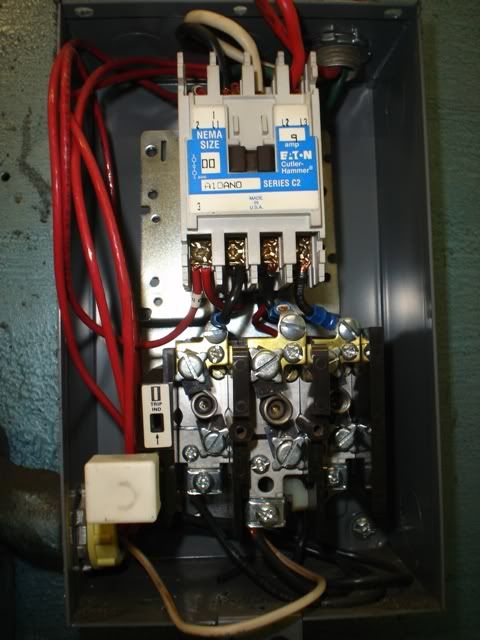
The electrical system is very straightforward. A NEMA size 00 starter is mounted on the back, with a control transformer for control and lighting. None of my controls, with the exception of the "Start" and "Stop" pushbuttons were original. Simply remove all of this stuff for possible re-use. Pull the old flexible conduit and wire for disposal.

The inside of the Allen Bradley "Start" "Stop" switch box. Spotless, after 62 years! I intend to re-use these, I think:

22.jpg


Inside the starter. I'll re-use the starter as well:

23.jpg


I should spend a moment on the blade welder to mention that it's HEAVY! I would estimate about 70 lbs. I tested my welder before removing it and found it it operating condition! Not bad, after 62 years. The grinder motor was running quiet as a mouse, too.

Four screws secure the welder to the frame. Once removed, the welder should pivot out on the lower bracket where you can cut the wires and lift it out. For some reason, my welder was mounted on a section of 1/4" plywood, which is not stock.

The removed blade welder, showing the "interesting" side:

24.jpg


Final Disassembly and Power Washing

Now is the time to remove all the badges, damaged placards, hand knobs, etc. from the frame, and doors in preparation for sandblasting.

After removing all the remaining parts, I cleaned out a few dustpan loads of **** from inside the machine. Along with a dead mouse, a Planter's Peanut Brittle and package, I found an Army and Air Force Exchange Service wrapper.

The AAFES wrapper. During her long history and four paint jobs, she must have served her country in either the Army or the Air Force:

25.jpg


After removing the bulk of the solid gunk, I power washed the machine thoroughly using "Foamy Engine Brite" degreaser.

Machine ****, a naked Do-All:

26.jpg


A little humor

Before I conclude this section, I thought I should add one little detail. While playing with the Job Selector for this machine, which included all kinds of "vintage" materials like "Duralumin" and "Armor Plate", I found one which I thought OSHA might like:

27.jpg


I bet that makes a healthy dust cloud. :D

Teardown Finished!

This concludes tearing the machine down and the initial cleaning. In the next installment, I'll tackle sandblasting and re-painting the frame and doors.
 
OP
A

A_Pmech

Well-known member
Joined
May 8, 2007
Messages
8,002
Location
IL
Part Three, Sandblasting

After a little delay here at the shop, I finally found some time to sandblast the main frame, doors and associated parts.

Repairing the Blasting Pot

Before I could get into blasting, I had to come up with a fix for my sandblaster. The local supply house decided to switch the brand of blasting pot the sell. In the process, they changed the consumables they supply as well. The photo below tells the story. On the right is the ceramic nozzle my blaster uses, which was the last one I had. On the left is the nozzle my local house now carries.

28.jpg


Not to be deterred, or forced into waiting a week for an order, I went back to the plumbing section. There, I bought a new 1/2" valve, 1/2" IPS to 5/8" flare adapter and a 5/8" flare nut.

Once back at the shop, I bored the inside of the flare nut to accept the ceramic nozzle. Then, I faced off the end of the flare nut adapter. A quick test showed everything fit as it should, so I made up some silicone gaskets.

29.jpg


30.jpg


31.jpg


Here are all the parts of the new gun, ready for assembly:

32.jpg


Back in business! New gun on top, old one on the bottom:

33.jpg


With plenty of sand on hand, we began blasting.

34.jpg


35.jpg


36.jpg


This evening we wrapped up the sandblasting and I took a trip up town to buy paint at the local NAPA.

I'll be using Acme FP-301 etching sandable primer followed by Cross Fire 55A Urethane Enamel in color 51060, Med. Gray

Better painting though chemistry:

37.jpg


As a side-note, I cleaned up the serial plate for the machine today.

38.jpg


The other plates are severely damaged, mainly due to an errant wire brush by a previous painter. I will be etching new plates from new artwork, once the rest of the machine is completed.

39.jpg


A NOTE OF CAUTION: One thing you might notice about these plates, especially the cleaned serial plate, is that they are not anodized but lacquered. For this reason, don't try using paint remover on old data plates!
 

KenS

Well-known member
Joined
Oct 21, 2007
Messages
726
I will be etching new plates from new artwork, once the rest of the machine is completed.

This is a process I'm unfamiliar with. Could you describe how you plan to recreate these plates?

BTW: Like many here, I love threads like this! There is something wonderful about restoring something headed to the junkyard to like-new condition.
 
OP
A

A_Pmech

Well-known member
Joined
May 8, 2007
Messages
8,002
Location
IL
Ken,

I'll be making new data plates by photoetching.

Briefly, the old plates will be scanned into Illustrator. There, I will re-construct the artwork and print it out on mylar in black and white, 3X normal scale. Then, I'll take it to my local newspaper where it will be photographed at a 3X reduction on a high contrast film, using a 1929 Carl Zeiss large format printing camera. A negative image will be required.

Back at the shop, I'll make up my aluminum plate blanks. The plate blanks are then washed with a negative photo resist that is sensitive to ultraviolet light. Where the UV light contacts the resist, it changes and becomes resistant the the resist developer.

I'll then contact expose the plate and negative, followed by developing the resist. Once the resist has been developed, only the areas exposed to ultraviolet light will remain resistant to the etching chemicals.

Then, I'll etch and anodize the aluminum.

Voila! New data plate. :thumbup:
 
Last edited:

KenS

Well-known member
Joined
Oct 21, 2007
Messages
726
Ken,

I'll be making new data plates by photoetching.

Briefly, the old plates will be scanned into Illustrator. There, I will re-construct the artwork and print it out on mylar in black and white, 3X normal scale. Then, I'll take it to my local newspaper where it will be photographed at a 3X reduction on a high contrast film, using a 1929 Carl Zeiss large format printing camera. A negative image will be required.

Excellent! Thanks for the tutorial.

Assuming you're printing to mylar from a laser printer, can't you get enough contrast and resolution without have to oversize and scale down?

Before we went direct-to-plate at our paper, and with Panther and ECRM RIPs to imagesetters prior to that, as a backup we kept mylar on hand to create negs with a 1200 DPI laser printer. If the image was printed as a high contrast grayscale negative as opposed to a screened image, I would think the resolution and contrast would be excellent for your purposes without the extra expense and time of the camera step.

Not arguing, just wondering. From your explanation it's obvious you know what you're doing.

Thanks again for sharing and I'm looking forward to more photos.
 
OP
A

A_Pmech

Well-known member
Joined
May 8, 2007
Messages
8,002
Location
IL
Ken,

Ahh, you're in the printing business! In which case, the only step you're probably unfamiliar with is the anodizing and coloring. Same process, same chemicals.

You're correct that the reduction step isn't particularly necessary. However, my background in photoetching comes from printed circuit board design. The reduction helps to control errors in the original artwork, as you're no doubt aware. I'm stuck using a bubble jet printer, so some errors are always present and there is a definite loss of crispness.

In addition, my local newspaper does the camera work at cost as long as I can fit it into their production schedule. I've found the camera work offers slightly superior contrast with fewer "artifacts" than my old Laserjet, a 600 DPI unit. I'm not sure what I'll do if they go digital. Maybe buy the camera... :lol_hitti
 
OP
A

A_Pmech

Well-known member
Joined
May 8, 2007
Messages
8,002
Location
IL
PART 4-A, PRIMING

This weekend I was able to prep and prime all the major saw parts. No major issues here, other than a slight shortage of primer and a skipping gun towards the end.

Long story short, when I last cleaned my gun I managed to lose the needle bushing and seal in the spray head of the gun. It's a little Nylon job, about 1/4" dia by 1/4" long, with a .117" hole though the middle. I made one out of some scrap nylon yesterday afternoon before painting. It worked well for a while, then the gun started sucking air. I think I drilled the hole a tad large. Maybe this is my excuse to move into the 1990's and buy an HVLP gun? :lol_hitti

I budgeted one quart of primer for this project and that was *JUST BARELY* enough to do the job at a 1:1 reduction, which gave me two quarts mixed. 2.5 quarts would have been better. Although chromate free, the primer reminds me of older mil-spec zinc chromate primer in both looks and application technique. It must be misted on lightly to avoid runs and sags and almost has a translucent effect in the first two coats. If it is sprayed lightly, it is a very forgiving product. It is dust-free in about 7-10 minutes at 70F, which makes it great for outdoor painting.

Painting Prep

After sandblasting, there are always small areas where some of the paint remains. It's hard to catch every little paint spot when you can barely see though your blasting hood. In the case of this saw, most of those areas were due to soft paint, which is resistant to sand blasting as it simply repels the sand. In addition, the saw had a few nasty weld spots and a couple minor digs and dings. All of these must be addressed before priming.

One of the nasty weld lines on the exterior of the frame:

40.jpg


A nasty weld on the chip chute before:

45.jpg


The same area after a little flap wheel work:

46.jpg


I began by addressing the the paint problem with a knotted wire brush and a 36-grit flap wheel on a 4" grinder. First, I ran the flap wheel over any soft paint areas, gouges, and rough metal spots removing and fairing them smooth. Then, I gave the saw a quick all-over brushing with the wire wheel, removing or knocking down any rough areas left over by the sandblaster.

After flap wheeling and wire brushing the main frame:

48.jpg


Bethlehem Steel

While wire wheeling the machine base, which is 5/8" plate, I found the stamp of the Bethlehem Steel Corp:

47.jpg


1947 was a time when America actually made things.

Filler

After wire wheeling all the main assemblies I brought in the body filler. I prefer NAPA CUZ polyester body filler. Out of the can, it is gray in color. Mixing in the blue hardener results in a light-blue filler when mixed correctly. Application is with a small, flexible nylon applicator. I concentrated on the ground down weld lines on the exterior of the machine, in addition to a few dings in the main frame.

41.jpg


After waiting a few hours for the filler to harden, I came back in with the jitterbug and 100-grit sandpaper. Even with this relatively coarse grit, initial progress is slow. The filler has a soft outer skin which clogs the paper. Once though the skin, sanding and fairing can be done rapidly.

42.jpg


Priming

As I said earlier, the primer I chose reminds me of zinc chromate primer. I had a few problems at first remembering how to shoot it, as I was trying to put it on a little too heavy. After a gun adjustment and an "application technician" adjustment, things went well. I plan to order an additional quart of color, which I will intermix with the quart I already have. This saw has more surface area than it looks!

It is a challenging project to paint, with all the angles and dangles. Many surfaces are impossible to paint directly, such as inside the blade guard and chip chute. The best I could do was simply point the gun into the area and try to mist everything. I did miss a few small spots, but they're all inside the machine. I have a feeling Do-All's painters wouldn't have done any better in 1947!

Here it is, after priming:

43.jpg


44.jpg
 

krooser

Well-known member
Joined
Jun 3, 2005
Messages
2,377
Location
Waupaca, Wisconsin
Great post.... I like all of my old equipment.... much better (and usually cheaper) than much of the low cost imports coming onto the market today.

I'd suggest you keep that old motor and have a motor shop rebuild it. It should be cheaper than buying new and would keep more of the vintage vibe intact.

Good luck.
 
OP
A

A_Pmech

Well-known member
Joined
May 8, 2007
Messages
8,002
Location
IL
Krooser,

You're right. There is no comparison between old American iron and what is put out by the Chinese. Unfortunately, I think it extends to new American iron as well!

A few nights ago, I was searching youtube for bandsaw videos, just to see what other people were up to. I happened to find a promo video from Do-All, showing the current incarnation of the V-36, the 3613-1

Here's the link:


I noticed several things in the video:

1) The wheels are substantially lighter on the new saws

2) The blade doors are .045" steel, instead of 1/8" plate

3) The doors are much smaller, making band changes more difficult

4) The whole machine appears lighter

5) The chip collection is a simple bucket under the wheel, instead of a chute. Chips can collect in the machine base, behind and under the bucket.

6) All of the handles are cheap plastic, instead of cast iron.

7) The aux table and blade welder are now "options"!

8) The main table is smaller and MUCH lighter

9) The blade guide arm no longer has an elevating mechanism with handwheel.

10) The table trunnions are now single-axis tilt. That's fine, unless you want to use the saw for what it was designed for: Making Continental Process blanking dies.

About the only thing I think they did that actually improved the saw was installing a VFD on the drive motor. I think that's a step in the right direction and I've thought about the idea. However, for now I'm going to keep the original vari-drive as it is in good shape.

I suppose the pressure of price competition forced them to cheapen their product if they wanted to stay in business. You can't build a Bentley for a K-car world and expect to keep the lights on and the doors open very long.

Regarding the motor: I haven't decided for sure yet whether I'm going to rebuild it or not. It was running well when I removed it, other than the bearing play. I may disassemble it and see about boring and fitting new bearings if the shaft isn't too bad. One thing is for sure, I'll have to use a 2HP TEFC extreme duty motor to get into the weight range of the old motor. This is necessary to keep the belts tensioned.
 

Bustawrench

Well-known member
Joined
Dec 29, 2008
Messages
527
Location
South Jersey
Subscribed!

Very cool project!

I don't know where you are, but there are sveral motor shops around here that could fix that old gem of a motor you have. The new ones are nowhere near as cool.
 
OP
A

A_Pmech

Well-known member
Joined
May 8, 2007
Messages
8,002
Location
IL
Thanks for the comments guys!

I may fix that old motor yet, I'll know more when it's time to re-power the machine. :beer:
 
To avoid these ads, REGISTER NOW!
OP
A

A_Pmech

Well-known member
Joined
May 8, 2007
Messages
8,002
Location
IL
This installment should have covered painting the machine. However, the weather this weekend wasn't conducive to spraying urethane. The temps hovered in the high 50's and low 60's all weekend. I could compensate for that with a faster solvent, but the wind was up as well. Even a slight breeze will make your day when painting with a urethane that requires 80 minutes to dust-free.

So, rather than fight the weather, I started on the wheels.

Assessing their condition

The wheels are Aluminum investment castings, 1.25" wide between the wheel flanges and 16" in diameter to the outside of the flanges. After 62 years of use, they have a few problems that will require my attention.

First, the tires are completely rotten. Heck, it may have the original tires on it!

Second, the drive wheel crown is severely damaged.

Third, the right idler wheel "back" side flange is almost completely gone.

Here's a photo after cutting off the drive wheel tire:

49.jpg


Notice the rough, grooved surface on the crown of the wheel? Here's a close-up:

50.jpg


Chips were getting between the tire and the wheel during normal operation. Under heavy cutting, the tire was creeping or downright slipping on the wheel, resulting in the grooves. The deepest are around .010" deep, with the damaged surface extending the entire width of the tooth side of the crown and some damage on the back side of the crown. This damage can't remain, as narrow blades will track the groove instead of riding the crown ridge as they should.

Here's a photo of the left idler, which is completely undamaged:

51.jpg


The right idler crown is in similar condition, except for the flange on one side. It appears some doofus maladjusted the idler enough for it to run into the trunnion frame, almost completely wiping out the flange on the back side of the wheel.

You can see the damage in the very bottom of this photo:

52.jpg


Figuring out how to fix them

I mulled this over most of Saturday afternoon figuring out what my options were. I came up with three:

1) Call Do-All and hope I can get new wheels, or wheels I can machine to fit. Most expensive, and probably not direct replacements.

2) Build a pattern, cast some wheel blanks, machine. Middle of the run cost, lots of work.

3) Re-machine the existing wheels. Least expensive, just more work.

Initially, I didn't think #3 was an option, as the tires must be a good fit to the wheels if they are to transmit the machine's power to the band instead of slipping. However, it turns out that Sulphur Grove Tool's urethane tires will fit wheels +- 1/2" nominal diameter according to the guys at Peachtree Woodworking. The crown diameter of the wheels is about 15.990" as they stand right now, and I need to remove about .015 from the most damaged surface. Problem solved, tires ordered!

Now onto doing the work...

Measuring the band wheels

To begin, I spent a few minutes thinking about the ramifications of machining the band wheels. Removing .015" of material from the band wheels is going to change the relative position of the band towards the throat by the same amount. I'm not entirely sure if an adjustment guide positioning will be required or not. I'm hoping the answer is "no", but if necessary I'll re-fit the guides when the time comes.

The next minor issue was figuring out just how I was going to machine the wheels. They have to run perfectly true to the hub, otherwise the band will not track square and true. At first, I considered chucking up the lightening holes and dialing in on the machined surface of the wheel flanges. That didn't appeal to me, as it wasn't necessarily a reference to the bore after 62 years. The bore and flange surfaces of the drive wheel was fairly nasty, making an indicator sweep exceedingly difficult.

Rather than mess around all afternoon with an indicator, I decided to build a two-piece mandrel, as shown in my quick doodle below. Drawing conventions? What drawing conventions? :spit:

53.jpg


I removed the bearings from the idler wheels, masked off the bearing bores and sandblasted all the wheels to remove the paint and built-up gunk. Then, I cleaned the bearing bores and flanges with Scotch Brite and carburetor cleaner and stoned off any burrs on the flanges.

54.jpg


With everything clean, I measured the bores.

55.jpg


56.jpg


For those interested, here are the dimensions:

DRIVE WHEEL BORE: 1.1302" - 1.1280" tapered toward transmission side.
DRIVE WHEEL DEPTH: 1.625"

RIGHT IDLER BORE: 1.8495"
RIGHT IDLER DEPTH: 1.345"

LEFT IDLER BORE: 1.8498"
LEFT IDLER DEPTH: 1.360"

As you can see, the drive wheel bore is tapered slightly, probably due to running with the drive nut loose, as that's how I found it. There is some light galling inside the bore, which makes a precise reading difficult. I briefly considered sleeving this bore, but a thousandth or so TIR isn't as important as ensuring that the wheel crown runs square to the bore shoulder which locates the wheel "in-plane". However, due to the damage I'll have to make the final fit to the mandrel by test.

Machining the drive wheel arbor

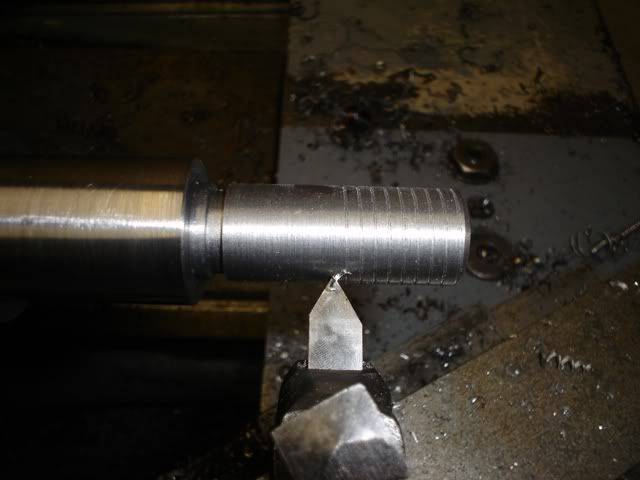
With my sketch and dimensions in hand, I pulled a piece of 4130 bar stock from the rack and began work on the arbor for the drive wheel.

Roughing in the arbor, .1DOC, S=65, F=.012

57.jpg


After a quick honing of the tool, I took a pass for 1.1270".

58.jpg


A test fit got the wheel about halfway onto the arbor from the "large" side of the bore. I went over the diameter again and took off .0005" per side and just barely got the wheel on. A quick polish of the mandrel with 220-grit sandpaper yielded a very light interference fit for about 40% of the bore with a final diameter of 1.1257" I squared up the shoulder and changed tools for the relief groove.

59.jpg


Machining the relief groove with a flat-ground 1/8" cutoff blade.

60.jpg


Here's the first pass on the threads, 3/4-10 UNC

61.jpg


The finished arbor:

62.jpg


The drive wheel mounted! Note that it is double-nutted for safety. :)

63.jpg


That concludes the weekend's work. In the next post, I'll document machining the clamshell bushings to mount the idler wheels and maybe a little wheel machining. Then, it's back to painting.

Till then... :beer:
 
Last edited:
OP
A

A_Pmech

Well-known member
Joined
May 8, 2007
Messages
8,002
Location
IL
Thanks, it's coming along. I'm hoping to complete the rebuild by the end of June, working on it when I can. We'll see...

Yep! That pallet jack gets a lot of use moving machines and materials around. I don't know how I'd manage without both the forklift and the pallet jack. Although, above two tons, I use machinery skates. The pallet jack is supposedly rated for 3,300kg 6,600lbs!!! I have no interest in testing that.
 
OP
A

A_Pmech

Well-known member
Joined
May 8, 2007
Messages
8,002
Location
IL
This weekend, I finished the arbor and machined the wheels.

The Idler Wheel Bushings

Before I could machine the drive wheel, I had to take a good measurement of the wheel crown angle. The drive wheel was too damaged to allow a good measurement, so I was left with the two idler wheels. Of the two, only the left idler had a clean enough crown to allow a measurement to be taken. Since the idlers have a larger bore than the drive wheels, arbor bushings were required to mount the idlers for measurement and machining.

VIDEO: Machining the bushings.

Here's the finished product, ready for the idler wheels. The left bushing is a press-fit to the drive wheel arbor. The right bushing is a slight running fit, to allow the two idlers to be interchanged and swapped end-for-end.

64.jpg


Machining the Wheels

With the left idler mounted on the arbor, I installed my dial indicator on the carriage and zeroed it out just past the peak of the crown. Then, I zeroed out the DRO and swept the the face of the wheel. The result was an indicator dip of .026" in .475", or a single taper of .657" per foot, or roughly 3.14 degrees.

I set the taper attachment accordingly, then double-checked the taper attachment with the DRO.

I planned to take off the same amount from all three wheels, and I expected .020" would be required to clean up the drive wheel. With that in mind, I began cutting the right idler.

65.jpg


66.jpg


I started the first pass at .0025" DOC and 70RPM at .003" per rev. Once I was confident I wasn't going to have a resonator, I upped the speed to 110RPM and the DOC to .005" per pass.

At .020" deep, I flipped the wheel end-for-end and took .020" off the other side of the crown. The arbor repeated to .002" TIR, which I was able to reduce to .001 TIR or less with a mallet, suggesting a burr in the wheel bore. However, the wheel ran out of plane about .007 once flipped, even though the arbor shoulders and bore were dead on. It ran for 62 years with .003" TIR on concentricity and .012" TIR out of plane, so I think I did well. Frankly, I doubt the bearings and transmission shaft will locate the wheel as accurately as I did when machining.

After cutting the crown, I trued up and trimmed the shoulders down to .035" over the crown bottom.

Here's the finished product:

68.jpg


A few photos of the drive wheel, over several passes:

First pass

69.jpg


Second pass

70.jpg


Fourth pass, .020" deep

71.jpg


After machining all surfaces. Notice the crown is centered.

71a.jpg


A stack of re-machined wheels, ready for painting!

72.jpg


I should have a video of machining the wheels up shortly.
 

Steve in Mi

Well-known member
Joined
Mar 13, 2007
Messages
1,042
Location
Mid Michigan
Great thread, good documentation of the rebuild. As you say, the aluminum placards can be reproduced but are they available from DoAll?

I'm refurbishing an older Grob contour bandsaw and was pleasantly surprised to find that Grob could supply all of the placards for this saw, today.
 

KenS

Well-known member
Joined
Oct 21, 2007
Messages
726
Just watched your four videos and they were excellent. Based on your appreciation for post WWII-era equipment, I had figured you for an older guy, but judging by from your youthful hands and arms I was wrong!

Keep up the good work. Love seeing a good craftsman at work. Do you have any more photos of your shop?
 
OP
A

A_Pmech

Well-known member
Joined
May 8, 2007
Messages
8,002
Location
IL
Steve,

It worth a shot. Although, I'll be VERY surprised if the placards they send me are identical to the ones off the machine. Generally, manufacturers tend to cheap out on replacement placards. Rather than the round, swoopy designs, they'll probably be boring squares. I'll have to give the parts guy a call and grill him. :)

Post up some pics of the Grob! I'm interested to see the drive system and how the band wheel is driven. It's my understanding it's completely belt-driven.

Ken,

Not that old yet, at 24. :bounce:

Glad you enjoyed the videos. I tried to keep them simple, without lots of distracting stuff.

I like machinery from all eras. It really depends on the machine in question. Some machines are best from the late 40's through the 50's. Bandsaws and shapers, especially. This was the height of quality and features. A 1948 24" Rockford Universal Hydraulic Shaper is the cat's meow, as are the late 40's though 50's Do-Alls. After that, not much new was added and they disappeared from the market or quality deteriorated.

By the late 40's, shapers were going out of style with the widespread use of heavy vertical milling machines and the first insert tooling. The same thing happened to vertical contour saws in the 80's, as CNC machines replaced the need to make complex contour cuts for blanking dies and roughing for vertical mill work in production shops.

Some machines found their height in the 60's and 70's. My 1972 American Pacemaker is the best of the heavy engine lathes. Power everything, replaceable cryogenically hardened tool steel ways everywhere, filtered pressure lubrication to every moving part, etc. The amount of care put into the design and execution of the machine just blows all other manual engine lathes out of the water, except for the rare Monarch 1000EE, which was a lighter-duty machine.

Not really, there's not much to see. I have a lot of stuff crammed into a small space, so all you really see is the back or front of another machine, tool, pile of hardwood, motorcycle, or project.
 
Last edited:

Steve in Mi

Well-known member
Joined
Mar 13, 2007
Messages
1,042
Location
Mid Michigan
Steve,

It worth a shot. Although, I'll be VERY surprised if the placards they send me are identical to the ones off the machine. Generally, manufacturers tend to cheap out on replacement placards. Rather than the round, swoopy designs, they'll probably be boring squares. I'll have to give the parts guy a call and grill him. :)

Post up some pics of the Grob! I'm interested to see the drive system and how the band wheel is driven. It's my understanding it's completely belt-driven.

Ken,

Yes all belt driven. I have a vfd for it but not that far yet. Next is to reinstall the table.

I sent photos of my old placards so there would be no mistake about what I wanted. They actually stamped my blade welder serial number, just like the original.
 
OP
A

A_Pmech

Well-known member
Joined
May 8, 2007
Messages
8,002
Location
IL
Yes all belt driven. I have a vfd for it but not that far yet. Next is to reinstall the table.

I sent photos of my old placards so there would be no mistake about what I wanted. They actually stamped my blade welder serial number, just like the original.

Ahh, cool! VFD drive is the way to go! I bought a Hitachi 2HP Sensorless Vector Drive a few years ago for a project and thought it was first class. If the vari-drive in my Do-All was in bad shape, I'd replace it all with a VFD.

I'm impressed! Hadn't thought about sending them photos. I'll give Do-All a try and see if they can come though in a similar fashion. :beer:
 
OP
A

A_Pmech

Well-known member
Joined
May 8, 2007
Messages
8,002
Location
IL
Painting the Band Wheels

Yesterday, I had a few minutes of spare time, so I masked off the band wheels and sprayed a quick coat of self-etching primer.

73.jpg


Then, this morning I had a chance to spray the paint. The wheels will be a slightly darker gray than the machine frame.

73a.jpg


Installing the Tires

Today, I received a package from Sulphur Grove Tool, as promised. Inside was a set of the correct, .125" thick, urethane tires.

74.jpg


I set to work this evening installing them on the wheels. They actually went on much more easily than I had originally expected. The key, as described by others as well as Bill at Sulphur Grove, is to heat the tires in warm water. The instructions accompanying the tires stated 140F was the necessary temperature.

75.jpg


The tires did not require any form of lever or tire iron for installation, as you'll see in the video. Just set the wheel on your workbench and wrap the tire around the wheel. Then, hold it in place with your belly while working it onto the rim with both hands from one direction. When this becomes too difficult, rotate the wheel. Using one hand on each side of the tire, push the remainder of the tire over the band wheel lip. Then, simply slide the tire into position on the wheel.

Here's a mounted tire:

76.jpg


Installing the Bearings

With the tires mounted, the only thing left to do to the wheels is install new bearings. The original bearings were shielded on one side and open on the other. The new bearings, 6204-2RS-NR-C3-SR12 are sealed both sides, which should improve bearing life.

The bearings have a clip that runs around the outer circumference of the bearing. This clip locates the outer bore depth in the wheel. It is important when pressing these bearings to be sure not to apply too much pressure or press too far, which might distort or destroy the clip.

77.jpg


Here's the finished product:

78.jpg


Three wheels, ready to go:

79.jpg


Here's the accompanying video, Part #5 of the series:

Installing the Tires and Bearings
 
OP
A

A_Pmech

Well-known member
Joined
May 8, 2007
Messages
8,002
Location
IL
It's been a month since my last post, but it seems like about 3 days ago... :wtf:

The transmission has been disassembled, painted, inspected and should go back together any day now. I've switched internet providers, so I'm trying to figure out how best to upload the latest video. Hopefully, I'll have it up with the accompanying post by tomorrow.

Glad you're enjoying the thread! :thumbup:
 
OP
A

A_Pmech

Well-known member
Joined
May 8, 2007
Messages
8,002
Location
IL
Transmission Disassembly

I decided to make disassembling the transmission it's own post. Partly because doing so is rather involved, and partly because I haven't made the necessary repairs to put it back together yet. I hope to have that done by the weekend.

Here's a photo of the transmission as removed from the saw, from the bandwheel side:

80.jpg


Another photo, from the input shaft side:

81.jpg


As you can see, it's a mess. However, spinning the input and output shafts gave a nice smooth feel in both speed ranges, so I was hopeful that I had a good transmission. The transmission gearing is supposedly available, according to Do-All. At what price is anyone's guess. I was anxious to get it opened up to see the extent of repairs required inside.

To begin the project, I attempted to drain the oil and found it really didn't have any oil in it! I drained about approximately a cup of 80W gear oil. Better than no oil, I suppose, but not enough to keep the large reduction gear set lubricated.

Before opening up the transmission, I had a look at the illustration in the Do-All parts manual, to guide my work.

82-1.jpg


As you can see, the transmission has three gear sets. From the right hand side of the illustration:

Input reduction set
High speed set
Low speed set

The transmission is shifted between high and low range with a sliding shift dog on the upper shaft.

With the illustration fresh in my mind, I began by taking the the bearing covers off, followed by removing the case cover. While removing the case fasteners, I realized that somebody had been here before me. The case fasteners are 1/4-20 recessed head screws and all showed signs of having put up a battle for the last guy. They came out easy as pie for me.

82.jpg


Initially, I was disappointed at the sight. Everything is caked in sludge! Not that I wouldn't expect that from a transmission this old, I just wanted to see more oil!

After inspecting the gearing, I was pleasantly surprised. The only gear that looked worn is the low-speed pinion, as shown below. Thankfully, the gear tooth faces are not spalled, just worn. I don't think the wear is particularly bad either, considering it ran without oil for who knows how long. I've seen far worse come out of aircraft engine accessory drives!

83.jpg


The next step involved removing the shift dog and bandwheel bull gear. It simply lifts off the pilot stub of the input shaft.

84.jpg


After tapping out the input shaft and it's two bearings, I was left with the brain teaser:

85.jpg


Referring back to the parts catalog illustration, you'll note that the large gear, part of the input reduction gear set, is keyed and pressed onto the secondary shaft. The same is true of the spacer and high speed reduction gear. Complicating things is the wall of cast iron preventing the whole assembly from being withdrawn from the case, which must happen to replace the secondary shaft bearing behind it.

I thought about this situation for a couple of minutes, when I had an idea. I decided to support the input reduction gear with two pieces of angle iron faced square. Then, by inverting the entire transmission in the press and pushing on the secondary shaft though it's bearing, I'd press it out of the input reduction gear.

Here's the angle iron setup:

86.jpg


As you'll see in the video, it worked perfectly.

With everything basically apart, I headed over to the solvent tank to begin the de-gunking process. Ever lose tools or parts in the lagoon? This had been in there at least three years! I wondered where it went....

87.jpg


Here are the parts, after the gunk tank:

88.jpg


89.jpg


90.jpg


91.jpg


Overall, I'm happy with the condition of the gears in the transmission. While they show obvious signs of wear, they should be serviceable for at least another 15 years. At that point, I'll make new gears.

VIDEO: Transmission disassembly

In the next post, I'll cover machining and installing a new main shaft pilot bearing, painting, and reassembly. :beer:
 
OP
A

A_Pmech

Well-known member
Joined
May 8, 2007
Messages
8,002
Location
IL
Machining a new output shaft support bearing

After disassembling the transmission, I noticed that the output shaft support bearing was bell-mouthed about .011". New spec on a bronze bushing this size should be about .001" to .0025" greater than the shaft diameter, depending on the shaft speed differential. Obviously, I needed to do something about this.

Extracting the old bushing proved to be another brain teaser. It was bottomed in the bore, so a standard bushing puller wouldn't work. In addition, it was seized in the bore, so threading it and using a slide hammer would have presented a work holding problem. I used a trick I learned as an apprentice. I threaded the bushing 1/2" NPT and install a 1/2" pipe plug, drilled to accept a grease zerk. Then, I blocked off the oil holes with sections of softwood and C-clamps and pumped away. The bushing broke free with only a little effort. Once it reached the oil hole, it was loose enough I could finish extracting it with a hammer and a short section of pipe as shown in the video.

92.jpg


While I was over at the bearing supply picking up the new ball bearings for the transmission, I also bought an oil-impregnated bronze bushing blank:

93.jpg


I turned the blank to be a press fit in the shaft and roughed out the inside diameter:

94.jpg


Then, I beat the new bronze into the shaft and cut off the excess:

95.jpg


Over on the Pacemaker, I faced and bored the new bronze to final size:

96.jpg


To finish, I drilled a new oil hole though the wall of the new bushing:

97.jpg


Here are the two halves brought back together again:

98.jpg


This was the only repair work I had to do inside the transmission, beyond replacing all the ball bearings. I'll be covering reassembly in the next post.

:beer:

Here's the accompanying video:

Rebuilding a Do All Saw, Video #7
 
To avoid these ads, REGISTER NOW!
Top Bottom