To avoid these ads, REGISTER NOW!

does everyone use a laptop/desktop computer in their shop

december45

Well-known member
Joined
Apr 13, 2009
Messages
1,580
i used my lap top alot in my old shop, however i was on dial up and had a connection in the shop, now i need help getting internet to the new shop.
i got wireless router that works great around the house but isnt quite strong enough to go out to the shop, shop is 525' from the house... we upgraded to type N wireless and it didnt make any noticeable difference.... ive play around with the idea of running cat5e out to the shop but they say its limit is 328 feet....

how many use a lap top in the shop?
and give me some links or ideas on what to do about getting internet out to the shop

thanks.
 
To avoid these ads, REGISTER NOW!

oldtractors

Well-known member
Joined
Nov 19, 2007
Messages
374
Location
Iowa
I ran two cat 5 cables into my shop when I ran underground electric. One is used for phone, the other for the network. I use the computer all the time - looking up parts, displaying pdf tech manuals, and playing mp3s.
 

Piper

Well-known member
Joined
Nov 17, 2006
Messages
590
Location
Muskoka, Canada
is your hydro for the shop the same as the home? If so you could use a d-link cat5e adapter which plugs into a 110v outlet. I have 2 of these at home. I plug 1 into the router and 110v plug, the other to a 110v outlet and then cat 5e to the computer. Basically it dumps a digital signal for the internet onto existing 110v wiring. Take a look at the d-link site and see. It works great!
 
OP
D

december45

Well-known member
Joined
Apr 13, 2009
Messages
1,580
the shop and the house have different elect meters, so the connection electrically between the house and shop is that the power comes in on the same pole... that would be it. would that work?
 

autoist

MEMBER EMERITUS
Joined
Aug 20, 2005
Messages
1,107
Location
Gurley, Alabama
Yep....tower...high speed cable, printer, etc.

I'm wireless in house but, like you, it wasn't strong enough to reach garage....so, I ran a cable from the rear of my router to my garage.
 

Identaltech

Well-known member
Joined
Dec 20, 2008
Messages
514
Location
Norwalk Iowa
get your self an Nanostation2 wireless router.
It cost about $80.00
it has long range and can be mounted outside.
we use them in Dental offices with lead lined wall and have no problems.
lead stops xrays so it is very hard to get RF to work.
unless your shop is miles away or lead lined it will work for you.
http://www.ubnt.com/products/ns2.php
 

e-tek

Well-known member
Joined
Dec 19, 2007
Messages
10,690
Location
Saskatoon, SK
I use the laptop every night and my wireless reaches the shop, but I never use my computer in the shop. When I'm in there I'm too busy getting "real" stuff done. I rarely have to look something up when I'm working on it - but then again I'm not working on new stuff that might require a manual, schematics, etc. My personal "computing" is really just GJ, GH and some dedicated car-type sites.
 

malodin

Well-known member
Joined
Mar 15, 2008
Messages
279
or research yagi antenna or prengals(the chip) can antenna, it is a directional antena that you would point towards the garage and you have another one at the garage pointing at the first one, as long as you have a good line of sight.

sorry i dont have links right now i am tired and dont feel like researching them but you can
 

Fueler

Well-known member
Joined
Jun 22, 2006
Messages
1,620
Location
Urbana, IL
get your self an Nanostation2 wireless router.
It cost about $80.00
it has long range and can be mounted outside.
we use them in Dental offices with lead lined wall and have no problems.
lead stops xrays so it is very hard to get RF to work.
unless your shop is miles away or lead lined it will work for you.
http://www.ubnt.com/products/ns2.php

I have hard line from the shop to the home but the signal is degraded due to length. This looks interesting but it's unclear on their site how it is implemented.
Does is replace my current router?
Wires from modem must be run through the exterior wall to this item?
I assume since lead is a non issue that steel buildings is also a non problem?
I need to look. Is speed slower than hard line like other wireless items?
Thanks
 

rocketman

Well-known member
Joined
Jul 16, 2008
Messages
263
Location
Chicagoland
Guys.... the physical limit for and wired cable CAT5 or CAT6 (not fiber optic) is about 300ft. (he's already said his shop is 500+ feet from the house)

The easiest and best way IMHO, hook a splitter from the input coax cable that plugs into the cable modem, and run a length of double or triple shielded coax out to the garage. Buy/rent/lease a second cable modem from the company... problem solved.

No offense, but tuning yagi antennas, line of site, etc... can get expensive and pretty technical. Chances of failure because of building materials, EMI from florescent lights, so many other factors, can not be anticipated. Run coax cheap and you can have TV out there too!!!!
 
Last edited:

Identaltech

Well-known member
Joined
Dec 20, 2008
Messages
514
Location
Norwalk Iowa
I have hard line from the shop to the home but the signal is degraded due to length. This looks interesting but it's unclear on their site how it is implemented.
Does is replace my current router?
Wires from modem must be run through the exterior wall to this item?
I assume since lead is a non issue that steel buildings is also a non problem?
I need to look. Is speed slower than hard line like other wireless items?
Thanks

I would just use it as your wireless access point.
just hook it up to your excisting network

you will get better range but you dont have to put it out side.

you would have to try. at 500 ft I would think it would work.

yes it is slower but way faster than dailup.
 
Last edited:

bry@n

Well-known member
Joined
Dec 29, 2008
Messages
2,785
Location
Ocean County, NJ
Guys.... the physical limit for and wired cable CAT5 or CAT6 (not fiber optic) is about 300ft. (he's already said his shop is 500+ feet from the house)

The easiest and best way IMHO, hook a splitter from the input coax cable that plugs into the cable modem, and run a length of double or triple shielded coax out to the garage. Buy/rent/lease a second cable modem from the company... problem solved.

No offense, but tuning yagi antennas, line of site, etc... can get expensive and pretty technical. Chances of failure because of building materials, EMI from florescent lights, so many other factors, can not be anticipated. Run coax cheap and you can have TV out there too!!!!

Yeah, I believe the limit is 325ft. I have seen longer footages work, just at a slower rate.

I use my laptop for all sorts of reasons. Anyway, when at work, If I am working on stuff, I pull any info that I may need. Even extra stuff not or thought to not be needed. I store it on my drive and then I have access even when no network connections. I keep stuff on thumb drives and back up to a external drive, just so I have an extra copy.
 
OP
D

december45

Well-known member
Joined
Apr 13, 2009
Messages
1,580
our internet provider is wild blue, its a satellite system from dish, ive already checked into getting another modem and dish , or to see if there was some wayto get internet out to the shop,and thats fine if i want to pay for another service... im trying to avoid $80.00 a month
 
Last edited:

Cholleman

Well-known member
Joined
Jan 19, 2009
Messages
55
is your hydro for the shop the same as the home? If so you could use a d-link cat5e adapter which plugs into a 110v outlet. I have 2 of these at home. I plug 1 into the router and 110v plug, the other to a 110v outlet and then cat 5e to the computer. Basically it dumps a digital signal for the internet onto existing 110v wiring. Take a look at the d-link site and see. It works great!

do you have a model number? I can't find it on their website.
 

rjstaaf

Active member
Joined
Mar 28, 2005
Messages
27
Location
Upstate, SC
do you have a model number? I can't find it on their website.

I believe he was referring to the product at the following link.

http://www.dlink.com/products/?pid=533

You can find these kind of adapters from several manufacturers. I happen to use Netgear adapters in my house and my garage for our desktops and wireless just for the laptop and the kids wireless game consoles. Here are a few links to what is available. Any of them should work but you want to stick with one manufacturer.

One thing to note is that Belkin has come out with adapters that are supposedly capable of gigabit speeds. I will likely be replacing all of mine with the Belkin adapters once I see some reviews...

Netgear
http://www.netgear.com/Products/PowerlineNetworking/PowerlineEthernetAdapters.aspx
Linksys/Cisco
http://www.linksysbycisco.com/US/en/products/PowerLine
Belkin
http://catalog.belkin.com/IWCatSectionView.process?Section_Id=206578
D-Link
http://www.dlink.com/category/productcategories/?cid=10
 
Last edited:

Uncle Buck

Banned
Joined
Mar 7, 2005
Messages
9,120
Location
Kansas
Nope, as expected, still dragging my knuckles about on the ground with that dab of drool rolling out of the corner of my mouth. No computers, hook ups, plasma TV, surround sound stereo, overstuffed furniture, bar, pool table, arcade games, or anything else of that nature. I was very excited to recently replace my tiny BW TV I keep way up on a top shelf with a different one of 1970's vintage, the same size, but this one has a remote! I added a new converter box when the switch took place and now I am feeling very snooty and high tone out there. I have an old discarded home stereo, the fancy remote controlled TV, and, get this, a box fan in the window to help cool the joint a bit whilst I am out there sweatin my *** off! I am contemplating going real high tech and loading down a Coleman cooler with cold drinks and bringing that in as well. Once that happens though I might just as well unfold a lawn chair, equip my 5 gallon bucket with a crapper lid, set up the Coleman stove, and fold out the cot. I think I could swipe the kids Nintendo, and grab one of there walkie talkies and just say the heck with everything else and go ahead and move in. :lol_hitti
 

Gary S

Well-known member
Joined
Dec 27, 2008
Messages
2,972
Location
Bismarck, ND
I ran Cat 5e to my garage, but I can't bring myself to put a computer in the garage where my real work gets done. I have 8 computers in the house for my Wife's business and for our personal use. I don't need another one cluttering up my garage.
 

BigE

Well-known member
Joined
Jan 14, 2009
Messages
928
Location
Central Alabama
My garage is attached to the shop so I just use the wireless in the house. Which is fortunate, because my toys require the use of a laptop and internet to tune. :D
 
To avoid these ads, REGISTER NOW!

Chris Adams

Well-known member
Joined
Oct 21, 2007
Messages
2,117
Poor man’s solution;
Run cable as far away as you can, say 320 feet, then put a cheap hub/router in the middle, run the cable the rest of the way.
Can't get power there? Build a box, put a 20 buck solar battery charger and a UPS battery in the box with the router.

Very cheap solution.


Or if you have power within 300 feet of either end you can just tap that.

I have run 600 feet of Cat6 and still got 1 meg of throughput, so don't be 100% sure you can't just run the cable.

With a gigabyte nic on one end and a 100 meg router on the other, internet isn't much of a challenge.
Unless you have 50 meg Fios.
Sounds like you MAY get 3 meg or so maximum since you are probably on a landline up and sat down.
 

Chris Adams

Well-known member
Joined
Oct 21, 2007
Messages
2,117
I believe he was referring to the product at the following link.

http://www.dlink.com/products/?pid=533

You can find these kind of adapters from several manufacturers. I happen to use Netgear adapters in my house and my garage for our desktops and wireless just for the laptop and the kids wireless game consoles. Here are a few links to what is available. Any of them should work but you want to stick with one manufacturer.

One thing to note is that Belkin has come out with adapters that are supposedly capable of gigabit speeds. I will likely be replacing all of mine with the Belkin adapters once I see some reviews...

Netgear
http://www.netgear.com/Products/PowerlineNetworking/PowerlineEthernetAdapters.aspx
Linksys/Cisco
http://www.linksysbycisco.com/US/en/products/PowerLine
Belkin
http://catalog.belkin.com/IWCatSectionView.process?Section_Id=206578
D-Link
http://www.dlink.com/category/productcategories/?cid=10


These are interesting, but I can't find any info on range, and several reviews said they only work if the wires are on the same breaker.
Can anyone confirm that?
 

rocketman

Well-known member
Joined
Jul 16, 2008
Messages
263
Location
Chicagoland
our internet provider is wild blue, its a satellite system from dish, ive already checked into getting another modem and dish , or to see if there was some wayto get internet out to the shop,and thats fine if i want to pay for another service... im trying to avoid $80.00 a month

Sat and Microwave systems have serious latency (speed vs. timing) issues which is why VPN connections seldom run on them. If you have a separate modem (not the sat receiver box itself) you can buy another on eBay and split the coax going to the one you have now. Like I said, 1 dish, 1 SAT receiver, but split to 2 different modems via coax, one in the house, one to the shop.

IF there is an RJ45 (Cat5/6 connector) from the SAT receiver to your wireless router there isn't much you can do cheaply outside of one of the suggestions above.
 

Piper

Well-known member
Joined
Nov 17, 2006
Messages
590
Location
Muskoka, Canada
Chris Adams, I can confirm that they don't need to be on the same breaker. I have 2 of these in my house right now. One is at the modem/router, the other I use depending on where I want to sit with my laptop. The documentation that comes with the package (which I don't have in front of me) says something to the effect that it needs to be on the same service. I interpreted that to mean "house" side of the meter!
 

rjstaaf

Active member
Joined
Mar 28, 2005
Messages
27
Location
Upstate, SC
They do NOT need to be on the same breaker. I currently have one connected to the router and 4 more scattered around the house, both upstairs and down. I have used them in almost every room of the house.

Not sure about range. There is probably something in the specs somewhere. Will take a look this evening if someone else doesn't beat me to it....
 

Chris Adams

Well-known member
Joined
Oct 21, 2007
Messages
2,117
Thanks rjstaaf and Piper.
I saw five different reviews of different brands that said they had to be on the same breaker. The OP will not be on the same breaker of course.

Range would be the problem I suspect. Neither of you are using them even 100 feet apart from your posts.

I kind of doubt the A/C ones would have the 100 meter range of old fashioned Cat 5.

Like the OP I am going to have to route further than wireless and I don't feel like putting wire across the pool, around the sheds, etc. so I was also interested.
I suspect I will just use boosters at about 30 bucks each myself, but I question the ability of booster antennas to reach 500 feet through walls.
 

4rch4ngel

Member
Joined
Apr 13, 2009
Messages
5
you could very easily do it with just 2 boosters, run wire from current wire to the closest window to the shed, and install a booster, you'll just have to spend a lil extra money on said booster and get one of the more high end ones, and upgrade the antenna on it to a high gain or directional, same thing in the garage, closest window to the house install another wireless router or booster with an upgraded antenna, be a lil pricier, but cheaper than 80 a month forever. line of site is the big thing here though, if you cant see the shop from the house, your prolly not gonna have much luck.......
 

OldCarGuy

Well-known member
Joined
Nov 29, 2005
Messages
1,996
Location
Ohio
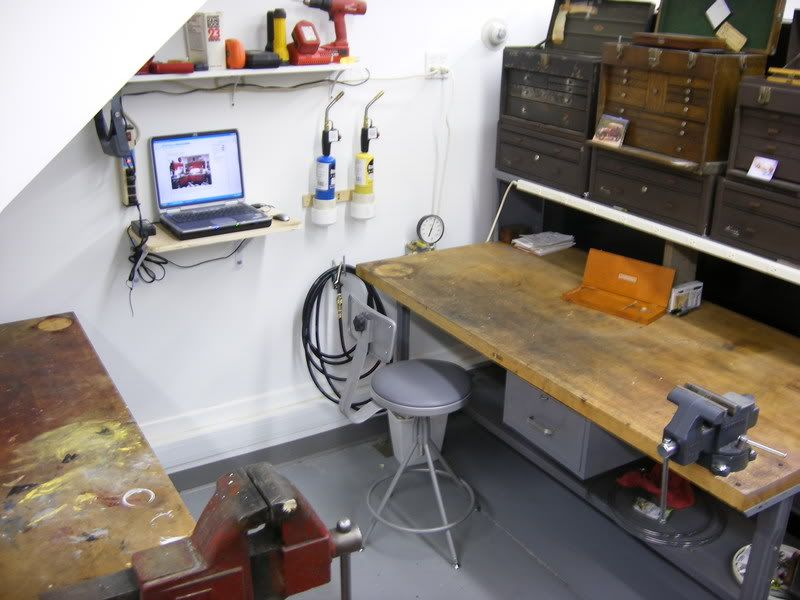
I have my laptop on a shelve between my workbenches for easy reference. And have a wireless network in and around my house and all my garages. Using a LinkSys wireless G router along with a series of their wireless boosters strategically located.

DSCF0632.jpg
 
OP
D

december45

Well-known member
Joined
Apr 13, 2009
Messages
1,580
chris im thinking pretty hard about just running the cat6 out to the shop, i know nothing about running cat 6 so id like to shoot some questions out there....

is it better to use cat 6 or cat 5e.... and is there a cat 6e

once i got the line to the shop can i route it around the building and have like 4 or 5 locations to plug into.... ?
how do you feed the wire/signal to the next location

can you direct bury it, or should it be in conduit?
 

bry@n

Well-known member
Joined
Dec 29, 2008
Messages
2,785
Location
Ocean County, NJ
cat 5e stands for catergory 5 enhanced. Just more twists than cat 5. Same with Cat6. It's an upgrade. If you get an underground spec'd cable, you can, otherwise I would run a conduit. You won't need plennum cable. Btw, industry standard now, is cat 5e. Getting a higher grade cable, will also put you ahead of the curve when cat6 is IS.

You can run multiple drops, but best to run the cable to a small switch and run multiple lines from there.
 

Falcon67

Well-known member
Joined
Jun 11, 2009
Messages
18,371
Location
Merkel, TX
We have DSL and I put up a D-Link "N" series router in the house. The shop bench where you'd set a lap top is about 40' from the router through two stud walls. Reception is fine.

I handle networks and wireless at work - all Cisco shop. But Cisco's home products (LinkSys) I have found to be pretty much junk. I use D-Link around the house - the print server handles 4 printers and the wireless works fine and we seldom have issues with it. You WILL sometimes have issues - it's just the way it is. We might have 2-300 people on wireless and some kid will bring their laptop to the help desk and no way in hell will it connect. Also your reception will vary widely depending on construction materials, distance, local interference, etc. Chain link fence hates B and G signals.

The way I place APs is to put some up and do a survey. For a building, there's no other way - you can SWAG it a bit with experience, but in real life you just have to stick 'em up and see.

And if you use wireless, secure it. Please. Although it is handy to drive around and check my mail with my iPhone on your wireless since we don't have 3G here yet. ;) Use a router with at least WPA2 and use a good passphrase. If you don't have a modern router ( <1 year old) do NOT do anything important - banking, etc- over your wireless. Unless you live in the sticks with no one around. And keep the firmware updated. If you have wireless and are not too familiar with WPA2, MAC addresses and SSID and you need to do banking or other secure activities and you live in a populated area, run a wire. Imagine a bedroom facing the street - wireless is pretty much like leaving the shades up with the shears closed most of the time.
 
Last edited:

r6_cannibal

Well-known member
Joined
Jan 19, 2009
Messages
694
Location
Southern California
Sat and Microwave systems have serious latency (speed vs. timing) issues which is why VPN connections seldom run on them. If you have a separate modem (not the sat receiver box itself) you can buy another on eBay and split the coax going to the one you have now. Like I said, 1 dish, 1 SAT receiver, but split to 2 different modems via coax, one in the house, one to the shop.

IF there is an RJ45 (Cat5/6 connector) from the SAT receiver to your wireless router there isn't much you can do cheaply outside of one of the suggestions above.

I think rocketman has the best answer so far. I am an organizer for a technology and hacking conference and this is the most stable and economical route we've found to connectivity point to point over 500 feet.

yagi antennas are good but require a lot of fine tuning due to interference and can really get expensive.

on a similar subject, netgear is coming out with a coax to ethernet switch which basically runs all your internet needs through your coax lines but it's still on pre-order and it's $200+. Just a neat piece of hardware :)

I'd really suggest running coax though. It'll be stable and cost effective. As rocketman stated you can pick up a 2nd modem on the cheap, probably through ebay.

Good luck with whatever you end up going with :beer:
 

Born_Annoyed

Well-known member
Joined
May 12, 2009
Messages
231
Location
Hurricane Central
i used my lap top alot in my old shop, however i was on dial up and had a connection in the shop, now i need help getting internet to the new shop.
i got wireless router that works great around the house but isnt quite strong enough to go out to the shop, shop is 525' from the house... we upgraded to type N wireless and it didnt make any noticeable difference.... ive play around with the idea of running cat5e out to the shop but they say its limit is 328 feet....

how many use a lap top in the shop?
and give me some links or ideas on what to do about getting internet out to the shop

thanks.
The simple answer is to install a wireless repeater. I did this on the underside of the soffet of my home to give me better reception poolside. 4 years and still going strong.
 

ironroad 9c1

Banned
Joined
Sep 3, 2005
Messages
758
Location
Gum spring,VA
yea I've got a old dell and crt monitor that I have had out in my garage for the past 5 years now, wireless "G" card, words pretty good for what I use it for , just looking up specs on stuff on spur of the moment and keeping up with this site. it lives a rough life but I take it apart every 6 or 12 months and blow the dead bugs and dust and metal shavings out and its fine.
 

thdewey

Well-known member
Joined
Feb 26, 2008
Messages
532
Location
Gastonia, NC
The simple answer is to install a wireless repeater. I did this on the underside of the soffet of my home to give me better reception poolside. 4 years and still going strong.

Mmmm... wireless repeater. This sounds good to me. I can get a signal outside of my garage but not inside (it is stick framed). Is the signal affected by flourescent lights?
 
OP
D

december45

Well-known member
Joined
Apr 13, 2009
Messages
1,580
Rocketman, and R6, checked with wild blue, they say that the modem is "account specific" and you cant add another modem to the system.... now is that the straight scoop, or are they blowing smoke????
i have heard that the modems were tied to the accounts before, so it maybe, however i dont know enough about any of it to know.

so am i back to running cat 6 or installing a repeater????
 

Born_Annoyed

Well-known member
Joined
May 12, 2009
Messages
231
Location
Hurricane Central

Chris Adams

Well-known member
Joined
Oct 21, 2007
Messages
2,117
Rocketman, and R6, checked with wild blue, they say that the modem is "account specific" and you cant add another modem to the system.... now is that the straight scoop, or are they blowing smoke????
i have heard that the modems were tied to the accounts before, so it maybe, however i dont know enough about any of it to know.

so am i back to running cat 6 or installing a repeater????

I can confirm that any sat system is VERY 'modem' specific. That's how they keep people from stealing the service. I had the first one, DirectPC back when it was first out there. Had it for years, was a beta tester for them, then again when they went 'two way' with the uplink in the yard. Still have the dishes, the 'modems' etc. Up and down.
Without some serious controls anyone could get the downloads.

I am afraid cable may be your best bet, at least for anything approaching reasonable costs.

You could buy a couple of Wifi booster antennas from a place that allows returns and try them. Very little to lose.
 
To avoid these ads, REGISTER NOW!
Top Bottom