
You are using an out of date browser. It may not display this or other websites correctly.
You should upgrade or use an alternative browser.
You should upgrade or use an alternative browser.
Led light bulbs blink?
- Thread starter Jsf721
- Start date
dimmer is not rated for LED?
but the dimmer has to be led compatible
techieman33
Well-known member
but the dimmer has to be led compatible
It doesn't have to be LED compatible. They can help though, especially if your only using a couple of bulbs. Basically what you need to do is add some load to that circuit. It can be from having enough LEDs, adding an incandescent light bulb somewhere, a resistor, pretty much anything. The LED compatible dimmers just have that resistor built into them.
PhysicsDude
Well-known member
Dimming LED bulbs or fixtures is always a hit or miss thing. Different dimmers will behave differently with different bulbs and vice versa. Even the dimmer saying its made or rated for LEDs doesn't always mean it will work well with your specific LED bulbs or fixture(s).
JRC3
Well-known member
But the dimmer does have to be compatible. I has a low limit to set for the bulb. A regular (incandescent) dimmer will go too low for the LED or CFL and eventually burn them out because they don't get the minimum power they need. Before they burn out they will flicker or hum or whatnot.
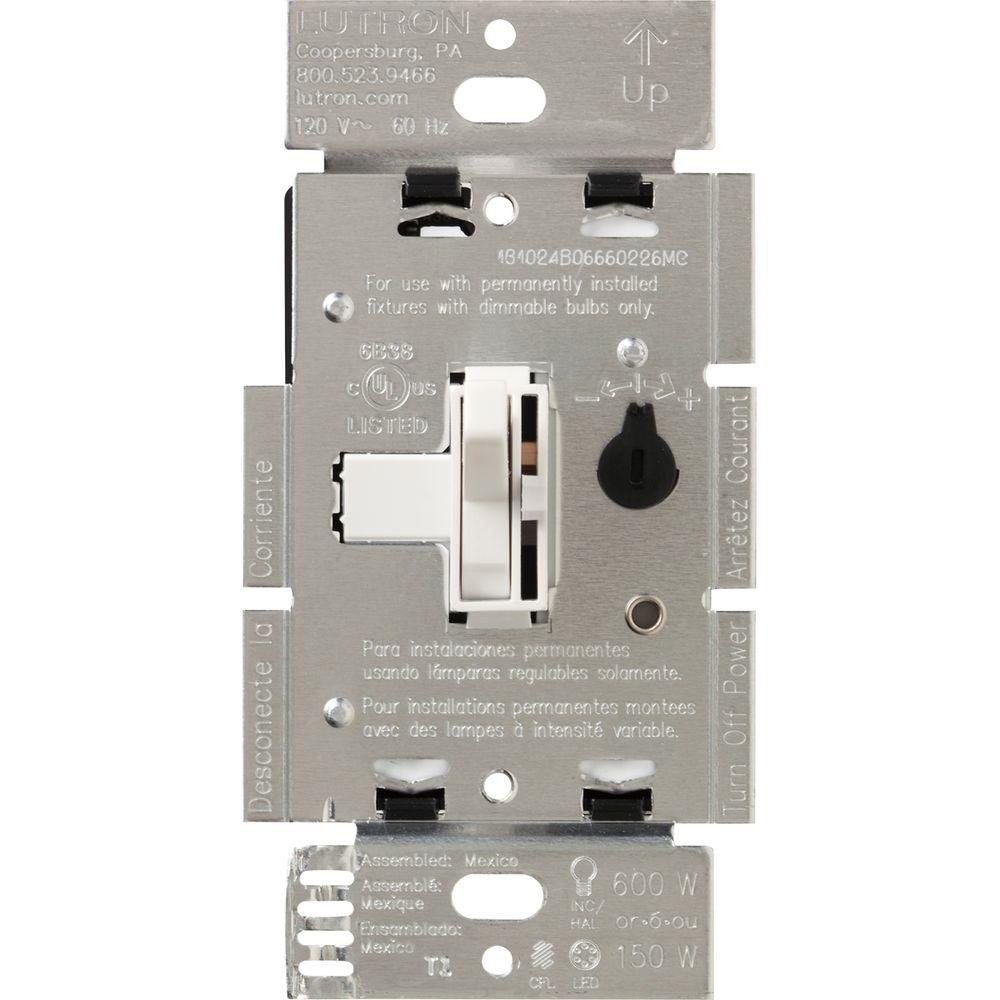
That little dial to the right is how you set a true LED dimmer to the individual LED bulb or fixture. Basically you turn it til the bulb dims and flickers, then you turn it back up a bit so the bub gets the minimum power it needs.
That little dial to the right is how you set a true LED dimmer to the individual LED bulb or fixture. Basically you turn it til the bulb dims and flickers, then you turn it back up a bit so the bub gets the minimum power it needs.
I would say it is your dimmer also.
I installed some of those wafer led lights and wanted to use my normal Z-wave type dimmer that costs around $50 - but it wouldn't work. Ended up having to buy a special ELV (Electronic Low Voltage) dimmer that was $110 (ouch) but got the job done.
I am not saying that you need an ELV dimmer, but I bet you do need to replace the one you have
I installed some of those wafer led lights and wanted to use my normal Z-wave type dimmer that costs around $50 - but it wouldn't work. Ended up having to buy a special ELV (Electronic Low Voltage) dimmer that was $110 (ouch) but got the job done.
I am not saying that you need an ELV dimmer, but I bet you do need to replace the one you have
Thanks guys. I think I will pull the dimmer and install a switch and see if that solves the issue. I’m. It up for a 130 dimmer and a switch will work.
Thanks
Thanks
but the dimmer has to be led compatible
It doesn't have to be LED compatible. They can help though, especially if your only using a couple of bulbs. Basically what you need to do is add some load to that circuit. It can be from having enough LEDs, adding an incandescent light bulb somewhere, a resistor, pretty much anything. The LED compatible dimmers just have that resistor built into them.
Dimming LED bulbs or fixtures is always a hit or miss thing. Different dimmers will behave differently with different bulbs and vice versa. Even the dimmer saying its made or rated for LEDs doesn't always mean it will work well with your specific LED bulbs or fixture(s).
But the dimmer does have to be compatible. I has a low limit to set for the bulb. A regular (incandescent) dimmer will go too low for the LED or CFL and eventually burn them out because they don't get the minimum power they need. Before they burn out they will flicker or hum or whatnot.
That little dial to the right is how you set a true LED dimmer to the individual LED bulb or fixture. Basically you turn it til the bulb dims and flickers, then you turn it back up a bit so the bub gets the minimum power it needs.
JRC3
Well-known member
The one I posted is less than $25 at the box stores. https://www.homedepot.com/p/Lutron-...e-Pole-or-3-Way-White-TGCL-153PH-WH/202746671 I've installed at leat 8 usually with can light conversion kits.
The dimmer I used ended up being $110 because it is a Z-Wave dimmer that can be controlled remotely and the lights were the 'wafer led' type
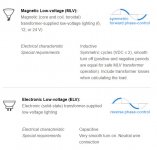
There are two main types of dimmers - MLV (magnetic low voltage) and ELV (electronic low voltage) If by chance you can't get your lights to dim with the regular/cheaper MLV dimmers then you probably need to go with the ELV type

There are two main types of dimmers - MLV (magnetic low voltage) and ELV (electronic low voltage) If by chance you can't get your lights to dim with the regular/cheaper MLV dimmers then you probably need to go with the ELV type
Attachments
ForceFed70
Well-known member
We just replaced the ballasts in all of the brand new LED light fixtures on one of our office buildings. They were flickering.
Here's what the electrician showed me: If you have an iPhone (probably works on other phones as well) take a "slow motion video" of the lights. I personally couldn't notice the flickering but on the slow-mo video it was very noticeable. New lights/ballasts passed the slow-mo video with flying colors.
Here's what the electrician showed me: If you have an iPhone (probably works on other phones as well) take a "slow motion video" of the lights. I personally couldn't notice the flickering but on the slow-mo video it was very noticeable. New lights/ballasts passed the slow-mo video with flying colors.
PhysicsDude
Well-known member
I have about 25 of these GE Z-wave dimmers. Reasonably priced, and they dim my LEDs (mostly wafers, and a few different bulbs) really well. Even a single 3W or 6W wafer light will dim down to 5-10% brightness smoothly.
https://www.amazon.com/dp/B01MUCZA1C/?tag=atomicindus08-20
https://www.amazon.com/dp/B01MUCZA1C/?tag=atomicindus08-20
I have about 25 of these GE Z-wave dimmers. Reasonably priced, and they dim my LEDs (mostly wafers, and a few different bulbs) really well. Even a single 3W or 6W wafer light will dim down to 5-10% brightness smoothly.
https://www.amazon.com/dp/B01MUCZA1C/?tag=atomicindus08-20
I have several of those GE Z-Wave dimmers although I have switched mostly to the newer HomeSeer versions that can detect multi-taps inputs. Neither of them would work when I tried them with my wafer led lights. GE also makes a Z-Wave switch (just on/off) that can handle up to 15 amps and can really come in handy for some things
The way I found about the ELV dimmers is reading the reviews on Amazon they were specifically mentioned when people complained about the lights not dimming