To avoid these ads, REGISTER NOW!

Internet router or access point for shop?

rockcrawler

Well-known member
Joined
Jan 11, 2013
Messages
930
Location
Dallas, TX
I have a conduit run with pull string so I can pull CAT6 to the shop from the house. For now, I’ll use two lines for my POE security cameras and a line for wireless access. I’m wondering if it would be best to add a router to the shop, or an access point. I have a router in the house and I’ll most likely be adding a switch eventually because I’m already out of connections. I’m not real savvy when it comes to this stuff, but I’m learning. I just need some help figuring it all out.
 
To avoid these ads, REGISTER NOW!

ericm

Well-known member
Joined
Apr 17, 2016
Messages
1,963
Location
Southern Oregon
If you already have the cat 6 to the shop, put in a router to feed the 2 POE cams and a wifi AP. Some APs also can act as routers in that they have RJ45 plugs on the back. Find one with two extra plugs and you can run the cams to that.

The cat 6 needs from the shop to plug into a special port on your main router so it knows there's another router on there. Sometimes there is a switch.
 

Git

Well-known member
Joined
May 18, 2008
Messages
6,894
Location
S Cal
Do you have an old wireless router than you could probably turn into an access point and use it out there? That would be the cheapest way to go

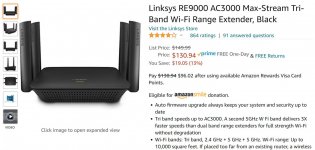
Next would probably be something like a hard wired 'extender' to to take advantage of the ethernet cable you ran. Something like this also has a built in switch so you could connect other hard wired devices

https://www.amazon.com/dp/B076ZHXK6J/?tag=atomicindus08-20

Another option is just a straight WiFi Access point - $52, price is reasonable
https://www.amazon.com/dp/B0781YXFBT/?tag=atomicindus08-20

lot's of options
 

Attachments

  • Tri -  1085.jpg
    Tri - 1085.jpg
    89.6 KB · Views: 81
  • Tri -  1084.jpg
    Tri - 1084.jpg
    116.3 KB · Views: 85
OP
R

rockcrawler

Well-known member
Joined
Jan 11, 2013
Messages
930
Location
Dallas, TX
If you already have the cat 6 to the shop, put in a router to feed the 2 POE cams and a wifi AP. Some APs also can act as routers in that they have RJ45 plugs on the back. Find one with two extra plugs and you can run the cams to that.

The cat 6 needs from the shop to plug into a special port on your main router so it knows there's another router on there. Sometimes there is a switch.

The cameras are part of a system, so they will be wired directly to the NVR inside the house in the network/AV closet. The third CAT6 cable will be used to provide wireless internet to the shop.
 

theoldwizard1

Well-known member
Joined
Feb 22, 2011
Messages
43,140
Location
SE MI
If you are going to pull wire (Cat 6 is good) buy a cheap WAP (wireless access point) wired router combo. You can probably pick up a used one for under $29. Connect the cameras to this after adding a POE "power injector" for each camera wire.

i don't understand why people want to make things so difficult.
 

dcg9381

Well-known member
Joined
Jun 20, 2018
Messages
11,748
Location
Austin, TX
Either one will work fine.
I'd probably pull a single line in, feed it to a POE switch/hub and an access point. You cameras will saturate wifi pretty quick, but hard wired POE will be fine with a single upstream link... At least unless you are doing some serious bandwidth out of the shop.
 

infinkc

Well-known member
Joined
Jan 19, 2012
Messages
862
You will need to put in an access point, or a router set to access point mode.

Are your POE cameras currently connected to your router? Or to a separate NVR?

If connected to the router I would get a POE switch and you only need one cat5/6 run and add an access point to that.

If connected to a NVR, all you need is 1 run for that going to a POE switch and 1 for the access point from the router.
 

Kaizen

Well-known member
Joined
Jan 9, 2015
Messages
6,948
Location
New England
You will need to put in an access point, or a router set to access point mode.

Are your POE cameras currently connected to your router? Or to a separate NVR?

If connected to the router I would get a POE switch and you only need one cat5/6 run and add an access point to that.

If connected to a NVR, all you need is 1 run for that going to a POE switch and 1 for the access point from the router.


This. Op start using poe routers. I have one cat6 to garage going to an 8 channel poe router. I can run 4 cams from there with no power needed at camera end. That leaves 3 plugs for wireless access or direct plug in. My new house router only has two plugs on it.
Think of a poe router as a funnel.


Sent from my iPhone using Tapatalk
 
OP
R

rockcrawler

Well-known member
Joined
Jan 11, 2013
Messages
930
Location
Dallas, TX
You will need to put in an access point, or a router set to access point mode.

Are your POE cameras currently connected to your router? Or to a separate NVR?

If connected to the router I would get a POE switch and you only need one cat5/6 run and add an access point to that.

If connected to a NVR, all you need is 1 run for that going to a POE switch and 1 for the access point from the router.


I have a 16 channel NVR and currently have 8 cameras connected to it. I already have the two shop camera and internet CAT6 cables run from the network/AV closet to the garage, so pulling to the shop is all that is left. All cameras connect directly into the NVR and the NVR is connected to the house router. I guess I have a lot of research to do. I haven’t heard of half of the stuff y’all are talking about.

For simplicity. Let’s say I ran one CAT6 cable to the shop, and all I wanted to do is add wireless internet for my music, YouTube, Google etc. I guess an access point would be the cheapest and simplest way to do this?
 
Last edited:

dcg9381

Well-known member
Joined
Jun 20, 2018
Messages
11,748
Location
Austin, TX
For simplicity. Let’s say I ran one CAT6 cable to the shop, and all I wanted to do is add wireless internet for my music, YouTube, Google etc. I guess an access point would be the cheapest and simplest way to do this?

Yes. If you have a spare older router, most have "access point" mode.
 

Zaxxn

Well-known member
Joined
Jun 19, 2017
Messages
241
Location
CT, USA / Germany
I popped one of these on the ceiling of my shop: https://www.amazon.com/dp/B01DRM6MLI/?tag=atomicindus08-20

They are just rock solid wifi access points, pretty nicely designed, look kind of like a smoke detector and only require a run of network cable since they come with a PoE injector to run power in the network cable as well.
I've got dozens of the pro models in service at work, and they've been just completely trouble free for years. Not the cheapest, but definitely a decent buy.

--Zax
 
OP
R

rockcrawler

Well-known member
Joined
Jan 11, 2013
Messages
930
Location
Dallas, TX
I popped one of these on the ceiling of my shop: https://www.amazon.com/dp/B01DRM6MLI/?tag=atomicindus08-20

They are just rock solid wifi access points, pretty nicely designed, look kind of like a smoke detector and only require a run of network cable since they come with a PoE injector to run power in the network cable as well.
I've got dozens of the pro models in service at work, and they've been just completely trouble free for years. Not the cheapest, but definitely a decent buy.

--Zax

Sounds good. We have an AmpliFi HD wireless router now and it seems to be working well. We haven’t had any issues with it. It’s the model our internet provider recommended. We live outside the city limits, so our internet comes in via a dish that reads from another dish about a half mile from our house. It works pretty well. We are hoping to get fiber optic lines out here someday.

Anyway, I guess I’ll need to get a POE switch for my rack to provide more connections and to use with the AP? Or, should I use a regular switch?

I have 4 connections on the current router that are being used by Security NVR, Living Room Smart TV, Upstairs Smart TV and AT&T TV Box. I still have my computer, BD Player and a couple more items I want to connect. I know most of these things work wireless, but I’m old school and I’d prefer direct connect when possible.
 

hidperf

New member
Joined
Feb 6, 2021
Messages
4
Location
St. Louis, MO
Sounds good. We have an AmpliFi HD wireless router now and it seems to be working well. We haven’t had any issues with it. It’s the model our internet provider recommended. We live outside the city limits, so our internet comes in via a dish that reads from another dish about a half mile from our house. It works pretty well. We are hoping to get fiber optic lines out here someday.

Anyway, I guess I’ll need to get a POE switch for my rack to provide more connections and to use with the AP? Or, should I use a regular switch?

I have 4 connections on the current router that are being used by Security NVR, Living Room Smart TV, Upstairs Smart TV and AT&T TV Box. I still have my computer, BD Player and a couple more items I want to connect. I know most of these things work wireless, but I’m old school and I’d prefer direct connect when possible.

If you're already using the Amplifi-HD mesh system, then you might be able to pick up another Meshpoint (I can't post links yet, but they're on the Ampli-Fi page) and plug it into an outlet in the shop. Depending on how far away it is, Wi-Fi extension could be just that easy.

To extend your network to the shop you only need a single Cat6 run from your data connection in the house (ISPs Gateway, wireless router, or whatever else you might be using) to the shop.

In the shop, you'll use an unmanaged switch to provide multiple data connections.
Unmanaged switches are very simple, plug-n-play switches that you cannot configure in any way. This will work for most situations.

The type of switch (PoE or not) will depend on what you're connecting to it.
If you're connecting PoE cameras, then you'll want a PoE switch to make life easier.
Some switches, all ports are PoE. Some switches, only half the ports are PoE. It's OK to use a full PoE switch even if you're not using PoE devices, they just cost more.

Keep in mind that one of the ports on your switch will be occupied for your connection between the house and the shop.

Connect your Cat6 line from the house to one port.
Connect your PoE camera(s) to the appropriate PoE port(s) on the shop switch.
Connect other devices (computer, TV, etc.) to the other ports.
Power it all up and you're done.
 

ddawg16

Well-known member
Joined
Jul 11, 2008
Messages
21,005
Location
S. California
How far is the run? For POE, anything over 60-100' might be too much of a voltage drop for the power to the camera, especially if the night infrared LED's turn on.

In which case, you want to do what hidperf suggested.

I'm about to do a revamp of my whole system. Right now I've got an Asus router....along with a 16 port Netgear switch, and 2 more 5 port switches...one in the garage and one in my office....and a Lorex NVR 8 POE camera system.

When I did my 2-story addition, I ran Cat6 to all the new rooms as well as key points in the house (the reason for the 16 port switch). All of our TV's have a dedicated Ethernet connection.

But I think my Asus is starting to take a ****.

Not to mention I'm thinking of dumping the Lorex NVR and converting my HTPC to a BlueIris setup.

My garage has poor wireless reception....and almost nothing on my driveway. So, a Mesh system is looking pretty good. I'm having a hard look at the Samsung SmartThings setup....it appears it plays well with smart outlets/switches.
 
OP
R

rockcrawler

Well-known member
Joined
Jan 11, 2013
Messages
930
Location
Dallas, TX
If you're already using the Amplifi-HD mesh system, then you might be able to pick up another Meshpoint (I can't post links yet, but they're on the Ampli-Fi page) and plug it into an outlet in the shop. Depending on how far away it is, Wi-Fi extension could be just that easy.

To extend your network to the shop you only need a single Cat6 run from your data connection in the house (ISPs Gateway, wireless router, or whatever else you might be using) to the shop.

In the shop, you'll use an unmanaged switch to provide multiple data connections.
Unmanaged switches are very simple, plug-n-play switches that you cannot configure in any way. This will work for most situations.

The type of switch (PoE or not) will depend on what you're connecting to it.
If you're connecting PoE cameras, then you'll want a PoE switch to make life easier.
Some switches, all ports are PoE. Some switches, only half the ports are PoE. It's OK to use a full PoE switch even if you're not using PoE devices, they just cost more.

Keep in mind that one of the ports on your switch will be occupied for your connection between the house and the shop.

Connect your Cat6 line from the house to one port.
Connect your PoE camera(s) to the appropriate PoE port(s) on the shop switch.
Connect other devices (computer, TV, etc.) to the other ports.
Power it all up and you're done.


I do not have the mesh system. The switch in the garage might be a good idea so I can hook up more items later, but it won’t provide me with wireless connection to my phone or iPad.
 
OP
R

rockcrawler

Well-known member
Joined
Jan 11, 2013
Messages
930
Location
Dallas, TX
How far is the run? For POE, anything over 60-100' might be too much of a voltage drop for the power to the camera, especially if the night infrared LED's turn on.

In which case, you want to do what hidperf suggested.

I'm about to do a revamp of my whole system. Right now I've got an Asus router....along with a 16 port Netgear switch, and 2 more 5 port switches...one in the garage and one in my office....and a Lorex NVR 8 POE camera system.

When I did my 2-story addition, I ran Cat6 to all the new rooms as well as key points in the house (the reason for the 16 port switch). All of our TV's have a dedicated Ethernet connection.

But I think my Asus is starting to take a ****.

Not to mention I'm thinking of dumping the Lorex NVR and converting my HTPC to a BlueIris setup.

My garage has poor wireless reception....and almost nothing on my driveway. So, a Mesh system is looking pretty good. I'm having a hard look at the Samsung SmartThings setup....it appears it plays well with smart outlets/switches.


My run will be be easily over 100’. I’m really hoping that my cameras won’t be effected by that. But, they may. In case they are, I guess that means that I’ll need a POE switch in the shop for the cameras? I have the Lorex POE 16 channel 4K system and I’ve been pretty impressed with it so far. My first NVR went bad after the first week of use, but they sent a replacement quick and I haven’t had any more issues. I pre wired the entire house during framing with CAT6 and speaker wire for my cameras, whole home audio, surround sound, etc., as well as running wires to the garage for the conduit that goes to the shop.

I’m a little, or very, confused about how this stuff works. How can I run one Ethernet cable to the shop and have Wireless connection, wired connections and run my cameras? I understand the first two, but not the third. I thought my cameras had to be directly connected to the NVR. The cameras are not wireless at all. So, if I have to run them all the way from the shop to the NVR in the house, which is a very long run, will I need a POE switch in the garage to power the cameras? I’m assuming so since the POE coming from the NVR might not make it that far. Home audio and video, I understand. Internet, switches, routers etc., I do not. :dunno:
 

infinkc

Well-known member
Joined
Jan 19, 2012
Messages
862
Like I mentioned before, you need 2 runs, one for the NVR going to a POE switch and wire the 2 cameras to that. You might be able to get away with the 2 100ft runs. having the POE switch there also allows you to add another camera maybe inside later also.

The other run, go to a wireless access point from your router.

It is possible to do one run, but the IP addresses get all tangled up. Better to keep the NVR for the cameras on it own, that is how I set mine up.
 

ddawg16

Well-known member
Joined
Jul 11, 2008
Messages
21,005
Location
S. California
My run will be be easily over 100’. I’m really hoping that my cameras won’t be effected by that. But, they may. In case they are, I guess that means that I’ll need a POE switch in the shop for the cameras? I have the Lorex POE 16 channel 4K system and I’ve been pretty impressed with it so far. My first NVR went bad after the first week of use, but they sent a replacement quick and I haven’t had any more issues. I pre wired the entire house during framing with CAT6 and speaker wire for my cameras, whole home audio, surround sound, etc., as well as running wires to the garage for the conduit that goes to the shop.

I’m a little, or very, confused about how this stuff works. How can I run one Ethernet cable to the shop and have Wireless connection, wired connections and run my cameras? I understand the first two, but not the third. I thought my cameras had to be directly connected to the NVR. The cameras are not wireless at all. So, if I have to run them all the way from the shop to the NVR in the house, which is a very long run, will I need a POE switch in the garage to power the cameras? I’m assuming so since the POE coming from the NVR might not make it that far. Home audio and video, I understand. Internet, switches, routers etc., I do not. :dunno:

I'm guessing you have the Lorex NVR

The back of the NVR is a POE Ethernet port for each camera.

It really doesn't care if your camera gets power from that POE port or somewhere else.

So, If you use a POE injector in the shop, it will power the cameras and send the Ethernet signal back to your NVR.

The Lorex manual shows you how to do this. You don't even have to use one of their cameras. You can use just about any Ethernet camera....you just have to manually assign it.
 
To avoid these ads, REGISTER NOW!
OP
R

rockcrawler

Well-known member
Joined
Jan 11, 2013
Messages
930
Location
Dallas, TX
Like I mentioned before, you need 2 runs, one for the NVR going to a POE switch and wire the 2 cameras to that. You might be able to get away with the 2 100ft runs. having the POE switch there also allows you to add another camera maybe inside later also.

The other run, go to a wireless access point from your router.

It is possible to do one run, but the IP addresses get all tangled up. Better to keep the NVR for the cameras on it own, that is how I set mine up.


Got it. Thank you.
 
OP
R

rockcrawler

Well-known member
Joined
Jan 11, 2013
Messages
930
Location
Dallas, TX
I'm guessing you have the Lorex NVR

The back of the NVR is a POE Ethernet port for each camera.

It really doesn't care if your camera gets power from that POE port or somewhere else.

So, If you use a POE injector in the shop, it will power the cameras and send the Ethernet signal back to your NVR.

The Lorex manual shows you how to do this. You don't even have to use one of their cameras. You can use just about any Ethernet camera....you just have to manually assign it.


Yes, it is the Lorex NVR. Got it. I think I’m understanding better now. Thank you.
 
OP
R

rockcrawler

Well-known member
Joined
Jan 11, 2013
Messages
930
Location
Dallas, TX
From what I’ve read, Lorex claims that their POE works at a distance of about 100 meters, which is about 300 feet or so. Did you add the POE switch (or injector) because the cameras would not work, or just out of precaution? Just wondering. Maybe their “claims” are exaggerated.
 

Showkey

"MEMBER EMERITUS"
Joined
Aug 9, 2014
Messages
8,638
Location
Wausau WI
If you are going to pull wire (Cat 6 is good) buy a cheap WAP (wireless access point) wired router combo. You can probably pick up a used one for under $29. Connect the cameras to this after adding a POE "power injector" for each camera wire.

i don't understand why people want to make things so difficult.

Because we are at post 24 and it’s still a cluster.
There are 5 ways to do things each with its merits and compromises.......then there 5 more ways to make it extremely complex.
The two routers on the same modem need to setup correctly or devices will not hand off the connection. While that seems simple for some it may not be for others.
 
Last edited:

ddawg16

Well-known member
Joined
Jul 11, 2008
Messages
21,005
Location
S. California
From what I’ve read, Lorex claims that their POE works at a distance of about 100 meters, which is about 300 feet or so. Did you add the POE switch (or injector) because the cameras would not work, or just out of precaution? Just wondering. Maybe their “claims” are exaggerated.

It's possible the 100' # I threw out there was actually 100m.

You have to look at the DC current draw and see what the drop is going to be.

For POE, they use the 4 center wires for for signal and the outer 4 for DC power. Cat6 is a heavier gauge wire which is better suited for POE. Cat5 would cause you problems on power.

BTW...nice looking jeep....I have an 84 CJ with a 'few mods'. (details in the link in my sig)

What part of Dallas? I was born and raised in Texas...graduated from that HS the HEB area.
 

boatshoes

Well-known member
Joined
Feb 20, 2019
Messages
126
Location
Atlanta
Hardwired is always better if you can do it. I would do like so, since the NVR already has PoE ports:
If using a router with DHCP disabled (essentially a wireless switch or Access Point), make sure you plug into LAN ports 1-4 and not the internet or WAN port.
 

Attachments

  • Screenshot 2021-02-11 123833.jpg
    Screenshot 2021-02-11 123833.jpg
    20.1 KB · Views: 59

Innovate1

Well-known member
Joined
Jul 28, 2014
Messages
4,288
Location
Illinois near St. Louis, Missouri
With a 100' run you need surge protection on those lines. Surprised no one has brought it up. Otherwise an electrical storm could damage your equipment. Happened to me a few months ago. Fortunately I only lost a few pieces of equipment but was still about $250 worth.
 
OP
R

rockcrawler

Well-known member
Joined
Jan 11, 2013
Messages
930
Location
Dallas, TX
It's possible the 100' # I threw out there was actually 100m.

You have to look at the DC current draw and see what the drop is going to be.

For POE, they use the 4 center wires for for signal and the outer 4 for DC power. Cat6 is a heavier gauge wire which is better suited for POE. Cat5 would cause you problems on power.

BTW...nice looking jeep....I have an 84 CJ with a 'few mods'. (details in the link in my sig)

What part of Dallas? I was born and raised in Texas...graduated from that HS the HEB area.

I used CAT6, so hopefully it will work without having to purchase any additional equipment for the cameras.

Thanks on the Jeep. My 05 LJ has a “few mods” as well and currently has 12 codes, but runs fine. I’m sure your 84 is nice without all these current electronics (i.e. problems).

We live out east between Rockwall and Greenville.
 
OP
R

rockcrawler

Well-known member
Joined
Jan 11, 2013
Messages
930
Location
Dallas, TX
With a 100' run you need surge protection on those lines. Surprised no one has brought it up. Otherwise an electrical storm could damage your equipment. Happened to me a few months ago. Fortunately I only lost a few pieces of equipment but was still about $250 worth.


Good idea, thanks.
 
OP
R

rockcrawler

Well-known member
Joined
Jan 11, 2013
Messages
930
Location
Dallas, TX
Because we are at post 24 and it’s still a cluster.
There are 5 ways to do things each with its merits and compromises.......then there 5 more ways to make it extremely complex.
The two routers on the same modem need to setup correctly or devices will not hand off the connection. While that seems simple for some it may not be for others.


Showkey, thanks for understanding. I’m learning but don’t always understand the equipment and the ways to connect it to make it all work.
 
OP
R

rockcrawler

Well-known member
Joined
Jan 11, 2013
Messages
930
Location
Dallas, TX
Hardwired is always better if you can do it. I would do like so, since the NVR already has PoE ports:
If using a router with DHCP disabled (essentially a wireless switch or Access Point), make sure you plug into LAN ports 1-4 and not the internet or WAN port.


I definitely want to hardwire as much as possible. Thanks for the info.
 

ddawg16

Well-known member
Joined
Jul 11, 2008
Messages
21,005
Location
S. California
I used CAT6, so hopefully it will work without having to purchase any additional equipment for the cameras.

Thanks on the Jeep. My 05 LJ has a “few mods” as well and currently has 12 codes, but runs fine. I’m sure your 84 is nice without all these current electronics (i.e. problems).

We live out east between Rockwall and Greenville.

Mmmmmmm.....Mods?

5.7L TBI...4L60E....Solid Axles...ARB rear, Detroit Front...6" SOA lift on 35's...4.10 gears...about to go to 4.56...custom roll cage, Custom bumpers front and rear....carbon fiber dash

Working on a D44 flat top right now....along with rear disks

And NO Codes
 
OP
R

rockcrawler

Well-known member
Joined
Jan 11, 2013
Messages
930
Location
Dallas, TX
Mmmmmmm.....Mods?

5.7L TBI...4L60E....Solid Axles...ARB rear, Detroit Front...6" SOA lift on 35's...4.10 gears...about to go to 4.56...custom roll cage, Custom bumpers front and rear....carbon fiber dash

Working on a D44 flat top right now....along with rear disks

And NO Codes


Nice
 
OP
R

rockcrawler

Well-known member
Joined
Jan 11, 2013
Messages
930
Location
Dallas, TX
With a 100' run you need surge protection on those lines. Surprised no one has brought it up. Otherwise an electrical storm could damage your equipment. Happened to me a few months ago. Fortunately I only lost a few pieces of equipment but was still about $250 worth.

I have all of my audio/video equipment plugged into a clean power/surge protector. Is it recommended to run all Ethernet cables through some sort of surge protector? If so, do you have any products you recommended? Will all the cables need to go through this, or just the ones going to the shop?
 
OP
R

rockcrawler

Well-known member
Joined
Jan 11, 2013
Messages
930
Location
Dallas, TX
This is my current setup. It’s still in the works and I have some rearranging and a lot of cleanup to do.
 

Attachments

  • 21053467-A29F-42BB-80F6-0CDC432FB714.jpg
    21053467-A29F-42BB-80F6-0CDC432FB714.jpg
    96.6 KB · Views: 58
  • A924FAFF-AF44-4FC4-BF38-A0D09050B11A.jpg
    A924FAFF-AF44-4FC4-BF38-A0D09050B11A.jpg
    107.3 KB · Views: 51

23ford

Well-known member
Joined
Jul 26, 2014
Messages
517
Location
Turley America
As far as cableing goes 100 foot run is small. International standard says runs are to be no longer that 90meters or 295 foot with a 10 foot patch cord at each end.
That is why the NVR is rated for 300 foot runs.
 
OP
R

rockcrawler

Well-known member
Joined
Jan 11, 2013
Messages
930
Location
Dallas, TX
Thank you to everyone who taken the time to share your knowledge and make suggestions. I really appreciate it. I think I’ve got a good amount of information, and now I just have to make a decision on what products I’m going to use. If anyone has more to add, please feel free to add to the conversation at any time.
 

56garage

Member
Joined
Jan 8, 2021
Messages
17
Location
Eldon MO
You don’t want 2 routers on the same network. All you need is a WiFi access point. If you want mesh networking I’d go with a couple ubiquiti uap-ac-pro. The downside is I believe you need to have a cloud key controller (more $)or install controller software on a computer to setup the ap.
Zyxel also makes several good access points, look at the nwa1123 series. They can be cloud managed on their nebula portal, which is free for basic setup. They do have a paid option that adds more features but the free version is fine. They can also be setup locally without cloud management.
Your lowest cost option is something like an engenius eap1250. It doesn’t have cloud management. Yes these might be more expensive but they are all solid and just work and are very reliable. Look on eBay for used if your on a budget. I can help you configure any of these for a few $ if you need help.


Sent from my iPad using Tapatalk
 
To avoid these ads, REGISTER NOW!
Top Bottom