A WIRING HARNESS FOR THE TV SYSTEM…
Since the motors came with MOLEX connectors already installed, I decided to continue using them for the rest of the system. Here’s a PDF brochure if you want to learn more:
MOLEX Connectors Apparently, they are pretty common in the HVAC world.
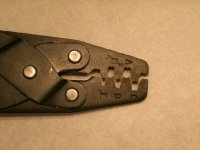
If you go back in the thread far enough, you will see I made an inexpensive pin extractor to release the little contact barbs. They have two barbs and it is hard to release them with just a jeweler’s screwdriver or something. The only other special tool I need to service these connectors is the special crimp tool. I opted to buy an economy version for my occasional use. I bought this Sargent brand tool for $28 and it works really well. They call it a “B” style crimper and if look closely at the recesses closest to the stamped letters, you will understand why. The tabs of the crimp contact are forced to follow that **** cheek profile, and when doing so, they curl around 180 degrees to meet in the middle.

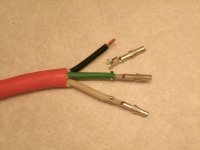
This shot shows the progression of crimping on a MOLEX .084” contact with 16ga wire. The black wire was stripped and the raw contact is sitting nearby. The green shows the first set of tabs rolled over piercing into the bare wire strands (crimper slot “D” used). The white wire has the second set of tabs rolled over, biting into the insulation (crimper slot “C” used). I was amazed at how easy it was to get these professional looking crimps using this tool. I understand the higher priced tools roll both sets of tabs in one shot, but the two-step process is fine for my limited use.
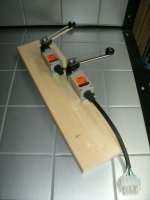
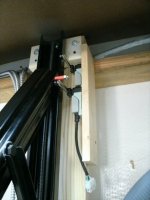
With the rudimentary crimping stuff behind me, it was on to making the harness. I decided a centrally located junction box with branches out to each component was the way to go. An old 3-wire extension cord was cut up for the wire. Four branches fed out to the limit switches, two to the motors, and one to the wall mounted control panel. The control panel will be nothing more than a 3-position momentary rocker switch, with center being off, up to bring out the TV and down to store it away. (Hopefully forum member
Call me the Breeze agrees with me on the switching logic, this time

). Each component will have a connector nearby to make it easy to replace (that’s probably not necessary, but I’m used to doing it at work). Of course, a power cord was needed to plug this into the wall outlet.
This was a complete harness so I was able to plug it in and test the logic right where it sat. I had one problem that took me about 15 minutes to troubleshoot. The harness itself proved to be fine, but I had 2 contacts flip-flopped in one of the limit switch pig-tails. With testing complete, it was ready to be mounted up in the TV recess.

Inside the junction box, it was merely a matter of connecting wire A to wire B (figuratively speaking) according to my schematic. I labeled the wire before entering the box so wiring inside would be easy. All this are braided wire which makes it very flexible and easy to work with, but I spent a little time tinning all the tips before they inserted in the terminal block - just makes it a lot easier for me.

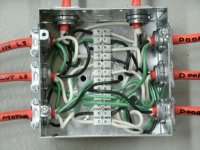
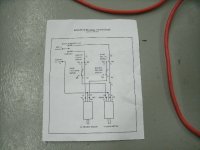
The wiring harness looks exactly like the schematic, doesn't it?
Now that it is all wired up, I will update the schematic for wire color and also add the terminal block position used for each circuit.














 .
.
 I nearly cried. I just hope these cars survive this build!


 )
)