
george
Well-known member
This is likely a dumb question but...
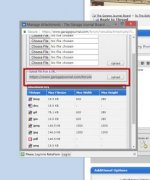
How does one get thumbnails to appear in their post? The way drivesitfar does here: https://www.garagejournal.com/forum/showthread.php?t=381433
or the way chasede does here: https://www.garagejournal.com/forum/showthread.php?t=338298
Either way.
I created an album but that didn't help.
I can get the attached images but not the thumbnails. Personally, I prefer thumbnails vs forcing a full size image or no thumbnail and having to open the attachment.
I found this but it did not help https://www.garagejournal.com/forum/showthread.php?t=198113&highlight=thumbnails
Thanks
How does one get thumbnails to appear in their post? The way drivesitfar does here: https://www.garagejournal.com/forum/showthread.php?t=381433
or the way chasede does here: https://www.garagejournal.com/forum/showthread.php?t=338298
Either way.
I created an album but that didn't help.
I can get the attached images but not the thumbnails. Personally, I prefer thumbnails vs forcing a full size image or no thumbnail and having to open the attachment.
I found this but it did not help https://www.garagejournal.com/forum/showthread.php?t=198113&highlight=thumbnails
Thanks


 Do these open for you all?

 That is OK. I am not the greatest of teachers. Looking good so now I am sure we will see more.