To avoid these ads, REGISTER NOW!

Ceiling Fans Buzzing...Fans or Switch?

cfk

Well-known member
Joined
Jun 28, 2021
Messages
67
Location
Iowa
I have 2 ceiling fans running on 1 switch. The switch I bought is rated at 5A and stated that its for multiple fans..

Hooked it up tonight to test it and my fans buzz when they are on anything other than high. Is that something with the fans and I'm just going to have to live with it (turn the music louder), or will a different switch fix the problem?

This is the switch I bought.. https://www.amazon.com/dp/B001JPRW1K/?tag=atomicindus08-20

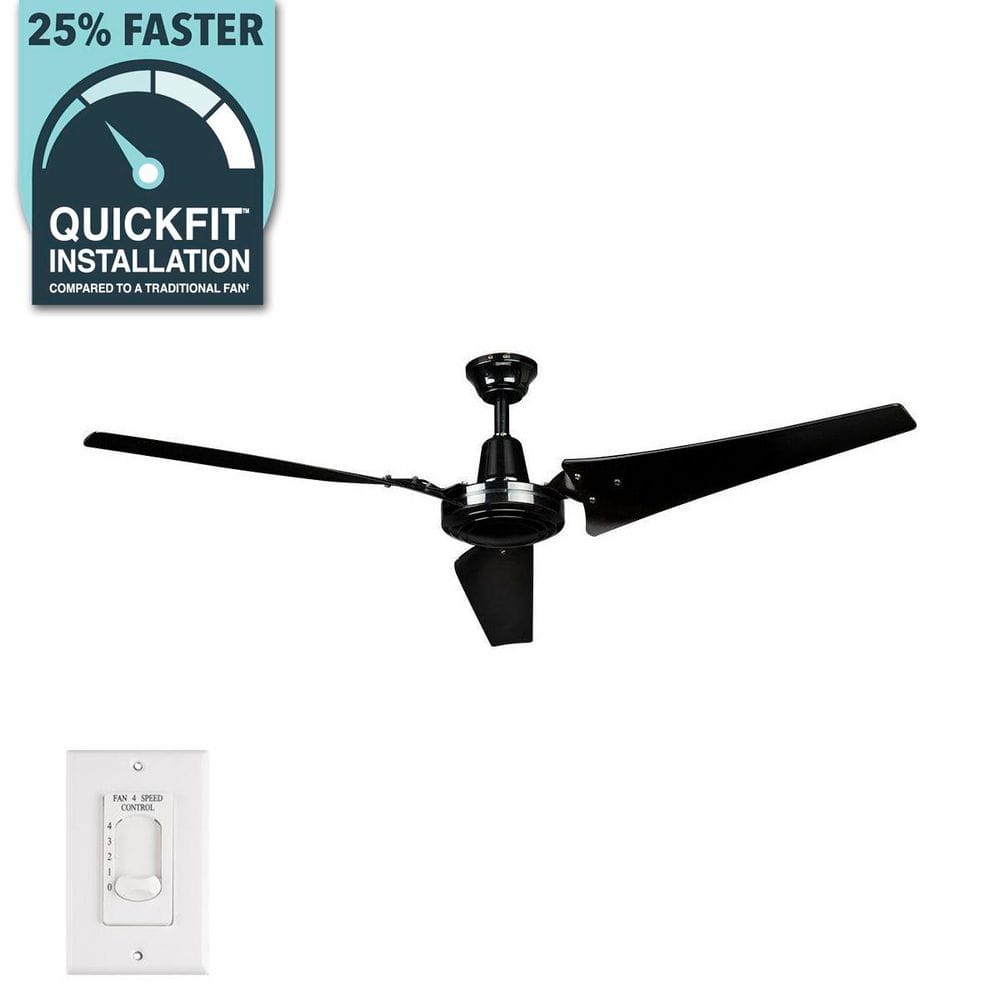
And these are my fans.. https://www.homedepot.com/p/Hampton...and-Powerful-Reversible-Motor-26829/205791277
 
To avoid these ads, REGISTER NOW!

dogdog

Well-known member
Joined
Nov 15, 2011
Messages
12,711
OP
C

cfk

Well-known member
Joined
Jun 28, 2021
Messages
67
Location
Iowa
page 2


I say you got the wrong controller. I would either call hampton or Lutron to verify what you got.

Soild state device include phase fired triacs ... or AKA dimmers... they don't work well with AC induction motors.

Dangit! I knew the switch was a solid state device, and I looked through the fan manual to see if I could find anything about it but missed that!

Anyone have a suggestion for a switch to run multiple fans? I'd prefer a slider vs a dial.

This is the other one I was looking at, but I have a feeling I'm going to have the same problem - https://www.amazon.com/dp/B0012DRMTG/?tag=atomicindus08-20
 

wssix99

Well-known member
Joined
Mar 2, 2011
Messages
5,159
Location
Chicago, IL
The answer is on page 2 of your fan instructions:

"WARNING: ... do not use this fan with any solid-state speed control device."

"WARNING: To reduce the risk of fire, electric shock or personal injury, wire only a single wall control panel/switch and ceiling fan unit together... Please do not attempt to defeat this feature..."

The problem is not your switch. It's the fan model you purchased. No switch is going to make this thing do what you are asking of it.

Hampton Bay is one of the lower quality brands on the market and Home Depot essentially slaps them together with spare parts lying around in China. (They are the only fans installed in my home and they work fine, but I don't ask much from them that's off-label.)

Here's an example of an Emerson industrial fan that specifially says its good with solid state controls and doesn't appear to have the multi-fan limitations. So, I expect there are many other options out there with higher quality brands: https://www.emerson.lightingnewyork...fan-indoor-ceiling-fans-hf1160bq.html#general
 
OP
C

cfk

Well-known member
Joined
Jun 28, 2021
Messages
67
Location
Iowa
"WARNING: To reduce the risk of fire, electric shock or personal injury, wire only a single wall control panel/switch and ceiling fan unit together... Please do not attempt to defeat this feature..."

I assumed that meant with the wall switch they send with the fan, which is only rated for 1.5A or something.. I'm guessing the overheating they warn of is at the switch?

But I will take your word and get a different fan. I like the Emerson one you linked, but unfortunately it is discontinued..
 

dogdog

Well-known member
Joined
Nov 15, 2011
Messages
12,711
Call Hampton and ask them what controllers are compatible with their fans..

I have one of their fans for the living room and it's been working for past 20 years. even with water leaked at it once. It's 3 speed and reversible via the remote control only..... Go choose a fan that fits you not a controller then fan.... kinda of an odd logic if you do.
 

wssix99

Well-known member
Joined
Mar 2, 2011
Messages
5,159
Location
Chicago, IL
But I will take your word and get a different fan. I like the Emerson one you linked, but unfortunately it is discontinued..

The induction motors ceiling fans use are sensitive to fluctuations in voltage and frequency. I expect that the higher quality fans have additional capacitors and other electronics that help clean up the power to the motor. Hampton Bay may be relying on their switches/controls to do some of that.

Hunter has this fan, which is similar to the Emerson and it runs off a remote that looks like it can pair to multiple fans. The catch is that it's a $1400 fan. https://cdn.shopify.com/s/files/1/0555/5434/3079/files/Trak_Operator_s_Manual_Final.pdf?v=1635360616

Hunter makes a solid fan, has customer service, and designs their units for multiple fan scenarios. I expect other copanies do the same and you should be able to find other fans that will work with the control you have for a more reasonable price. Its probably going to be a research project, though.

(I think the Hampton Bay fans in my house are some of the last models they put out, which were tollerant of aftermarket switches and being disconnected for remote controls. I had to search a long time to find a model that I could use with the wall controls of my choice.)
 
OP
C

cfk

Well-known member
Joined
Jun 28, 2021
Messages
67
Location
Iowa
On the Home Depot page for the fan I bought, in the Q&A section, there are several people that asked about hooking up multiple fans to one switch, and all the answers by Hampton Bay state "only one fan should be hooked up to one of the included switches - if you want to hook up multiple fans to one switch, you need a commercial grade switch.

I actually only have 1 of the 2 fans hooked up right now.. I didnt have the right screws for the box for the second one, but now I'm a little gun-shy to hang the other one until I know if a switch will fix the problem or if I'll be returning the fans..

Thanks again for the help! I'll update after I try another switch..
 
OP
C

cfk

Well-known member
Joined
Jun 28, 2021
Messages
67
Location
Iowa
Is this a solid-state switch? I don't see it anywhere in the description or specs, but I'm not sure I'm checking the right places..

 
OP
C

cfk

Well-known member
Joined
Jun 28, 2021
Messages
67
Location
Iowa
I'll update after I try another switch..

Got the Levitron switch that I linked above and hooked it up tonight to give it a test run.. still a buzzing on anything other than low or high. Not as loud as the first switch I tried, but definitely not silent like the one in my garage (same fan, but using the supplied switch).

Going to contact Hampton Bay CS tomorrow and see if they can point me to a switch they suggest, otherwise I will look for a different fan.

I really do like this fan - it moves a ton of air for the price! I can't find anything that compares even close to the CFM/$$..
 

wssix99

Well-known member
Joined
Mar 2, 2011
Messages
5,159
Location
Chicago, IL
As we discussed in your other thread, Leviton doesn't make multi-fan switch, so your result isn't surprising.

I really do like this fan - it moves a ton of air for the price! I can't find anything that compares even close to the CFM/$$..

It's low cost because its massed produced, lower quality and meets 95% of what people need. You are in a 5% situation where your use doesn't match up with the label.

The only other option you migh have for this fan is here: https://www.canarm.com/hvac/controls-thermostats/industrial-ceiling-fan-controls.html

I don't know if Canarm is solid state or not. You may have to call them and see how the controls are made and if they are capacitor-driven.
 
OP
C

cfk

Well-known member
Joined
Jun 28, 2021
Messages
67
Location
Iowa
As we discussed in your other thread, Leviton doesn't make multi-fan switch, so your result isn't surprising.

I still only have just the one fan hooked up..

That Canarm controller doesnt look like what I'm looking for, and it doesnt seem to get good reviews either, so I guess I'm on the hunt for different fans.

Thanks again for your help!
 
OP
C

cfk

Well-known member
Joined
Jun 28, 2021
Messages
67
Location
Iowa
At this point, does it hum when hooked up to the Hampton Bay control?

I actually haven't hooked up the Hampton Bay control because I knew it wouldn't be able to run both of them.. but I have the same fan in my garage and use the Hampton Bay control and it doesn't hum.

Just out of curiosity, is the humming/buzzing bad for the fan itself, or just annoying for me?


I was looking at some of the industrial shop fans that Northern Tool sells, and was looking at this one:


When looking through the manual/install sheets/etc for all the pertinent info, I saw in their troubleshooting section something about a hum, and they state its perfectly normal when running in some of the medium speeds and will not harm the fan at all.

Seemed odd to me..

It also seems that particular fan might only be reversible via the fancy $130 wall switch.

Also, I've noticed some fans are AC motor, some are DC.. is there a performance difference?

This is another fan I was looking at:

 
To avoid these ads, REGISTER NOW!

wssix99

Well-known member
Joined
Mar 2, 2011
Messages
5,159
Location
Chicago, IL
Just out of curiosity, is the humming/buzzing bad for the fan itself, or just annoying for me?

It could be from the circuit or it could be from the motor being fried. I don't know if the humming is bad, but I would check the stock switch on your humming fan to confirm the fan is still good.

When looking through the manual/install sheets/etc for all the pertinent info, I saw in their troubleshooting section something about a hum, and they state its perfectly normal when running in some of the medium speeds and will not harm the fan at all.

Some of the "hum" they describe is from vibration in the fan. That's different from the electrical hum induced from the circuitry and switches.

Also, I've noticed some fans are AC motor, some are DC.. is there a performance difference?

Most ceiling fans are AC induction motors, which are more durable: https://www.powerelectric.com/motor-resources/motors101/ac-motors-vs-dc-motors
 
  • Like
Reactions: cfk

kbuhagiar

Well-known member
Joined
Dec 27, 2005
Messages
1,742
Location
Escondido, CA
So, it sounds like your goal is to be able to speed-control both fans simultaneously from a single controller.
Would it be so bad to have a single on-off switch (instead of a speed controller) and instead rely on each fan's individual speed controller? You would still be able to power them on an off from a single location.

Or is there some other logistics issue that I'm not aware of?

Just trying to wrap my head around your dilemma. Thanks.
 
OP
C

cfk

Well-known member
Joined
Jun 28, 2021
Messages
67
Location
Iowa
So, it sounds like your goal is to be able to speed-control both fans simultaneously from a single controller.
Correct. But I don't have to run them different speeds. I just want one controller that when I set to medium, both spin at medium..

Would it be so bad to have a single on-off switch (instead of a speed controller) and instead rely on each fan's individual speed controller? You would still be able to power them on an off from a single location.

If I follow your suggestion correctly, you are saying a switch that then goes to speed controller A, which operates fan A, and another wire feeding controller B, which operates fan B. Set both controllers to medium, and then turn both fans off and on via the switch? That would definitely work if the wiring was set up for that, but the wiring it already done.. I have a home run coming into the fan switch box, a wire going out to fan A (pigtailed to fan A to be exact), and another wire heading over to fan B.

I suppose if it came down to it, I could get rid of the jumper wire between the two fans and bring a wire from fan B back to the box - would have to take down 1 wall panel.. and then just run two switches.. I actually don't hate the suggestion you bring up, just have to work out some logistics of how to put the boxes on the wall since I already have a bit going on on a small wall next to the door.

I'm also trying to not spend $600+ per fan..
 
Last edited:

dogdog

Well-known member
Joined
Nov 15, 2011
Messages
12,711
Check what is inside your ceiling FAN and see what kind of controller it have inside, or if it have no controller... ( A pic would be nice, or call the manufacture)

Usually a ceiling fan with AC induction motor have multi tap windings for speed. and you'll see 4 wires for 3 speed or 5 wires for 4 speed etc.. and the speed control is by apply the power to the winding.... I have not seen a DC ceiling fan motor, Bathroom vent yes. more speed and quiet... those are brushless DC motor,

If you don't like the CamArm controller, just go Amazon and find what you like. those usually come with a remote controller.

For my ceiling fan, It came with a remote controller, the ON/OFF is just a regular wall switch, if I hook up another fan, I control the speed and lights remote... the module inside the fan remembers the setting.
 

kbuhagiar

Well-known member
Joined
Dec 27, 2005
Messages
1,742
Location
Escondido, CA
So, sounds like you have wires running to each individual fan but no way to incorporate the controllers that came with them. Any chance of expanding your existing outlet box to a duplex to accommodate both fan controllers side-by-side?
 
OP
C

cfk

Well-known member
Joined
Jun 28, 2021
Messages
67
Location
Iowa
Check what is inside your ceiling FAN and see what kind of controller it have inside, or if it have no controller... ( A pic would be nice, or call the manufacture)
There is no controller inside (like no black remote box thing, if that's what you are referring to for the controller). I can take some pics tonight.
Usually a ceiling fan with AC induction motor have multi tap windings for speed. and you'll see 4 wires for 3 speed or 5 wires for 4 speed etc.. and the speed control is by apply the power to the winding.... I have not seen a DC ceiling fan motor, Bathroom vent yes. more speed and quiet... those are brushless DC motor,
That makes sense - I think I understand what you are saying anyway.. so that's why an infinitely controllable switch doesn't work so well vs the switch that came with it that has actual preset speeds to choose from?

If you don't like the CamArm controller, just go Amazon and find what you like. those usually come with a remote controller.
Got a link so something like you are talking about?

For my ceiling fan, It came with a remote controller, the ON/OFF is just a regular wall switch, if I hook up another fan, I control the speed and lights remote... the module inside the fan remembers the setting.
I didnt think about the remote thing, but I wouldn't be opposed to it. I assume each fan will need its own remote though? And I have a fan in my house that has a remote, and if I shut the wall switch off, the remote forgets the last setting and just turns on low when I turn the switch back on - yours remembers the last setting even after you turn the wall switch off?

So, sounds like you have wires running to each individual fan but no way to incorporate the controllers that came with them. Any chance of expanding your existing outlet box to a duplex to accommodate both fan controllers side-by-side?

I actually have a 4x4 box on the wall, since I knew the fan switch would take up a decent amount of space inside the box.. I could probably run two of them in that box if I switch to a deeper box, but that's no big deal. I actually like the idea you posted earlier of an on/off switch feeding those two speed controllers, but I just dont really have the space for another box on that wall.
 

kbuhagiar

Well-known member
Joined
Dec 27, 2005
Messages
1,742
Location
Escondido, CA
I actually have a 4x4 box on the wall, since I knew the fan switch would take up a decent amount of space inside the box.. I could probably run two of them in that box if I switch to a deeper box, but that's no big deal. I actually like the idea you posted earlier of an on/off switch feeding those two speed controllers, but I just dont really have the space for another box on that wall.
I really like those fans. I didn't realize it but a buddy of mine has one in his garage and he loves it. Seems to be a fair deal for a non-commercial environment. I'd do whatever I could to make them work with their existing controllers. Good luck!
 
  • Like
Reactions: cfk

dogdog

Well-known member
Joined
Nov 15, 2011
Messages
12,711
I didnt think about the remote thing, but I wouldn't be opposed to it. I assume each fan will need its own remote though? And I have a fan in my house that has a remote, and if I shut the wall switch off, the remote forgets the last setting and just turns on low when I turn the switch back on - yours remembers the last setting even after you turn the wall switch off?
Yes that style of motor each fan needs a remote, and the remote operates on 315MHZ on selected code I think up to 16 combination or what ever dip switches they have.... at least on mine it is that way. Sort of old garage door style setup. for mine, once I selected a speed it remembers it even I turn the wall switch on/off... or in my case it's on a 3 way switch, when I used the remote to shut off the lights and fan, It won't turn on at all until I find the remote. so yes it remembers the settings at least for mine. but that came with the fan I got from HD. almost 15+ years ago.


That is a good looking fan but no lights and not in stock locally HD , so I won't be tempted to get it as much for my other room, their manual is pretty bad on info technically.. . that is why I kept asking you to call them. they can recommend you a better controller maybe... otherwise, you will have to figure out what motor you got there before throwing switches/controllers at it.


go amazon or ebay and search for "ceiling fan controller", but you will have to figure out what motor you got first. For me the box is hidden under another layer. if I just take the the motor "super heavy" at that height 9'+ even without the fan blades. it just have two wires show up.

I think the other type of ceiling fan motor is the universal motor ones that have brushes on the motor. Don't think those are popular any more. Not 100% sure. Maybe something blamed for the Kabooms from igniting leaking gas
 
Last edited:

dogdog

Well-known member
Joined
Nov 15, 2011
Messages
12,711
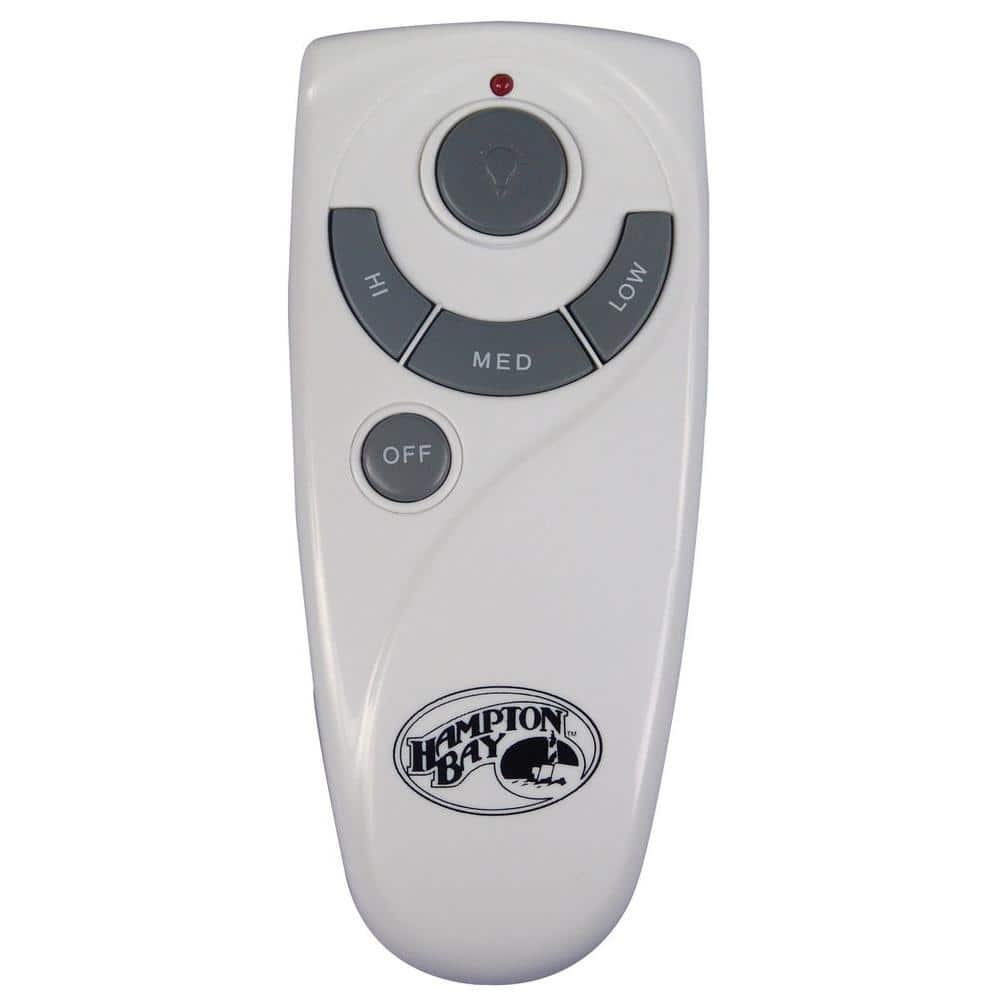
if you click on the link on your OP, you will see on the bottom, customer frequently bought together item, one of them is the remote module with the remote and the receiver. HD sells this at their fan isles. might worth a shot for you.... still the same thing. you have to figure out what you got.


****all you have to do is call hamptonbay up and ask them you want to buy this ceiling fan and wants this remote control for the ceiling fan, is it compatible? For some weird reason, Pre-sale inquiries are always better answered than post sales hahaha F-Us like that tool company I don't like.
 
Last edited:
OP
C

cfk

Well-known member
Joined
Jun 28, 2021
Messages
67
Location
Iowa
Yes that style of motor each fan needs a remote, and the remote operates on 315MHZ on selected code I think up to 16 combination or what ever dip switches they have.... at least on mine it is that way. Sort of old garage door style setup. for mine, once I selected a speed it remembers it even I turn the wall switch on/off... or in my case it's on a 3 way switch, when I used the remote to shut off the lights and fan, It won't turn on at all until I find the remote. so yes it remembers the settings at least for mine. but that came with the fan I got from HD. almost 15+ years ago.
And I see in the Q&A section that as long as both receivers are set to the same dipswitch setting, the remote will control both of them :unsure: That's sweet!

This might be the answer I'm looking for..
 

wssix99

Well-known member
Joined
Mar 2, 2011
Messages
5,159
Location
Chicago, IL

****all you have to do is call hamptonbay up and ask them you want to buy this ceiling fan and wants this remote control for the ceiling fan, is it compatible? For some weird reason, Pre-sale inquiries are always better answered than post sales hahaha F-Us like that tool company I don't like.
I would expect that if this accessory were compatible, it would be listed in the fan instructions, but I suppose its worth a call?

So, sounds like you have wires running to each individual fan but no way to incorporate the controllers that came with them. Any chance of expanding your existing outlet box to a duplex to accommodate both fan controllers side-by-side?

As an extension of this idea, one could have a single on-off switch "in the box" driving a two pole electrical contactor. From that electrical contactor, two sepearate legs could go off to the fans through two separate speed controls. The speeds would still need to be set independently but one could come-and-go by just flipping the switch to turn the fans off and on at the set speed.
 

wssix99

Well-known member
Joined
Mar 2, 2011
Messages
5,159
Location
Chicago, IL
And I see in the Q&A section that as long as both receivers are set to the same dipswitch setting, the remote will control both of them :unsure: That's sweet!

This might be the answer I'm looking for..

That's the same type of system as the Hunter fans. The catch is that it's still a solid state control and the electronics probably won't fit in your canopy. (It looks to be designed for the non-industrial fans.)
 

dogdog

Well-known member
Joined
Nov 15, 2011
Messages
12,711
I would expect that if this accessory were compatible, it would be listed in the fan instructions, but I suppose its worth a call?
sometimes they do, sometimes they don't. but I would call, unless some one have the "exact" fan, anything is a guess... Other than fitment issues, what you "could" get out of that call is if the fan is compatiable with these type of controller. that is different winding taps for speed control.

They have other non Hamptonbay fan controller that have the smaller profiles on that amazon page, dunno how good it is though. But if I am desperate enough... that is the approach I would take, especially if I have a lot of unknown...

Anything is a guess at this point... I would go pick up that fan if they have in stock locally@HD but they don't so... not going to happen.

****smaller controller/receiver. but op still have to verify what he got.
 
Last edited:

dogdog

Well-known member
Joined
Nov 15, 2011
Messages
12,711
The catch is that it's still a solid state control and the electronics probably won't fit in your canopy. (It looks to be designed for the non-industrial fans.)
I dunno what industrial fan means in anything, but when they refer to solid state control, I think they mean "dimmer" style electronics to vary the on/off phase of the 120V sine wave triggering via some sort of triac/diacs a dimmer circuit. that is different from electronic control... the receiver acutally have different relays that operated as speed control.... even thought both are electronic... Not sure. I would guess the manufacture will have more knowledge or open it up and take a guess.
 

kbuhagiar

Well-known member
Joined
Dec 27, 2005
Messages
1,742
Location
Escondido, CA
FWIW, my advice would be to keep it as simple as possible by using the EXISTING controllers that were designed to work with the fan. Guaranteed success.
 
OP
C

cfk

Well-known member
Joined
Jun 28, 2021
Messages
67
Location
Iowa
As an extension of this idea, one could have a single on-off switch "in the box" driving a two pole electrical contactor. From that electrical contactor, two sepearate legs could go off to the fans through two separate speed controls. The speeds would still need to be set independently but one could come-and-go by just flipping the switch to turn the fans off and on at the set speed.

Thats basically what @kbuhagiar suggested above, just without the two pole contactor - use and on/off switch to power the sliders that control each individual fan. I actually like that idea, but dont have a ton of space on the wall and already have multiple light switches and garage door openers there so it would probably get messy!

The catch is that it's still a solid state control and the electronics probably won't fit in your canopy.

The instruction manual for that remote kit linked in post #29 states "do not use with a solid state fan". I will call HD/Hampton Bay tomorrow and ask about a remote for that fan.. A requirement is that it keeps its last setting when the switch is turned off though! I hate turning something on at the wall and then also having the mess with the remote.. more steps than necessary.

FWIW, my advice would be to keep it as simple as possible by using the EXISTING controllers that were designed to work with the fan. Guaranteed success.

I think while that wall panel is still easy to pull off and I have no insulation in the attic yet, I will run a wire from the second fan down to the box so that I always have the option to separate them if needed and run two separate switches.. I can always tie them together if the remote thing works out, but better safe than sorry..
 
To avoid these ads, REGISTER NOW!
Top Bottom