To avoid these ads, REGISTER NOW!

Drafting Software (simple, cheap)

donscastle

Member
Joined
Jul 31, 2020
Messages
5
Location
middle Tennessee
Looking for software to draft the framing for shed project.
Mostly need to draw rectangles (floor, walls, doors, windows, headers) and straight lines (studs). A measuring tool would be nice ...
I tried Inkscape - okay but not easy to edit; moving a window for example.
Am having some success drawing with MS Word ...
Sampled SketchUP Free ... could not get a square out of it. Perhaps because it is designed for 3-D?
What have you used for this?
I am about to the point of pencil and graph paper (plus eraser ;) ) ...
 
To avoid these ads, REGISTER NOW!

karoc

Well-known member
Joined
Dec 19, 2017
Messages
1,994
Location
Hemphill Tx
Going to follow this thread, that would be nice feature to have. I can't draw a line with straight edge
 

ericm

Well-known member
Joined
Apr 17, 2016
Messages
1,963
Location
Southern Oregon
I have been using sketchup to model my future shop to decide on sizes and placements. My wife's been using it to design a shed down to the framing. Both of us needed to watch some tutorials on youtube before we could do anything productive. We're far from proficient but can get basic stuff done. I made a cheat sheet of common operations, which helps me a lot since I may go weeks or months between uses.

Sketchup, free and otherwise, will make squares very easily. However I don't think it's really any better than other design software, it's just widely available and commonly used.

The tutorials I watched were from TheSketchUpEssentials. April Wilkerson has some as well. There are plugins that supposedly make things like drawing framing or electrical easier, but I have not used them yet.
 

GraySkies

Well-known member
Joined
Jul 2, 2020
Messages
48
Location
Western Washington
SolidEdge has a 2D freeware program that uses the same general conventions as AutoCad, SmartSketch, and the like. I use it for everything like that.

https://www.plm.automation.siemens.com/plmapp/education/solid-edge/en_us/free-software/free-2d-cad

We use the full SolidEdge 3D software at work for all our solid modeling, and even for a lot of our 2D stuff, but the learning curve is somewhat steep if you don't know it. If that's for you, though, there is a free "student version" of the 3D program available too.
 
Last edited:

MarkG

Well-known member
Joined
May 23, 2012
Messages
1,219
Location
Elgin, IL
Skip the software. Most of the worlds greatest designs started on a simple 'old-fashioned' drafting table, T-square, triangles, and scale so you certainly don't 'need' CAD for drafting a simple shed!

I always LOVED board drafting and still do it for various small projects.
 

Bert_

Well-known member
Joined
Dec 24, 2016
Messages
9,706
Location
NW Iowa
The free stuff is worth what you pay. Good software works but it costs too.

Paper and scale rulers are cheap. I draw up all sorts of projects this way.
 

dmcintosh

Well-known member
Joined
Jul 24, 2013
Messages
250
Location
Smyrna, DE
I sometimes use Power Point to draw things out. It’s generally accurate enough to get the job done, but not sure I would consider a drafting option. I tend to think by drawing stuff out so this works for me. I’ve laid out rooms, drawn other ‘shop’ projects and even laid out a patio at my last place.
 

astroracer

Well-known member
Joined
Jun 22, 2005
Messages
3,001
Location
Mid_Michigan
Get yourself some graph paper. 1/4" spacing works well for 1/4" ='s a foot drawings.
I run a high end 3D CAD program on my laptop but I also fall back on the scale drawings and pencil sketches as I work out ideas.
I am modeling up a shop addition right now and it started out on graph paper. :)
Mark
 

Innovate1

Well-known member
Joined
Jul 28, 2014
Messages
4,283
Location
Illinois near St. Louis, Missouri
LibreCad works well and is what I used for my plans although the requirements were very basic. Have used it for other things too. I often resort to pencil sketches for simple stuff but cad makes it easy to modify. I was using another free program but the owners pulled the free use and the way they set it up you weren't able to keep using it. LibreCad is truly free so there won't be any day that it won't work.

There is a bit of learning curve but if you have used any CAD program before it's pretty similar.

I use Fusion360 for 3d CAD and CAM. Free for hobby use. Way overkill for plans and 2D work.
 

John in OH

Well-known member
Joined
Jun 2, 2007
Messages
2,444
Location
SE Ohio & Eastern Virginia
Don't wish to steal this thread, but ....
Before I retired I used 2-D AutoCad quite a bit and am familiar with the commands and tools. Do any of the free 2-D software packages use the same or similar commands as AutoCad??
 

matt_i

Well-known member
Joined
Mar 14, 2008
Messages
10,725
Location
SE Michigan
Just going to throw this out there as its tangential.

If you ever spent any time actually drawing on a board with a parallel rule....yep I know, we used to do that about the time we just killed off the very last dinosaur....

Look at Ashlar Vellum Graphite. It is mouse-driven and intuitively works the same way a pencil & the squares do more or less. I found it a light year easier to use than AutoCad. Its not a free/cheap program but if a person wants to make an investment into it, it could be worthwhile. I mention it because I don't think its that well known. I think there's a free trial period with a countdown timer. Its compatible with .dxf formats and will export .pdf and .dwg fileforms as well.
 

Innovate1

Well-known member
Joined
Jul 28, 2014
Messages
4,283
Location
Illinois near St. Louis, Missouri
Inkscape is great for some things. I use it a lot. You can import pdf files, mark them up, and export as pdf. I used that to mark up plans from someone for changes. It's also good at more artsy things, special fonts, etc. I have used it for that and then pulled the file into a cad/cam program (Fusion360) to generate the files to make things. But it isn't my choice for doing building plans. You need a cad program for that or something resembling cad. Just my opinion.
 

Citation

Well-known member
Joined
Jan 20, 2016
Messages
3,212
Location
Indy
Solidworks is not an ideal 2d drawing program but it is good. You can get a student copy through EAA for free (EAA never is like $40)
 

TuxThePenguin

Well-known member
Joined
Jul 8, 2020
Messages
633
Location
MA
Is there one where I can import models of various things I might have in my garage which have been modeled by other people? For example is there a CAD program where there is a community of people where perhaps one of them has exported a model for a US General 56" toolbox, which is in my garage? Or perhaps some of the wire shelf units I have (those don't really need to be brand-specific)? That'd be cool.

Myself, I've recently been learning OpenSCAD and doing some crude drawings of my garage in that. It's script-based which works for me personally. But I'm starting with all very basic shapes and I have no models to import (that I know of) of items others might have shared. It's neat software but I'd like to find something more purpose-appropriate.
 
Last edited:

atch

Well-known member
Joined
Apr 4, 2006
Messages
842
Location
Columbia, Missouri
Don't wish to steal this thread, but ....
Before I retired I used 2-D AutoCad quite a bit and am familiar with the commands and tools. Do any of the free 2-D software packages use the same or similar commands as AutoCad??
x2 on this. I used AutoCAD from the time it came out 'til I retired 5 years ago. I've probably forgotten just about everything I knew about it, but suspect that it would come back pretty quickly.
 

56Mark

Well-known member
Joined
Oct 26, 2014
Messages
359
Location
Fall Branch, TN
Don't wish to steal this thread, but ....
Before I retired I used 2-D AutoCad quite a bit and am familiar with the commands and tools. Do any of the free 2-D software packages use the same or similar commands as AutoCad??

Try NanoCad free version. You have to register to download but it operates almost exactly like AutoCad. I have used AutoCad since the DOS days in the late 80's. I use Solidworks mostly now for design at work but it is not a good 2D CAD program. I use NanoCad at home for that. Units are little difficult in NanoCad and it defaults to mm, but I just pretend it is inches if that is what I am using.
https://nanocad.com/

I am going to try some of the other suggestions too and see if I like them better.
 

HPRifleman

Member Emeritus
Joined
Nov 18, 2019
Messages
767
Location
Wayne, IL
x2 on this. I used AutoCAD from the time it came out 'til I retired 5 years ago. I've probably forgotten just about everything I knew about it, but suspect that it would come back pretty quickly.

It does. I started using AutoCAD in the DOS days and have an older copy of AutoCAD LT that I have been using to plan my house and garage. Despite the graphical icons I still use keyboard commands because that's what I learned originally.
 
To avoid these ads, REGISTER NOW!

bczygan

Well-known member
Joined
Nov 4, 2009
Messages
22,002
Location
DETROIT! Arsenal of Scrappers
A pencil and a piece of paper will do it faster. Make it 1/4" checked paper.

Is the drawing for a permit? Or just for a materials takeoff?


Bill (Designer)
 
Last edited:

56Mark

Well-known member
Joined
Oct 26, 2014
Messages
359
Location
Fall Branch, TN
A pencil and a piece of paper will do it faster. Make it 1/4" checked paper.

Is the drawing for a permit? Or just for a materials takeoff?


Bill (Designer)

Until you want it 2' wider, roof pitch change, move a door, etc. Get out the electric eraser. I drew on the board back in the day, and I think a talented drafts-person can make prettier drawings than CAD, but no way I would ever want to go back to paper. I often do rough sketch on paper before I start in CAD tho. Changes are where parametric modeling in programs like SolidWorks really shines; draw the sketches right and just a couple of clicks and you change things like pitch, length, height, etc and the software does the work.

BTW, I think I am going to download and try Solid Edge. At first glance it looks better than NanoCad I am using. I think I have an old copy of AutoCad light too somewhere, if I can find it, and if it will run on Windows 10. Where I work now mostly uses Microstation for 2D CAD and I use it some, but not a fan.
 
Last edited:

rayra

Well-known member
Joined
Dec 1, 2014
Messages
4,724
Location
Escaped from Los Angeles
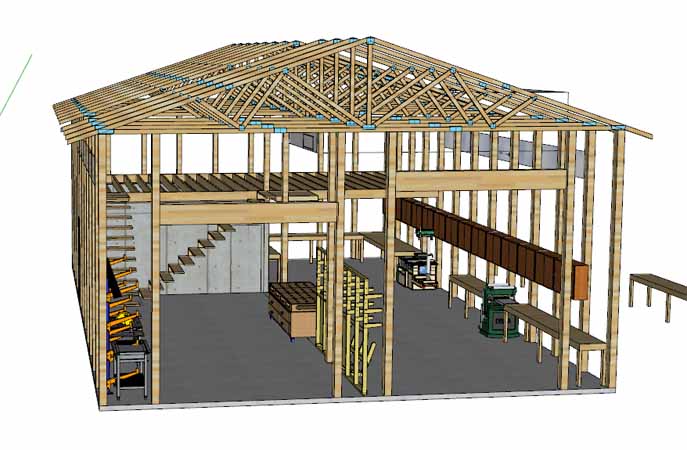
SketchUp is free and has a very short learning curve. And is a powerful tool for what it is.


barndominium009.jpg
 

bczygan

Well-known member
Joined
Nov 4, 2009
Messages
22,002
Location
DETROIT! Arsenal of Scrappers
Until you want it 2' wider, roof pitch change, move a door, etc. Get out the electric eraser. I drew on the board back in the day, and I think a talented drafts-person can make prettier drawings than CAD, but no way I would ever want to go back to paper. I often do rough sketch on paper before I start in CAD tho. Changes are where parametric modeling in programs like SolidWorks really shines; draw the sketches right and just a couple of clicks and you change things like pitch, length, height, etc and the software does the work.

BTW, I think I am going to download and try Solid Edge. At first glance it looks better than NanoCad I am using. I think I have an old copy of AutoCad light too somewhere, if I can find it, and if it will run on Windows 10. Where I work now mostly uses Microstation for 2D CAD and I use it some, but not a fan.

CAD is great for replication or repetition. But it puts another layer of work between me and my ideas. Plus I don't even do full drawings anymore. A quick thumbnail sketch on the back of an envelope and some notes, is all I need to remember the 3d image in my mind.

For a pro or permits or takeoffs, you need a drawing though.

Bill
 
Last edited:

atch

Well-known member
Joined
Apr 4, 2006
Messages
842
Location
Columbia, Missouri
I don't mean to sidetrack this thread, but let me give you a short "aside."

Back in the days before CAD programs (AutoCAD in my case) my drawings were all of renovations in a hospital. I spent many hours researching, designing, and drawing renovation of some existing office space into a clinic. Done per the Chief Of Staff's and Hospital Director's demands I might add. Drawings were quite beautiful, if I do say so myself.

Then one of those guys (C.O.S./Director) decided that a room in the middle needed to be larger and a room near the end needed to be smaller. In AutoCAD it would have taken me 5 - 10 minutes to shift everything. On the drawing board it took many hours. I don't remember exactly but it seems like it was a couple of days.

So even in our shop planning I still recommend using a CAD program if it's available.
 

John in OH

Well-known member
Joined
Jun 2, 2007
Messages
2,444
Location
SE Ohio & Eastern Virginia
I don't mean to sidetrack this thread, but let me give you a short "aside."

Back in the days before CAD programs (AutoCAD in my case) my drawings were all of renovations in a hospital. I spent many hours researching, designing, and drawing renovation of some existing office space into a clinic. Done per the Chief Of Staff's and Hospital Director's demands I might add. Drawings were quite beautiful, if I do say so myself.

Then one of those guys (C.O.S./Director) decided that a room in the middle needed to be larger and a room near the end needed to be smaller. In AutoCAD it would have taken me 5 - 10 minutes to shift everything. On the drawing board it took many hours. I don't remember exactly but it seems like it was a couple of days.

So even in our shop planning I still recommend using a CAD program if it's available.

I gotta agree with you and 56Mark. I also learned on paper but once CAD came into my life I never looked back!! As you say, the ease of making changes, testing layouts, comparing concepts, and the dimensional accuracy just blows away paper drawing. Cut. Paste. Rotate. Stretch. Move. Drag & drop. The ease and speed can't be matched!!

We used AutoCad until the final few years and switched to Microstation. Microstation was fine, but I never really got proficient with it ... difficult to teach an old dog new tricks sometimes!! Same with 3D .... never got any good with it either!
 

MushCreek

Well-known member
Joined
Jan 14, 2015
Messages
9,754
Location
Upstate South Carolina
I used Sketch-Up to design my house, shop, and everything else I build. I'm not much of a computer guy, but I figured it out fairly quickly. At work, I've used AutoCad and SolidWorks. Both are much tougher to learn, although they are much more powerful. I used to love sitting at a drafting table, but I'm a lot faster with Sketch-Up now than I ever was with pencil and paper.
 

bdbecker

ALLIANCE MEMBER
Joined
Nov 18, 2015
Messages
5,551
Location
Iowa
Try NanoCad free version. You have to register to download but it operates almost exactly like AutoCad. I have used AutoCad since the DOS days in the late 80's. I use Solidworks mostly now for design at work but it is not a good 2D CAD program. I use NanoCad at home for that. Units are little difficult in NanoCad and it defaults to mm, but I just pretend it is inches if that is what I am using.
https://nanocad.com/

I am going to try some of the other suggestions too and see if I like them better.

+1 to NanoCAD.

I use AutoCAD at work, NanoCAD at home. The similarities and compatibility between the two programs makes hopping back and forth very easy. FWIW, I believe you can change the default units in NanoCAD to inches - I'm pretty sure I did this right away when I first installed it. If that doesn't work, you can always scale it after you've drawn everything.
 

matt_i

Well-known member
Joined
Mar 14, 2008
Messages
10,725
Location
SE Michigan
Imo one of the more powerful tools in CAD is Layers.

Being able to compare lighting layout with machines, turn off lighting and turn on overhead electrical locations, turn on ductwork, turn on pivoting staircase, etc. is easier to use than a hyper-complex assembly-of-all drawing. And I don't have to go back and redraw the outline of the walls.

When planning to take over a country/planet you need detailed plans lol :yikes: :D :eek:
 

joablynn

Member
Joined
Oct 20, 2018
Messages
11
Location
Athens
Don't wish to steal this thread, but ....
Before I retired I used 2-D AutoCad quite a bit and am familiar with the commands and tools. Do any of the free 2-D software packages use the same or similar commands as AutoCad??
Yes, try NanoCad free
 

nadogail

Well-known member
Joined
Jan 23, 2009
Messages
31,928
Location
Coronado, CA
I guess I am a Dinosaur, because I still use pencils, triangles and Pink Pearl erasers.

Engineers figuring pads are my preferred stationary.
 

bdbecker

ALLIANCE MEMBER
Joined
Nov 18, 2015
Messages
5,551
Location
Iowa
Concerning hand drafting/sketching vs. CAD... one of the neat things about the era we are living in is that we have access to tools that we couldn't even contemplate having at our disposal for hobby/home use a few decades ago. We don't have to choose between using CAD or graph paper, we get to choose between CAD and graph paper depending the the project at hand.

One example of hand drafting - I did a bunch of work to my deck this spring and needed to build new steps. This design was done completely by hand on graph paper and came out exactly has I had envisioned. There was no reason to use CAD for this project as it would have added unnecessary time.

View media item 104877
An example of using CAD was when I was trying to determine the optimal lighting layout for my garage.

View media item 98496
Knowing the beam angle of the lights, I was able to determine what sort of coverage area I could get at a 40" work height because I'm a taller guy and that is where I naturally do most of my work. I also prioritized having the best lighting in the center of my workspace because I knew I'd be installing task lighting over the workbench and tool areas. Using the hatch function in CAD, I made shaded circles that represented the coverage for each individual light at the 40" work height. I could then play around with the layout, optimizing the coverage for my space. Trying to use pencil and paper for this project would not have been impossible, but would have taken much longer than the hour or two I spent in CAD coming up with the layout.
 

ChaseDE

Well-known member
Joined
Aug 25, 2016
Messages
2,178
Location
Delaware
Your main hiccup with sketchup is not being able to draw/get squared up.

Probably because you are in the default setting to "perspective" view which makes things skewed like you are looking at it in real life.

There is a view setting to set it to "parallel", this should help you out.
 

Tambs575

New member
Joined
Dec 27, 2019
Messages
2
Location
WA
DoubleCad XT (from Turbocad) is a free software that is extremely powerful. There is a learning curve, and to get all of the features you have to pay a fee. It is modeled after Autocad, so if one has experience there then it will be familiar. The free version will accomplish all you need however.

As others have mentioned, layers are quite helpful to the design process. I've used DoubleCad to draw up some drawings of a 50x80x18 shop, that has an ADU on a separate layer. Sections, elevations, construction lines, etc are all on their own layers as well so I can turn them on/off as I need to in order to show as much or as little detail as I want. For the shop build, the ADU will be off when I print the drawings for permitting purposes, and then down the road when finances allow I will switch it back on to get the permit for the ADU.
 

jmarkwolf

Well-known member
Joined
Jan 15, 2013
Messages
1,812
Location
Southeast Michigan
I'm surprised no one has mentioned DraftSight (made by the Solidworks company). I don't think they have a free version anymore, but they do offer cheap "subscriptions" as I understand it.

I've been using AutoCad since the DOS days, and then AutoCad LT when it got too expensive. When the LT version got too expensive as well, I switched to DraftSight Professional for a couple hundred bucks. It has a couple configuration options, one of which is nearly identical to AutoCad.

It's kinda fussy about the graphics card but is very nice.
 

Innovate1

Well-known member
Joined
Jul 28, 2014
Messages
4,283
Location
Illinois near St. Louis, Missouri
I switched from DraftSight to LibreCAD when Draftsight ended the free version. Their registration method made the existing version non-operational. I viewed it as "bait and switch" as they said it was free to get people started and then made it a pay version. Of course they can do whatever they want. They have several levels - the cheapest is $99 a year. I use CAD infrequently so don't like the subscription system.
 

engineer2

Well-known member
Joined
Dec 13, 2009
Messages
11,795
Location
Chicago burbs
I've been using Adobe InDesign for sketches. It's a desktop publishing program, but it has good 2D drawing tools. No auto-dimension though. $23/month rental or $53/month for the entire suite of Adobe programs.

I've also tried Home Architect, but didn't like it. Powerful, but has a steep learning curve with online tutorial videos. Just didn't have time for that.

Adobe Indesign:
 

Attachments

  • shed-plan-p3.jpg
    shed-plan-p3.jpg
    106 KB · Views: 28

niget2002

Well-known member
Joined
Oct 2, 2012
Messages
11,123
Location
Josephine, TX
I'm going to have to go back and look at some of these. I've been using Fusion360 for all my 3d models, but it doesn't do layers. I typically use the sketch on just one of the planes if I need to draw up a 2d design.
 

atch

Well-known member
Joined
Apr 4, 2006
Messages
842
Location
Columbia, Missouri
So would you all mind to let us in on which programs have layers and which don't?

In my career using AutoCAD I couldn't have done my work without layers. If I get something to use at home I'd really like to have/use layers.,

THANX.
 
To avoid these ads, REGISTER NOW!
Top Bottom