To avoid these ads, REGISTER NOW!

Entering Long Post Without Getting Logged Off

LifeLongWNYer

Well-known member
Joined
Oct 23, 2013
Messages
1,231
Location
South of Rochester, NY
I have a question about entering posts which take several minutes to type, proofread and edit, before I actually posting them.

On several occasions, I have spent some time typing a post, and making it look half-way decent, only to hit the "submit" button, and find out that I have been logged out and my post isn't accepted. When that happens, and I go to the login process, then return to the thread in which I was working, I find my carefully edited post is GONE! In my experience, I need to start all over again. BOO!

Is there (1) some place where those posts go to, so that I can retrieve it after I log back in, or (2) is there some way to prolong my session time, so that I don't get logged out while I am composing a post.

What is really bad, is that I suspect, sometimes I've already been logged out when I am editing my post, so I am working on something which is already useless.

Ah, if only I'd taken that typing class in high school!


.
 
To avoid these ads, REGISTER NOW!

crasher98

ALLIANCE MEMBER
Joined
Jan 29, 2013
Messages
215
Location
NW LA
Every so often copy what you're typing; if you get logged out that will reduce how much you have to re-type -- just paste it back in and then keep going. Don't forget to keep saving tho!
 

Barnabas

Well-known member
Joined
Nov 24, 2013
Messages
362
Location
Raleigh, NC
When that happens, press the back up button on your web browser. It is posible the text is still there. Copy it, log in, then paste it, and keep going.
 

39Tudor

Well-known member
Joined
May 21, 2008
Messages
650
Location
Kansas
If I am going to write a lengthy post, I usually create it in MS Word. I do all my proof reading and corrections and then cut and paste the final wording into a GJ post.
 

oldmxracer

Well-known member
Joined
Jan 29, 2006
Messages
1,204
Location
Ohio
NUTTSGT, just replied to this question "when you log in, click the "Remember Me" box, that should keep you from getting logged out".
 

alwaysFlOoReD

Well-known member
Joined
Sep 24, 2013
Messages
2,409
Location
Airdrie, Alberta, Canada
Hit the "go advanced" button under the quick reply box. Also make sure you have hit the "keep me logged in" button before logging in.

Edit; I was a little slow with my Hunt And Peck method of typing.

The "go advanced" box will keep your input in memory if you have to hit the back button.
 
Last edited:

laser3kw

Well-known member
Joined
Nov 17, 2012
Messages
7,276
Location
northen IL
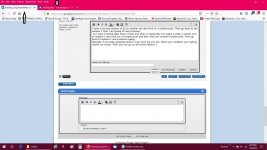
I open a second session of GJ on another tab and click on a random post. Then go back to the session 1 that I am typing on and continue.
As I type I mental keep track of time and when it seems like I've typed a while, I switch over to session 2 and click out of random post and then click into another random post. Then go back to session 1 and continue typing.
Basically if you keep updating session 2 GJ won't log you out. When you complete your typing, submit as normal. Then you can go on and close session 2.
 

Attachments

  • GJ 2 tab.jpg
    GJ 2 tab.jpg
    116.8 KB · Views: 12
Last edited:

pancho400cid

Well-known member
Joined
Sep 26, 2014
Messages
4,536
Location
Austin, TX
I have had that happen on other sites.... VERY frustrating

I now type up long posts in either MS word or e-mail software (Outlook etc.), and then open a post or reply on here, highlight the typed up stuff in whatever software, and copy/paste the whole thing from there to the post/reply.
 

laser3kw

Well-known member
Joined
Nov 17, 2012
Messages
7,276
Location
northen IL
For those that have the issue of being logged out or timed out, are you clicking the "Remember Me" box when you log in?
yes - I have tried that. It seems to work ( I guess) at work, but not on my hone laptop. Maybe a cookie thing? Setting in computer?
 

larry_g

Well-known member
Joined
Apr 28, 2007
Messages
16,901
Location
oregon
I've had this problem in the past and got into the habit of doing a COPY function before submitting. Then if it fails I log in and get the copy from the clip board.

lg
no neat sig line
 

PugetDude

ALLIANCE MEMBER
Joined
Mar 13, 2013
Messages
22,497
Location
Superstition Mountains, AZ
Only way I've found to consistently not get hosed while composing a reply is to copy it before I hit "reply". 90% of the time I have to hit the back button and paste it in, then it works OK... (I'm logged in):headscrat
 

Shiftless

Well-known member
Joined
Mar 9, 2014
Messages
14,612
Location
East Bay SFO
Another thing you can do is to go ahead and post the first paragraph or so.
Then go back and “edit” your post to add more things that you wanted to say.

Be aware that many GJ readers don’t like to read long posts. How long is “long” ? :dunno:
 

NUTTSGT

Super Moderator
Staff member
Joined
Sep 14, 2009
Messages
51,207
Location
Northern Central Ohio
yes - I have tried that. It seems to work ( I guess) at work, but not on my hone laptop. Maybe a cookie thing? Setting in computer?

I'd say it was probably an issue on your end. I use my shop laptop, my other laptop and the home PC all to surf GJ and don't have an issue.
 
To avoid these ads, REGISTER NOW!

wyliesdiesels

Well-known member
Joined
Aug 14, 2012
Messages
20,096
Location
Modesto, CA
I havent been logged out in who knows how long as ive used the remember me setting.

However, I have typed long comments and hit submit only to be told that my session token?(cant remember exact wordage) timed out and i need to refresh.

So i hit back, my comment is still there(browser setting maybe), i copy it, then refresh, then paste it
 
OP
L

LifeLongWNYer

Well-known member
Joined
Oct 23, 2013
Messages
1,231
Location
South of Rochester, NY
Hi folks, thank for the answers. As far as "how long" and to the fellow who didn't like long posts, while sometimes i might write too much, most of the time this issue is due to my slow, two-finger typing, and that I always go back to fix typo's before I submit.

I "usually" try to do a "ctrl A" and "ctrl C", which highlights my entire post and copies it, then if I lose it all, I can "ctrl V' and paste it back in, but every once in a while, including the night I posted this question, I forgot that step.

I think NuttSgt has the best idea, I am going to try that. Thanks, Nuttsgt, you usually have good ideas, you've helped me more than you know.

Take care,


.
 

NUTTSGT

Super Moderator
Staff member
Joined
Sep 14, 2009
Messages
51,207
Location
Northern Central Ohio
I think NuttSgt has the best idea, I am going to try that. Thanks, Nuttsgt, you usually have good ideas, you've helped me more than you know.

Take care,


.

Try it and see what happens. I can't remember the last time that I got timed out when posting. However, I do know from time to time there are site issues, whether it's due to the server or Ryan making an upgrade to the site, I don't know.

This site can be frustrating with how quickly it logs out.


Are you clicking on the "Remember Me" box when you log in ?
 

PugetDude

ALLIANCE MEMBER
Joined
Mar 13, 2013
Messages
22,497
Location
Superstition Mountains, AZ
I have to agree that what works for me may not work for you. Ticking the box will help.

I do tick the "Remember me" box... but I get this a lot when I post a reply- probably 60% of the time on a long reply, but just happened on a quick two-line response...
 

Attachments

  • This page can't be displayed....jpg
    This page can't be displayed....jpg
    18.2 KB · Views: 4

BuffettFan

Well-known member
Joined
Jul 11, 2017
Messages
10,931
Location
Central Illinois
It happens to me regularly when I'm on my laptop.
I copy the post, log back in, even though it still says I'm logged in at the top, then paste my text back in the box.
So far, it's worked for me every time.
I just figured it was my laptop, it's been trying to die for a while.
 

alwaysFlOoReD

Well-known member
Joined
Sep 24, 2013
Messages
2,409
Location
Airdrie, Alberta, Canada
I was having a problem getting logged out from a different forum, but not here or the other 2 I frequent. Turns out I needed to go into Firefox Options> Privacy and Security> Cookies and Site Data> Clear Data. That seems to have solved the problem.
 
To avoid these ads, REGISTER NOW!
Top Bottom