To avoid these ads, REGISTER NOW!

Errors trying to start thread with photo URLs?

4xdog

Well-known member
Joined
Aug 18, 2012
Messages
5,621
Location
Santa Fe, NM
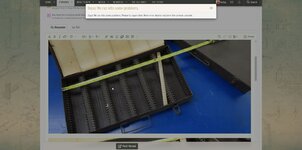
Several times over the last few weeks I've had this "Oops! We ran into some problems" error when trying to start a thread. I've sometimes fixed it by deleting all the photo links, posting just the text, and adding back the photos by editing the post. That doesn't always work.

What am I doing wrong?

i-nPdRGVf.jpg
 
To avoid these ads, REGISTER NOW!
OP
4

4xdog

Well-known member
Joined
Aug 18, 2012
Messages
5,621
Location
Santa Fe, NM
I'm still getting this error on a regular basis (although not always, and not predictable) when inserting photo links from SmugMug.

The workaround is to post one's thread starter or reply without any images, and add them via editing. It sometimes (but not always) helps to give a half minute or so before saving one's edits.

I guess I'm the only one having this problem?
 

Git

Well-known member
Joined
May 18, 2008
Messages
6,894
Location
S Cal
I would think it has something to do with your link to smugmug. Uploading a file to the forum has always worked fine for me, as long as you don't exceed the maximum file size.

i-nPdRGVf.jpg
 
To avoid these ads, REGISTER NOW!

Git

Well-known member
Joined
May 18, 2008
Messages
6,894
Location
S Cal
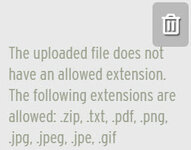
I don't know, I have run into that error before, but it looks like Ryan may have changed it. I just tried attaching a 6 mb file and it worked, and that is a pretty big file for a photo. Keep in mind there is also a limit on types of files allowed

T- 529.jpg
 
OP
4

4xdog

Well-known member
Joined
Aug 18, 2012
Messages
5,621
Location
Santa Fe, NM
I'm not attaching files -- at least intentionally, 'cause the new forum software seems like it's uploading files automatically -- but rather trying to attach via URL link only. ISTR Ryan mentioning something about the forum archiving all images now so they'll be preserved for use here.

Linking smaller display sizes hasn't helped. But that doesn't change my original SmugMug file size, of course, just the size displayed by a particular URL.

Dunno... It was still happening yesterday, and using the workaround of adding the photos through successive edits to the original post seems to work.
 
To avoid these ads, REGISTER NOW!
Top Bottom