Stuart in MN
Well-known member
People often post here asking about what they can use to monitor their garage door to see it was left open. I noticed this short article in the paper today about a product made by Wyze that goes along with their security camera. It sounds like a good and cheap solution.
---
Wyze, a technology company founded by a small group of people who worked together at Amazon, has a good security camera called Wyze Cam, which is under $20.
Now the company has released what amounts to the beginnings of a home-security system, but for now, it is calling it Wyze Sense, which is a $20 set of two door/window sensors, a motion sensor and a small bridge.
The sensors are very small and battery-operated. Wyze said the batteries in the sensors should last a year before they need replacing.
The bridge enables the sensors to talk to your home network.
It plugs into the USB port on the back of a Wyze Cam, so you have to own at least one Wyze Cam to use the Sense.
You set up and configure the Sense bridge and sensors through the Wyze app. If you have been using the Wyze Cam, you should be ready to go with the app.
The bridge and sensors use the same Wi-Fi connection the cameras use, so there is no network setup.
The bridge can support up to 100 sensors, and the range more than covered one small house during product testing.
If you need more sensors, a four-pack of door/window sensors cost $19.99, and extra motion sensors are $5.99.
The sensors monitor and report their status to you through the app.
The door/window sensors can push an alert to notify you if a door is opened or closed, or if a door or window has been left open or closed for a period of time.
This is handy for a garage.
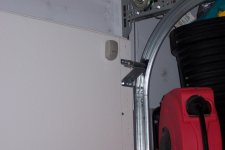
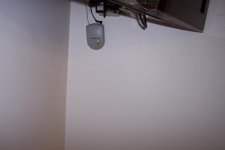
You could put a sensor on the garage door to notify you when the door is left open for more than 15 minutes (or whatever time period you’d like).
For $7.99 or $29.99 for a four-pack, Wyze also sells smart bulbs that are compatible with the Wyze Sense. They are white lights, but the color temperature of the bulbs is tunable from the Wyze app.
These devices are all really easy to set up. Wyze has done a great job with its app. It really does walk you through the setup step by step.
The only downside is that neither the camera nor sensors can interact with other automation systems.
However, Wyze is cheap but good on its own, easy to set up and provides fast notifications.
Bottom line: It’s a nobrainer. If you have a Wyze Cam, you need to buy the sensors. You will find plenty of uses for them.
---
Wyze, a technology company founded by a small group of people who worked together at Amazon, has a good security camera called Wyze Cam, which is under $20.
Now the company has released what amounts to the beginnings of a home-security system, but for now, it is calling it Wyze Sense, which is a $20 set of two door/window sensors, a motion sensor and a small bridge.
The sensors are very small and battery-operated. Wyze said the batteries in the sensors should last a year before they need replacing.
The bridge enables the sensors to talk to your home network.
It plugs into the USB port on the back of a Wyze Cam, so you have to own at least one Wyze Cam to use the Sense.
You set up and configure the Sense bridge and sensors through the Wyze app. If you have been using the Wyze Cam, you should be ready to go with the app.
The bridge and sensors use the same Wi-Fi connection the cameras use, so there is no network setup.
The bridge can support up to 100 sensors, and the range more than covered one small house during product testing.
If you need more sensors, a four-pack of door/window sensors cost $19.99, and extra motion sensors are $5.99.
The sensors monitor and report their status to you through the app.
The door/window sensors can push an alert to notify you if a door is opened or closed, or if a door or window has been left open or closed for a period of time.
This is handy for a garage.
You could put a sensor on the garage door to notify you when the door is left open for more than 15 minutes (or whatever time period you’d like).
For $7.99 or $29.99 for a four-pack, Wyze also sells smart bulbs that are compatible with the Wyze Sense. They are white lights, but the color temperature of the bulbs is tunable from the Wyze app.
These devices are all really easy to set up. Wyze has done a great job with its app. It really does walk you through the setup step by step.
The only downside is that neither the camera nor sensors can interact with other automation systems.
However, Wyze is cheap but good on its own, easy to set up and provides fast notifications.
Bottom line: It’s a nobrainer. If you have a Wyze Cam, you need to buy the sensors. You will find plenty of uses for them.