To avoid these ads, REGISTER NOW!

Help select CAD program

glentre

Well-known member
Joined
May 21, 2016
Messages
909
Location
Gloucester, Virginia
My first post here, although I am a regular reader and contributor on the sister Ford Barn Forum.

We are in preliminary stages of designing a two car detached garage with lift and want a free or inexpensive cad program to visualize layout and elevations before having professional drawings made to submit for permits. I owned an architectural woodworking firm for many years and am quite comfortable with drawings but have no experience with cad as others in our organization handled that task.

Does anyone have suggestions on what programs are available to meet our needs? Thanks in advance for input anyone can give.

Glen
 
To avoid these ads, REGISTER NOW!

Leaflessshadetree

Well-known member
Joined
Aug 1, 2013
Messages
7,152
Location
Don't ask.
Google sketchup is free and 3-D.
It would be good for what you are wanting.
Also photoshop and similar programs will also be usefull.
 

matt_i

Well-known member
Joined
Mar 14, 2008
Messages
10,726
Location
SE Michigan
I would look at Ashlar Vellum Graphite. Its very intuitive, light years ahead of Auto_CAD.

I made all my own drawings for my shop expansion (translated to .pdf), printed them D-sized laser at Kinkos for around $5 each and was off to the township, county, etc.

I reverse-engineered the mortgage survey into CAD and had an accurate plat/site plan layout as well, showing well and septic to scale (those were set in via my measurements)

Not trying to brag, but if you have CAD you can do it too.
 
Last edited:

bottom feeder

Well-known member
Joined
Dec 10, 2012
Messages
331
Location
Utah
I've run AutoCAD and several variants at work for 28 years and it's an amazing CAD program. I've used it to model my house and my proposed detached shop in 3D. With that said, I'd recommend Sketchup if you're wanting to visualize various build scenarios in 3D. The learning curve is short, there are YouTube videos that will teach you all you need to know, and it's free. Also, you'll have free access to thousands of pre-drawn 3D assemblies for the shop (lifts, cars, toolboxes, woodworking equipment, etc.) that you can drop into your drawing and test various "what if" scenarios. I've re-drawn my proposed shop in Sketchup and haven't gone back to the AutoCAD variant in a long time.

Definitely give it a try.
 

wake74

Well-known member
Joined
Nov 14, 2015
Messages
372
Location
NC
I would agree with the above, for 3D space planning, Sketch-up is hard to beat. The available blocks makes it so much easier to do space planning with. It's amazing what is out there for Sketchup blocks.

It's more of a design program than a true CAD program, but it doesn't sound like you are trying to do a full set of engineering drawings.
 

BIG-BRO

Well-known member
Joined
Jul 1, 2014
Messages
88
Location
New Hampshire
Here's an example of inserting items from the Sketchup models - lift, specific cars, garage doors, etc....
 

Attachments

  • image.jpg
    image.jpg
    19.4 KB · Views: 129
OP
G

glentre

Well-known member
Joined
May 21, 2016
Messages
909
Location
Gloucester, Virginia
Thanks to all who replied. As suggested, I downloaded Sketchup and started to play with it and it looks like just what we need. Our county requires drawings signed by licensed architects or engineers to obtain a permit so being able to give them a Sketchup presentation of what we want will save a whole lot of time and money.

Glen
 

bczygan

Well-known member
Joined
Nov 4, 2009
Messages
22,002
Location
DETROIT! Arsenal of Scrappers
Thanks to all who replied. As suggested, I downloaded Sketchup and started to play with it and it looks like just what we need. Our county requires drawings signed by licensed architects or engineers to obtain a permit so being able to give them a Sketchup presentation of what we want will save a whole lot of time and money.

Glen

Are you sure? What county?

Most places only require that when a residence is over 4000SF.

Bill
 

HoosierGarage

Member
Joined
Apr 23, 2013
Messages
16
DraftSight is free and works very well... similar to 2D AutoCad.

Mike

Draftsight is by far the best alternative to autocad.
It is even well developed compared to paid competitors of autocad.

Auto cad is an industry standard in many industries, draft sight is as close as you can get without paying for it.
 
To avoid these ads, REGISTER NOW!

MortonPhotographic

Active member
Joined
May 6, 2016
Messages
31
Location
Scottsdale, AZ
This helped me out too--thanks everyone! Installing SketchUp now. I didn't want to trust the best choice would pop up on a random Google search, so glad I found my question asked and answered here.
 

Colin Len

Well-known member
Joined
Jan 30, 2013
Messages
1,233
Location
Long Beach CA
I'll have to check out Draftsight. I downloaded Sketch up and it's just not intuitive for me (am I just an idiot? Everyone seems to think it's easy) or more likely I just need to spend more time with it. But if Draftsight works like AutoCAD (which I'm familiar with) then perhaps I can just hit the ground running with that.
 

pmiranda

Well-known member
Joined
Jul 15, 2008
Messages
1,504
Location
Austin, TX
After years of using autocad and then draftsight, I don't find sketchup intuitive at all. Maybe because I'm trying to get things with precise dimensions and don't like having to sit through videos to learn something. I'm so old I like to read and write instructions :)
But I'll probably get around to doing whatever it takes to learn it sometime since being able to drop a 3d model into google earth and see it on the property would be enormously valuable. It even shades your model with correct sun angles for different times of year so you can tell if your overhangs are the right size.
 

bottom feeder

Well-known member
Joined
Dec 10, 2012
Messages
331
Location
Utah
I'll have to check out Draftsight. I downloaded Sketch up and it's just not intuitive for me...

After years of using autocad and then draftsight, I don't find sketchup intuitive at all...

When I first tried Sketchup after years of AutoCAD, I threw my hands up in frustration and gave up. To be honest, when I first tried to draw in 3D in AutoCAD I was equally frustrated. Some time later I gave Sketchup another try and with a bit more practice I can (eventually) make it do what I want. To an AutoCAD user, some of the drawing techniques of Sketchup make little sense, and some are downright bass-ackward. However, to someone starting with no preconceived notions of how the tools should work, I think the Sketchup learning curve would be much shorter and less frustrating. Plus price is not an issue with Sketchup.

I'll have to give DraftSight another look. It sounds like a good alternative to AutoCAD.
 

ChaseDE

Well-known member
Joined
Aug 25, 2016
Messages
2,178
Location
Delaware
Been using AutoCAD for 20 years, 3D PDMS modeling for 10, Microstation for 10, etc, etc. I use Sketchup at home for my space planning and such, it is a truly amazing program for free.
 

Modern Jess

Well-known member
Joined
Jan 2, 2011
Messages
1,362
Location
Bay Area, California
I'll have to check out Draftsight. I downloaded Sketch up and it's just not intuitive for me (am I just an idiot? Everyone seems to think it's easy)

No, you're not an idiot. There are aspects to SketchUp that are definitely non-intuitive. There are a handful of "tricks" that you need to know to be effective -- not a lot, maybe half a dozen. Once you know those tricks, then it becomes really easy to use.

Trick #1: Use the text box in the lower-right corner to fine-tune how much you've just moved or sized something. Move / resize it approximately as much as you need, then type in the actual distance / dimension you want.

Trick #2: Learn to use the built-in snap points -- corners, middles, and edges. If you "touch" them first, you can often reference a line along the surface of the object that connects to that snap point.

Trick #3: Use guide points. A lot. At least until you get the hang of the built-in snap points. For some reason, you use the tape measure tool for this. You can put guide points at specific distances from other guide points and snap points using the text box in the lower right corner.

Trick #4: When you're in camera-rotate mode (to spin yourself around the model) holding down shift will turn the current tool into the pan tool.

Trick #5: The push/pull tool is your new best friend. It can make a 2d profile into a 3d object, resize an object in a single dimension, and punch holes in a 3d object. Play with it. Use it. Love it. Better yet, watch this video:
 
Last edited:

ChaseDE

Well-known member
Joined
Aug 25, 2016
Messages
2,178
Location
Delaware
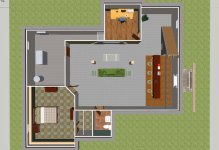
Sketchup is really good once you learn it. As stated above I use 3D modeling software that cost tens of thousands of dollars and work on projects up to a billion dollars and use Sketchup at home because it is very good for free. I also use Sketchup in my side business where I design damn near anything from websites to home remodels. Here are a few model shots of my basement at my old house.
 

Attachments

  • base1.jpg
    base1.jpg
    95.1 KB · Views: 26
  • base2.jpg
    base2.jpg
    81.8 KB · Views: 27
To avoid these ads, REGISTER NOW!
Top Bottom