To avoid these ads, REGISTER NOW!

help with lighting for tool pics

fatfillup

Well-known member
Joined
Jan 17, 2009
Messages
10,280
Location
Finksburg, Md
I am having problems getting good tool pics and lighting and background seem to be the culprits. I am getting a glare/reflection from the flash and or the overhead flourescent lighting. Camera is a Kodak easy share Z612. Do I need to invest in some proper photography lighting, build a box or what?

My goal is two fold. One is to post pics here of tools for discussion/collection purposes. Two is to post pics of tools for sale, here, ebay, and Craigs list. Thanks, fat
 
To avoid these ads, REGISTER NOW!

krusty the clown

Member Emeritus
Joined
Nov 18, 2007
Messages
7,535
Location
niangua, mo
you'll want to use better lighting and turn off the flash. a camera with more pixels will take clearer pics as well. i have a kodak c812 and it doesn't take very good closeups either, i just can't justify a $300 camera. i took a photography class years ago, you may consider doing that as well. it can really help with composition and lighting.
 

Stuey

Well-known member
Joined
Jan 8, 2008
Messages
11,034
Location
28m above sea level
First off, don't use the flash. I have taken over 4700 photos with my camera since buying it two years ago. Out of those photos, I must have used the flash maybe 20 times total. That's about half of one percent.

You don't need a tripod, but you need to support the camera for longer exposures. Try to avoid anything above 200 iso to avoid grainyness.

You can buy a "light box" (also called a light tent) for about $50, or search around to learn how to build one yourself. I am planning to build such a box, but don't have the time to get it started.

I use clip-on lamps from the hardware store, with CFLs.

Put some poster paper or fabric underneath the item you're photographing - this might help remove additional background distractions.

Try to diffuse overhead lights if possible. Frosted or textured plastic sheeting or translucent plastic might work, but to be honest, you're better off building a light box or tent.

When direct lighting causes too many reflections - especially on chromed tools, try indirect lighting - bounce a CFL against a white ceiling or some poster/foam board.
 

r6_cannibal

Well-known member
Joined
Jan 19, 2009
Messages
694
Location
Southern California
You're on to a good start, it's all about the lighting. A quick and easy trick is to take a piece of wax paper (or even a single ply of toilet paper) and place it over the flash so it diffuses it some. This will keep the flash from being too harsh and will render better pictures. On your camera you can turn the flash off, and using the room lighting or some supplemental lights to illuminate the subject will likely be your best bet.
Background can be a length of white butcher paper, with a smooth transition between the wall and the surface the tool is on.
I believe I have some pictures up on my flickr page that uses the butcher paper technique, but I'm at work and that site is blocked so I can't find specific examples. I know for sure there's a picture of a crank shaft using butcher paper as the background but you might need to dig around for it.
http://www.flickr.com/photos/r6_cannibal/
Take some pictures and post them so we can see how they turn out :beer:

*edit* I forgot I have that crankshaft picture attached to my name here, I remembered after I hit post :lol_hitti
 
Last edited:

r6_cannibal

Well-known member
Joined
Jan 19, 2009
Messages
694
Location
Southern California
Stuey you beat me to the first post!
I used a light box out of foam board from mao-mart on the cheap and taped it together for shooting some stuff on ebay for a friend. It worked well but required the clip-on lights you mentioned to really get good results. definitely the best way to go though.
 

Bolster

Well-known member
Joined
Jul 8, 2008
Messages
4,056
Location
Mexifornia
As the wise posters have said, good product photos are ALL ABOUT LIGHTING. Your camera is relatively unimportant!

The trick is to get the light broad and even, NOT a point source. Cheap options are:

- A white sheet strung over your clothes line on a sunny day...photograph under it.

- A large window which is letting in INdirect light (not direct sunlight)

- If using a table inside, white foamcore board all around the product so it's being lit by reflective light from all sides

- For small items I have had fantastic results with a translucent-white 2 or 5 gallon water bottle, cut open at the front. Sunlight hits the water bottle, and diffuses it evenly all around the small object underneath it.

Just some ideas.
 

zuspiel

Well-known member
Joined
Aug 19, 2008
Messages
1,350
Location
Houston, TX
All excellent suggestions. I have to confess that I usually don't drag out all the stobes/reflectors/whatnots to take a quick pic to post here. My main two points would be: flash off and use a table top tripod for the camera to keep the pics sharp. Table next to north-facing window is super easy, diffuse light.

Now for the PB slotted tip comparison that I'm planning to do, the pro gear will need to come out of quasi retirement (macro rings, etc...)
 

r6_cannibal

Well-known member
Joined
Jan 19, 2009
Messages
694
Location
Southern California
- For small items I have had fantastic results with a translucent-white 2 or 5 gallon water bottle, cut open at the front. Sunlight hits the water bottle, and diffuses it evenly all around the small object underneath it.

That's a neat idea! I'll have to experiment with that and plastic milk cartons as natural light diffusers. Cheap and easy to keep in the camera backpack if only a side or bottom is cut out.
 

justinmc

Well-known member
Joined
May 25, 2006
Messages
2,239
Location
KCMO
The answers above are pretty much what you need to know. Its all about lighting and keeping it diffused and nice looking. Honestly I don't spend a ton of time on tool photos but I suppose I could. Usually the shots are just to chuck something up here for sale or to show off so I usually just use quick clamp lights with some "daylight" bulbs to cut down on any color correction work. I should probably put something over them to diffuse it a little more but frankly I'm lazy and as I said its not like I'm trying to get studio quality shots.

That makes me wonder.... maybe I should spend some time really photographing tools. Break out the macro lenses and lens tubes and see what I can come up with. Anyone down for some poster sized prints? haha.

Zuspiel what sort of stuff do you shoot? Most of my work tends to be more concerts and automotive themed.

PS as said try to diffuse the flash at the very least if you can't turn it off. On camera flash is generally not good for much beyond "grip n grin" stuff.
 

zuspiel

Well-known member
Joined
Aug 19, 2008
Messages
1,350
Location
Houston, TX
Zuspiel what sort of stuff do you shoot? Most of my work tends to be more concerts and automotive themed.

These days mostly art and architecture for my personal enjoyment. I used to freelance a bit shooting sports (mostly cheerleading and gymnastics). I carry a G9 with me at all times but my 1D Mk2 is mostly gathering dust...

i.e. I used to shoot stuff like this: (BTW, that's actually my daughter, before you guys make, let's say, 'inappropriate' comments :D )

stacey.jpg
 
Last edited:
To avoid these ads, REGISTER NOW!

justinmc

Well-known member
Joined
May 25, 2006
Messages
2,239
Location
KCMO
These days mostly art and architecture for my personal enjoyment. I used to freelance a bit shooting sports (mostly cheerleading and gymnastics). I carry a G9 with me at all times but my 1D Mk2 is mostly gathering dust...

i.e. I used to shoot stuff like this: (BTW, that's actually my daughter, before you guys make, let's say, 'inappropriate' comments :D )


Edits out inappropriate comment. :bounce:

Good stuff. I spent a few years primarily covering concerts, doing cd reviews, etc. Kinda got out of it about 4 years ago when I bought a house, etc. I'd shoot shows from time to time. However I'm trying to get back into it a little heavier this year. Mostly stuff like that.

IMG_0812-medbw.jpg
 

zuspiel

Well-known member
Joined
Aug 19, 2008
Messages
1,350
Location
Houston, TX
Nice! Like it a lot. Stage lights are though. Sadly, I usually didn't have the option for BW... Most of my personal stuff is BW, though :)
 

Stuey

Well-known member
Joined
Jan 8, 2008
Messages
11,034
Location
28m above sea level
darn it, I spent too much time today trying to reevaluate my light tent plans, and well, I ended up spending more money! =(

Don't worry, though, if I end up following through with my plans, I'll make a project log out of it.
 

Stuey

Well-known member
Joined
Jan 8, 2008
Messages
11,034
Location
28m above sea level
Back on track, I decided to construct a quick and easy setup, and am including initial sample pics.

Supplies needed:

  • 2 sheets 20x30 3/16" foam board roughly cut down the middle, 3 sheets if you want/need a bottom
  • utility knife to cut foam board
  • masking tape to assemble boards
  • 1 or 2 clip-on lamps
  • CFL bulbs, I chose high wattage ones with 6500k color temp

You an also cut out the walls of the box/tent and add in diffuser material. I did not since I wanted to demonstrate what less than $15 and 10 minutes can achieve.

The photos were taken under "program" mode with "macro" selected, I set the white balance to the foam boards (when I remembered to, that is), set the iso to 80, and disabled the flash.

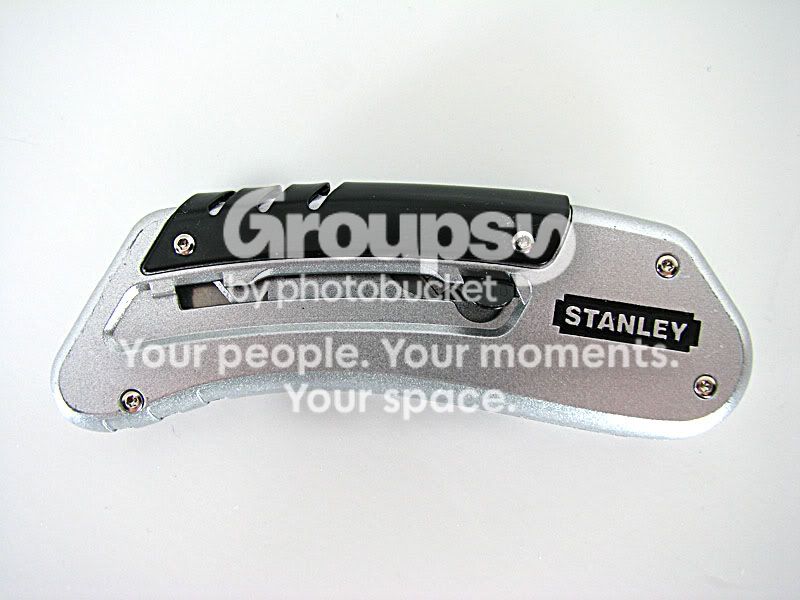
2-lamp-stup.jpg

2-lamp setup, left highlights lamps, right highlights board

stan-1-lamp.jpg

taken under 1-lamp setup

craft-1-lamp.jpg

also taken under 1-lamp setup

stan-1-lamp-minor-corrections.jpg

another one taken under 1-lamp setup, with minor corrections

stan-2-lamp-another-no-correction.jpg

taken under 2-lamp setup

Stan-2-lamp-no-correction.jpg

taken under 2-lamp setup, no corrections

Stan-2-lamp-some-correction.jpg

taken under 2-lamp setup, minor corrections
 

r6_cannibal

Well-known member
Joined
Jan 19, 2009
Messages
694
Location
Southern California
Back on track, I decided to construct a quick and easy setup, and am including initial sample pics.

That's a nice setup, Stuey. The pictures came out nice! Looks like for the last shot you did a little color balance and an unsharp mask? The pictures are nice and clear too, looks like canon glass...powershot?
 

Stuey

Well-known member
Joined
Jan 8, 2008
Messages
11,034
Location
28m above sea level
That's a nice setup, Stuey. The pictures came out nice! Looks like for the last shot you did a little color balance and an unsharp mask? The pictures are nice and clear too, looks like canon glass...powershot?
Thanks. I threw the setup together in about 20 minutes or so. I bought the lamps a while ago, and had some foam board laying around, so I gave it a quick shot.

I also have 1/2" board that's waiting to be used, but I figured it would be better to get something together quickly rather than delay any further.

You're right about the camera and post processing. Canon S3 w/ UV filter. I adjusted the levels a bit and increased the brightness before trying the unsharp mask for the first time ever. I've been trying to get a better feel for photoshop now that I have many reviews planned for ToolGuyd.

Do you have any suggestions as to how to completely white-out the background? I take a look at sites such as Amazon, and they show the product and nothing else. With the volume of photos they must put up, I doubt that every one is extensibly edited. Is it right to assume that to achieve a similar effect, the white balance should be set more accurately and that possibly the image over-exposed?

I'll try to play around with a few images later on. I'd like to [quickly & easily] remove as much of the background as possible to produce a better image, and because an image with a white or blank background takes up so much less storage space.
 

zuspiel

Well-known member
Joined
Aug 19, 2008
Messages
1,350
Location
Houston, TX
Do you have any suggestions as to how to completely white-out the background? I take a look at sites such as Amazon, and they show the product and nothing else. With the volume of photos they must put up, I doubt that every one is extensibly edited. Is it right to assume that to achieve a similar effect, the white balance should be set more accurately and that possibly the image over-exposed?

Sorry, not much time at the moment (following might sound rude but isn't intended).

I'd back off the USM a bit or put it in another layer above the orig and blend via layer transparency). Will dig out a midtone contrast enhancement action I wrote a few years ago for PS. That should add some punch.

Getting rid of BG: use a white BG and expose to almost blow it out. Use BG eraser in PS with the lowest tolerance setting you can get away with. You'll only have issues with specular highlights at the very edge of the object. Will be pretty clean otherwise.

Can elaborate later...
 

FakeName

Well-known member
Joined
Nov 10, 2008
Messages
171
Location
San Diego, CA
Backgrounds are typically removed using a mask or an outline. I send them to my post-production guy.

Easiest way is to shoot on an overcast day, and surround the tools with white cards, as previously suggested.

Another way is to create a frame out of pvc pipe, 1x wood, whatever you have laying around- make it about 24x24in or so. I have several of these in the studio from 12x12in to 6x6 feet. Anyway, once you've constructed the frame, lightly stretch some fabric over it- white translucent. Think sailcloth, a bedsheet, or a plastic textured shower curtain. Suspend this over your subject- get it as close as you can, but obviously leave room for the camera. Use a light- I like halogen shoplight, but you can use a "pan"light with a reflector, a clamp-on light etc. Surround the tool with cards and go for it without flash. Try to avoid shooting straight down on the subject, and you'll make your life a lot easier. Metal objects need to "see" white in order to look like metal.

If there's a lot of interest, I can show a demo. I do this for a living, so....

The g9 is my favorite camera. G10 even better with the wider lens.

fn
 

Stuey

Well-known member
Joined
Jan 8, 2008
Messages
11,034
Location
28m above sea level
Sorry, not much time at the moment (following might sound rude but isn't intended).

I'd back off the USM a bit or put it in another layer above the orig and blend via layer transparency). Will dig out a midtone contrast enhancement action I wrote a few years ago for PS. That should add some punch.

Getting rid of BG: use a white BG and expose to almost blow it out. Use BG eraser in PS with the lowest tolerance setting you can get away with. You'll only have issues with specular highlights at the very edge of the object. Will be pretty clean otherwise.

Can elaborate later...
This was my first experience with USM, but I think you're right, and I don't really like the outcome either.

I feel bad about diverting the thread a bit, but my inquiries are mostly on topic. =)

I ordered some mini background sweeps, paper rolls, and fabric last night to experiment with.

Commercial amateur light tend: $50. Prosumer light tent: $100 via B&H.

fabric and paper: $55; foam board: $16; tracing paper: $10; lamps and CFLs: $35; cracked ice plastic lighting sheet from Home Depot: $5; pending PVC purchase for DIY clamp-on light stands: $20.

Stubborn DIY desire: priceless.
 

zuspiel

Well-known member
Joined
Aug 19, 2008
Messages
1,350
Location
Houston, TX
Ok, a bit more time now :)

I think the most important thing is getting the pics right in the camera. PS can make a great pic look excellent but otherwise it's like using Permatex on a Cman raised panel ratchet :D

I'd get the lighting the way you want it first. Then lock everything down and keep the setup intact (room allowing...). Do a custom white balance with that setup. Now, take a series of manual exposure shots (stopped down for depth-of-field), load them into PS and look at the histograms. Don't trust the histogram of your camera.

The perfect thing to shoot would be a Gretag Macbeth Mini ColorChecker Chart. I'm sure you can find one for a better price than Amazon... :D

Another option is a Whibal. That also is the perfect thing to shoot for the white balance. They make various kinds and sizes.

Otherwise, get a cheap Kodak grey card for the white balance. Avoid white paper.

When you load the shot into PS, you want the black square at around (10,10,10) and the white one at about (245,245,245). The red, green, and blue squares (above the grey scale row on the Gretag) should NOT max out the corresponding color values but should be close.

Pick the best exposure and note the aperture and shutter speed. If you can't get the black to be completely black, that's fine. It's way more important to get the white as close to white (without blowing it out) as you can due to the way the color values are stored (most of the information is in the lighter tones). You can always knock the black down in PS, but pulling up the dark areas is ugly...

Since your lighting doesn't change, you only have to do this whole thing once and then you're set to take product shots quickly and with great results. This also minimizes the the time you spend in PS. My rule of thumb is if it takes me more than 2 min per shot in PS, I didn't do a good enough job with the camera (unless I'm planning to print a 30x45...).

More on the PS side of things later...
 

mk2munky

Member
Joined
Jan 10, 2009
Messages
23
Tools have a lot of details that cameras may or may not catch (depending on the settings and experience of the photographer). I suggest using Photoshop to retouch the images for color, brightness, and the whole nine yards. Moreover, I suggest using the Unsharp Mask. It basically adds white to the edges of objects to add a little contrast. It makes details stand out nicely.
 
To avoid these ads, REGISTER NOW!
Top Bottom