I have read the threads on getting wifi to the shop and it seems that the best way is a wireless access point. I have a Netgear AC1900 router and I ran 150' of underground rated cat5 cable in conduit along with my RG6U for sat and security cam wires. So can someone suggest a particular access point for me to buy? I would like to have a range of at least 50'. I have no idea how to set it up, so ease of install is important. Should I stick with Netgear? Does the Netgear Genie app help at all with the install? I do have an AV guy coming in a couple of weeks to upgrade my sat equipment so if I really get stuck I can have him bail me out.

You are using an out of date browser. It may not display this or other websites correctly.
You should upgrade or use an alternative browser.
You should upgrade or use an alternative browser.
Help with wireless access point
- Thread starter kingchevy
- Start date
My Old Tools
Well-known member
Cat 5e is good to 1 Gbit speeds. Most of the country is getting kilobit speeds. City dwellers get from 6 Mbits DSL to 100 Mbit cable. You don't need Cat 6 to a shop.
Beemer533
Well-known member
CAT5e is just fine and is rated for gig speeds.
I personally use the Ubiquiti Unifi AP. I have one in the garage, and 2 more in the house and I have WiFi coverage on every inch of my 100x150 lot. I could have gotten away with one inside the house but the coverage was a bit spotty.
I've had mine for years with no issues at all. They install like a smoke detector and are powered using the CAT5e cable (they each come with a power supply)
I used these, at $64 they are hard to beat: http://www.amazon.com/dp/B00HXT8R2O/?tag=atomicindus08-20
They have a newer version with newer AC speeds for $80: . . http://www.amazon.com/dp/B015PR20GY/?tag=atomicindus08-20
I personally use the Ubiquiti Unifi AP. I have one in the garage, and 2 more in the house and I have WiFi coverage on every inch of my 100x150 lot. I could have gotten away with one inside the house but the coverage was a bit spotty.
I've had mine for years with no issues at all. They install like a smoke detector and are powered using the CAT5e cable (they each come with a power supply)
I used these, at $64 they are hard to beat: http://www.amazon.com/dp/B00HXT8R2O/?tag=atomicindus08-20
They have a newer version with newer AC speeds for $80: . . http://www.amazon.com/dp/B015PR20GY/?tag=atomicindus08-20
wyliesdiesels
Well-known member
I have read the threads on getting wifi to the shop and it seems that the best way is a wireless access point. I have a Netgear AC1900 router and I ran 150' of underground rated cat5 cable in conduit along with my RG6U for sat and security cam wires. So can someone suggest a particular access point for me to buy? I would like to have a range of at least 50'. I have no idea how to set it up, so ease of install is important. Should I stick with Netgear? Does the Netgear Genie app help at all with the install? I do have an AV guy coming in a couple of weeks to upgrade my sat equipment so if I really get stuck I can have him bail me out.
If u get another nighthawk and plug it in, it will recognize the other router and change its IP settings accordingly.
Yes the genie can help u through the setup. They do come preconfigured for wireless access out of the box.
you should have run Cat6 ethernet cable instead of cat5e for best performance, as for the router, you should go with linksys abc/n for maximum of range and compatibility with 2/5 ghz dual band
Sent from my SM-N920W8 using Tapatalk
CAT6 is overkill for most. CAT5e will run at thr same gigabit speeds as CAT6.
Not sure which linksys model youre talking about. There is no such thing as c wireless and B wireless is very old and slow. Perhaps u meant ac/n?
In regards to range and compatability all of the major brands are pretty close to the same range and compatability...
Thanks for the suggestions so far.
Wylie, I hadn't thought of using another router and another nighthawk is pretty expensive. Is there a chance I can use my old Netgear N300 I have? Ease of setup is one of my main issues but I really don't want to spend $200.
Wylie, I hadn't thought of using another router and another nighthawk is pretty expensive. Is there a chance I can use my old Netgear N300 I have? Ease of setup is one of my main issues but I really don't want to spend $200.
wyliesdiesels
Well-known member
Thanks for the suggestions so far.
Wylie, I hadn't thought of using another router and another nighthawk is pretty expensive. Is there a chance I can use my old Netgear N300 I have? Ease of setup is one of my main issues but I really don't want to spend $200.
Yes u can use any wireless router as an access point. Does the N300 have the genie? If it does it should be able to handle IP addressing.
I wouldnt go with a Ubiquiti UniFi unless u feel comfortable with programming.
manwithtools
ALLIANCE MEMBER
I wouldnt go with a Ubiquiti UniFi unless u feel comfortable with programming.
While some of the Ubiquiti hardware has some pretty high level configuration, I found the UniFi to be a breeze to setup with the the included setup wizard. These units simply work, have not had a single issue with several installed a multiple locations.
I could never say the same for a Netgear or Linksys router or AP. I'd go with the UniFi AC Lite for $80 on amazon as referenced above long before I'd try to resurrect a router for this application.
Last edited:
Beemer533
Well-known member
Yeah, I don't think the Unifi is that difficult to setup really compared to other consumer devices. But I do think it is worth it. My first Unifi has been running untouched for around 5 years, the other 2 have been running for at least 2 or 3.. I can't remember.
Adding an AP is definitely easy as well as all you need to do is mirror the original configuration and let it set it up for you.
You do all the configuration from software you install on a pc (free software). For commercial applications you need this software running all the time (metrics, access portals, etc) but it is not needed at all for the typical home setup.
Adding an AP is definitely easy as well as all you need to do is mirror the original configuration and let it set it up for you.
You do all the configuration from software you install on a pc (free software). For commercial applications you need this software running all the time (metrics, access portals, etc) but it is not needed at all for the typical home setup.
Well I just hooked up my old Netgear router and I connected to the network and it works great. I didn't have to do any setup and I'm not asking any questions why. I've got a range of almost 100'. I just have to remember to switch back to the other network when I go back in the house, but it is doing what I need it to, thanks for the help.
manwithtools
ALLIANCE MEMBER
You now have two networks; so not really an access point but more of a second router. You might want to look at configuring your router to be an access point. Then there is no need to switch between networks.
wyliesdiesels
Well-known member
Yeah, I don't think the Unifi is that difficult to setup really compared to other consumer devices. But I do think it is worth it. My first Unifi has been running untouched for around 5 years, the other 2 have been running for at least 2 or 3.. I can't remember.
Adding an AP is definitely easy as well as all you need to do is mirror the original configuration and let it set it up for you.
You do all the configuration from software you install on a pc (free software). For commercial applications you need this software running all the time (metrics, access portals, etc) but it is not needed at all for the typical home setup.
i work with this stuff daily so its easy for me but i have had customers say the UniFi stuff was a little complicated. Everyone is different so to each their own and YMMV.
Well I just hooked up my old Netgear router and I connected to the network and it works great. I didn't have to do any setup and I'm not asking any questions why. I've got a range of almost 100'. I just have to remember to switch back to the other network when I go back in the house, but it is doing what I need it to, thanks for the help.
You now have two networks; so not really an access point but more of a second router. You might want to look at configuring your router to be an access point. Then there is no need to switch between networks.
Actually, changing it to access point mode wont fix that issue. All that does is turn off the router functions of the wireless router.
All he needs to do is simply make the SSID and password on both routers the same and then all his devices will roam and automatically switch between the wireless routers depending on signal level. Ive set multiple wireless routers up for customers in that exact way and for the most part it works seemlessly. U wont even notice the switch unless of course youre watching a video that hasnt buffered.
Last edited:
CudaChick1968
Member Emeritus
Subscribing ... I'm clueless about this stuff and am tired of waiting on the old NetGear82 to work 50 feet away in the shop. And it usually doesn't. 
manwithtools
ALLIANCE MEMBER
[/b]
[/b]
Actually, changing it to access point mode wont fix that issue. All that does is turn off the router functions of the wireless router.
All he needs to do is simply make the SSID and password on both routers the same and then all his devices will roam and automatically switch between the wireless routers depending on signal level. Ive set multiple wireless routers up for customers in that exact way and for the most part it works seemlessly. U wont even notice the switch unless of course youre watching a video that hasnt buffered.
Certainly can do that, but it can cause problems with two DHCP servers and overlapping lessees sometimes. That's unless you turn of the DHCP in the second router, this is getting above some folks comfort level and if you connect to the second router first (because you are in the garage) with it's DHCP turned off you might not have an IP assigned. It can confuse devices, not always, but it does happen. I prefer to have the second router configured as an access point, then it just becomes an extension of the existing network.
Configuring the router as an access point to the existing network will fix the "switching networks" issue, because the access point is an extension of the original wired network into a wireless portion. This is assuming OP has a router already in place to handle the routing functions. This is exactly what the Ubiquiti UniFi units do and why I recommended them to begin with, very easy to setup and not a lot of superfluous functionality that you need to suppress.
manwithtools
ALLIANCE MEMBER
You can easily turn an old router into an access point by turning of the DHCP function and then connecting a Ethernet cable from the main routers LAN port to a unused LAN (not WAN) port on the second router.
Change the IP address of the extension router (soon to be access point) to be within the subnet of the main router. For example, if the main router's IP is 192.168.0.1, the old router could be set to 192.168.0.2
Then set the password and SSID on the second router to match the main router. This should allow seamless use of the access point in the remote location as if you were connected to the main router.
You will need to make all these changes with a PC directly connected and logged into to the extension router, then when you're done it will work as described.
Change the IP address of the extension router (soon to be access point) to be within the subnet of the main router. For example, if the main router's IP is 192.168.0.1, the old router could be set to 192.168.0.2
Then set the password and SSID on the second router to match the main router. This should allow seamless use of the access point in the remote location as if you were connected to the main router.
You will need to make all these changes with a PC directly connected and logged into to the extension router, then when you're done it will work as described.
So after reading the responses, I changed the routers SSID and passwords so they matched with the Netgear Genie, that was easy enough. Now when I go from the house, the signal gets real weak, then closer to the shop it picks up the new router with the same info so it seems to log in seamlessly in about 15 seconds. Is there a need to mess with the IP address on the shop router? If so, how is that done? I don't see it in the router settings in Genie.
wyliesdiesels
Well-known member
Certainly can do that, but it can cause problems with two DHCP servers and overlapping lessees sometimes. That's unless you turn of the DHCP in the second router, this is getting above some folks comfort level and if you connect to the second router first (because you are in the garage) with it's DHCP turned off you might not have an IP assigned.
It can confuse devices, not always, but it does happen. I prefer to have the second router configured as an access point, then it just becomes an extension of the existing network.
Configuring the router as an access point to the existing network will fix the "switching networks" issue, because the access point is an extension of the original wired network into a wireless portion. This is assuming OP has a router already in place to handle the routing functions. This is exactly what the Ubiquiti UniFi units do and why I recommended them to begin with, very easy to setup and not a lot of superfluous functionality that you need to suppress.
yes DHCP server needs to be turned off on the second router IF the uplink is plugged into a LAN port. If plugged into the WAN port then DHCP needs to remain on.
Configuring the router as an access point will NOT fix the "switching wireless networks" issue. That is fixed by setting the SSID and password to the exact same thing as the first wireless router. Changing it to an access point metely turns off the router and DHCP server functions...
So after reading the responses, I changed the routers SSID and passwords so they matched with the Netgear Genie, that was easy enough. Now when I go from the house, the signal gets real weak, then closer to the shop it picks up the new router with the same info so it seems to log in seamlessly in about 15 seconds. Is there a need to mess with the IP address on the shop router? If so, how is that done? I don't see it in the router settings in Genie.
Do u have DHCP server turned off on the shop router? If so then no u dont need to mess with the IP addresses which will be handed out by the first router.
wssix99
Well-known member
Cat 5e is good to 1 Gbit speeds. Most of the country is getting kilobit speeds. City dwellers get from 6 Mbits DSL to 100 Mbit cable. You don't need Cat 6 to a shop.
I remember when the double sided floppy came out. It was HUGE. Impossible to fill the thing up. We thought we were good for life! There was no way we'd ever run out of space. One of these and a Trapper Keeper and we were set.
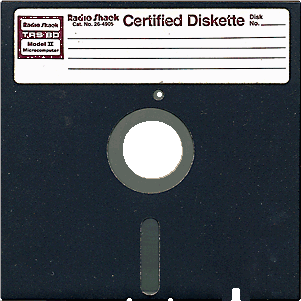
... That didn't last too long.
If the opportunity is there, I'd definitely pull a CAT6 cable through and throw the CAT 5 in the trash before things get *******.
wssix99
Well-known member
Is there a need to mess with the IP address on the shop router? If so, how is that done? I don't see it in the router settings in Genie.
I've had success doing what manwithtools suggests, above.
I also have a few of these specific-built access points, now: https://www.engeniustech.com/produc...client-bridges/ceiling-wall-mount/eap350.html
They mount like a smoke detector and you can power them through the ethernet cable. Since they are just an AP and not a router, they are also really easy to set up.
Netgear has similar things, which will probably be more compatible with what you have in the house, but I'm not sure how easy they are to set up. http://www.netgear.com/business/products/wireless/business-wireless/wndap360.aspx?cid=gwmng
aircommuter
Well-known member
I use an Engenius access point, covers my 15 acres pretty well. I have installed several of them for friends, they all work fine.
My Old Tools
Well-known member
I was a beta tester in 1985 for Hewlett Packard for 10Base2 Ethernet when they were transitioning from 10Base5 and then to 10BaseT. 10 Mbit will still handle 100% of your needs.I remember when the double sided floppy came out. It was HUGE. Impossible to fill the thing up. We thought we were good for life! There was no way we'd ever run out of space. One of these and a Trapper Keeper and we were set.
... That didn't last too long.
If the opportunity is there, I'd definitely pull a CAT6 cable through and throw the CAT 5 in the trash before things get *******.
nsula_country
Well-known member
I was a beta tester in 1985 for Hewlett Packard for 10Base2 Ethernet when they were transitioning from 10Base5 and then to 10BaseT. 10 Mbit will still handle 100% of your needs.
I agree with this statement! Unless he is trying to stream 4K 3D video in the shop!
I am 100% Ubiquiti. The AP's are easy to setup. The EdgeRouter... Not so much. I spent about 2 hours before I got it setup. Their products are cheap and will rival performance of Cisco anyday. I've even got our IT Admin using Ubiquiti AP's in the plant now.
CT
wssix99
Well-known member
^ Isn't this thinking kinda silly when 10 years ago we'd all be sitting around talking about how stupid it would be to even have internet access in a garage/shop?
... Those dial-up modems and AOL were so clunky... (OK. Most of us probably let go of the modem we were keeping in the closet "just in case" 15 years ago, but people were still using them.)
... Those dial-up modems and AOL were so clunky... (OK. Most of us probably let go of the modem we were keeping in the closet "just in case" 15 years ago, but people were still using them.)
Falcon67
Well-known member
I have read the threads on getting wifi to the shop and it seems that the best way is a wireless access point. I have a Netgear AC1900 router and I ran 150' of underground rated cat5 cable in conduit along with my RG6U for sat and security cam wires. So can someone suggest a particular access point for me to buy? I would like to have a range of at least 50'. I have no idea how to set it up, so ease of install is important. Should I stick with Netgear? Does the Netgear Genie app help at all with the install? I do have an AV guy coming in a couple of weeks to upgrade my sat equipment so if I really get stuck I can have him bail me out.
I'm a network engineer so I HATE any of the consumer wifi junk, but the installs are pretty easy for most. Ubiquity makes very good parts for the money, but you better know something so that's probably not the way you want to go. Just buy a decent dual band unit, I have had better luck with D-Link units, next maybe Linksys (sometimes), last Netgear. Get on Best Buy and/or Amazon and read the reviews. As far as wifi function, they all do the same exact thing. For you it's "does it work all the time or do I have to reboot it" and "how easy is it to set up". Range has everything to do with the environment and where the signal has to go and the materials it has to pass through. Chain link fence is a great barrier to 2.4gHz wifi, try setting up decent low end wifi at a tennis court. I have a cheap netgear router in the shop, like a $49 unit - it's a POS. Fine as a switch, not worth a damn as a wifi AP. I just power cycle it when I need wifi. Will replace it later.
All this Cat5, Cat5e, Cat6, Cat220, Cat221 whatever jabber is just noise. We're running Gig over 20 year old Cat5 in ancient buildings and 10G over 20 year old fiber links.
Last edited: