To avoid these ads, REGISTER NOW!

Home Theater

sdguy55

Well-known member
Joined
Jan 26, 2012
Messages
2,424
Location
Pierre, SD
I dont know if this is appropiate section for this but i was wondering if anyone here would know how to test/repair a home theater reciever? Came home one day and it would not turn on, no lights nothing at all. I know some of them come with fuses so i pulled them and tested them and they tested fine but i have NO idea where to begin on testing this thing.
 
To avoid these ads, REGISTER NOW!

pattenp

Well-known member
Joined
Jun 4, 2008
Messages
10,175
Location
Virginia - USA
My guess is you have a bad capacitor. Look and see if you tell if any of the ends of the caps are domed up.

2011-10-09_130920_caps_bulged.jpg
 

frank1380

Well-known member
Joined
Dec 1, 2008
Messages
148
How comfortable are you digging into it? If it is not powering on at all make sure the receptacle it is plugged into is hot. Then make it safe and open it up. Check the power switch. Then follow the path from the switch to the power relay. I've seen those literally explode. I've got a picture of one I pulled from a small furnace.
 

Attachments

  • relay.jpg
    relay.jpg
    20.3 KB · Views: 51

proximo

Member
Joined
Feb 17, 2012
Messages
5
i think you should check for the wiring, as the receiver was not tampered by any thing or there may be some fuse problem.
 
OP
S

sdguy55

Well-known member
Joined
Jan 26, 2012
Messages
2,424
Location
Pierre, SD
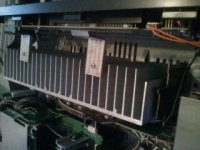
Sorry it took me so long to reply back guys. Been busy doing other things more important. I checked the capacitors and they all look fine. The model is Denon Avr 689
 
OP
S

sdguy55

Well-known member
Joined
Jan 26, 2012
Messages
2,424
Location
Pierre, SD
[/attach][/attach][/attach]
 

Attachments

  • 1330266464955.jpg
    1330266464955.jpg
    20 KB · Views: 55
  • 1330266472532.jpg
    1330266472532.jpg
    18.5 KB · Views: 50
  • 1330266479898.jpg
    1330266479898.jpg
    19.7 KB · Views: 45
To avoid these ads, REGISTER NOW!

Tech Guy

Well-known member
Joined
Dec 17, 2008
Messages
828
Location
Ontario Canada
Then you are down to board repair. As above, start following the AC input to the board and check the power supply, could be the caps but may not necessarily show, could MOV's, the rectifier, zener diodes etc.
 

SGKent

Banned
Joined
Feb 12, 2010
Messages
1,959
Location
Citrus Heights CA
please don't take this wrong. Are you using the remote to start it or the button on it? Some of those remotes have settings that operate multiple devices so it can be trying to turn on the wrong device. Normally when a piece of electronics goes bad inside if you have to ask for help it is over your head. That is not an insult or meant to be disrespectful. I am 61 and have worked on electronic equipment since age 13 and have had formal training. Without the correct equiment and schematics one is lost. It can be anything from an internal fuse blown to a bad diode to a bad transformer to a switched wall socket and someone turned it off. Run an extension cord to it quickly from a known good socket and turn it on at the box. See if it powers up. Make sure it doesn't have an extra power switch on the back that is in the off position. Good luck
 

internetdude

Well-known member
Joined
Aug 27, 2009
Messages
207
I don't know what's wrong with yours but I managed to diagnose and fix my receiver last year. In my case the sound was cutting out randomly with a click. I tracked it down to a relay, and then replaced all 3 relays. Total cost $25 plus a bit of time to desolder/solder. It works like a charm now.

The best thing I can say is get your hands on a manual for it or ask for help at the avs forum :) I managed to track down a PDF manual for a very similar model (Technics was the brand of my receiver) and it was "close enough" to help me identify the various components inside.
 

PrecisionTools

Well-known member
Joined
Jun 4, 2011
Messages
703
Location
Victoria, Australia
OK, the first thing I would be checking is the obvious. The main power button on the front of the unit is turned on? Your remote is OK? Checked the easy to get at fuses under the lid? Checked that the outlet is OK?

Do you have a multimeter and do you know how to use it and all the ranges?
 
Last edited:
OP
S

sdguy55

Well-known member
Joined
Jan 26, 2012
Messages
2,424
Location
Pierre, SD
Sgkent no offense taken and i honestly see where your comin from with 'if you have to ask its prob to much for you' just thought i would give it a shot is all. But heres the series of events. Came home after a day of work, the reciever worked that morning cause i.powere it on and it has a red ring around the power button it when its 'off' went to go turn it on with remote first. No go. Having had the switches on the remote mess with me before i went to manually turn it on. Nothin. Checked cord to see if its plugged in. Yep. Checked over a few other things. All good. Tried another outlet. Nothin. Opened lid cause i know some of these come with fuses. Tested ok. So thats where im at now. There is no lights on reciever at all
 

PrecisionTools

Well-known member
Joined
Jun 4, 2011
Messages
703
Location
Victoria, Australia
The first thing you need to do is put the meter on the ohms (resistance) range and see if there is any value change across the 2 mains terminals (that plug into the wall socket) when you turn the power switch on the front of the unit on and off.
 
To avoid these ads, REGISTER NOW!
Top Bottom