
To avoid these ads, REGISTER NOW!

Label makers

penright

ALLIANCE MEMBER
Joined
Dec 27, 2016
Messages
618
Location
SW of Mustang, OK
Looking at buying a label maker. Looking to use it from labeling bins to cables.

In this model, you can get all kinds including heat shrink.
https://www.amazon.com/dp/B005MR516Y/?coliid=I3GQG0JBFZTJ0W&colid=2K8HTJ06UVIGP&psc=1&ref_=lv_ov_lig_dp_it
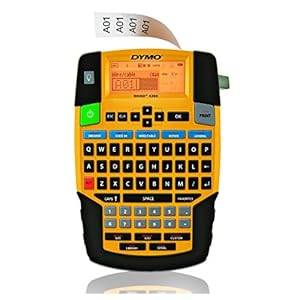
51VFPg3omQL._SS300_.jpg


This model is the price ...
https://www.amazon.com/dp/B002Q9MCG8/?coliid=I2SCSFHGKFAH9X&colid=2K8HTJ06UVIGP&psc=1&ref_=lv_ov_lig_dp_it
41736bRZVhL._SS300_.jpg

It not like I am going to use it every day, but I would hate myself for not spending the extra $50 for the more versatile one. Just wondering if anyone else has had any experiences?
 
To avoid these ads, REGISTER NOW!

Rinspeed

Well-known member
Joined
Apr 26, 2020
Messages
1,815
Location
NY
I've had the Dymo LT100 for a few months and it works very well. Like you I just wanted to label bins, circuit breakers etc.
 

seber

Well-known member
Joined
May 31, 2016
Messages
4,188
Location
Deep East Tx.
I've used the first. It does what it says. I'd be very leery of a thermal printer. Not only is the media expensive but every thermal printed thing I've ever seen was weak print and faded quickly. This may be an exception, but I would want evidence.
 

mobiledynamics

Well-known member
Joined
Mar 14, 2010
Messages
5,034
Location
Gotham City
I don't know about heat shrink but my Brady Printer is -different- than my Brother. I use my Brother for -flats- as it can go up to 1 1/2 or 2" wide tape, and it's easy peasy on printing as it's a -networkable printer-.

For applications like Cable Wrap Tags, HS, etc - I tend to stick with Brady as they are specific tapes for said applications, and it's not just tape that says it can do for . For example, the Brother -cable ID- tapes will peel off at some point. The Bradys have the physical printed part as well as a clear portion attached to -overlap- the tape so it works as intended.

A Quick google image search but IMO, only this style works on cables long term...
https://www.bradyid.com/-/media/bra...hash=23854B4068F1B9A5B6308401AE007F024F9A62B0
 

fsae0607

Well-known member
Joined
Aug 15, 2011
Messages
2,290
Location
San Fernando Valley, CA
I've had the Dymo LT100 for a few months and it works very well. Like you I just wanted to label bins, circuit breakers etc.

Same here. Works great for me, since my primary use is to label my parts bins.

Learn from my mistake: if you get this one, don't cheap out and get the knockoff label tape cartridges. The adhesive ***** on them and the label will begin to unstick after a short time.
 

macgee

Well-known member
Joined
Jan 11, 2014
Messages
2,834
Location
Sepulveda Pass, CA
I have a Dymo, found at a garage sale ages ago. I use a aluminum silver background tape with black print. It works well but eventually then black rubs off. My keyboard on it however is asinine and not qwerty.

I really like the silver backing.
 

rlitman

Well-known member
Joined
Oct 18, 2010
Messages
24,576
Location
Long Island
I've used the first. It does what it says. I'd be very leery of a thermal printer. Not only is the media expensive but every thermal printed thing I've ever seen was weak print and faded quickly. This may be an exception, but I would want evidence.

My wife bought a thermal printer just like the second link. Within a few years, every cheap paper label it has made has faded to illegible. Though that wasn't too many, because more labels fell off before they had a chance to fade. But I wouldn't throw the baby out with the bathwater. I blame the cheap paper label tape, and not the machine.

We also printed a few rolls of magnetic label tape, and those labels have been on my steel toolboxes for at least 10 years now and still look good. I also had her print some labels on clear plastic tape for a wooden toolbox, and those too are still fine (again, at least 10 years old).

At work we use the Rhino labelers, specifically with the yellow nylon tape (pretty spendy as labels go). It's the only affordable wrap label we've had that holds up without flagging on cables labeled in the "hot aisle" (heat shrink labels would work for on-site terminations, but aren't meant to wrap pre-made cables, and are outrageously expensive to boot). I can't say how many miles of the stuff we've used, but we'll buy something like a case of cartridges a year and field something like half a dozen machines.
 

DeeKay

Well-known member
Joined
Nov 25, 2020
Messages
448
Location
Colorado
I've had the Dymo Rhino 4200 for a few years now on my service truck, it works ok and got the job done for the most part.

I actually just bought a Brady BMP21-PLUS to replace the Rhino and for the cost(about$35 more for just the printer $60-70 more comparing Rhino 4200 Kit to Brady BMP21-PLUS Printer Kit)

I like it waaaaaay better.

Rhino 4200
Pros:
-Cheaper printer
-Cheaper consumables
-battery recharges in the labeller

Cons:
-Battery life is garbage unless you buy the rechargeable Lithium kit.
-"Permanent" industrial labels are far from permanent for a lot of surfaces(like plastic totes)
-labels don't print cleanly in the cold; there is always a line down the middle where the backing paper is split. I have to leave the labeller in my truck with the heat on before printing anything in the winter to avoid this.
-labeller isn't very heavy duty, probably fine for what you want though.
-limited special characters
-1 year warranty

Brady BMP21-plus
Pros:
-Heavy duty; doesn't explode into tiny pieces if you drop it.
-more special characters
-Battery life is good though I've only used this one with the rechargeable battery. I'd imagine battery life on the AAs ***** just as bad as the Rhino.
-Permanent labels actually stick to pretty much everything and print cleanly.
-2 year warranty

Cons:
-More expensive upfront
-consumables are more expensive
-battery has to be removed in order to recharge

Looking at the Specs, the Rhino 5200 would probably be closer to the same "class" of labeller as the BMP21 Plus, but I'd still go with the Brady just because their consumables seem to be made better.

I wouldn't worry about anything fading with either of these if you buy the right labels, I've had device tags labelled in direct sunlight for the last 3 years with no fading at all.
 

Phantomd

Well-known member
Joined
Aug 26, 2015
Messages
183
Location
Near Boulder CO
Flats - Brother Ptouch with PZ tape (Skip the M tape) Permanent and the split backing is a life saver

Cables - Dymo Rhino works for me
 

MOTODOJO

Member
Joined
Mar 14, 2013
Messages
20
Location
Tejas
We use the heat shrink labels in various sizes at my work. The cartridge comes out to around $8.00 /ft. :mad:
 

matt_i

Well-known member
Joined
Mar 14, 2008
Messages
10,717
Location
SE Michigan
Have worked with Brady and Brother. I much prefer the Brady but its label stock is 2x as much as the Brother. However the Brother wastes 2" of tape for each label you print vs near zero waste on the Brady....so who is truly cheaper?

The Brother labels are available all over in retail office supply stores. Don't think that Brother has a flattened tube that you can print on the side of and slip over a wire & heat shrink, industrial control panel style.

For printing flat labels my dream is to have a small Zebra printer. The label stock is extremely durable, 2D matricies can easily be printed, and it has 300 dpi resolution.
 

dacan23

Well-known member
Joined
Apr 15, 2014
Messages
2,804
Location
RI
Wife uses label makers for lots of things. Get generic refills on Amazon. Was always crazy the PTouch at BJs with 3 tapes would go on sale for the same price as just the tape refills.
 

gearhead1

Well-known member
Joined
Oct 14, 2013
Messages
1,935
Location
NC
I have the first one (yellow) and it works great. I’ve been happy with it.

It’s been a while back, but I posted on here asking what kind of labels stick to the textured plastic cases. Based on recommendation from another GJer, I found labels that work on plastic textured cases. Polyester maybe, can’t remember.

I bought 3/4” magnetic tape then put labels on them to make custom magnetic labels.
 

cheechi

Well-known member
Joined
Feb 29, 2012
Messages
4,384
Location
Triad, NC
Looking at buying a label maker. Looking to use it from labeling bins to cables.

In this model, you can get all kinds including heat shrink.
https://www.amazon.com/dp/B005MR516Y/?coliid=I3GQG0JBFZTJ0W&colid=2K8HTJ06UVIGP&psc=1&ref_=lv_ov_lig_dp_it
51VFPg3omQL._SS300_.jpg


This model is the price ...
https://www.amazon.com/dp/B002Q9MCG8/?coliid=I2SCSFHGKFAH9X&colid=2K8HTJ06UVIGP&psc=1&ref_=lv_ov_lig_dp_it
41736bRZVhL._SS300_.jpg

It not like I am going to use it every day, but I would hate myself for not spending the extra $50 for the more versatile one. Just wondering if anyone else has had any experiences?


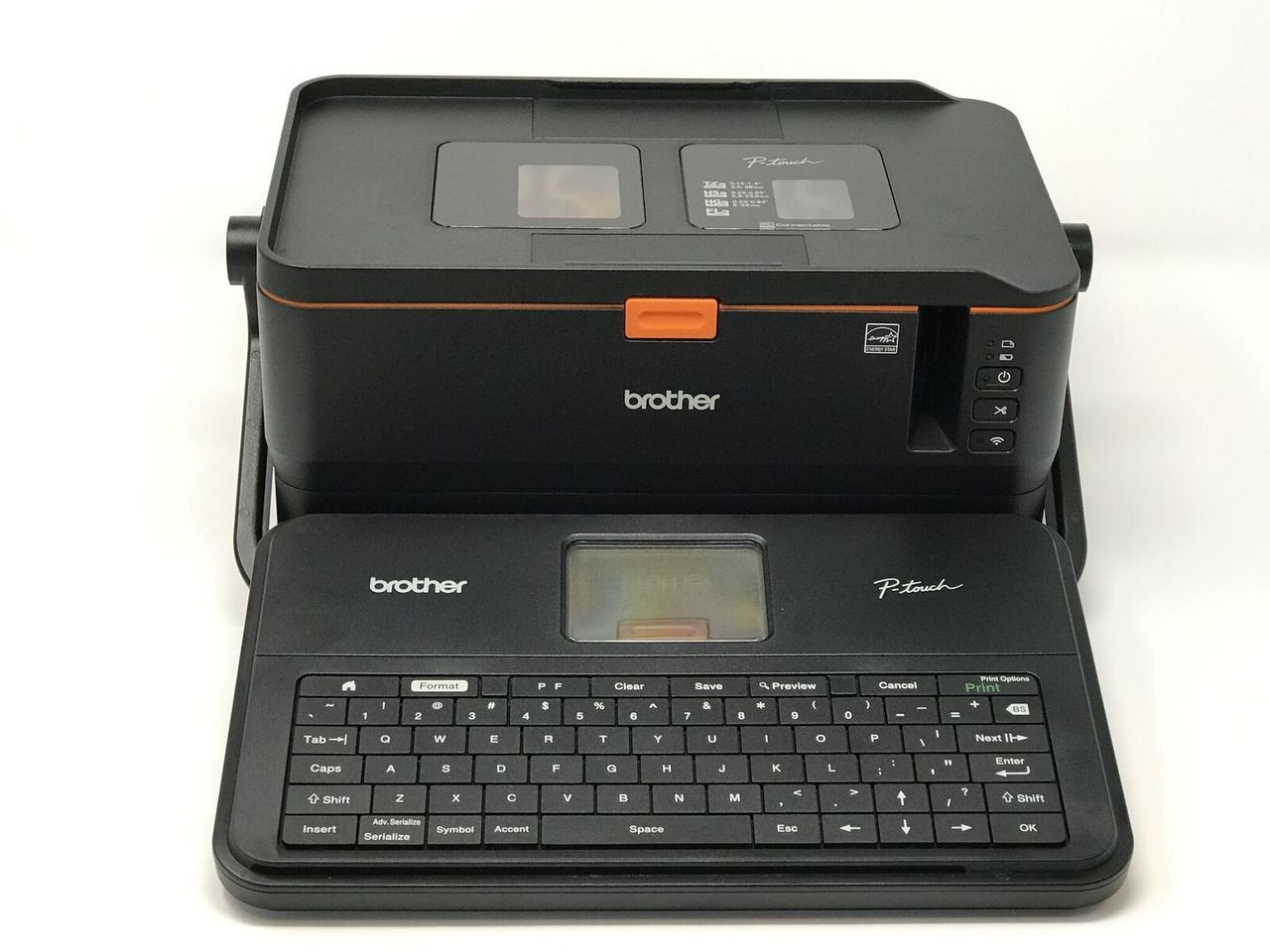
I own both of these. QWERTY is worth the extra. The variety of different label tape sizes and materials is worth it. The ability to make multiple font sizes, multiple lines, on the same label is worth it.

I never use the basic one anymore. If you were near I'd give it to you if you were that interested.
 

rharman

Well-known member
Joined
Apr 22, 2012
Messages
8,730
Location
SoCal
Send a PM to Pelican Pines asking him to reply to this thread. He's the label king.
 
To avoid these ads, REGISTER NOW!

macgee

Well-known member
Joined
Jan 11, 2014
Messages
2,834
Location
Sepulveda Pass, CA
I own both of these. QWERTY is worth the extra. The variety of different label tape sizes and materials is worth it. The ability to make multiple font sizes, multiple lines, on the same label is worth it.

I never use the basic one anymore. If you were near I'd give it to you if you were that interested.

I'm with cheechi on this, my simple Dymo LetraTag is non-qwerty and has a very frustrating user interface and it ***** to use, I like the labels but feels like I'm stuck in 1984 when using it.
I found this one that seems like a good compromise between the pricey ones and 1984, its more like 2008. It has two lines, qwerty keyboard and can use a PC or Mac to make labels which would be useful when doing a bunch of labels at the same time, like a parts drawer.

I didn't realize how cheap the newer ones were, otherwise I would have given mine to my neighbor who I don't really like, let him try to use it (jk) and will buy a new one. Will be eager to hear what others think?

PS> I like the silver metallic labels with black print

https://www.amazon.com/DYMO-LabelManager-Handheld-Label-1790415/dp/B009NVTE5E/ref=psdc_226180_t1_B005MR516Y?th=1

41Ujtup8YPL._AC_.jpg
 
Last edited:

Djosbun

Well-known member
Joined
Oct 29, 2017
Messages
236
Location
Ohio
There was another printer/label thread last year that had SUPERB information. There is a member that is a genius on this topic and his attention to detail is NASA-like. It might be the user names above. Search for that thread and heed his advice. My wife was frustrated with her label printer so I bought the one this gentleman recommended and she loves it forabeling all her medical gear and storage items.

-- Dave
 

Brian Puccio

Well-known member
Joined
Aug 30, 2017
Messages
105
I’d go with the Dymo Rhino over the cheap one any day of the week. I had a super cheap one (though not that one) years ago and after a few months replaced it with the Rhino. I’m happy with it but if I were to start all over, I’d take a good look at the Epson Labelworks line:

https://labelworks.epson.com/

Maybe the PX700 if I wanted a stand-alone device though the ones that connect to your phone and/or computer look interesting too.
 

Mercer2

Member
Joined
Jan 13, 2018
Messages
19
I think nowadays is just easier and faster to go with a mobile app printer
Like a dymo mobilelabeler
Or a brother p touch cube
brother_pt_p710bt_p_touch_label_maker_1444748.jpg
 

kapster

Well-known member
Joined
Dec 14, 2011
Messages
517
Location
Wooster, Ohio
We use brother labelers at work (industrial/manufacturing) and liked them but they waste a lot of tape with their auto cut. I got the first Dymo pictured and didn't care for it. The brother labels are laminated, they print or whatever then a clear shied goes over the front of the tape so its impossible to smudge the text. Dymo quality of print was not as good as brother and allowable font size was much smaller on the dymo(brother allows you to use more of the tape height). I didn't mess around with different dymo labels much because overall I was not impressed.

Cut my losses and sold it on ebay, purchased a Brother PT-D600. You can get the waste reduced in settings but it defaults back. A small inconvenience for many positives.

The brother software is also very useful for special labels.

Our electricians use Brady labelers for labeling wires in panels, don't know much about them but they seem to like them. Everything else we use Brother.

Sent from my SM-T720 using Tapatalk
 

Milton Shaw

Well-known member
Joined
Feb 11, 2011
Messages
4,835
I got two of the Rhino's when they were having a trade in sale. Swap any brand any kind for a new Rhino.. The problem of too much tape wasted with cutting labels is easy to fix. Just print more than one label at a time, label, couple of spaces, label etc. Then cut them apart when you get a foot or two done. Wife had never thought of that. Problem two is that when I pick it up I hit the print key and print what ever is left in memory. Print key is in the wrong place. I get my tapes on Ebay or Amazon and get 3 or 4 for the price of one Dymo original. They have seemed to work and last well other than the problem with printing accidently.
 

macgee

Well-known member
Joined
Jan 11, 2014
Messages
2,834
Location
Sepulveda Pass, CA
Good info about the Brother P Touch and their labels holding up well. I like the non-keyboard concept.

Reading the reviews on them, I see what you mean about tape waste with each print, drag about having to reset the margin every time to save tape waste. It sounds like the same game that inkjet pinter companies played with their toners; trying to make their money on the consumables.

Here's a pic of some drawer labels I made a couple of years ago with a Dymo label maker, drawers are used almost everyday at my dismantle table and look dirty but the outside of label is clean, what your seeing is spotting coming up from the backside of the label. The tape is called Black Print on Metallic Silver so probably some kinds of oxidation, maybe toner rising thru with it being touched?

50921490286_7c0dbf5b4f_b.jpg
 
Last edited:

pozidriv

Well-known member
Joined
Oct 22, 2014
Messages
343
Location
Belgium
I recently bought a Brother Ptouch E550w (secondhand) and like it, it's extremely versatile and can be connected to smartphone (gimmick, but has its use, since you can download up-to-date template labels, there's a whole section on covid warning labels :) or a PC with the ability to connect to SQL or other DB formats.

The bit of tape wasted at each print was annoying to me too, but when you're doing more than one label, it can be prevented easily with the cut options in the settings.

These settings don't revert back on rebooting! Quite the opposite actually, if you select one of the three 'chain' options, where the tape doesn't get cut at the end; the machine knows it hasn't yet spat out your last label, even after shutting down. If you print another one, your previous will come out, no waste whatsoever.
 

mobiledynamics

Well-known member
Joined
Mar 14, 2010
Messages
5,034
Location
Gotham City
Tape Waste is not brand specific IMO. It's more a limitation of the printer itself

The handheld brother p touch I had had plenty of waste.
The network one I use.....I can have it print 5 labels and make sure it leaves a score on each new -label-. It allows me to define margins if I want. Then the final label is then -cut- off the machine. The only time tape is -waste- is when it starts a new -print- after the tape is cut off the machine.
 

pozidriv

Well-known member
Joined
Oct 22, 2014
Messages
343
Location
Belgium
You can achieve the same with the handheld ones. Just try out the different cut options and create multiple 'pages' on the screen (either with a empty database or with the serialize option)
 

speed88

Well-known member
Joined
Dec 11, 2017
Messages
207
Location
Illinois
Because of this thread I ordered the Brady BMP21-PLUS. I have never used a labeler before but it will sure beat masking tape and a marker lol. Good info everyone. :bowdown:
 

speed88

Well-known member
Joined
Dec 11, 2017
Messages
207
Location
Illinois
I really love this thing lol. So handy.

Picked up these magnetic strips on amazon and made some tool box labels.

I’ve been a bit obsessed lol. :willy_nil:lol_hitti
 

Attachments

  • 1B8DE1C8-E389-4001-A587-9B2882746434.jpeg
    1B8DE1C8-E389-4001-A587-9B2882746434.jpeg
    10.6 KB · Views: 25
  • 9EBE6E68-C359-43E1-AFB0-2EB51FA3FA8B.jpg
    9EBE6E68-C359-43E1-AFB0-2EB51FA3FA8B.jpg
    64.6 KB · Views: 27
  • 0321BA28-CACB-4A10-AA87-AB727B5E77E8.jpg
    0321BA28-CACB-4A10-AA87-AB727B5E77E8.jpg
    118.6 KB · Views: 29
  • 770E068D-CFF3-41DD-86AC-01E25FC886A9.jpg
    770E068D-CFF3-41DD-86AC-01E25FC886A9.jpg
    149.3 KB · Views: 28
  • 01FCA639-E6B1-4ADE-A459-232816CD1DC7.jpg
    01FCA639-E6B1-4ADE-A459-232816CD1DC7.jpg
    137.9 KB · Views: 28
  • E92917DC-BD18-47BF-8FFB-DEA0EA009732.jpg
    E92917DC-BD18-47BF-8FFB-DEA0EA009732.jpg
    87.6 KB · Views: 25
  • 32963969-B378-4E49-8115-FB8C29833E3D.jpg
    32963969-B378-4E49-8115-FB8C29833E3D.jpg
    112.9 KB · Views: 29

speed88

Well-known member
Joined
Dec 11, 2017
Messages
207
Location
Illinois
A little bit pricey but definitely worth it. Very easy to use. I got the kit off Zoro with a 20 % off coupon.
 

Attachments

  • B70357C5-D862-43AF-81B1-AFF211935A5E.jpg
    B70357C5-D862-43AF-81B1-AFF211935A5E.jpg
    131 KB · Views: 33
  • E319C337-5C74-4138-9888-7E8BD91597A2.jpg
    E319C337-5C74-4138-9888-7E8BD91597A2.jpg
    148.4 KB · Views: 35

NUTTSGT

Super Moderator
Staff member
Joined
Sep 14, 2009
Messages
50,849
Location
Northern Central Ohio
I have the DYMO LT100, it's a decent label maker but not having the qwerty is a pain.

However, it gets the job done for the price. I never caught the keyboard layout until I had it home, out of the box and went to use it. The few times a year I use it, I get by with it.
 
To avoid these ads, REGISTER NOW!
Top Bottom