To avoid these ads, REGISTER NOW!

Looking for a comp program to help layout .

To avoid these ads, REGISTER NOW!

wake74

Well-known member
Joined
Nov 14, 2015
Messages
372
Location
NC
Sketch-up is fairly user friendly for non-CAD people as well. I find it to be a different thought process than ACAD, but free and has thousands upon thousands of models in the 3D library to pull from. It always amazes me what's in the free Sketchup library.
 

Dick in Wisconsin

Well-known member
Joined
Mar 3, 2012
Messages
3,048
Location
Shawano, Wisconsin
I tried the Draftsight and it was like trying to read a foreign language . I will check out the sketch up. Thanks

Let us know how that works for you.

I tried it, got a ways in, couldn't figure out how to get out of 3D and have it do some more stuff. Gave up. And I consider myself to be pretty computer literate.

So to provide plans for the contractor and the township (building permit) for my 1000sf race shop, I took Excel, reduced the width of the columns to match the height, used that. (I think I got the idea from someone on the GJF.) Here is a PDF of it. Simplistic, but got the job done for me.

I wish I could have gotten Sketchup to work. From what I've seen people do with it, it is really slick. I suspect had I gotten Sketchup to work, it would have saved me some time.
 

Attachments

  • RaceShop_2015_v03.pdf
    12.7 KB · Views: 66

Kevin54

MEMBER EMERITUS
Joined
Jan 12, 2005
Messages
29,341
Location
Urbana, Ohio
If you are looking for a 2-D program go to www.deltacad.com and download their 30 day trial version. I've used DeltaCad for close to 12 years now and love it. And if you have any questions, I can walk you through it very easily.
 

wake74

Well-known member
Joined
Nov 14, 2015
Messages
372
Location
NC
I tried the Draftsight and it was like trying to read a foreign language . I will check out the sketch up. Thanks


Sketch-up has very good tutorial videos. It is well worth watching all the introduction ones before jumping in. I don't use it a lot so when I get stuck I get the Sketch-up guru at the office to fix it for me. We use it as the base design tool for new industrial facility renderings and then import that into another program to get the surface finishes and shading to be photo-realistic. It's not intended to be an engineering software (AutoCAD, Revit, SolidWorks, etc) but a great tool to quickly convey spacial relationships.
 
OP
K

killahog

Well-known member
Joined
Aug 3, 2014
Messages
825
Location
Morrow County Ohio
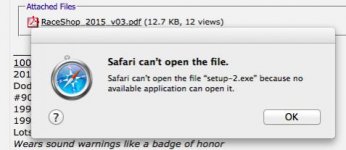
Thanks for the link to deltacad I downloaded it and immediately ran into a problem ,apparently I don't have an app to open the program. I am using a newer Mac and using safari to access the internet Screen Shot 2015-12-26 at 8.05.48 AM.jpg
 

Barnabas

Well-known member
Joined
Nov 24, 2013
Messages
361
Location
Raleigh, NC
Based on the screen shot, you downloaded a Windows program. If the program name ends in .exe, then it is not the Mac version.

Thanks for the link to deltacad I downloaded it and immediately ran into a problem ,apparently I don't have an app to open the program. I am using a newer Mac and using safari to access the internet Screen Shot 2015-12-26 at 8.05.48 AM.jpg
 
To avoid these ads, REGISTER NOW!

sands35

Well-known member
Joined
May 29, 2012
Messages
936
Location
St. Joseph, MI
Paper and pencil. Seriously. Unless you are trained in CAD, it will take longer to get up to speed with the CAD program then to do it by hand.

(And I'm a high end CAD/FEA user)
 

FORDification

Well-known member
Joined
Mar 22, 2014
Messages
59
Location
Nebraska
I'm in the planning stages of a 4x60 building myself and wanted software to generate floorplans, which would allow me to quickly rearrange as necessary. I'm using a free evaluation version of Easy Blue Print from http://ezblueprint.com/ to do my initial layout. While I'm no computer dummy, I found that CAD programs and even Sketchup had a steep learning curve that I wasn't willing to invest in for one project.

The trial version has limitations, such as being able to only add a 9' wide overhead door, the Pro version lets you specify the door width. My workaround for these limitations is to do the basic floorplan with the software and then do a screen capture and do further edits in Photoshop, since I've been using it for years and am very comfortable using it. I place each element (furniture, windows/doors, etc.) is on it's own layer, so I can quickly rearrange everything and scale/rotate as necessary.

I could spend the $35 to get the Pro version to give me increased functionality, but I'm happy with how things are progressing.

Granted, it's only a floorplan layout program, so 3D is off the table, but it might be something for you to look into if your needs are more basic.

EDIT: I missed that you were needing a Mac-compatible program. Sorry, this one's a Windows program only.
 
Last edited:

FORDification

Well-known member
Joined
Mar 22, 2014
Messages
59
Location
Nebraska
Here are a couple screencaps of what I'm working with. The first one shows the layout in Easy Blue Print, the second shows what I've got after some Photoshop editing. By using the scale along the bottom, I can easily copy/paste elements into my Photoshop document and scale them fairly accurately. Granted, things might be off by a few inches one way or the other, but for the visual I needed in layout, it's working well.
 

Attachments

  • Untitled-1.jpg
    Untitled-1.jpg
    119.3 KB · Views: 34
  • Untitled-2.jpg
    Untitled-2.jpg
    140.9 KB · Views: 35
Last edited:

DC73

Well-known member
Joined
Dec 27, 2014
Messages
1,627
Location
Lubbock TX
I tried the Draftsight and it was like trying to read a foreign language . I will check out the sketch up. Thanks
I use Sketchup for everything. First thing to do is to go through all of the online tutorials that come from Sketchup and then to visit YouTube to watch how-to videos. That shortens the learning curve very much and gets you to producing drawings much faster.

DC
 
OP
K

killahog

Well-known member
Joined
Aug 3, 2014
Messages
825
Location
Morrow County Ohio
I really appreciate the help but like Sand mentioned I will probably be better off with a pencil and paper,after all its just a drawing for a singe room remodel.
 

Dan Babb

Well-known member
Joined
Dec 20, 2010
Messages
85
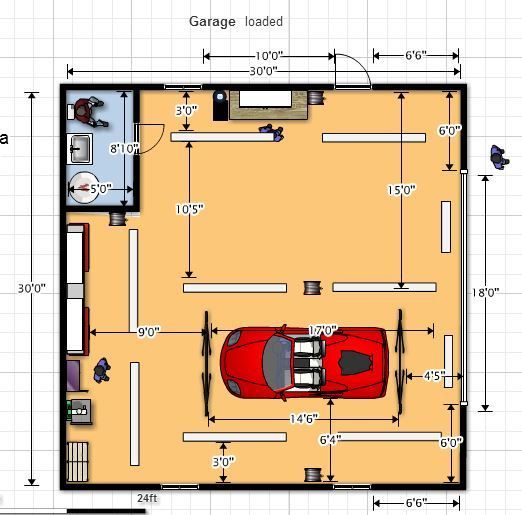
If you're just trying to do a floorplan and be able to put some furniture on it so you can see how it looks, floorplanner.com is easy to use and free.

Helped a lot when I was deciding on the size & layout for my garage build.

GarageLights2_zpszmh9ishc.jpg
 

Denwood

Well-known member
Joined
Sep 22, 2014
Messages
4,180
Location
Thunder Bay, Ontario, Canada
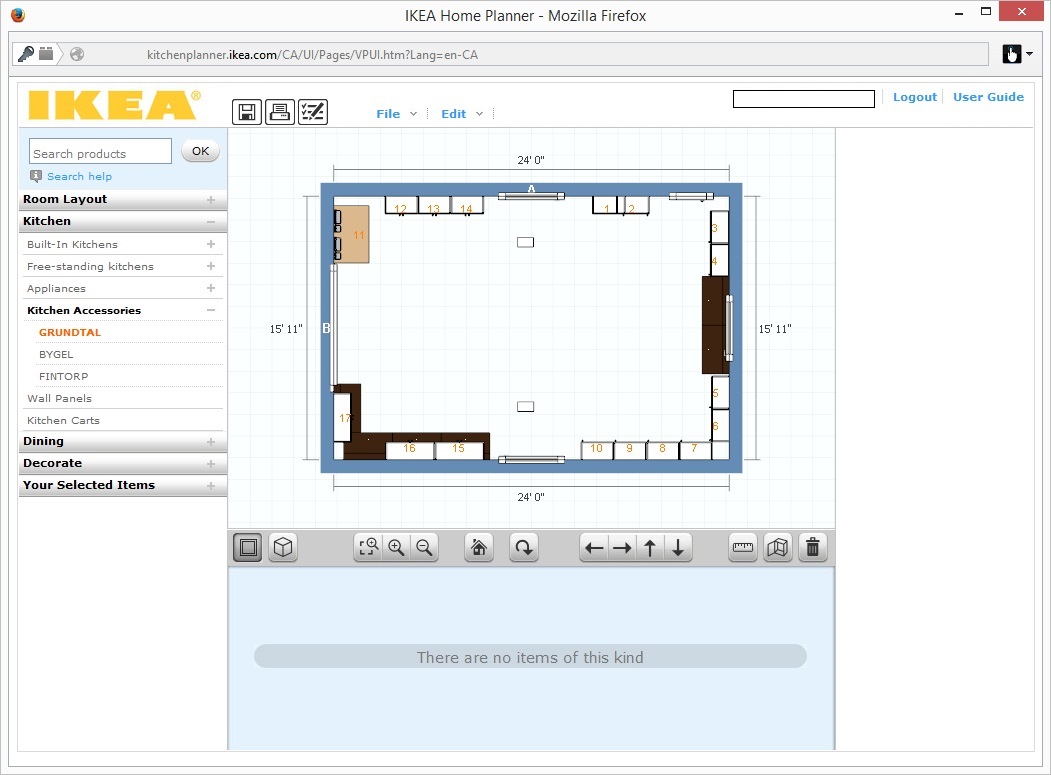
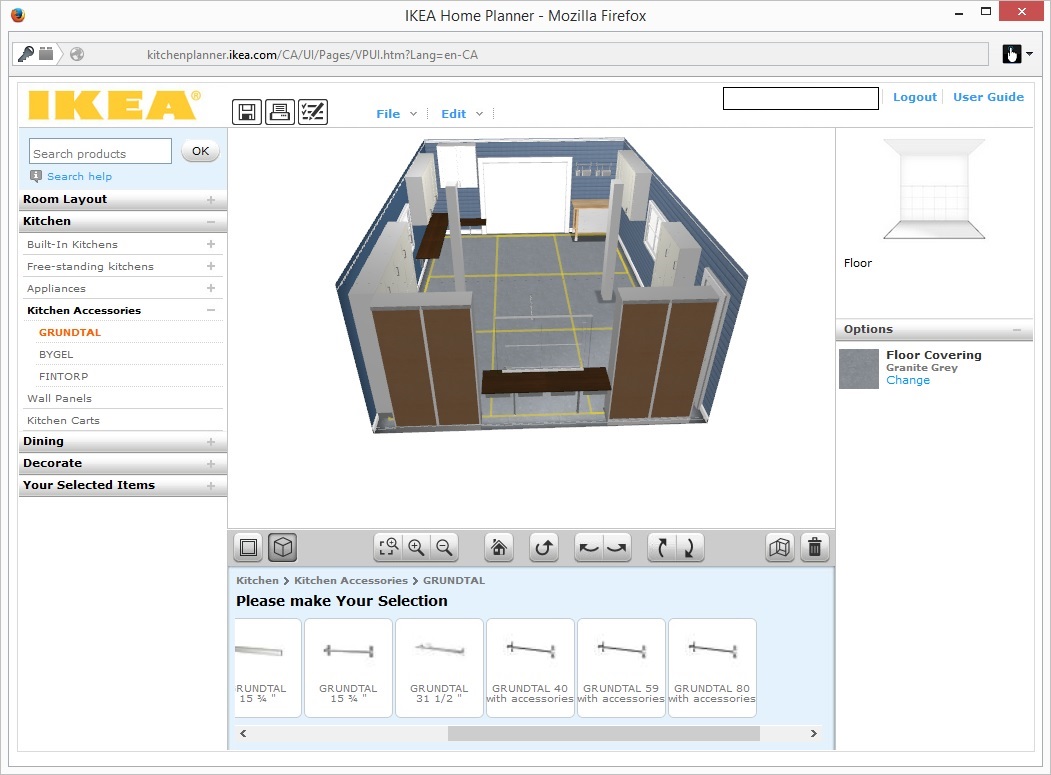
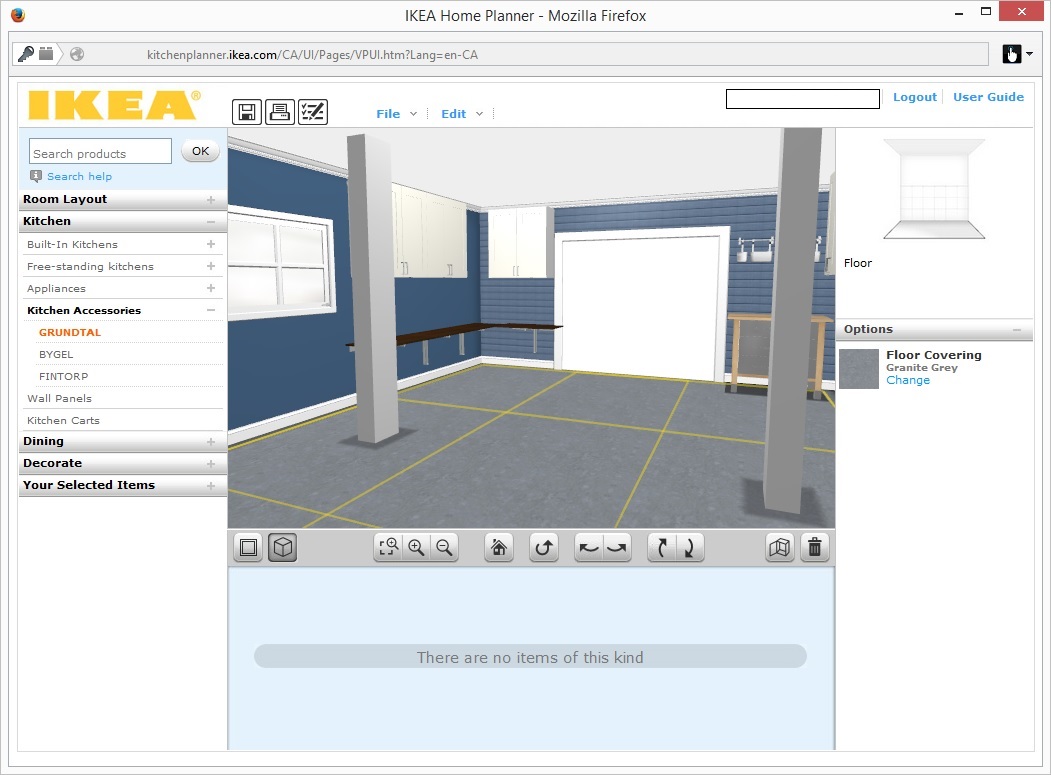
Try the free IKEA software online. It's easily the simplest I've ever used..designed to be very user friendly. From my build thread:

I usually use Microsoft Visio for 2D planning. 3D, particularly in a garage is very useful, but comes with a learning curve, and/or price tag. The easiest 3D tool I've used to date is free, and works using Chrome, Firefox, or IE. Ikea's planner might have you thinking that kitchens are the only thing you can visualize, but you can see here that my shop planning actually works very nicely too. I'm not necessarily using Ikea cabinets..the tool though makes setting up in 2D/3D with a learning curve near zero. The hoist columns are modeled adding "obstruction-wall column", garage door using a "resizable wall opening" benches added using wall mount tables, etc. A very useful tool, and deserves awards for how crazy easy it is to use. I tried at lease one dedicated garage planner but quickly ran into Internet Explorer issues with their setup. The Ikea software works nicely on Firefox, Chrome, and IE 11, both MAC and PC.

ikea1.jpg

ikea2.jpg

ikea3.jpg
 

Git

Well-known member
Joined
May 18, 2008
Messages
6,894
Location
S Cal
Sketchup is hard to beat - especially since it is free

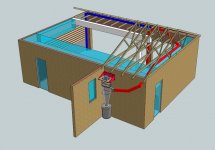
I was trying to figure out if I wanted to install a dust control system for my woodworking tools, so I came up with this to see how it would work out. This is actually a 2 story house so the area where there aren't any roof trusses is actually the 2nd floor. Everything is pretty much to scale and the ability to rotate the drawing and look at things makes it pretty cool. In the end - based on this diagram, I decided I couldn't make the system work (ClearVue Cyclone) and went in another direction. It would have been an expensive mistake otherwise
 

Attachments

  • shop1.jpg
    shop1.jpg
    132.1 KB · Views: 21
  • shop2.jpg
    shop2.jpg
    132.6 KB · Views: 16

nolimits76

Well-known member
Joined
Jul 11, 2013
Messages
959
Location
Oklahoma
Grizzly is good to be a freebie web-based program. In my opinion hard to beat DraftSight (DS). Also DS is both Mac and PC friendly. But I'm a CAD guy. Sketchup is pretty neat, but overkill IMO, at least for most people.

Honestly, as already mentioned, some graph paper and a pencil would be your best bet. Once you sketch in what you want, you can go back with a pen and ink it for better visibility. Also, the scale is fairly easy. Make 1 block = 1 foot or something similar so you can accurately draw items to scale.
 
To avoid these ads, REGISTER NOW!
Top Bottom