To avoid these ads, REGISTER NOW!

More pop up ads

To avoid these ads, REGISTER NOW!

purplezr2

Well-known member
Joined
Jun 1, 2010
Messages
5,292
Location
Central MN
Chrome, no ad block, at work so no control over that.

Seems to just have started today. Very distracting.....
 

LB-1911

ALLIANCE MEMBER
Joined
Sep 24, 2011
Messages
5,742
Location
Northwestern Il.
Chrome, no ad block, at work so no control over that.

Seems to just have started today. Very distracting.....
Hey guys. I'm aware of this. My header bidding company is testing something for the next few days and there's no way to do it without hitting logged in members at the same time. This is temporary. Promise.
 
Last edited:

Cruzan80

Well-known member
Joined
Jul 22, 2015
Messages
4,200
Location
Denver, CO
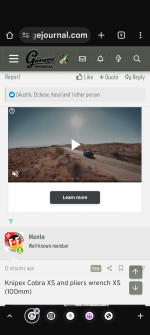
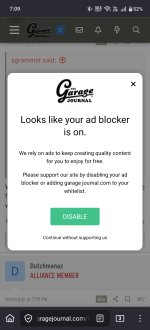
Is this part of the same testing? It finally stayed long enough for me to get a screen grab of it (on cell-phone). Had to actually click something to make it go away. Previously, it was a second-long flash and disappeared.
 

Attachments

  • Screenshot_2026-02-05-19-09-07-99_3aea4af51f236e4932235fdada7d1643.jpg
    Screenshot_2026-02-05-19-09-07-99_3aea4af51f236e4932235fdada7d1643.jpg
    356.5 KB · Views: 17

jim

Well-known member
Joined
Feb 26, 2005
Messages
284
Location
wi
Is anyone else having issues with ads appearing on the left and right side of the screen? I am logged in. I know this did happen once before.
Any fix for this? VERY annoying!!!
 

PCustoms

Well-known member
Joined
Jul 23, 2011
Messages
22,642
Location
VT

pima67

Well-known member
Joined
Dec 5, 2009
Messages
303
Location
Tucson, AZ
Dragged kicking and screaming from 7 to 11 and Firefox and Edge had many, many pop ups (but not on this site), Added an blocker extension to Firefox that quieted things down.
But has another problem with this site and that is even though the "stay logged on" is checked in both, it didn't work. Thought it was a cookie problem since I run Ccleaner every day, but I added the web site to my "keep" cookie list but to no avail. so I have to log in for this site every time. And 11 is noticeably slower than 7.
 
To avoid these ads, REGISTER NOW!

CarsonConcepts

Well-known member
Joined
Jan 27, 2014
Messages
419
Location
North East, MD
As a data point ( I know the ads are temporary)

The ads are crashing Firefox on my beater laptop. Linux Mint running on an Intel N100 with 4GB ram. If I narrow the browser window enough that they don't display/load, the site runs fine.
 

Sumboodie

Well-known member
Joined
Mar 20, 2021
Messages
10,676
Location
AK
Run Brave browser with Adblock Plus (from Chrome Web Store) and you'll block 90% of ads online (including YouTube).

Brave on mobile devices blocks lots of ads too.
I have no audio if I load the you tube in my browser vs their specific program. (Apps I think they call it?)
 

Ryan

Administrator
Staff member
Joined
Jan 26, 2006
Messages
5,722
Location
Texas/Hawaii
Just for completeness.

Firefox, uBlock Origin and Adblock Plus = zero ads.

Also... TGJ is struggling to make ad revenue right now due to us not meeting the "moral standards" of the FCC. I'm not going to get into the politics of that, but if you value the garage journal, please don't use an ad blocker.... If you are logged in, we display very limited ads.

If our ad revenue continues to decline, we will eventually be forced to make wholesale changes.

It's all so gross....
 
OP
D

DGersic

Well-known member
Joined
Mar 12, 2017
Messages
6,298
Location
DeKalb, IL
if you value the garage journal, please don't use an ad blocker.... If you are logged in, we display very limited ads.

I went for a long time without blockings ads, because I understand that’s where the revenue comes from.

I finally started blockings ads not because of the quantity or layout, those are quite good, but too many of the ads insist on setting the text font size to TinyFont(1) making the entire site unreadable and frustrating. Having to keep reloading the current page over and over, trying to get to an ad that doesn’t screw with the fonts finally annoyed me enough to block them.

Any chance you can get the ads people to stop forcing the font size? There’s generally no text in their ads anyway.
 

four.cycle

Well-known member
Joined
Oct 19, 2015
Messages
28,740
Location
Tacoma, Washington
@Ryan -
The advertisements were "on top" - blocking my view of the site itself - and there didn't appear to be anyway to turn them off or move them out of the way. (NOT just "ad bars" on the sides of the screen - these were OVER the top of this area of the screen into which I am typing right now.)

I downloaded and installed a "Brave" browser which solved the issue at this end.
As it was with the ads being on top of everything, the site wasn't usable here.
Hopefully this will be resolved in short order.
This "Brave" thing doesn't have all of Google's bells and whistles.
BK
 

Ryan

Administrator
Staff member
Joined
Jan 26, 2006
Messages
5,722
Location
Texas/Hawaii
If you are getting ads over content, can you please post a screen shot? I'm unable to reproduce.
 

Jeff Ivers

Well-known member
Joined
Apr 9, 2010
Messages
2,556
Location
Oklahoma
I'll see what I can do and forward them via email.
BK
Ryan,

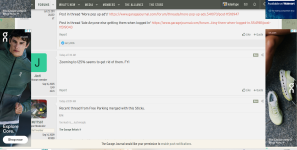
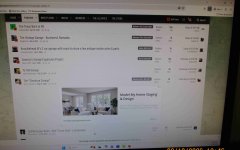
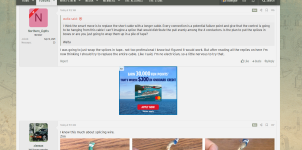
First, thank you for all you do for this forum. Second, I took pictures of my experiences with the forum today and am attaching for your info. Hope this will help. When I first navigated to the logon screen, the side ads, as shown in picture 5, started appearing. After logging on to the forum, as I navigated, the side ads appeared at times, but the ads appearing in the normal display area were quite consistent as depicted in pics 1 thru 4. Pic 5 was captured just after I logged off.

GJ ads 1 r.jpg
GJ ads 2 r.jpg
GJ ads 3 r.jpg
GJ ads 4 r.jpg
GJ ads 5 r.jpg
By the way, I use the current version of the Firefox browser and it is supposedly set to block pop-up ads.
 

four.cycle

Well-known member
Joined
Oct 19, 2015
Messages
28,740
Location
Tacoma, Washington
^ OKay... THAT is what I am seeing now using a Google Chrome browser.
Version 144.0.7559.133 (Official Build) (64-bit)

ads are NOT "on top" of content NOW....

maybe that was a temporary thing?
was annoying enough I actually downloaded and installed a different browser.

still several windows open to check yet.
 

four.cycle

Well-known member
Joined
Oct 19, 2015
Messages
28,740
Location
Tacoma, Washington
closed the "Brave" browser after clearing out all cache files and cookies.
cleared all cache files and cookies out of Google Chrome
cleared out ALL cache files, cookies, and other garbage with a utility program.

fired up the Chrome browser and logged back in.
can NOT get the same thing to happen now.
ad bars on the sides of the screen (vertically)
ad bars between posts - but not on top of them now.

:dunno:

it was very weird: they were horizontal ad bars - about an inch high - that extended all the way across the screen (edge to edge) - over the top of everything else.
now they're not showing up.

so... can I uninstall this other browser now?
(as much as I hate Google Chrome, "Brave" is shy a few features I use regularly.)
 
To avoid these ads, REGISTER NOW!
Top Bottom