To avoid these ads, REGISTER NOW!

Mr. Cool Comfy Mode (setting heat temp below 62)

Zebu Fellenz

Well-known member
Joined
Aug 3, 2010
Messages
1,687
Location
Phelps, NY
Hey Everyone,

This may be common knowledge but I wanted to share in case anyone is unaware of this newish feature.

For the Mr. Cool mini splits "comfy mode" can be used through the app remote to set heating temperature outside of the normal range without resorting to the "freeze protection" mode.

For my garage office I now have the heat set to kick on at 52 and shut off at 56. "Comfy mode" also gives me the option to set the heat as low as 40 if needed.
 
To avoid these ads, REGISTER NOW!

Will S.

Well-known member
Joined
Apr 15, 2010
Messages
446
Location
The First State
Thanks for posting this, and I am glad for you that it works. I could not, when I installed Me Cool in 2018; the app was too buggy to work. I thought I might try again, but I just read the most recent reviews on the Play Store (12/21), and 90% or more of the reviews are 1 star (only because they couldn't rate the app no stars).

I'll just keep the handheld controller on minimum temp, or more often than not, leave the unit turned off unless I think I'll need it.
 

TonyG109

Well-known member
Joined
Aug 22, 2016
Messages
94
Location
Maryland's Eastern Shore
Thanks for posting this, and I am glad for you that it works. I could not, when I installed Me Cool in 2018; the app was too buggy to work. I thought I might try again, but I just read the most recent reviews on the Play Store (12/21), and 90% or more of the reviews are 1 star (only because they couldn't rate the app no stars).

I'll just keep the handheld controller on minimum temp, or more often than not, leave the unit turned off unless I think I'll need it.
Your comments about the app are very different from my experience so I had to check into it. Apparently, there are two different apps. One is MRCOOL SmartHVAC and the other is MRCOOL Wi-Fi Remote. Indeed, the Wi-fi Remote app appears to be, how shall I say, complete ****. This is judging by user ratings alone. I have no experience with it.

Now, the SmartHVAC app is rated much higher. If you have reliable wi-fi available, you may want to try this app instead. I find it to work pretty well with my three units. As "Z" stated, using the "comfy" mode allows a bit more leeway in temperature settings. This app also has a timer, geofencing and scheduling. I don't use all the features, but the only issue I have really noticed is that the supplied hardware remote control doesn't always seem to sync up with the app or vice versa. Since I hardly use the remotes, I just don't care!

The "features" I generally use are the timer and scheduling. I generally control the units manually so I use scheduling to turn the units off at night in case I forget or didn't set a timer to turn them off. This prevents them from running unnecessarily all night long, especially in the garage.

Does anybody else use any of the features to make life easier? Geofencing anyone??
 

TonyG109

Well-known member
Joined
Aug 22, 2016
Messages
94
Location
Maryland's Eastern Shore
LOL, turning down the heat at night and then up in the morning saves you nothing.
I don't set the thermostat back in the evening and up in the morning as suggested. I agree that there are situation when leaving it running could be the most efficient method, but when you don't need the AC or heat for perhaps a day or even several days in a row, leaving it running is wasteful. Some days/weeks in the summer I only need to run the AC for about 1/2 hour a day to keep the humidity and temperature comfortable. I think this is much more efficient than leaving it running 24/7. I guess it's all about good insulation and air sealing. No one method works for every situation. :)
 

Terry D

Well-known member
Joined
Mar 25, 2015
Messages
2,202
Location
St. Louis, MO.
Hey Everyone,

This may be common knowledge but I wanted to share in case anyone is unaware of this newish feature.

For the Mr. Cool mini splits "comfy mode" can be used through the app remote to set heating temperature outside of the normal range without resorting to the "freeze protection" mode.

For my garage office I now have the heat set to kick on at 52 and shut off at 56. "Comfy mode" also gives me the option to set the heat as low as 40 if needed.
what app are you using
 

csi123

Well-known member
Joined
Mar 26, 2013
Messages
97
LOL, turning down the heat at night and then up in the morning saves you nothing.
Can you explain why?

The heat loss rate for a house is calculated by hA(T2-T1). Since the heat transfer coefficient and the area remain the same, one would expect by lowering the temperature inside will result in a smaller difference between the inside and outside temperature, and therefore a lower heat loss rate.
 

kelpaso1

MEMBER EMERITUS
Joined
Sep 28, 2009
Messages
3,962
Location
New Brunswick
Data to back that up?
Common sense. Letting all your tools, equipment, concrete slab, walls etc cool way down will take many more btu's to heat them back up to room temp, than just keeping the temp up all the time. Also my minisplit has a daily usage program and I see less run time keeping the garage at a steady temp for a week as opposed to turning it off a night and then back on in the morning. All that mass of slab, tools, equipment all take more btu's to heat back up to room temp than just keeping them there all the time.
 
To avoid these ads, REGISTER NOW!

Slednut

Well-known member
Joined
Dec 20, 2012
Messages
2,550
Location
Washington state
LOL, turning down the heat at night and then up in the morning saves you nothing.
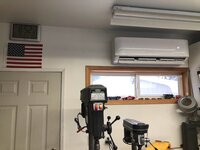
Yep, I installed a Mr Cool 24000 BTU last summer and thought I'd leave the shop at 55 degrees and turn it up when I'm out there. Well I'm out there every day so we're leaving it at 62 degrees. This morning it's 10 degrees and the shops 60.

Our electric bill was up one dollar and that's with Christmas lights.
 

Attachments

  • Mr cool4.jpg
    Mr cool4.jpg
    109.7 KB · Views: 18

Atticus

Member
Joined
May 10, 2021
Messages
12
Location
NW Arkansas
Hey Everyone,

This may be common knowledge but I wanted to share in case anyone is unaware of this newish feature.

For the Mr. Cool mini splits "comfy mode" can be used through the app remote to set heating temperature outside of the normal range without resorting to the "freeze protection" mode.

For my garage office I now have the heat set to kick on at 52 and shut off at 56. "Comfy mode" also gives me the option to set the heat as low as 40 if needed.

The Smart HVAC app is the Bomb!!!!! I use Comfy Temp every day/night.

Sorry to bring this up again, but I just got my 36k unit installed this weekend in my 30x40x12 shop. I've tried to set the comfy mode but the heater is still using the minimum 62 temp and keeping it around 60 in there instead of 50 where I have it set in the comfy mode. Any suggestions?
 

TonyG109

Well-known member
Joined
Aug 22, 2016
Messages
94
Location
Maryland's Eastern Shore
Sorry to bring this up again, but I just got my 36k unit installed this weekend in my 30x40x12 shop. I've tried to set the comfy mode but the heater is still using the minimum 62 temp and keeping it around 60 in there instead of 50 where I have it set in the comfy mode. Any suggestions?
They don't make it obvious, but try this:
  1. On the app, select your unit if you have more than one.
  2. At the bottom of the screen, click eSaver.
  3. Click on the Comfy Mode button.
  4. Select the Comfy time of day such as Morning, Afternoon, Evening or Night.
  5. Use the slider on the top of the screen to set both the low and high temperature.
  6. Select what the unit should do when the low and high temperatures are reached such as Power On or Power Off
Also set the Mode (Heat, Cool, etc) and Fan speed and don't forget to turn Comfy Temperature On by clicking the slider on the same screen that shows Morning, Afternoon, etc or by clicking the little up arrow above the eSaver icon and clicking Comfy to make it light up.

Comfy mode acts somewhat like a traditional thermostat but you can set a range instead of a single temperature to maintain. And if I'm not mistaken, the unit will actually cycle on and off completely, including the interior blower. And don't ask me to define exactly when Morning, Afternoon, Evening or Night is!

You can also set the Timer to have the unit turn On or Off after a desired amount of time. I use this feature all the time since I usually manually control the unit. It keeps me from forgetting to turn it off!
 

Atticus

Member
Joined
May 10, 2021
Messages
12
Location
NW Arkansas
They don't make it obvious, but try this:
  1. On the app, select your unit if you have more than one.
  2. At the bottom of the screen, click eSaver.
  3. Click on the Comfy Mode button.
  4. Select the Comfy time of day such as Morning, Afternoon, Evening or Night.
  5. Use the slider on the top of the screen to set both the low and high temperature.
  6. Select what the unit should do when the low and high temperatures are reached such as Power On or Power Off
Also set the Mode (Heat, Cool, etc) and Fan speed and don't forget to turn Comfy Temperature On by clicking the slider on the same screen that shows Morning, Afternoon, etc or by clicking the little up arrow above the eSaver icon and clicking Comfy to make it light up.

Comfy mode acts somewhat like a traditional thermostat but you can set a range instead of a single temperature to maintain. And if I'm not mistaken, the unit will actually cycle on and off completely, including the interior blower. And don't ask me to define exactly when Morning, Afternoon, Evening or Night is!

You can also set the Timer to have the unit turn On or Off after a desired amount of time. I use this feature all the time since I usually manually control the unit. It keeps me from forgetting to turn it off!
Thanks for the reply! So do you leave the unit off and then the comfy mode just turns it on as needed?
 

TonyG109

Well-known member
Joined
Aug 22, 2016
Messages
94
Location
Maryland's Eastern Shore
Thanks for the reply! So do you leave the unit off and then the comfy mode just turns it on as needed?

Disclaimer alert - There doesn't seem to be much in the way of documentation on Comfy mode that I have found so I'm "making this stuff up" as I go along! I haven't been using the Comfy mode much so I'm testing though trial and error. Folks, please don't flame me if I get it wrong! I think this thread already has more info on Comfy mode than the manual does. I just searched the Installation and Owner's Manual pdf and didn't even find the word "comfy" in it! :confused:

The Comfy mode turns the unit on and off when the temperatures that you set are reached. Make sure to get your logic correct. I'm not certain of this but it appears that you can do something like the following: Turn heat on when the temperature drops to 45 and then turn heat on (instead of off!) when the temperature reaches 50. This is not what was intended!

I missed this before but it appears that you can activate the Comfy mode individually for the different times of day. That is, set Comfy mode for, say, just the Evening. It will remain off the rest of the time.

But to answer your question, yes, just let Comfy mode turn the unit on and off. You can always manually turn the unit on and off when you want to.
 

ToysRUs

Active member
Joined
May 13, 2021
Messages
40
Location
Murfreesboro, TN
Sorry I'm just now seeing.
Tony is correct. Here's my screen capture of comfy mode.
The minimum 62 doesn't matter, you are just turning the unit on and off based on temp.

Screenshot_20220127-153224_MRCOOL SmartHVAC.jpg
 

fitter30

Well-known member
Joined
Jun 23, 2019
Messages
2,969
Location
Peace Valley,mo
Do u think that a refrigerator could be turned down to make it a freezer? A heat pump is no different its not a furnace. Run it colder it will eat a compressor don't be surprised. Manufacturers don't pick operating temps from the air. Setbacks don't save anything. When setting temps back everything cools off. Walls, dishes, and anything of mass your heating everything back up. Do u know what happens to a gas furnace started at 40°f. Blower will short cycle with most fan controls, condensate forms on the heat exchanger. Is it a big deal no but wouldn't want to do it constantly.
 
Last edited:
To avoid these ads, REGISTER NOW!
Top Bottom