To avoid these ads, REGISTER NOW!

Newbie

ajimoli

Member
Joined
Feb 8, 2010
Messages
6
Location
Waxghaw, NC
Recently found this site. Joined immediately. Can't believe some of the beautiful shops. Looking forward to paticipating.

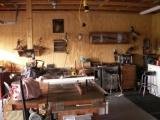
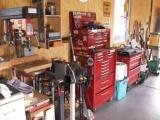
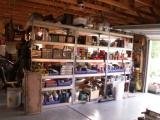
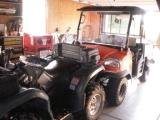
Here's a couple shots of my farm shop. I'm into woodworking, metalworking and, of course, when you own a farm, you're always working on something.

All the best!

Paul
 

Attachments

  • New Shop - farm.JPG
    New Shop - farm.JPG
    46.6 KB · Views: 878
  • New Shop - farm (1).JPG
    New Shop - farm (1).JPG
    46.9 KB · Views: 873
  • New Shop - farm (8).JPG
    New Shop - farm (8).JPG
    47.9 KB · Views: 868
  • New Shop - farm (10).JPG
    New Shop - farm (10).JPG
    47.5 KB · Views: 870
  • New Shop - farm (5).JPG
    New Shop - farm (5).JPG
    47 KB · Views: 867
  • New Shop - farm (9).JPG
    New Shop - farm (9).JPG
    46.5 KB · Views: 872
  • New Shop - farm (4).JPG
    New Shop - farm (4).JPG
    47.1 KB · Views: 867
To avoid these ads, REGISTER NOW!

Plushy

Well-known member
Joined
Jan 2, 2008
Messages
84
Location
Sulky , Victoria
Nice looking Shed Ajimoli ! :)
anychance you can make the photos larger so i can have a real good look ??

cheers Plushy
 
To avoid these ads, REGISTER NOW!

Kevin54

MEMBER EMERITUS
Joined
Jan 12, 2005
Messages
29,341
Location
Urbana, Ohio
I like the other posts with the large photos also. How do I make them larger?

How did you attach 7 pictures above? Never seen that before.

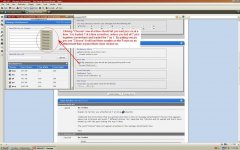
To attach one at a time an they may possibly come out larger, scroll down under the reply box and click on "Go Advanced". Then look at the additional options where it says "Manage Attachments" Click on that, when the window pops up, click on "Choose" then find your picture that you have stored on your computer and double click the picture. Then click "Upload" You should be good to go from there.

Explain to me how you attached all 7 at once.:headscrat
 
OP
A

ajimoli

Member
Joined
Feb 8, 2010
Messages
6
Location
Waxghaw, NC
Explain to me how you attached all 7 at once.:headscrat[/QUOTE]

I followed the instructions that you posted and when I click on "manage attachments" the box that appears allows me to browse and insert 7 different photos. So I selected the 7 photos and hit upload and that's how I ended up with the post looking the way it does.

The word "choose" does not appear anywhere in the manage attachments box.

Paul
 

Kevin54

MEMBER EMERITUS
Joined
Jan 12, 2005
Messages
29,341
Location
Urbana, Ohio
Explain to me how you attached all 7 at once.:headscrat

I followed the instructions that you posted and when I click on "manage attachments" the box that appears allows me to browse and insert 7 different photos. So I selected the 7 photos and hit upload and that's how I ended up with the post looking the way it does.

The word "choose" does not appear anywhere in the manage attachments box.

Paul[/QUOTE]

Did you click on each picture and each "Choose" individually, or did you somehow pick out 7 pictures and load them under one "Choose"? If you notice, above my pic it says "Attached Thumbnails".

Above your pic it says "Attached Images" I think you grouped all 7 together on your computer or on another site, then loaded all 7 together as an Image and not as a Thumbnail attachment.
 

Attachments

  • pics.jpg
    pics.jpg
    147.2 KB · Views: 17
Last edited:
OP
A

ajimoli

Member
Joined
Feb 8, 2010
Messages
6
Location
Waxghaw, NC
For sure, I picked these photos - one at a time. They were not in any kind of group or file.

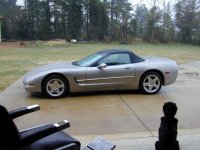
I tried it again and this time I jsst picked 1 photo and uploaded it.

Paul
 

Attachments

  • Rainy Day Vette1.jpg
    Rainy Day Vette1.jpg
    143.7 KB · Views: 16
To avoid these ads, REGISTER NOW!
Top Bottom