
Denwood
Well-known member
In setting up lighting automation in the house and shop, I set up a cool little app "AutoDimmer" on our SmartThings automation Hub. The "Smart Weather Tile" device (free) is installed on our SmartThings account, and looks up light level (LUX) readings (outside) from a local Weather Underground weather station.
Basically our house lights now dim in proportion to how bright it is outside. They are turned on and off using various SmartThings motion sensors.
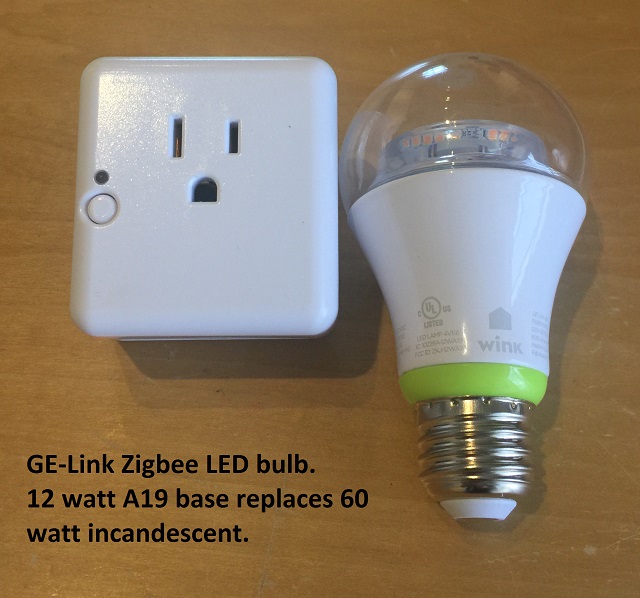
If you've been following my shop thread, you know I've been on a power saving kick for a few months now. The question (I could not find an answer to using Google) was how efficient is the built-in dimming functions of these LED bulbs. Each bulb has it's own Zigbee radio and therefore can be automated on/off and dimmed, individually controlled by the SmartThings hub. Turns out they are very efficient..and dimming during daylight in our case will save another 80% of power during brighter days. The kitchen and dining area use 7 LED downlights, and 3 GE-link LED, so the power savings in just this area are significant...and the two apps are free.
These bulbs tend to run quite hot at full brightness (particularly the GE-Link) but at 80% brightness run only warm to the touch. So running then only as bright as required will almost certainly extend their life.
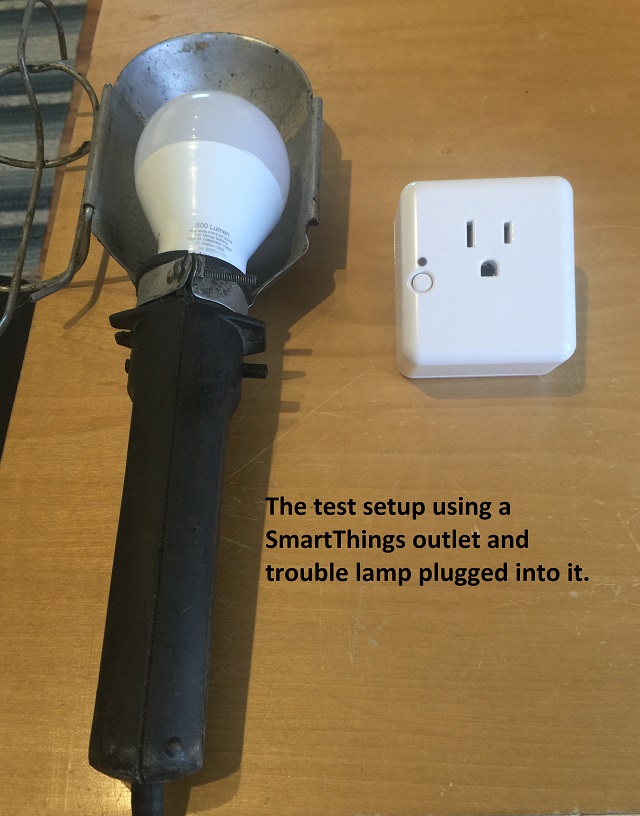
Because the SmartThings Zigbee controlled wall plug reports power use in the iPhone app, I just used that to read power as I set the bulbs at various brightness levels. The bulbs were removed and installed in my shop trouble light, plugged into the SmartThings outlet, for testing.
These LED bulbs once screwed into a regular light socket, become automation friendly, as long as you leave the switch on. They turn on normally using the existing wall switch, so pass the wife test too. My kids of course leave switches on all over the place, but the motion sensors and automation hub turn them off at whatever one decides to program them at. When we leave the house for example, all lights turn off, regardless if any were left on at the switch. The "Auto Dimmer" smart app I'm using is free, and essentially works like a whole house dimmer, that varies with outside light levels.
GE-link at full bright:
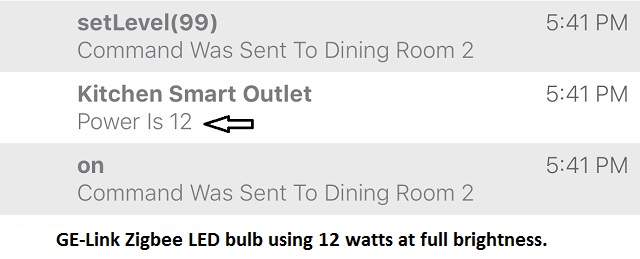
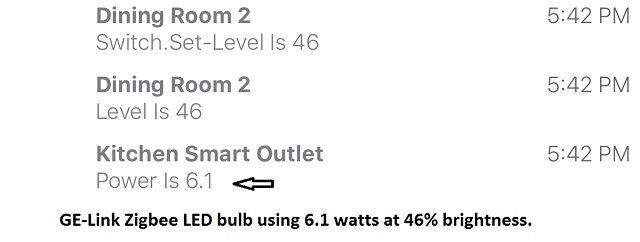
GE-Link at 50% brightness:
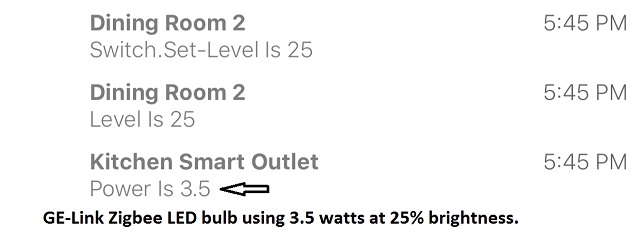
GE-Link at 25% brightness:
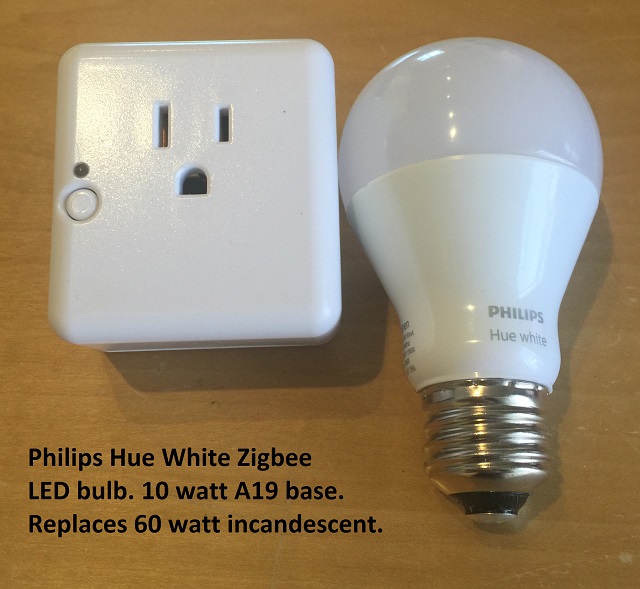
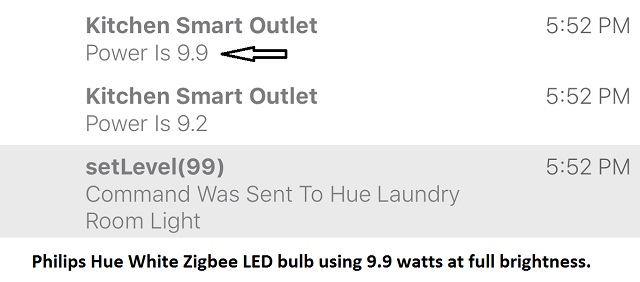
Philps Hue White at full brightness:
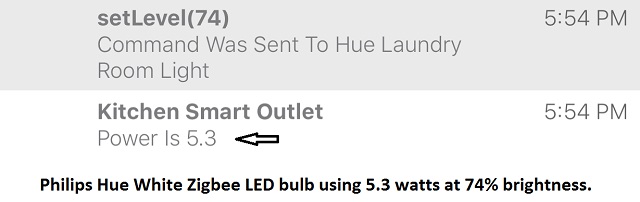
Philps Hue White at 75% brightness:
Philps Hue White at 50% brightness:
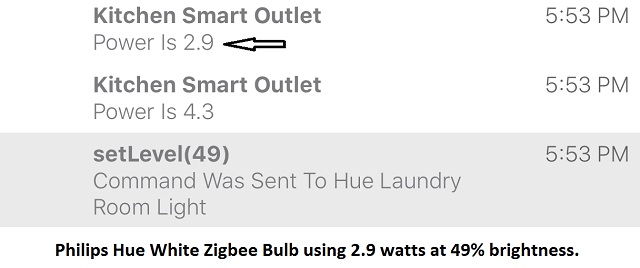
Philps Hue White at 25% brightness:
Basically our house lights now dim in proportion to how bright it is outside. They are turned on and off using various SmartThings motion sensors.
If you've been following my shop thread, you know I've been on a power saving kick for a few months now. The question (I could not find an answer to using Google) was how efficient is the built-in dimming functions of these LED bulbs. Each bulb has it's own Zigbee radio and therefore can be automated on/off and dimmed, individually controlled by the SmartThings hub. Turns out they are very efficient..and dimming during daylight in our case will save another 80% of power during brighter days. The kitchen and dining area use 7 LED downlights, and 3 GE-link LED, so the power savings in just this area are significant...and the two apps are free.
These bulbs tend to run quite hot at full brightness (particularly the GE-Link) but at 80% brightness run only warm to the touch. So running then only as bright as required will almost certainly extend their life.
Because the SmartThings Zigbee controlled wall plug reports power use in the iPhone app, I just used that to read power as I set the bulbs at various brightness levels. The bulbs were removed and installed in my shop trouble light, plugged into the SmartThings outlet, for testing.
These LED bulbs once screwed into a regular light socket, become automation friendly, as long as you leave the switch on. They turn on normally using the existing wall switch, so pass the wife test too. My kids of course leave switches on all over the place, but the motion sensors and automation hub turn them off at whatever one decides to program them at. When we leave the house for example, all lights turn off, regardless if any were left on at the switch. The "Auto Dimmer" smart app I'm using is free, and essentially works like a whole house dimmer, that varies with outside light levels.
GE-link at full bright:
GE-Link at 50% brightness:
GE-Link at 25% brightness:
Philps Hue White at full brightness:
Philps Hue White at 75% brightness:
Philps Hue White at 50% brightness:
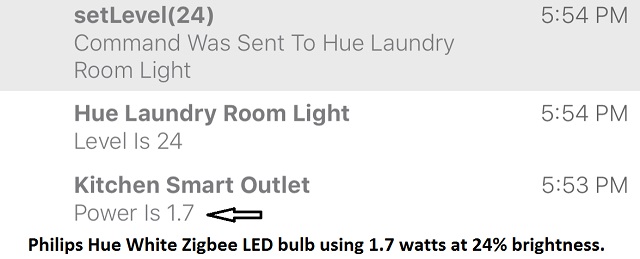
Philps Hue White at 25% brightness:
Last edited:
 SmartThings is fun, but not suitable for anything mission critical yet as only basic lighting automations run locally..the rest is in the cloud. From time to time, there are issues. The platform though has great potential.