To avoid these ads, REGISTER NOW!

Picture size in posts

To avoid these ads, REGISTER NOW!

Scotto

Well-known member
Joined
Apr 8, 2008
Messages
999
Location
South Jersey
If you use the
insertimage.gif
and use the IMG tags then you'll have the pics come up full size. You need to host your pics somewhere though. I haven't used the attachment
attach.gif
, but i'm guessing if you do that then the thumbnail comes up. The Garage Journal server probably does that in order to keep the bandwidth low.
 

Charles (in GA)

Well-known member
Joined
Jan 11, 2006
Messages
12,489
Location
50 mi south of Atlanta
Select "Go Advanced" (even if you have already begun typing, it will carry over your text). Below the text box, you will see a "manage attachments" button. If you click it, you will get a box that allows you to browse your computer to select attachments (you can do this multiple times). That box will also have a list of file name extensions, the max file size in K and the max pixel size for each different type of file. The most common is .JPG files and they are limited to 145K in size and no pixel limits (this is much more that previously allowed, which was about 78K if I recall). I always resize my pics to 600x800 or less and use a fairly high compression factor to get less than 78K. Guess I won't have to compress so much now.

Attaching your pics puts them on this web site, they will never go away unless you delete them (which you can thru your user control panel - attachments). If you use the little yellow "postcard" icon (with the mountains) to link to your pic, they you have to have your pic hosted elsewhere (or on this site previously). Problem is, the host sites seem to lose your pics, you give up your membership, whatever, and the linked pics disappear, and we don't get to see them. Some discussion boards won't let you link to pics for this reason, but insist you upload them.

Uploaded pics appear as thumbnails, and linked pics appear full size.

Charles

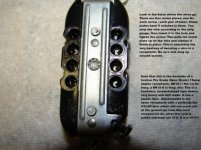
Below is an uploaded pic as a thumbnail (the thumbnail is created automatically by this discussion board's hosting software.) Also below is the same pic, which I created a link to, using this boards software to host it.

attachment.php
 

Attachments

  • receptacle backside.jpg
    receptacle backside.jpg
    51.6 KB · Views: 2,244
To avoid these ads, REGISTER NOW!

e-tek

Well-known member
Joined
Dec 19, 2007
Messages
10,690
Location
Saskatoon, SK
Use Photobucket and attach the link - nicest pics available, very easy. Just don't change/delete your PB account!
 

rickairmedic

Well-known member
Joined
May 31, 2005
Messages
4,165
Location
louisville ,Ky
I would rather open a thumbnail which will most likely fit my screen when it opens than have to scan a picture to try to see all of it ( I have a 26" monitor on my desk inside and still find myself panning and scrolling on some of the pics on here and some of them are waaaaaaaaaay beyond nuts in size.


Rick
 

e-tek

Well-known member
Joined
Dec 19, 2007
Messages
10,690
Location
Saskatoon, SK
I would rather open a thumbnail which will most likely fit my screen when it opens than have to scan a picture to try to see all of it ( I have a 26" monitor on my desk inside and still find myself panning and scrolling on some of the pics on here and some of them are waaaaaaaaaay beyond nuts in size.


Rick

And I find thumbnails too small both in size (even when opened) and in pixels...and if you try to expand them to see any detail they get blurry.

Do you find PB pics too big? You have to admit, the clarity is amazing.
 

Charles (in GA)

Well-known member
Joined
Jan 11, 2006
Messages
12,489
Location
50 mi south of Atlanta
Do you find PB pics too big? You have to admit, the clarity is amazing.

It all depends on what size the pic is that is on PB. I try not to put huge pics on anything on the internet, due to bandwidth and time considerations, not for me, but for others who in some cases have to pay for bandwidth or still have dialup (because they cannot get anything else).

Charles
 
To avoid these ads, REGISTER NOW!
Top Bottom