To avoid these ads, REGISTER NOW!

POE camera question

dante2

Well-known member
Joined
Dec 27, 2011
Messages
500
Location
Central OK
I did some searching and can't find a definitive answer. We have an alley behind our property with a camera monitoring the shop and alley. The NVR is in the house where most of the cameras are located. I can view the outside camera on my phone when the neighborhood dogs alert me but I don't keep the app open all the time. Is there a way to split the signal and view the camera on a flat screen TV that won't break the bank? I do have wifi in the shop. Thank you for your help.

 
To avoid these ads, REGISTER NOW!

AA/FC

Well-known member
Joined
Dec 9, 2010
Messages
2,080
The POE cameras are connected to an NVR.... does your NVR have an HDMI port on the back for a monitor? If so, you can buy a cheap HDMI splitter, split the output signal, and connect a second monitor that you can leave on 24 hours per day if you like.

An HDMI signal can be difficult to split on devices that use HDCP security such as DVD players, cable TV boxes, satellite TV boxes, etc... But the HDMI signal coming out of your NVR should NOT be HDCP protected..... and therefore it can easily be split without any trouble.

On a side note.... since we're on this conversation.... if you are ever trying to split an HDCP protected signal, the cheap HDMI splitters from Amazon will allow you to split the signal. I'm not sure why, or how.... but for some reason the cheap HDMI splitters ignore HDCP security. I use two of these cheap splitters at my house to split HDCP protected signals so I can watch on multiple displays from one cable TV box.
 

LXCam

ALLIANCE MEMBER
Joined
Apr 23, 2013
Messages
19,200
Location
AZ
Power over Ethernet, network video recorder, high bandwidth digital content protection
 

BrandonV

Well-known member
Joined
Jun 9, 2023
Messages
4,030
Location
Arizona
So I've done this commercially with overpriced security monitors and hardware that have the ability to pull up a RTSP stream and convert it to HDMI or an analog signal.

I'm not aware of any low cost devices to do that. You're usually stuck with just pulling up the RTSP stream on a cheap device (tablet/Raspberry Pi/etc.) and feeding it to the TV that way. If you have the ability to run a cable from the DVR/NVR you can run the signal over some HDMI baluns.

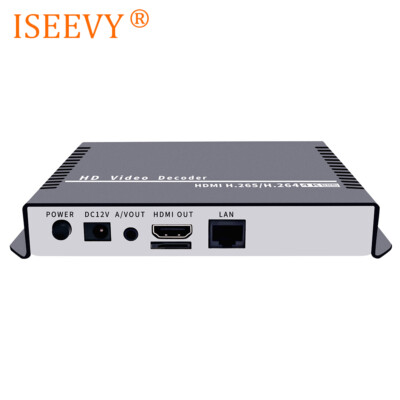
A standalone H264/H265 decoder will work. You just have to find one that is a good buy. There are some Chinese options as well but I haven't played around with them. I've used the Bosch.

 
Last edited:

jmdirk

Well-known member
Joined
May 4, 2015
Messages
711
What brand/models of camera and NVR are we talking about?

I have a Swann system with cameras and NVR (Lorex) is a another common one. The Swann NVR will provide an RTSP stream for each of the cameras.

You could go as simple as running a cheap tablet with VLC to view the stream. Or if you want an actual TV, Like BrandonV said, get yourself a cheap set top box off Amazon or eBay. Many of those are Android based and you should be able to load the same VLC software to view the stream with that.
 

walta

Well-known member
Joined
Jan 13, 2017
Messages
2,313
Location
Dutzow Missouri
If the TV is a “smart TV” it will have a web browser that would allow you to view the cameras.

If not smart it likely has multiple HDMI ports you could connect to the NDVRs HDMI ports. They do make wireless HDMI extenders.


Walta
 

wyliesdiesels

Well-known member
Joined
Aug 14, 2012
Messages
20,071
Location
Modesto, CA
I did some searching and can't find a definitive answer. We have an alley behind our property with a camera monitoring the shop and alley. The NVR is in the house where most of the cameras are located. I can view the outside camera on my phone when the neighborhood dogs alert me but I don't keep the app open all the time. Is there a way to split the signal and view the camera on a flat screen TV that won't break the bank? I do have WiFi in the shop. Thank you for your help.
This is my wheel house. need a little more info here

Do the cameras get powered directly from the NVR or a POE switch?

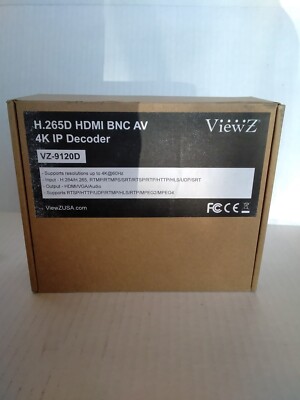
if the latter, and they are ONVIF you can use an IP decoder with HDMI output to connect to a monitor
or can do what is suggested above w/ HDMI out from the NVR
 
OP
D

dante2

Well-known member
Joined
Dec 27, 2011
Messages
500
Location
Central OK
What brand/models of camera and NVR are we talking about..

I have a Swann system with cameras and NVR (Lorex) is a another common one. The Swann NVR will provide an RTSP stream for each of the cameras.

You could go as simple as running a cheap tablet with VLC to view the stream. Or if you want an actual TV, Like BrandonV said, get yourself a cheap set top box off Amazon or eBay. Many of those are Android based and you should be able to load the same VLC software to view the stream with that.
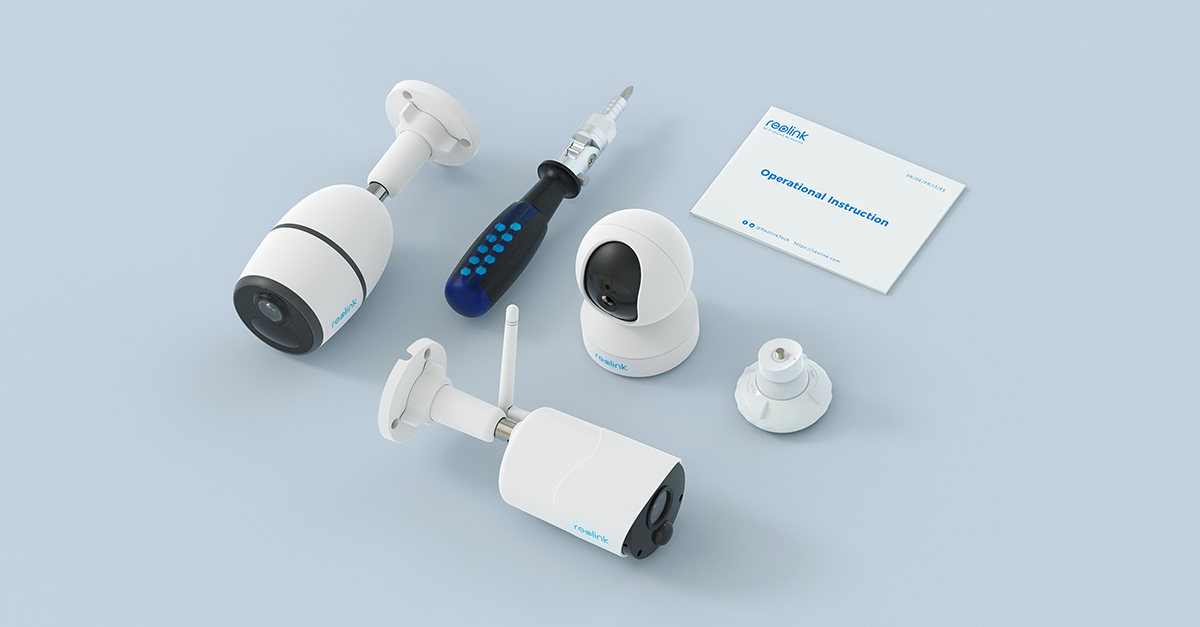
It's a Reolink RLK8-520D4A with 6 cameras. I checked for the app on Amazon fire stick but no luck there.
 
OP
D

dante2

Well-known member
Joined
Dec 27, 2011
Messages
500
Location
Central OK
This is my wheel house. need a little more info here

Do the cameras get powered directly from the NVR or a POE switch?

if the latter, and they are ONVIF you can use an IP decoder with HDMI output to connect to a monitor
or can do what is suggested above w/ HDMI out from the NVR
Reolink cameras powered from the NVR.
 

WildBill

ALLIANCE MEMBER
Joined
Aug 20, 2021
Messages
2,030
Location
PNW
I'm not sure why the POE part of this matters, something is sending the camera signal over the interwebs so he can see it on his phone. If you can see it on your phone with an app you can usually use something like TinyCam Pro to see it on the TV using a android box like a firestick or a dozen other boxes. I can see all my cameras using that app on a firestick/tv and on a tablet, just took a min to set up. You can also sideload apps on amazon products pretty easily if needed.

Or do what Reolink says here if it works with your cameras -
 

wyliesdiesels

Well-known member
Joined
Aug 14, 2012
Messages
20,071
Location
Modesto, CA
I'm not sure why the POE part of this matters, something is sending the camera signal over the interwebs so he can see it on his phone. If you can see it on your phone with an app you can usually use something like TinyCam Pro to see it on the TV using a android box like a firestick or a dozen other boxes. I can see all my cameras using that app on a firestick/tv and on a tablet, just took a min to set up. You can also sideload apps on amazon products pretty easily if needed.

Or do what Reolink says here if it works with your cameras -
not if he is using port forwarding instead of a relay server...
 

jmdirk

Well-known member
Joined
May 4, 2015
Messages
711
It's a Reolink RLK8-520D4A with 6 cameras. I checked for the app on Amazon fire stick but no luck there.

Perfect.

Reolink has a support page for exactly what I'm referring to:


Note that apparently this may or may not work depending on the exact model of your NVR.

I'm not familiar with the Fire sticks, but it does look like they have a VLC Fire app you can also test this on a VLC app using a PC or your mobile phone. So install the app, open a network stream and use the format below for the URL:

Main Stream: rtsp://admin:password@ip_address/Preview_01_main

Sub Stream: rtsp://admin:password@ip_address/Preview_01_sub


Where:
- Main vs Sub stream is usually about the quality.
- admin as the username
- password = your admin password
- ip_address is the IP address of your NVR
- Preview_01_main would be the main stream from Camera number 1. replace 01 with the number of the camera you want to view.
 
OP
D

dante2

Well-known member
Joined
Dec 27, 2011
Messages
500
Location
Central OK
Ok I'm back with a possible solution but a new question. We're almost maxed out on this NVR and I have pretty much been given the go ahead to spend some money. I can get another NVR and 4 cameras for less than the cost of our original system. The 2 cameras attached to the shop are on a cat6 cable running into the house NVR. My question is would I be able to split the signal from the alley cam between the house NVR and new shop NVR? Would a simple ethernet splitter be the device I need or is there another device required? I have a 32" flat screen collecting dust that will be used as a monitor.
 
Last edited:

u3b3rg33k

Well-known member
Joined
Dec 18, 2017
Messages
4,049
Ok I'm back with a possible solution but a new question. We're almost maxed out on this NVR and I have pretty much been given the go ahead to spend some money. I can get another NVR and 4 cameras for less than the cost of our original system. The 2 cameras attached to the shop are on a cat6 cable running into the house NVR. My question is would I be able to split the signal from the alley cam between the house NVR and new shop NVR? Would a simple ethernet splitter be the device I need or is there another device required? I have a 32" flat screen collecting dust that will be used as a monitor.
you're asking the wrong question. that's not how ethernet or streaming works.
 
To avoid these ads, REGISTER NOW!

walta

Well-known member
Joined
Jan 13, 2017
Messages
2,313
Location
Dutzow Missouri
To my ear adding a second NVR doubles your problem. Most likely the new NVR and the old one will not play nicely with each other and run as separately systems.

By definition all NVR are maxed out the question is how long before it gets overwritten 3 days 3 weeks or 3 months.

Walta
 
OP
D

dante2

Well-known member
Joined
Dec 27, 2011
Messages
500
Location
Central OK
To my ear adding a second NVR doubles your problem. Most likely the new NVR and the old one will not play nicely with each other and run as separately systems.

By definition all NVR are maxed out the question is how long before it gets overwritten 3 days 3 weeks or 3 months.

Walta
The NVR in the house has 6 cameras on now for a max of 8. That's what I meant by maxed out. I was hoping to send the signal from one camera to a second NVR but I can pull that camera and move it to the new NVR. According to the app I can view multiple cameras on different NVR's so it would still work like I need it to.
 

walta

Well-known member
Joined
Jan 13, 2017
Messages
2,313
Location
Dutzow Missouri
If you are going to have 2 NVRs they need to be the same brand preferably the same model and running the same software for them to play nicely together.

All the cameras and both NVRs need to be on the same network with a switch or switches.

Something like this photo also works.

I understand you currently have each camera connected directly to a port on the NVR but it works with only one cable to the NVR.
 

Attachments

  • 2024-08-02_21-56-34.jpg
    2024-08-02_21-56-34.jpg
    87.5 KB · Views: 10

wyliesdiesels

Well-known member
Joined
Aug 14, 2012
Messages
20,071
Location
Modesto, CA
Ok I'm back with a possible solution but a new question. We're almost maxed out on this NVR and I have pretty much been given the go ahead to spend some money. I can get another NVR and 4 cameras for less than the cost of our original system.
I wouldnt do that. instead get a bigger NVR and replace the existing one.... more on this below
The 2 cameras attached to the shop are on a cat6 cable running into the house NVR. My question is would I be able to split the signal from the alley cam between the house NVR and new shop NVR?
no cant do that. when it comes to IP cams you dont "split the signal". there is nothing to split. they are not like analog cameras where you can run the signal to multiple recorders or screens.
Would a simple ethernet splitter be the device I need or is there another device required? I have a 32" flat screen collecting dust that will be used as a monitor.
no there is no such thing.

If you want to display the cams on a secondary screen you can get an IP decoder. The cams would need to be ONVIF compatible if they arent the same brand as the decoder.

or just get a larger NVR to replace existing one and run HDMI from that. you could even use ethernet HDMI extenders to connect a monitor in your shop to your NVR in your house.... but the key is ONE NVR not 2.
 

wyliesdiesels

Well-known member
Joined
Aug 14, 2012
Messages
20,071
Location
Modesto, CA
To my ear adding a second NVR doubles your problem. Most likely the new NVR and the old one will not play nicely with each other and run as separately systems.

By definition all NVR are maxed out the question is how long before it gets overwritten 3 days 3 weeks or 3 months.

Walta
he wasnt talking storage. he was talking supported number of cameras.
 

wyliesdiesels

Well-known member
Joined
Aug 14, 2012
Messages
20,071
Location
Modesto, CA
The NVR in the house has 6 cameras on now for a max of 8. That's what I meant by maxed out. I was hoping to send the signal from one camera to a second NVR but I can pull that camera and move it to the new NVR. According to the app I can view multiple cameras on different NVR's so it would still work like I need it to.
nope wont work. just get a bigger NVR
 
OP
D

dante2

Well-known member
Joined
Dec 27, 2011
Messages
500
Location
Central OK
If you are going to have 2 NVRs they need to be the same brand preferably the same model and running the same software for them to play nicely together.

All the cameras and both NVRs need to be on the same network with a switch or switches.

Something like this photo also works.

I understand you currently have each camera connected directly to a port on the NVR but it works with only one cable to the NVR.
Yes the new system is the same as the old. I'm not trying to complicate things for myself to much and I am halfway decent at working this one.
 
OP
D

dante2

Well-known member
Joined
Dec 27, 2011
Messages
500
Location
Central OK
I wouldnt do that. instead get a bigger NVR and replace the existing one.... more on this below

no cant do that. when it comes to IP cams you dont "split the signal". there is nothing to split. they are not like analog cameras where you can run the signal to multiple recorders or screens.

no there is no such thing.

If you want to display the cams on a secondary screen you can get an IP decoder. The cams would need to be ONVIF compatible if they arent the same brand as the decoder.

or just get a larger NVR to replace existing one and run HDMI from that. you could even use ethernet HDMI extenders to connect a monitor in your shop to your NVR in your house.... but the key is ONE NVR not 2.
So I can use an HDMI extender to send the signal to the shop but I have to change the camera view signal in the house. My understanding is a bigger NVR won't let me see different cameras on different monitors just the same view on both monitors. Am I getting that part correct?
 
Last edited:

wyliesdiesels

Well-known member
Joined
Aug 14, 2012
Messages
20,071
Location
Modesto, CA
So I can use an HDMI extender to send the signal to the shop but I have to change the camera view signal in the house. My understanding is a bigger NVR won't let me see different cameras on different monitors just the same view on both monitors. Am I getting that part correct?
correct

if you want different views than what the NVR outputs you have couple options- you could setup a PC with the NVR software and configure a layout of cameras you want to see in the shop or an IP decoder connected to a monitor to view specific cameras.
 

walta

Well-known member
Joined
Jan 13, 2017
Messages
2,313
Location
Dutzow Missouri
So I can use an HDMI extender to send the signal to the shop but I have to change the camera view signal in the house. My understanding is a bigger NVR won't let me see different cameras on different monitors just the same view on both monitors. Am I getting that part correct?
The way I see it the HDMI extender is a band aid and only necessary for someone unable to operate the network login to the DVR. Note the HDMI extender gets the video to another room but you still have no control back to the DVR to select a camera or fast forward. This is what I meant when I said the second NVR doubles your problem now you have 2 HDMI cables and mice to make work remotely.

The way I would see you system both NVRs would be located in the same location likely in the house and you would have a several cameras connected to a POE switch in the garage and a single cat 5 cable going between the house and garage.
 

wyliesdiesels

Well-known member
Joined
Aug 14, 2012
Messages
20,071
Location
Modesto, CA
The way I see it the HDMI extender is a band aid and only necessary for someone unable to operate the network login to the DVR. Note the HDMI extender gets the video to another room but you still have no control back to the DVR to select a camera or fast forward. This is what I meant when I said the second NVR doubles your problem now you have 2 HDMI cables and mice to make work remotely.
you actually can have control of that. perhaps youve never seen a KVM extender. This one even has HDMI so u dont need 2 separate extenders.

 
OP
D

dante2

Well-known member
Joined
Dec 27, 2011
Messages
500
Location
Central OK
The way I see it the HDMI extender is a band aid and only necessary for someone unable to operate the network login to the DVR. Note the HDMI extender gets the video to another room but you still have no control back to the DVR to select a camera or fast forward. This is what I meant when I said the second NVR doubles your problem now you have 2 HDMI cables and mice to make work remotely.

The way I would see you system both NVRs would be located in the same location likely in the house and you would have a several cameras connected to a POE switch in the garage and a single cat 5 cable going between the house and garage.
Second NVR would be in the shop with the outside cameras on it. In GJ fashion I was trying to spend money but it looks like my best option is stop what I'm doing and walk outside to physically see what the dogs are excited about.
 
Last edited:

NakeDiesel

Well-known member
Joined
Sep 6, 2007
Messages
2,750
Location
oklahoma
What brand of equipment are you using?

I have been installing reolink cameras and a 36 channel NVR with 3 - 16TB hard drives I installed in it. I placed 2 on each corner of the house for 8 poe cameras on the outside of my house. The camera's on the west side go into a POE switch and then a 100' cable to the nvr in my office. The East camera's go to a POE switch in my office and then into the NVR right next to it. I have 3 camera's in my shop currently with more to be added outside when I have time and those feed into a POE switch in my shop to a router to a 5g antenna that points to the houses 5g antenna and then into my main network switch and then to the NVR.

I also have 2 Powered wifi cameras in the house, one in the living room and one in the front entrance of the house, those also connect to the NVR via wifi.

I have a monitor in my office hooked up via an HDMI cable, but I have the app installed on a computer and can view all the cameras from my PC or via an app on my phone.
 
OP
D

dante2

Well-known member
Joined
Dec 27, 2011
Messages
500
Location
Central OK
What brand of equipment are you using?

I have been installing reolink cameras and a 36 channel NVR with 3 - 16TB hard drives I installed in it. I placed 2 on each corner of the house for 8 poe cameras on the outside of my house. The camera's on the west side go into a POE switch and then a 100' cable to the nvr in my office. The East camera's go to a POE switch in my office and then into the NVR right next to it. I have 3 camera's in my shop currently with more to be added outside when I have time and those feed into a POE switch in my shop to a router to a 5g antenna that points to the houses 5g antenna and then into my main network switch and then to the NVR.

I also have 2 Powered wifi cameras in the house, one in the living room and one in the front entrance of the house, those also connect to the NVR via wifi.

I have a monitor in my office hooked up via an HDMI cable, but I have the app installed on a computer and can view all the cameras from my PC or via an app on my phone.
I have a Reolink RLK8-520D4-A with 6 cameras. I have a laptop in the shop but it's only good enough to get on the net, video card is not up to the task. Trying to view the feed from the NVR in the house on a TV instead my 6" phone screen.
 
OP
D

dante2

Well-known member
Joined
Dec 27, 2011
Messages
500
Location
Central OK
I ended up going with a second NVR and 4 cameras. Everything went good except for one of the inside shop cameras had some connection issues. I struggled with it and finally it deleted from the system. That of course fixed it. Thank you for all the help and suggestions.
 
Last edited:
To avoid these ads, REGISTER NOW!
Top Bottom