To avoid these ads, REGISTER NOW!

Posting Photos

sedgar2156

Active member
Joined
Aug 24, 2015
Messages
26
Location
Virginia, USA
What am I doing wrong? I used a photo image reducer, and added five photos from the 'manage attatchments' page. When I click on 'upload' only one photo is uploaded. there are selection boxes for six or seven photos. What am I missing? Cheers, Steve
 
To avoid these ads, REGISTER NOW!

Jagmandave

Well-known member
Joined
Nov 6, 2011
Messages
6,302
Location
Overland Park, Ks.
Probably because this is about the 5th thread that's been started like this just this week. :dunno:

My thinking is people are tired of typing the same answers over and over again for people who are too lazy to look for themselves.......

A one minute search will answer all your questions.

However, I will say this - 600X800 works perfectly.

View media item 48455
 
OP
S

sedgar2156

Active member
Joined
Aug 24, 2015
Messages
26
Location
Virginia, USA
Are you adding one picture per box?
Yes, reducing the size and adding one per box. When clicking uoploading only the picture in the first box shows up. Seems like if I am going to say I have loaded multiple photos, I should deliver. Thanks for responding with out the admonishment.
 
OP
S

sedgar2156

Active member
Joined
Aug 24, 2015
Messages
26
Location
Virginia, USA
Probably because this is about the 5th thread that's been started like this just this week. :dunno:

My thinking is people are tired of typing the same answers over and over again for people who are too lazy to look for themselves.......

A one minute search will answer all your questions.

However, I will say this - 600X800 works perfectly.

View media item 48455
Is that a highly rated tool on the plains there, Dorothy?
 

3baygarage

Well-known member
Joined
Sep 1, 2013
Messages
11,937
Location
SW Florida/from Buffalo,NY
Well, I can tell you I found out how to post pictures through trial and error. I know very little about computers/cameras etc. The photo had to be reduced because every time I tried it said image too large.

There isn't much clear info as to photo posting. Everybody says something different. Photobucket is slow as heck and takes too much time.

For thumbnails:
I reduce every photo using Microsoft Paint on the computer. I first reduce it by 75% and then 50% and then save it. Found this formula using trial and error. I know it can be larger but I don't remember the specs and I don't look at pixels and all that.

Forums can use different methods. Some have automatic image resizers so you don't have to deal with Photobucket or thumbnails. That would be real nice here.

Not sure how much you reduced each of your photos but maybe they were too large to fit them all still.
 

NUTTSGT

Super Moderator
Staff member
Joined
Sep 14, 2009
Messages
50,891
Location
Northern Central Ohio
Are your photos rezised to smaller that what it shows inthe attachment key ?


Other than when PB was doing a change over to BETA, I have had no major issues using the site. Like any other website, they can go down from time to time.
 
To avoid these ads, REGISTER NOW!
OP
S

sedgar2156

Active member
Joined
Aug 24, 2015
Messages
26
Location
Virginia, USA
Are your photos rezised to smaller that what it shows inthe attachment key ?


Other than when PB was doing a change over to BETA, I have had no major issues using the site. Like any other website, they can go down from time to time.
I don't see a size reference in the attatchment key. I have tried reduction to various sizes, but only one photo uploads. One uploaded at 87 kb and another time at less than 14 kb. Thanks for taking the time, and not getting snippy, I'm really not being lazy
 

NUTTSGT

Super Moderator
Staff member
Joined
Sep 14, 2009
Messages
50,891
Location
Northern Central Ohio
I don't see a size reference in the attatchment key. I have tried reduction to various sizes, but only one photo uploads. One uploaded at 87 kb and another time at less than 14 kb. Thanks for taking the time, and not getting snippy, I'm really not being lazy

Once you click "Go Advance" it opens a new page with "additional options". From there you click on "Manage Attachments". You get the pop up box for that, scroll down below to the second half of the page. This should be the attachment key, listing sizes for various types of attachments.
 

Jagmandave

Well-known member
Joined
Nov 6, 2011
Messages
6,302
Location
Overland Park, Ks.
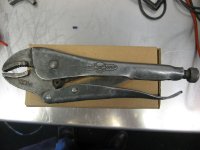
Is that a highly rated tool on the plains there, Dorothy?

Naw, just a pic from the "Show us your vice grips" thread.

Wasn't being snippity, this topic has been requested 5 different times just this week, like I said. The first time I responded I went to the search box, typed in "Posting photos" and got 5 pages of threads that said "how do I post photos?

Every one of those threads had thorough explanations of how to post on this forum.....so if someone says they searched for an answer and didn't find it I call BS. If you didn't search first, then is it fair to keep asking the same question when the answer is clearly there?

I use Irfan view to resize my photos, it's a very small, free program that's super easy to use - and I don't resize to a percentage, but to a specific size - like I said - 600X800 works really well, and that's what size the pic is of the vice grips

I don't find MS paint to be as easy to use as Irfanview.

I'll post it again to show how it works with the attachments box......if you click it it opens full size.
 

Attachments

  • IMG_3246R.jpg
    IMG_3246R.jpg
    62.7 KB · Views: 7
Last edited:
OP
S

sedgar2156

Active member
Joined
Aug 24, 2015
Messages
26
Location
Virginia, USA
I certainly understand the frustration of new people coming in and being annoying, asking this and that. I understood the idea of reducing the size of the photos for upload. I found the page, I found 'manage attatchments'. I chose the photos that i wanted to upload, after reducing to various smaller sizes (see above messages). When I chose 'upload' only one photo uploaded. After multiple attempts, nothing I wanted to upload seemed to be worth the effort. Still can only upload 1 picture (see multiple test posts). I also can understand your impatience since you are a fan of "The God of Darkness". Anything with LUCAS electrical components, I'm sure you've heard that before.
 

kblazer87

Well-known member
Joined
Aug 15, 2005
Messages
2,047
Location
Southeast Indiana
download the photos to an album here on garage journal and post from there. Lots easier to do that way. Can host 1,000 pics on here I think. That way you can post a full size pic. That is the way I do all of mine. Very easy.
 
Last edited:
To avoid these ads, REGISTER NOW!
Top Bottom