To avoid these ads, REGISTER NOW!

Posting pics

Lkdelta

Well-known member
Joined
Sep 21, 2010
Messages
1,131
Location
40 mi.east of syracuse
Hopefully the worst that could happen is you just tell me "no" or the thread gets deleted...

But, would anyone be willing to show me how to post pics? :dunno:
or a link on where to go to learn?
 
To avoid these ads, REGISTER NOW!

Mister Moose

Well-known member
Joined
May 24, 2012
Messages
131
Are these pics on line hosted by a server, like Flickr, on a web page, or residing on your PC hard drive? There are different methods to post a photo.
 

Stuart in MN

Well-known member
Joined
Sep 8, 2005
Messages
22,976
Location
Minneapolis
After you click on Post Reply and write some text, scroll down to the Manage Attachments buttons and click on that. A second window will pop up, where you can browse your hard drive, select, and then upload the photos you want to include. Make sure they sized properly - if they're right off your digital camera they're probably be too large. 800 x 600 or maybe 1024 x 768 is about as big as they should be. After you click on the upload button wait for the picture file names to appear in the 'current attachments' blank.

After that's done, close that popup window and you can then enter the post.
 

Stuart in MN

Well-known member
Joined
Sep 8, 2005
Messages
22,976
Location
Minneapolis
too big is "too big" or can they be resized?

You can resize them yourself. Your computer probably has some simple picture editing software on it already (a couple examples are Paint if you have a PC, Preview if you have a Mac.) Open up the photo on your computer and resize it as necessary. There are any other number of free photo editing software downloads available out there; one I like for PCs is www.Irfanview.com, it's free and simple to use. Other people will probably recommend others that they use.
 
OP
L

Lkdelta

Well-known member
Joined
Sep 21, 2010
Messages
1,131
Location
40 mi.east of syracuse
"I'm in" over in the motorcycles thread...It's small, but it's there
Thanks!

It's all a work in progress, I'll get better at it
Thanks again
 

BARN ONE

Well-known member
Joined
Aug 8, 2012
Messages
76
Location
missouri
How do some people post pictures that are as large as the screen?
Others you have to click on them to make them bigger?
 

Stuart in MN

Well-known member
Joined
Sep 8, 2005
Messages
22,976
Location
Minneapolis
How do some people post pictures that are as large as the screen?
Others you have to click on them to make them bigger?

Those full size ones are hosted somewhere else online (like Photobucket), the ones you click on are hosted here on this website.
 
To avoid these ads, REGISTER NOW!

SMKS

Well-known member
Joined
Feb 14, 2010
Messages
5,832
Location
USA, planet Earth
I actually prefer pictures attached to the posts, instead of using Photobucket. It seems Photobucket pictures always seem to disappear over time. You'll find an older thread you want to read and the pics are gone. If you attach the pics to the posts they won't disappear.

I do use Photobucket sometimes, but I prefer attaching the pics to posts.
 

Lump

Well-known member
Joined
Mar 16, 2009
Messages
3,405
Location
Jamestown, Ohio
Been using Photobucket for too long, I guess. I want to try this for myself.
 

Attachments

  • Ridge Vise 2012 Jims giant AVA Lo Rez 2.jpg
    Ridge Vise 2012 Jims giant AVA Lo Rez 2.jpg
    59.9 KB · Views: 38

BFBOB

Well-known member
Joined
Sep 20, 2011
Messages
5,073
Been using Photobucket for too long, I guess. I want to try this for myself.

Very clever, letting your kids go to the garage sale if they promise to unload the truck for you. :shocking:
 

cactiki

Well-known member
Joined
Nov 17, 2011
Messages
123
Location
Ridgecrest, Ca
I found this online, shrinkpictures.com. You can shrink your pictures there, but only one at a time. Works for me.
 

ragdoll

Well-known member
Joined
May 14, 2009
Messages
45
This forum is the WORST SITE ever with regards to help and tutorials on general posting problems. WORST EVER!!!
 

PCO6

Well-known member
Joined
Dec 25, 2008
Messages
4,573
Location
Newmarket, Ontario
There's another way as well.....

Upload them to your own albums here on Garage Journal, then link to them in your post -that way you don' t need a photobucket or flikr account.
I agree. I used to use Photobucket but got tired of their changes in format and having to pay for it once I hit their limit. Creating albums on GJ is easy to do and easy to use when posting.
 

zanexx

Well-known member
Joined
Oct 17, 2014
Messages
48
Location
The Bluegrass - KY
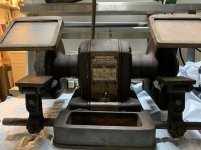
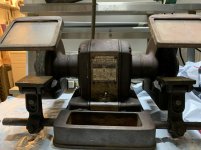
Here goes another try, Ive been able to post as thumbnails, but not in the body section of a post. Lets hope it works. looks like its still a thumbnail, Ill post it anyway and try another way

my newest grinder - mailbox style block 397.19521
IMG_6835-Sm.jpg

YAHOO!!!! I got it to work. thank goodness. I was getting more gray hairs by the minute trying to figure it out
IMG_7045-sm.jpg
 

Attachments

  • IMG_6835-Sm.jpg
    IMG_6835-Sm.jpg
    94.6 KB · Views: 2
Last edited by a moderator:
To avoid these ads, REGISTER NOW!
Top Bottom