To avoid these ads, REGISTER NOW!

posting pictures?

dlcwent

Member Emeritus
Joined
Feb 24, 2014
Messages
8,427
Location
coastal maine
Guys...I'm not very computer savvy. Can someone tell me what to do to post pictures that I've downloaded to my laptop?
 
To avoid these ads, REGISTER NOW!

GRN96WS6

Well-known member
Joined
Dec 23, 2012
Messages
2,300
Location
SOMD
Easiest thing to do is toss them up on a photo site like imgur.com or similar and have them generate the links then all you do is copy and paste.
 

jmarkwolf

Well-known member
Joined
Jan 15, 2013
Messages
1,827
Location
Southeast Michigan
There are probably numerous ways but the following works for me:

When you start or reply to a thread, goto the bottom of the screen, and click on "manage attachements".

You will then have the opportunity to browse your computer to select the pic you want to post, then "upload" it.

After uploading, the name of the picture you uploaded will appear above the same "manage attachements" button.

Click on the name of your picture. When your picture appears on your screen again, copy (CTRL-C) the entire "web address string" at the top of your screen.

Then click the "insert image" button (looks like a little mountain scene). When the next dialog appears hit CTRL-V to paste the previously saved string string into the "please enter the URL of your image" field.

The "image string" should then appear where ever your cursor is currently located. Hit "Preview Post" to see it.

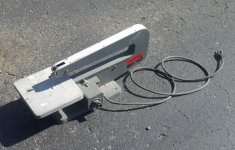
I inserted the pic below with method.

Kinda clumsy I know, but it works for me.

attachment.php
 

Attachments

  • 5_dollar_jigsaw.jpg
    5_dollar_jigsaw.jpg
    145.1 KB · Views: 174

SMKS

Well-known member
Joined
Feb 14, 2010
Messages
5,832
Location
USA, planet Earth
It's easier to just attach the photos to your post rather than mess with uploading them to a hosting site. There are also other benefits to attaching them to the posts.

As jmarkwolf noted, you can then link to them in the post if you want them to appear that way.

People always seem to rename or move things on the hosting sites, or run out of storage. That means the photos can disappear in the future. Photos attached to the posts don't disappear.

As I'm sure the OP has noticed, there are tons of threads and posts that are now useless because the photos that were hosted on another site have now disappeared.
 
Last edited:

TheShrine

Well-known member
Joined
Oct 27, 2008
Messages
1,168
Location
Texas Hill Country
It's easier to just attache the photos to your post rather than mess with uploading them to a hosting site. There are also other benefits to attaching them to the posts.

As jmarkwolf noted, you can then link to them in the post if you want them to appear that way.

People always seem to rename or move things on the hosting sites, or run out of storage. That means the photos can disappear in the future. Photos attached to the posts don't disappear.

As I'm sure the OP has noticed, there are tons of threads and posts that are now useless because the photos that were hosted on another site have now disappeared.

Newbies...pay attention to this. ^^^^^ I started with a "hosting site" called PhotoBucket. They no longer "host" my images they commandeer them! Be careful!!
 

SMKS

Well-known member
Joined
Feb 14, 2010
Messages
5,832
Location
USA, planet Earth
How do you do that?

That's what you did, so you're already doing it.

You did make it a little complex, though.

If you just want to attach photos to your posts, you can stop after the step where you upload them through the "manage attachments" button. Then they will just appear at the bottom of the post like I did with this post.
 
Last edited:

SMKS

Well-known member
Joined
Feb 14, 2010
Messages
5,832
Location
USA, planet Earth
You can click on them when they're attached and/or open them in a new tab to see them larger or get the direct URL to insert them into the post like you did. Like I'm doing right here:
attachment.php
 
To avoid these ads, REGISTER NOW!

SMKS

Well-known member
Joined
Feb 14, 2010
Messages
5,832
Location
USA, planet Earth
There's also another option for inserting a small clickable thumbnail into the post, instead of having it appear at the end like the previously attached car picture.

After you upload the images through the "manage attachments" button, click on the image of a paperclip:
attachment.php


Select the photo you want. It will be inserted into the post wherever you have the cursor. Click on the photo and it will appear larger.
View attachment 344607
 
Last edited:

Rod N

Well-known member
Joined
Jul 21, 2011
Messages
835
Location
Keswick, Ontario
I have never understood why people use hosting sites for their photos.
Do you have that many photos? Yes there links missing on lots of old threads.
You realize as soon as you do that you are giving them your photos?
Maybe I'm just not cool. lol
 

Attachments

  • IMG_0703.jpg
    IMG_0703.jpg
    149 KB · Views: 5

JakeKohl

Well-known member
Joined
Feb 23, 2012
Messages
1,365
Location
Greenville, SC
I have never understood why people use hosting sites for their photos.
Do you have that many photos? Yes there links missing on lots of old threads.
You realize as soon as you do that you are giving them your photos?
Maybe I'm just not cool. lol

Yes, I do have that many photos. With them being in the "cloud", I don't have to sweat any of it when I buy a new computer, get a new phone, etc. They're all still there...

While technically, yes,they do "have" my photos, you can specify the public nature of them and you can use some software to extract them back off their sites should you ever want to have physical copies of the digital files. Heck, my phone directly uploads any photo to a private folder on my account where I can choose to make them public and/or move them around.

Like here; here is the album for my garage build.
https://www.flickr.com/photos/teamseacats/sets/72157624328064167/
 

nehog

Well-known member
Joined
Jan 2, 2010
Messages
7,935
Location
Jaffrey, NH
Personally I hate photo hosting web sites for forum image posting. The forum supports images directly, there is no reason or justification to using a hosting site! Hosting sites instead add a second layer to the image so when you try to access it you end up on the image hosting site, and to see the actual image raw (so maybe you can enlarge it) you have to then take additional steps.

Simply use the "Attach files" section's "Manage Attachments" button. Select the images on your computer you wish to put into your post, and follow the very simple instructions.
 

Thruxton

Well-known member
Joined
Dec 30, 2010
Messages
767
Location
Virginia
Personally I hate photo hosting web sites for forum image posting. The forum supports images directly, there is no reason or justification to using a hosting site! Hosting sites instead add a second layer to the image so when you try to access it you end up on the image hosting site, and to see the actual image raw (so maybe you can enlarge it) you have to then take additional steps.

Simply use the "Attach files" section's "Manage Attachments" button. Select the images on your computer you wish to put into your post, and follow the very simple instructions.

I could not agree more, this is a major pet peeve for me, and it is certainly not limited to this forum. In fact, on some (like Rennlist, guys!) it is often crucial to have the right image to explain a process or repair. Going back to look at archived threads and finding important images are gone is more than annoying. Learning how to use the forum image ain't hard, I'll be glad to help anyone with PM's.
 

Amitygravel

Well-known member
Joined
Mar 26, 2010
Messages
1,188
Location
Claremont Illinois
I'm trying

IMG-20120115-00772.jpg

Well I'll be go ta hell !

Thanks for the tip on the paper clip icon SMKS !
Never would have figured it out !
 
Last edited:

malibu101

Well-known member
Joined
Jul 1, 2005
Messages
3,910
Location
Walnutport PA
Well gee, thanks for the info!
I thought that I had to go through a hosting site.
Let me try the "mountain" button-

EDIT- IT WORKED!!!!
I am not a computer savvy person. :eek:
Is there a sticky or something on this site to help a guy know about this like this thread did for me?
I wish I knew this before! Or I wouldn't have posts with outdated Photobucket pictures.
 

Attachments

  • Comp Pics 008.jpg
    Comp Pics 008.jpg
    142.5 KB · Views: 4
Last edited:
To avoid these ads, REGISTER NOW!
Top Bottom