To avoid these ads, REGISTER NOW!

Security cameras without cloud connections

JackOfDiamonds

Well-known member
Joined
Jul 31, 2020
Messages
706
Location
Idaho (USA)
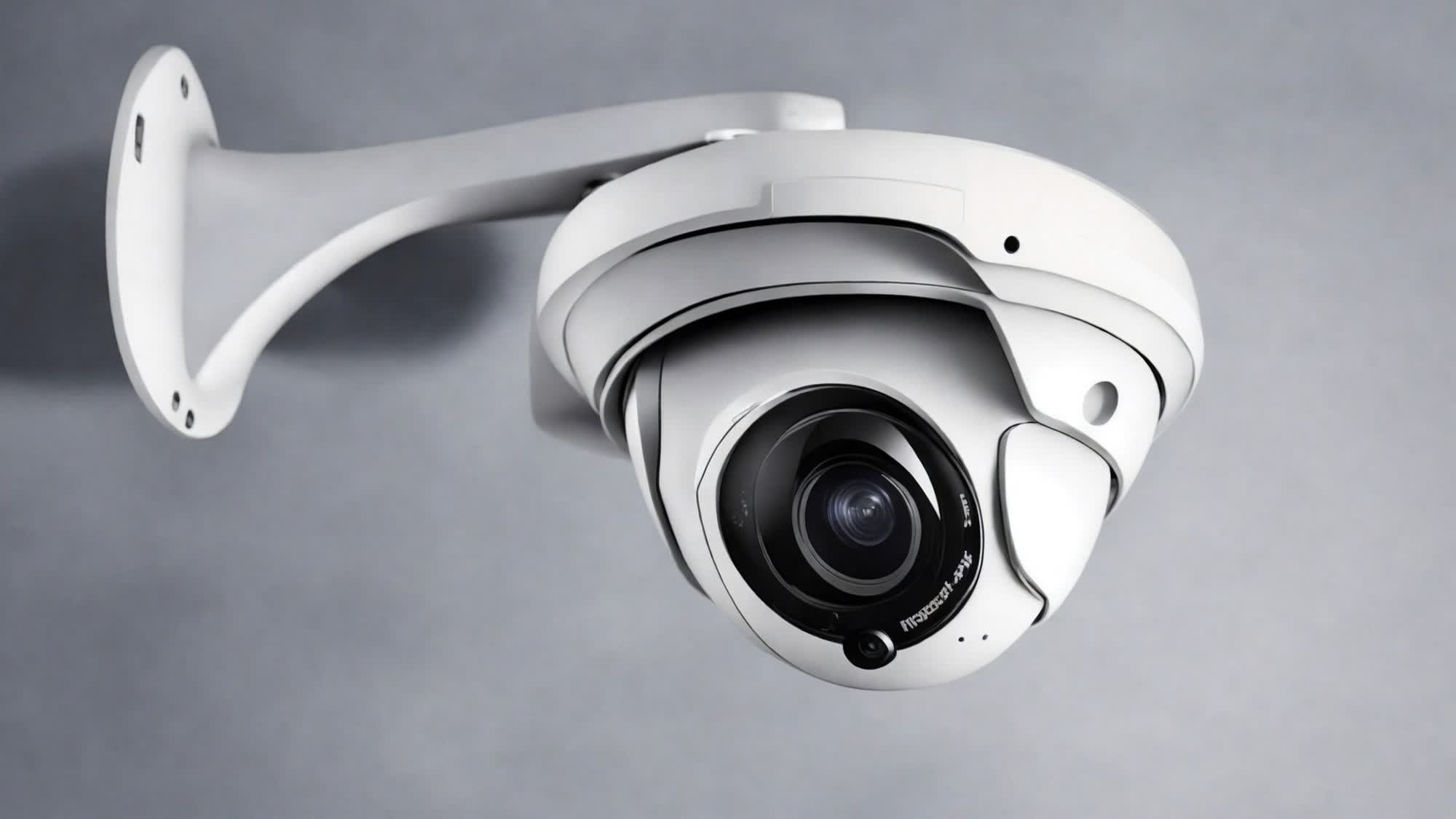
I want to put a wireless security camera pointed at my water meter so I can check it without having to go down to the end of the driveway and open up the meter. But I am sensitive to privacy and I don't want any of the footage or any of the info at all sent to the internet for any reason.

We all know that the mass-market security cameras send the footage to the "cloud" and we already know that Ring was sharing video footage with law enforcement without notice and without warrant, and besides that, the EULA's often give them the rights to use the footage for "diagnostic purposes", and regardless of the EULA, I don't trust them to follow the EULA anyway and I don't trust the cameras not to get hacked. Plus, when the provider stops providing the cloud infrastructure the camera becomes worthless.

I don't need to be able to view it from anywhere in the world, as long as I can view it while I'm at home. So it can use my home wifi network, or it can use it's own radio signal like a baby monitor, but I don't want it sending any video to the "cloud" or even connecting to any servers (authentication, account, subscription, AI detection, whatever) on the internet.

I looked at all the cameras like Ring, Eufy, Arlo, Blink, and looks like none of them meet the criteria above. There are cheap no-name wireless security cameras that work with an "app", but reviews seem to indicate they also use a cloud service.

It seems really hard to shop for this kind of thing because apparently even cameras that advertise "Local storage" still need to connect to the internet to authenticate, download firmware, create an account, or have a subscription. It's like they make it intentionally difficult to find this information, so the only way to know is buy the camera and try it and then have to return it when it turns out it won't truly work without the internet.
 
To avoid these ads, REGISTER NOW!

d300

Well-known member
Joined
Sep 15, 2017
Messages
109
Location
Oregon high desert
I'll be following this as I too would like such a system. Years ago, this was a common setup but, apparently, technology has 'moved-on'......
 

BrandonV

Well-known member
Joined
Jun 9, 2023
Messages
4,030
Location
Arizona
It depends on how deep you want to go with this.

Many commercial security camera brands like Hanwha, Axis, and Panasonic/i-PRO support standard streaming technologies (RTP, ONVIF, etc.). This means they can work with standardized hardware (from those brands or others) and software NVR solutions like Milestone, exacqVision, etc. I've set up fully local systems using all three, but be prepared to spend a fair bit this setup falls more into the small business or enterprise category, where both capabilities and costs start to scale up and what you pay for isn't really worth what you're getting.

If you're looking for something simpler, the Ubiquiti UniFi camera ecosystem might be a good fit. It's designed with small businesses in mind, relatively plug-and-play, and can be configured to run completely local.

For those who enjoy tinkering, I often recommend using Chinese cameras like Dahua or Hikvision (best bang for your buck). Put them on an isolated network thru a firewall or VLAN with no external communication, and use software like Blue Iris as your NVR. It works very well, but this route requires some networking knowledge. If that’s not your thing, it might not be the best choice.

If you're interested in learning more, IP Cam Talk is a great forum to check out.
 

Stelzer

Well-known member
Joined
Mar 14, 2022
Messages
445
Location
Portland, OR
I could totally understand the concern of not wanting security cameras around the house to be uploaded to the cloud where they may be shared without your permission, but pointed at your water meter? Not trying to discount your concerns here, just not quite understanding the harm if all anyone would ever see is a water meter.
 

adsinnott1

Well-known member
Joined
Feb 16, 2021
Messages
134
Location
Kentucky
I use cameras from Amazon that connect to the Cloud Edge app. They have cloud storage options, but I do not use them or pay for cloud storage. They only store the feed to an SD card that is accessible through the app. You could run without an SD card and only have the live view option. Since I am not paying for cloud storage, it does not save anything to the cloud. I guess the company may still be able to access the feed if they wanted, but they can do that to your phone as well...
 

dcg9381

Well-known member
Joined
Jun 20, 2018
Messages
11,627
Location
Austin, TX
It seems really hard to shop for this kind of thing because apparently even cameras that advertise "Local storage" still need to connect to the internet to authenticate, download firmware, create an account, or have a subscription. It's like they make it intentionally difficult to find this information, so the only way to know is buy the camera and try it and then have to return it when it turns out it won't truly work without the internet.
The subscription revenue model is different, but most of these systems have central management for updates and compatibility.. You don't want rando firmware pushes. Just because they can control the firmware does not mean that your videos / photos are cloud stored. But yea, all that video has to go somewhere.. Usually on an SD card and then push to the cloud for some retention period, which is the subscription model.

I use UniFi's system. No subscription. All of the video is centrally stored on location. There is an internet interface and central management of devices, but the "service provider" cannot access your data (videos).. Their stuff is super easy to manage and it just works. You need my password AND my phone to access the internet gateway. It's just a pass through to view locally stored images.

1744644025408.png

IF you really want to get serious about it, you can roll your own system using VOIP cameras (course, most of these are out of China and may or may not have back-doors) and then handle the images through something like Blue Iris or old school sFTP dumps locally.
 

dcg9381

Well-known member
Joined
Jun 20, 2018
Messages
11,627
Location
Austin, TX
Doesn't Unifi require a cloud account now, or is that only for wireless access points?
Require? No, it looks like most of their products can operate entirely local LAN only. You won't get automatic (scheduled) firmware updates, push notifications, etc without it though.

As someone in technology, I can tell you that it's entirely possible to have a "cloud" managed ecosystem without the hardware provider having access to your private video and image feeds. Encryption is a thing. Someone(s) "somewhere" might be able to get around that, but it's going to be a "hot topic". At work our "master" encryption keys require the dual-Russian-nuclear-key solution. No one person can access everything. I have to phone a C-level friend and we both have to provide our "key" to access data that doesn't belong to us.
 

Innovate1

Well-known member
Joined
Jul 28, 2014
Messages
4,272
Location
Illinois near St. Louis, Missouri
Most, if not virtually all, of the wireless cameras connect via wifi so you could set up a wifi connection that does not allow internet access. It's a pretty standard thing in networking. Not sure how that would affect the other functionality though. Many cameras have a standard stream but you would have to have something to view it and/or record it. Viewing would be pretty easy if you had the IP of the camera.

But do you really want to put a camera in the space where the water meter is. I'm guessing in your location it's in a covered underground cavity that is moist. I suppose a camera rated for outdoors might survive there but you also need to get power to it. And getting much wifi signal out of that underground well won't work too well either. Since you have to supply power somehow you could do a wired network connection with POE.
 

mikedodge

Well-known member
Joined
Jun 27, 2017
Messages
2,751
The wifi cameras I use need an app so they're accessed thru a server and not directly. There's nothing overly personal in their view and I wouldn't worry about a water meter.
I would love to get my own system that could notify me of movement and upload to my own hosting site or back to another location etc.. but I don't know enough about it all to know what could do that.
 

pima67

Well-known member
Joined
Dec 5, 2009
Messages
300
Location
Tucson, AZ
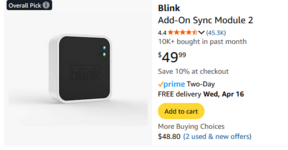
I have a blink from last black Friday. Blink has 30 day cloud storage but you have to pay after that. But local storage is available using a USB stick inserted in the Sync module. You could not have continuous monitoring (runs on batteries) but would have to take periodic snapshots as needed. Not sue how one would mount it to monitor a water meter.
 

dcg9381

Well-known member
Joined
Jun 20, 2018
Messages
11,627
Location
Austin, TX
The wifi cameras I use need an app so they're accessed thru a server and not directly.
The app itself doesn't "necessarily" mean they are being proxied through a server on the web. It depends on how the app connects. I can connect (local network) or via bluetooth and access things directly.

I would love to get my own system that could notify me of movement and upload to my own hosting site or back to another location etc.. but I don't know enough about it all to know what could do that.
Anything that "notifies you" will typically require a gateway (SMS, email, or push notification). You can roll you own gateway, but that's getting all nerdy.

My initial camera system was "roll your own" - cameras wrote directly to a local FTP server, I had a "webserver" front end that would then display the images to the web if I wanted to do that. Once you are managing the files, there are a million ways to do backup and display.
 

gleman

Well-known member
Joined
Jun 24, 2019
Messages
2,971
Location
Michigan And Florida too!
I have a blink from last black Friday. Blink has 30 day cloud storage but you have to pay after that. But local storage is available using a USB stick inserted in the Sync module. You could not have continuous monitoring (runs on batteries) but would have to take periodic snapshots as needed. Not sue how one would mount it to monitor a water meter.
I have one of mine watching a well pump and it uses the refresh button.
 

BurtEggley

Well-known member
Joined
Oct 8, 2024
Messages
849
any camera with an IP address is going to be reachable from the Internet. If you can see it remotely, someone else can too if they know how. Many cameras do not require an account to use them, and they will not report home unless you tell them to, but as I wrote, if it has an IP address and you can see it, someone else can too if they get past your router - and the hackers are very active these days. You can also block any port that the camera could use to report home, but if anything else uses that port it will be locked down too - and the whole idea of hacking is getting past blocks like that. Some cameras you can use apps to change the port to something unusual. But all this requires technical ability and you are looking for a DIY solution, so I would say, no, you will take a walk to read your meter or buy an older cctv camera and run coax to it. I would say this to you just for giggles. Go to this address, run the free full port scan and see if your LAN privacy is already exposed to the Internet. https://www.grc.com/default.htm and click on Shields Up! UPnP Exposure test. Do the all service ports test. All should be green and UPnP off if you want any chance at privacy on your network. Make sure your network has fully secure passwords too and not the default ones.
 
Last edited:

Snip's

Well-known member
Joined
Apr 29, 2017
Messages
1,847
Location
Ohio
I have the YI Outdoor Camera...
They give you two options, a cloud storage account payment plan or the camera can operate with it's own micro memory card that's contained in the camera... It operates via WIFI to your smart phone and/or your computer...
I've had 3 of these mounted on my house with no issues for 7 years now...
I can use the phone app to check things when we are away or out of the country on vacation...
 

dcg9381

Well-known member
Joined
Jun 20, 2018
Messages
11,627
Location
Austin, TX
any camera with an IP address is going to be reachable from the Internet.
That's not exactly correct. Just adding more clarity as you obviously get it: Typical implementation is that these are "local IPs", they are not public IPs. They are on "unroutable" IP addresses that are "private". Cameras can "call home" - they can route out, but you can't route from the internet to the camera without some additional configuration.

Here's an IP of one of my cameras:
1744665896343.png


To get to that camera from the internet, you need to know my "public" IP and then I need to setup a forward or route from that public IP to the camera. I have no forwarding rules or routes, so you can't do that.

1744666263128.png


someone else can too if they get past your router - and the hackers are very active these days. You can also block any port that the camera could use to report home, but if anything else uses that port it will be locked down too - and the whole idea of hacking is getting past blocks like that
That part is right, if you are into my router, you could establish routes to individual cameras. But if you've already got control of my router, I'm essentially "hacked" anyway... At least you'll be able to probe any private address on my network.

BTW, the PnP test you had wasn't bad... It port scans your public IP to see if your router will route PnP traffic to your private network.
 
To avoid these ads, REGISTER NOW!

reader2580

Well-known member
Joined
Dec 31, 2014
Messages
14,514
Location
Minneapolis, MN
Require? No, it looks like most of their products can operate entirely local LAN only. You won't get automatic (scheduled) firmware updates, push notifications, etc without it though.
The last Unifi controller I installed required a Ubiquiti cloud account to install a local controller. if a local account was an option they hid it very well. Ubiquiti could have changed it in the last few years.

A Unifi controller is pretty much required to configure access points, although there may be a way to do it from the command line.
 

dcg9381

Well-known member
Joined
Jun 20, 2018
Messages
11,627
Location
Austin, TX
The last Unifi controller I installed required a Ubiquiti cloud account to install a local controller. if a local account was an option they hid it very well. Ubiquiti could have changed it in the last few years.
I think I remember that also. The UDM-Pro/SE (not sure about others) can be configured without cloud.
 

no704

Well-known member
Joined
Apr 27, 2016
Messages
5,207
My public utilities have a feature where if I use more than normal water, like laundry day I will get a text telling me my water usage. But I did have to sign up for it.
What are you trying to monitor water use for, there might be other solutions.
 

scooby074

Well-known member
Joined
Oct 26, 2008
Messages
5,229
Location
Nova Scotia
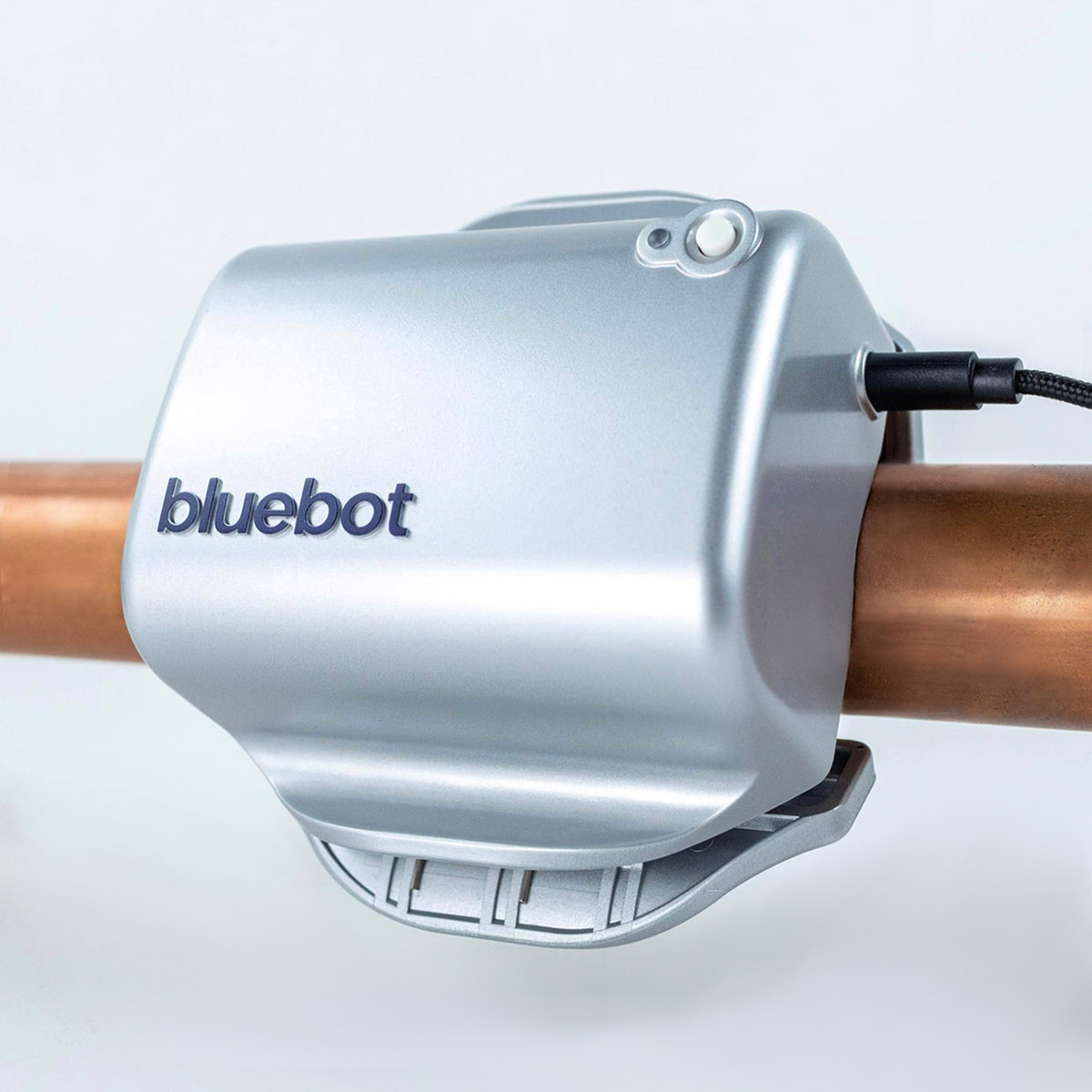
Would one of the water "leak" monitoring systems work better? There are several out there that connect to your waterline and monitor flow volume and notify of leaks etc.
 

Brent T

Well-known member
Joined
Sep 29, 2018
Messages
459
Location
Arizona, USA
I have Eufy cameras and doorbell with no cloud account. They all report to a hub with local storage. They are using wifi and a phone app, so technically I guess they're accessible through the internet if that's the concern, but the video files are not stored on the cloud unless you choose to pay for that option.
 

no704

Well-known member
Joined
Apr 27, 2016
Messages
5,207
I understand you security concerns. But am having a hard time extending this to water use?
 

mikedodge

Well-known member
Joined
Jun 27, 2017
Messages
2,751
The app itself doesn't "necessarily" mean they are being proxied through a server on the web. It depends on how the app connects. I can connect (local network) or via bluetooth and access things directly.


Anything that "notifies you" will typically require a gateway (SMS, email, or push notification). You can roll you own gateway, but that's getting all nerdy.

My initial camera system was "roll your own" - cameras wrote directly to a local FTP server, I had a "webserver" front end that would then display the images to the web if I wanted to do that. Once you are managing the files, there are a million ways to do backup and display.

True.. I'm only assuming the app is working that way and you could well be right because I'm not paying for any of their services so routing video and anything I do through their server times how many other users they have is a lot of bandwidth and use on their end.
 

dcg9381

Well-known member
Joined
Jun 20, 2018
Messages
11,627
Location
Austin, TX
I understand you security concerns. But am having a hard time extending this to water use?
I have this:

It monitors water use. You can set several different types of alerts like total use alerts, extended water flow alerts, etc. It does use "cloud data" for push notifications, but you might find it less intrusive than a camera.
 

niget2002

Well-known member
Joined
Oct 2, 2012
Messages
11,115
Location
Josephine, TX
Do you need to access it from your phone, or would a screen inside the house work?

If you just need a remote screen, then I'd be looking at the wireless backup cameras like used with travel trailers. They're water proof and just need 12v to work. Not sure how well they'd focus close up. Actually, focusing close up may be your biggest issue depending on how far back you can put the camera and still see what you're trying to see.
 

Git

Well-known member
Joined
May 18, 2008
Messages
6,894
Location
S Cal
A couple of years ago, my water company was pushing a 'smart water monitor' for $50 at the time, and I jumped on it. (looks like the current retail price is $250).

My Flume works great. Installation - you strap it to the side of your water meter and it connects to a 'hub' inside your house.

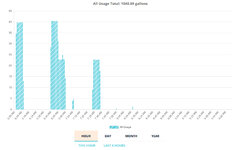
It is sensitive to know that if we leave a hose dripping, after a couple of hours - it sends us an email


2025.15.04 - 0001.jpg
 

BillK

Well-known member
Joined
Aug 24, 2006
Messages
9,298
Location
Beautiful Southern Maryland

Git

Well-known member
Joined
May 18, 2008
Messages
6,894
Location
S Cal
The subscription revenue model is different, but most of these systems have central management for updates and compatibility.. You don't want rando firmware pushes. Just because they can control the firmware does not mean that your videos / photos are cloud stored. But yea, all that video has to go somewhere.. Usually on an SD card and then push to the cloud for some retention period, which is the subscription model.

I use UniFi's system. No subscription. All of the video is centrally stored on location. There is an internet interface and central management of devices, but the "service provider" cannot access your data (videos).. Their stuff is super easy to manage and it just works. You need my password AND my phone to access the internet gateway. It's just a pass through to view locally stored images.

1744644025408.png

IF you really want to get serious about it, you can roll your own system using VOIP cameras (course, most of these are out of China and may or may not have back-doors) and then handle the images through something like Blue Iris or old school sFTP dumps locally.
 

dcg9381

Well-known member
Joined
Jun 20, 2018
Messages
11,627
Location
Austin, TX
Software sometimes has flaws. This one wasn't intentional. For the OPs application it wouldn't have happened without using the cloud gateway, but it was a big mistake:
The company claims the problem happened due to an upgrade to Ubiquiti's UniFi Cloud infrastructure

My first implementation, I "rolled my own HIKVision" - used these locally and forwarded ports so I could access them directly. Unsure if this was a "bug" or something intentionally written in. Updating firmware on these was a sketchy manual process:


Anything exposed to the internet is subject to constant attack, so I get why the OP would want to run it all local LAN.
 

BurtEggley

Well-known member
Joined
Oct 8, 2024
Messages
849
That's not exactly correct. Just adding more clarity as you obviously get it: Typical implementation is that these are "local IPs", they are not public IPs. They are on "unroutable" IP addresses that are "private". Cameras can "call home" - they can route out, but you can't route from the internet to the camera without some additional configuration.

To get to that camera from the internet, you need to know my "public" IP and then I need to setup a forward or route from that public IP to the camera. I have no forwarding rules or routes, so you can't do that.

That part is right, if you are into my router, you could establish routes to individual cameras. But if you've already got control of my router, I'm essentially "hacked" anyway... At least you'll be able to probe any private address on my network.

BTW, the PnP test you had wasn't bad... It port scans your public IP to see if your router will route PnP traffic to your private network.
FWIW- I am a semi-retired certified network engineer. Private IPV4 ranges were absolutely a firewall 25 years ago unless you opened an e-mail or something with a virus in it. They no longer are 100% secure today. And if IPV6 is turned on then that is another entry point, the idea being there are too many IPV6 addresses for a hacker to find you. Wi-Fi networks can be hardened, but they are not 100% secure in the sense he is seeking one. He needs an older coax type camera system if he demands 100% security to read the meter by camera.

Hackers don't rely on your private IP. They get to see what the public IP is you come in from. If you say start spamming people here, the admin can see what external IP you come from, or ranges of IPs and then they can block it or the range to try to get rid of you. Hackers probe all the time for IP addresses to find if "something" is there. Look at your router logs, you'll see port scans all the time - usually from addresses inside Russia, Iran or China. You don't want to know what I think the world should do with the people who cause all this chaos. Also - all you and I need to do is exchange something that gives me the ability to get into your router and you have already provided everyone who reads this the IP and MAC addresses for your camera. :) I deleted them in the quote. You may want to consider the same.
 

dcg9381

Well-known member
Joined
Jun 20, 2018
Messages
11,627
Location
Austin, TX
FWIW- I am a semi-retired certified network engineer.
I agree with everything you say. The only "certain" network is a network on an island with no external connectivity, which is what you're suggesting with co-ax (technically not a network at all).

I'm "reasonably satisfied" with DMZ style safety and a default rule of "deny all". You're right, that doesn't work in every case and existing routers may have known exploits... But either you're an "easy" target (known exploit that can be scanned) or they really want to see you naked.

The real risk - as you mention - is inside the firewall - phishing, social engineering, or an installed hack (getting much harder to do).

But I'd claim the same risk (perhaps) exists in HikVision or other cameras in a different form, who knows what gets loaded on that firmware.

But you're right, want absolute privacy, go coax... I read the post as something "in between" - not wanting to run co-ax, but doesn't want the obvious hole of someone that can access cameras through proxy portal or other cloud-based storage.

You guys let me know if you want to see me in my underwear, I'll send a link (after I forward some ports)

:)
 

BurtEggley

Well-known member
Joined
Oct 8, 2024
Messages
849
since my last post, I removed a virus from inside a private network this afternoon where the software was loaded in early 2024, and the virus came in with a software update from that company today. In other words, the network didn't get hacked, the company they bought software from did, and then the automatic update process downloaded the virus. Windows defender stopped it, and deleted it, but an hour later it launched again. Time will tell whether I got it now, or the user will need their computer reimaged. So I don't buy that it happens less now. I have seen more in the last 30 days than the last five years.
 
To avoid these ads, REGISTER NOW!
Top Bottom