To avoid these ads, REGISTER NOW!

security in/at my shop

Lumpy102

Well-known member
Joined
Aug 26, 2012
Messages
207
Location
Ontario Canada
My workshop build is more or less complete, next step is to get some sort of security cameras and door alarms installed. I really am kinda lost here so I'll let you know where I'm starting from. Shop is about 250 ft from the house, have buried CAT6 cable from the house out to the shop and back, in a 1" conduit. Line 1 is hooked to the Bell fibre optic box in the house and a router for shop internet. Line 2 was a spare in case line 1 didn't work, and I thought I might need it to bring security/alarm signal back to the house. I'd like a camera front and back in the shop, and one inside as well. I'd like a door sensor on the passage door and the overhead door. There's CAT6 run from near the router to an exterior location at front and back of the shop, next to a weatherproof outlet in the eves. I had an old Lorex wireless camera system at the house, both cameras crapped out after a few years but the recorder is still functioning I believe. There's also a Security system in the house (sensors only, no cameras) with attached subscription, but the wifi it runs on doesn't have the range to get to the shop. Any advice? I don't mind spending a bit but don't want to get hosed nor get stuff I don't need.
 
Last edited:

To avoid these ads, REGISTER NOW!

Innovate1

Well-known member
Joined
Jul 28, 2014
Messages
4,291
Location
Illinois near St. Louis, Missouri
You've got several things to address... On the network run I would go to optical fiber. It will fit with terminations into the 1" conduit. You will need to be careful of bend radius in LBs and such - I made a part that fit in and had the max radius. I can look it up and post if you want or I think I posted before if you can find it. Just made it from wood but thought about 3d printing it. If you stick with copper you risk taking out equipment from lightening storms - that happened to me so I switched.

I'm a little confused on your security/alarm desires. It seems like you mention it twice like you might have two different systems to extend. You could use the spare CAT cable for door sensors although those are long runs. I was able to run the 3 wire bus of my alarm to an expander in the shop. Surge protectors on both ends and haven't had issues with it. But if the sensors are wifi you could put a router in the shop to provide wifi for cameras and sensors.

If you want to run the security on a separate network from your PC/streaming uses you could run two optical fiber runs (4 strands) to run both networks to the shop. Might want to get 6 strands for spares.
 

WildBill

ALLIANCE MEMBER
Joined
Aug 20, 2021
Messages
2,028
Location
PNW
I use wyze stuff, it's cheap and works great. Especially like that their cameras work in almost total darkness without switching to night vision, they will switch as needed but as long as there is a little light they are still in color "normal" mode. Also with an SD card in them you don't have to pay unless you want more features, I have a bunch of their stuff so I pay the $99 a year for unlimited cameras. They make alarm and garage door stuff as well. I have their two floodlights and a camera setups at both ends of my shop, you can program and control how the lights and built in speaker act with your phone, the camera is the brain.

Having said that it kinda sounds like you already have some sort of setup that you just need to buy more matching equipment for.
 

Stuart in MN

Well-known member
Joined
Sep 8, 2005
Messages
23,156
Location
Minneapolis
Once you figure out getting signals to the house, definitely tie it into your monitored system and also include some sort of fire detection. Smoke alarms can be problematic in a shop where there's a lot of dust and fumes, a rate-of-rise heat detector is usually a better method.
 

wyliesdiesels

Well-known member
Joined
Aug 14, 2012
Messages
20,067
Location
Modesto, CA
wouldve been best to run the wires in your shop when the walls were open

do you already have internet in your house? if so it would be best to just run the shop off that internet/router instead of doing a whole other service.
 
OP
L

Lumpy102

Well-known member
Joined
Aug 26, 2012
Messages
207
Location
Ontario Canada
wouldve been best to run the wires in your shop when the walls were open

do you already have internet in your house? if so it would be best to just run the shop off that internet/router instead of doing a whole other service.
As stated in my post, internet CAT6 from Bell fibre internet is run from house internet to shop, and a router installed in the shop. All wiring in the shop is surface mount, far fewer holes in the vapour barrier/insulation, and way easier to modify.
 

wyliesdiesels

Well-known member
Joined
Aug 14, 2012
Messages
20,067
Location
Modesto, CA
As stated in my post, internet CAT6 from Bell fibre internet is run from house internet to shop, and a router installed in the shop. All wiring in the shop is surface mount, far fewer holes in the vapour barrier/insulation, and way easier to modify.
So youre connecting a router in the shop to the router in your house? You dont want 2 routers on the same service
 

Innovate1

Well-known member
Joined
Jul 28, 2014
Messages
4,291
Location
Illinois near St. Louis, Missouri
So youre connecting a router in the shop to the router in your house? You dont want 2 routers on the same service
Depends on what you are wanting to do. If you want to isolate cameras (or anything) from your regular network you could use a second router (although there are other ways to do it). Or you could bridge the router for an access point. Lots of variations are possible. Hard to tell what the OP is doing...
 

Git

Well-known member
Joined
May 18, 2008
Messages
6,894
Location
S Cal
So youre connecting a router in the shop to the router in your house? You dont want 2 routers on the same service
My thoughts also - called 'double nat'

Yes, if he places the second router in bridge mode, then that would eliminate that problem, but based on what the OP has written so far, I don't think he has done that.
 
Last edited:

wyliesdiesels

Well-known member
Joined
Aug 14, 2012
Messages
20,067
Location
Modesto, CA
Depends on what you are wanting to do. If you want to isolate cameras (or anything) from your regular network you could use a second router (although there are other ways to do it). Or you could bridge the router for an access point. Lots of variations are possible. Hard to tell what the OP is doing...
umm no, that wont isolate anything. anyone skilled in networking could traverse that. VLANs would be how you isolate networks on the same physical layer.

plus if anything in the house needs to talk to anything in the shop, youve just made it more difficult.

also if the OP doesnt know how to shutoff DHCP in the second router and connects them on the same LAN, they will have lots of issues.
 

wyliesdiesels

Well-known member
Joined
Aug 14, 2012
Messages
20,067
Location
Modesto, CA
My thoughts also - called 'double nat'

Yes, if he places the second router in bridge mode, then that would eliminate that problem, but based on what the OP has written so far, I don't think he has done that
yeah double NAT is pointless. it just creates more issues. if someone needs isolation, they should be using VLANs

also bridge mode is the wrong term. a bridge is a wireless P2P that connects 2 hardwired networks.

the correct term would be access point mode which turns the second router into merely a switch and AP. but again, pointless to buy a wireless router if all youre using it for is a switch and AP. plenty of better solutions out there than using a consumer grade router for those functions.
 

Denwood

Well-known member
Joined
Sep 22, 2014
Messages
4,195
Location
Thunder Bay, Ontario, Canada
I'm assuming the CAT6 to your shop is plugged into your home's existing Bell router...so you don't need another router in your shop.

This TPlink POE switch is inexpensive. Plug your shop CAT6 into port 5 of this switch:

Pick up one of these RE650s and put it in access point mode. Plug it into the switch above, port 4. It has a gigabit ethernet port and AC2600 class WIFI which will be fine for your shop.

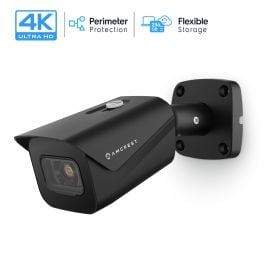
I'm using these 4K POE cameras. Plug each into the Tplink POE switch via the CAT6 at each eave of your shop using Port 1,2 or3. They will power up over ethernet.

They are 4K and can record to an onboard microSD for a subscription-free setup. They can also record to NAS, FTP etc. They do require a bit more work to setup, however they are well built and reliable.

I use Ubitquiti etc. at work, however the above bits work very well for a simple/reliable/inexpensive home setup.
 

gatewaysysop

Well-known member
Joined
Nov 11, 2008
Messages
3,299
Location
Arizona
My workshop build is more or less complete, next step is to get some sort of security cameras and door alarms installed. I really am kinda lost here so I'll let you know where I'm starting from. Shop is about 250 ft from the house, have buried CAT6 cable from the house out to the shop and back, in a 1" conduit. Line 1 is hooked to the Bell fibre optic box in the house and a router for shop internet. Line 2 was a spare in case line 1 didn't work, and I thought I might need it to bring security/alarm signal back to the house. I'd like a camera front and back in the shop, and one inside as well. I'd like a door sensor on the passage door and the overhead door. There's CAT6 run from near the router to an exterior location at front and back of the shop, next to a weatherproof outlet in the eves. I had an old Lorex wireless camera system at the house, both cameras crapped out after a few years but the recorder is still functioning I believe. There's also a Security system in the house (sensors only, no cameras) with attached subscription, but the wifi it runs on doesn't have the range to get to the shop. Any advice? I don't mind spending a bit but don't want to get hosed nor get stuff I don't need.

You might have already covered this, but in case not, I would say not to rely entirely on the cameras and sensors. Some layered physical deterrence is probably worth spending money on too. Door jamb reinforcement, strong doors/locks, that sort of thing. Don't get me wrong, I've got cameras here myself and love them, but that's only one kind of deterrence. I'm much more interested in deterring a thief than watching a replay of them walking away with my ****. Personally I think money spent on cameras can sometimes be put to better use, but YMMV.
 
OP
L

Lumpy102

Well-known member
Joined
Aug 26, 2012
Messages
207
Location
Ontario Canada
You might have already covered this, but in case not, I would say not to rely entirely on the cameras and sensors. Some layered physical deterrence is probably worth spending money on too. Door jamb reinforcement, strong doors/locks, that sort of thing. Don't get me wrong, I've got cameras here myself and love them, but that's only one kind of deterrence. I'm much more interested in deterring a thief than watching a replay of them walking away with my ****. Personally I think money spent on cameras can sometimes be put to better use, but YMMV.
agree fully, door jamb has been reinforced, made a new strike plate that covers both the latch and the deadbolt 1/8 steel 1 piece screwed directly through the doorframe and into the jack and king stud. Windows start at 8 ft and go up, and overhead door is double latched on both sides.
I've had mixed results from the police here, my car garage has been burgled twice, so I want to give them all the pictures they need to find the scum next time.
 
OP
L

Lumpy102

Well-known member
Joined
Aug 26, 2012
Messages
207
Location
Ontario Canada
I'm assuming the CAT6 to your shop is plugged into your home's existing Bell router...so you don't need another router in your shop.

This TPlink POE switch is inexpensive. Plug your shop CAT6 into port 5 of this switch:

Pick up one of these RE650s and put it in access point mode. Plug it into the switch above, port 4. It has a gigabit ethernet port and AC2600 class WIFI which will be fine for your shop.

I'm using these 4K POE cameras. Plug each into the Tplink POE switch via the CAT6 at each eave of your shop using Port 1,2 or3. They will power up over ethernet.

They are 4K and can record to an onboard microSD for a subscription-free setup. They can also record to NAS, FTP etc. They do require a bit more work to setup, however they are well built and reliable.

I use Ubitquiti etc. at work, however the above bits work very well for a simple/reliable/inexpensive home setup.
This sounds pretty simple, and is what I was hoping for in the advise department. Will have to do some more reading on the cameras, and storage, as I'm way behind the curve
thanks!
 
OP
L

Lumpy102

Well-known member
Joined
Aug 26, 2012
Messages
207
Location
Ontario Canada
Depends on what you are wanting to do. If you want to isolate cameras (or anything) from your regular network you could use a second router (although there are other ways to do it). Or you could bridge the router for an access point. Lots of variations are possible. Hard to tell what the OP is doing...
the key point to make here is the OP (me) doesn't know what he's doing and is looking for some guidance
 
To avoid these ads, REGISTER NOW!

Denwood

Well-known member
Joined
Sep 22, 2014
Messages
4,195
Location
Thunder Bay, Ontario, Canada
This sounds pretty simple, and is what I was hoping for in the advise department. Will have to do some more reading on the cameras, and storage, as I'm way behind the curve
thanks!
I figured that was what you were looking for :) I just have 256GB microSD cards in my cameras. They are set up for motion detection so 256GB will normally give you 10-14 days of storage on the camera itself. You can view the stored clips via PC or the phone app. Because these are recording 4K footage (let's you actually read licence plates etc) you want them connected via CAT5/6, not WIFI as playback works a lot better this way. I also save stills to my web site (remote FTP) but that's likely not an option in your case. You can always pay for a subscription, but for home stuff, not my preference. It is the easiest way to set up the camera as well as store/retrieve though. I have a few older 1080 PTZ (remote pan/tilt/zoom) cams, again from amcrest which are 7-8 years old and still chugging away just fine. I use one inside the shop for security, as well to monitor if a door was left open etc.
 

dcg9381

Well-known member
Joined
Jun 20, 2018
Messages
11,883
Location
Austin, TX
IMHO, there are a few ways to do cameras:
1) Cheap and stand alone: Wyze and similar brand alternatives. (easiest)
2) Put your own IP Cams in and setup your own monitoring via BlueIris (hardest)
3) Branded IP cams and their associated storage / alerting architecture. I use Unifi cams. (in the middle, but more expensive)

Exterior cameras you'll want all the IR light you can get. You'll probably want 4k.

At 250ft you'll need to put up an access point in the shop. If you do higher definition cameras, you'll probably want them on Power Over Ethernet (POE) and with dedicated cat 5. Video takes a lot of bandwidth. I have both a hardwired hub (which powers the exterior cameras) and an access point in the shop.
 
OP
L

Lumpy102

Well-known member
Joined
Aug 26, 2012
Messages
207
Location
Ontario Canada
I figured that was what you were looking for :) I just have 256GB microSD cards in my cameras. They are set up for motion detection so 256GB will normally give you 10-14 days of storage on the camera itself. You can view the stored clips via PC or the phone app. Because these are recording 4K footage (let's you actually read licence plates etc) you want them connected via CAT5/6, not WIFI as playback works a lot better this way. I also save stills to my web site (remote FTP) but that's likely not an option in your case. You can always pay for a subscription, but for home stuff, not my preference. It is the easiest way to set up the camera as well as store/retrieve though. I have a few older 1080 PTZ (remote pan/tilt/zoom) cams, again from amcrest which are 7-8 years old and still chugging away just fine. I use one inside the shop for security, as well to monitor if a door was left open etc.
got the switch and the extender/access point from amazon and after 3 attempts they are up and running, now on to the cameras.
thanks again for the advise
 

dscheidt

Well-known member
Joined
Apr 26, 2017
Messages
2,909
yeah double NAT is pointless. it just creates more issues. if someone needs isolation, they should be using VLANs

also bridge mode is the wrong term. a bridge is a wireless P2P that connects 2 hardwired networks.
No. It's correct. A bridge is a device that connects two (or more) layer 2 domains. An ethernet switch is a kind of bridge. so is an AP used as a bridge to extend a lan, at least if it's configured as bridge.
 

Denwood

Well-known member
Joined
Sep 22, 2014
Messages
4,195
Location
Thunder Bay, Ontario, Canada
got the switch and the extender/access point from amazon and after 3 attempts they are up and running, now on to the cameras.
thanks again for the advise
Just make sure you set up the extender in access point mode and it should work fine :) You can set the SID/password the same as your house and your phone etc. will connect to both pretty seamlessly.
 

Higgins

Well-known member
Joined
Dec 25, 2009
Messages
1,941
Location
Shepheardsville, KY
Once you figure out getting signals to the house, definitely tie it into your monitored system and also include some sort of fire detection. Smoke alarms can be problematic in a shop where there's a lot of dust and fumes, a rate-of-rise heat detector is usually a better method.
look at installing heat alarms in multiple ceiling locations. will give you some notice that something is happening!
 
OP
L

Lumpy102

Well-known member
Joined
Aug 26, 2012
Messages
207
Location
Ontario Canada
Security cameras are up and running and I've got realtime camera views on my phone/laptop, should have ordered an 8 port ethernet switch instead of 5, I'm thinking I should have a fisheye security cam inside as well as the ones on the doors, some kind of heat/smoke alarm, and I haven't got my music streaming/stereo/home theatre figured out yet. So I'm sure I'm gonna need more ports.
Next question, should I be buying a network switch with all the ports powered? I imagine better safe than sorry?
 

nadogail

Well-known member
Joined
Jan 23, 2009
Messages
32,032
Location
Coronado, CA
Your best security will be a neighbor who knows what is supposed to be going on.

Groups of these form a Neighborhood Watch. We look out for each other and they look out for all of us.

Circle the wagons and establish a Perimeter.
 
OP
L

Lumpy102

Well-known member
Joined
Aug 26, 2012
Messages
207
Location
Ontario Canada
Your best security will be a neighbor who knows what is supposed to be going on.

Groups of these form a Neighborhood Watch. We look out for each other and they look out for all of us.

Circle the wagons and establish a Perimeter.
You're absolutely right, and some of us do watch out for each other, however a backup system is prudent.
 

86turbodsl

Well-known member
Joined
Jul 1, 2005
Messages
6,558
Location
Michigan
If you're shopping for switches, look at getting used enterprise gear off ebay. WAAAY better support than these chinese cheapos. I run all Brocade at home. Cheap, VERY reliable and have all the bells and whistles. Lots of posts on servethehome.com forums on this.
 

Coolball

Member
Joined
Dec 11, 2022
Messages
18
Location
Missoula, MT
Depending on what security system is in your main house, you might be able to piggyback the shop with wireless sensors and a wireless keypad. I am running a Quolsys iq4 panel using DSC power series neo wireless sensors over 300' with no issues. The panel is even inside a full metal building. Rate of rise heat detectors for sure as mentioned, not smoke detectors. I highly recommend carbon monoxide as well. Cameras are great, but they are an 'after the fact' item. I am in the industry and you wouldn't believe how often video equipment fails when you need it.
 
To avoid these ads, REGISTER NOW!
Top Bottom