To avoid these ads, REGISTER NOW!

Smart Switches

3rdgendslmech

Well-known member
Joined
Mar 12, 2017
Messages
499
Location
Maryland
Once the weather cools down a little bit I'm planning on installing a flood light on the house to light up the back yard a little bit. I live in a split level house with a full width patio across the back of the house. I want to mount the light under the soffit with the closest room being the mast bedroom. Would it be odd to have the flood switch in the bedroom??? You can pretty much see the whole back yard from the bedroom window. I figure its the closest easiest run vs running wire up between the levels.
Hence the smart switch. If I can control the light from my phone then I wont have to run all with up to the bedroom to turn it on manually
 
To avoid these ads, REGISTER NOW!

loganb

ALLIANCE MEMBER
Joined
Dec 29, 2011
Messages
5,521
Location
Omaha, NE
Lutron Caseta. Easy to setup, seems to integrate well, works with all major virtual assistants to my knowledge and with its Pico remote which is a wireless remote switch you may be able to avoid even using the phone app as you could have the physical switch in the bedroom and the remote switch(or several) where it's handy and not have to run wires! Can be found at the blue and orange big boxes as well as Amazon.... installing them now in my new house as I figure out where they are handy, especially what lights I forget to turn off and have switches in inconvenient places

Sent from my SM-N986U1 using The Garage Journal mobile app
 

Falcon67

Well-known member
Joined
Jun 11, 2009
Messages
18,371
Location
Merkel, TX
We use Kasa and I'd cut into the line to the floods in the attic and install box+switch. Or the wall, whatever. You don't necessarily need to ever see the switch.
 

californiaHank

Well-known member
Joined
Nov 20, 2015
Messages
487
I have Kasa as well. Advantage to their system is simplicity. The switches 'talk wifi' directly - no controller hub needed. They can be operated remotely with a phone app and also with Amazon Alexa.
 

White Shadow

Well-known member
Joined
Jan 26, 2014
Messages
985
If you are going to just use a single smart switch, I'd agree with what was said above. However, if you plan to add on other smart devices, then I'd suggest that you go with any basic Z-Wave smart switch and then add a hub. There's really no good way at this point in time to do a decent smart home network without a hub. And the hub also gives you the ability to do practically anything you can imagine to control your devices. You can get something like a Samsung SmartThings hub for well under $100.

With Z-wave, every device you add on to your house helps create a stronger network because they "bounce off" each other. So the more you have in your house, the better the entire network will perform. You'll also be able to fully control everything will any voice assistant (Alexa, Google Home, etc...) and also be able to make simple rules well beyond just saying to turn specific light on or off at a specific time. For example, I have a rule that if my ceiling fans in the family room are powered on at 1:00 am, then they will automatically turn off. So if someone forgets to turn off the ceiling fans before they go to bed, then the network will see that they are on and will turn them off automatically.

There are lots of other advantages to using a hub as well. But for a simple one-switch operation, it's probably overkill.
 
To avoid these ads, REGISTER NOW!

Git

Well-known member
Joined
May 18, 2008
Messages
6,894
Location
S Cal
If you are going to just use a single smart switch, I'd agree with what was said above. However, if you plan to add on other smart devices, then I'd suggest that you go with any basic Z-Wave smart switch and then add a hub. There's really no good way at this point in time to do a decent smart home network without a hub. And the hub also gives you the ability to do practically anything you can imagine to control your devices. You can get something like a Samsung SmartThings hub for well under $100.

With Z-wave, every device you add on to your house helps create a stronger network because they "bounce off" each other. So the more you have in your house, the better the entire network will perform. You'll also be able to fully control everything will any voice assistant (Alexa, Google Home, etc...) and also be able to make simple rules well beyond just saying to turn specific light on or off at a specific time. For example, I have a rule that if my ceiling fans in the family room are powered on at 1:00 am, then they will automatically turn off. So if someone forgets to turn off the ceiling fans before they go to bed, then the network will see that they are on and will turn them off automatically.

There are lots of other advantages to using a hub as well. But for a simple one-switch operation, it's probably overkill.

^ This

I have some of those 'string lights' in the back yard and I wanted to extend them another 100', but I didn't want those to come on all the time with the other string lights. Also, I didn't want to install a physical switch at the time - eventually I will get around to it.

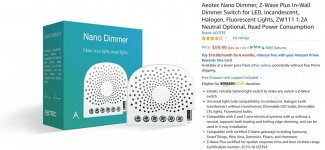
With my Z Wave setup, I installed a Z-Wave 'nano dimmer' in a junction box just for those string lights and now I can turn them on/off automatically every night if I want or manually turn them on via web app or by smart phone - or just by telling one of our Amazon Echo's to turn them on. This junction box is out in the backyard about 30' from the nearest z-wave device and works without any issues. It will even dim the Feit led string lights

attachment.php
 

Attachments

  • Tri -  1089.jpg
    Tri - 1089.jpg
    126.9 KB · Views: 220

jbwilkins

Well-known member
Joined
Mar 16, 2016
Messages
310
Location
Nashville Tn
..... However, if you plan to add on other smart devices, then I'd suggest that you go with any basic Z-Wave smart switch and then add a hub. .....

I second this....a Hub also allows you to include some 'smarts'. Like turn on exterior lights when you come home and it's dark, turn on a light when your doorbell senses motion, etc...
 

Falcon67

Well-known member
Joined
Jun 11, 2009
Messages
18,371
Location
Merkel, TX
No hub with Kasa and we have a bunch now. I don't see any advantage to a "hub" - the "hub" is in software. I can group, name, etc as I like. Alexa "goodnight" command turns all lights off, etc. Ring equipment doesn't work with much of anything, looks to me. And also looks like you have to install one of THEIR hubs to bring those devices in. Why - come home late from a race, just open the Kasa app and turn out whatever outside lights needed.
 

Metal-Marc

Well-known member
Joined
Aug 31, 2009
Messages
7,140
Location
Foothills of the Adirondacks
If you are going to just use a single smart switch, I'd agree with what was said above. However, if you plan to add on other smart devices, then I'd suggest that you go with any basic Z-Wave smart switch and then add a hub. There's really no good way at this point in time to do a decent smart home network without a hub. And the hub also gives you the ability to do practically anything you can imagine to control your devices. You can get something like a Samsung SmartThings hub for well under $100.

With Z-wave, every device you add on to your house helps create a stronger network because they "bounce off" each other. So the more you have in your house, the better the entire network will perform. You'll also be able to fully control everything will any voice assistant (Alexa, Google Home, etc...) and also be able to make simple rules well beyond just saying to turn specific light on or off at a specific time. For example, I have a rule that if my ceiling fans in the family room are powered on at 1:00 am, then they will automatically turn off. So if someone forgets to turn off the ceiling fans before they go to bed, then the network will see that they are on and will turn them off automatically.

There are lots of other advantages to using a hub as well. But for a simple one-switch operation, it's probably overkill.

I'm running Samsung SmartThings and Philips Hue. I can do all kind of great automations. It's fantastic.
 
Last edited:

White Shadow

Well-known member
Joined
Jan 26, 2014
Messages
985
No hub with Kasa and we have a bunch now. I don't see any advantage to a "hub" - the "hub" is in software. I can group, name, etc as I like. Alexa "goodnight" command turns all lights off, etc. Ring equipment doesn't work with much of anything, looks to me. And also looks like you have to install one of THEIR hubs to bring those devices in. Why - come home late from a race, just open the Kasa app and turn out whatever outside lights needed.

You can control virtually all smart devices with a hub. That's one of the big advantages. You can also do advanced automations and make things work in ways that's just not possible without a hub. I can make my garage door open automatically as I drive up my driveway. I can also make my garage doors close automatically at night if I were to forget to close one of them. I have landscape lighting and other outdoor lighting that I have set to turn on 10 minutes after sunset every day, so it adjusts to sunset time daily and if my internet is down, the hub sends the commands locally, so the lights still come on and/or turn off as scheduled.

BTW, my hub works with Ring products.
 

Denwood

Well-known member
Joined
Sep 22, 2014
Messages
4,185
Location
Thunder Bay, Ontario, Canada
I'm running Samsung SmartThings and Philips Hue. I can do all kind of great automations. It's fantastic.

I do as well with 200+ devices, pool automation, harmony theater integration etc.

I have played with a ton of home automation gear, hubs, etc. and I can 100% recommend the Phillips hue stuff as rock solid and virtually free of configuration gymnastics. Even with no automation hub integration the HUE system with outdoor motion sensors, and outdoor bulbs is rock solid. Their wireless motion sensors are easily the best of about eight different brands/models i have in my system...and last forever on standard rechargeable AA cells. Expensive..yes, but easily the best in class. Hue also has a wireless switch which I use in my theatre which gives you that simple one touch control over lights, scenes or whatever you want to control. Once you start, you'll likely want more of these lights, hence my suggestion for the HUE system.
 
To avoid these ads, REGISTER NOW!
Top Bottom