To avoid these ads, REGISTER NOW!

Test

To avoid these ads, REGISTER NOW!
OP
K

Kennybill

Well-known member
Joined
Aug 4, 2010
Messages
608
Location
Braceville, Ohio
I trying to post single picture from photobucket. Every time I post a picture, if one clicks on the photo they can then see all my photos at Photobucket. How can I stop from letting anyone go to my account?
 

ducksface

Banned
Joined
Oct 25, 2012
Messages
2,477
Initial Large photos are not appreciated.
If I want to see your picture all I have to do is click on it and it becomes huge.
Click your picture,it gets bigger, click the new pop-up and it becomes many screen sizes.
The size of the data in your initial picture dictates the final size.
Your initial pic is too small.
 
Last edited:
To avoid these ads, REGISTER NOW!
OP
K

Kennybill

Well-known member
Joined
Aug 4, 2010
Messages
608
Location
Braceville, Ohio
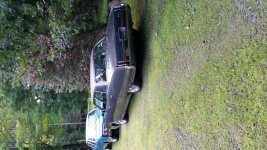
Here's the photo I've been posting, I've been deleting them every time I try something new. Finally got the thumbnail image.
 
Last edited:

ducksface

Banned
Joined
Oct 25, 2012
Messages
2,477
Hit the go advanced button under the posting box.
Hit manage attachments.
Select up to seven pictures from your drive.
Hit upload files.
When it's done hit close this screen.
Type text in the text box or it won't post anything.
Hit submit.
 
OP
K

Kennybill

Well-known member
Joined
Aug 4, 2010
Messages
608
Location
Braceville, Ohio
The problem is if someone clicks on the photo they can then go to my Photobucket account. No big deal but that's not what I'm trying for. Thanks for the comments. I'm still trying.
 

ducksface

Banned
Joined
Oct 25, 2012
Messages
2,477
Don't use the photos on photo bucket.
Pull them directly from your computer or phone.
I gave up on hosting sites once I figured out how to just get the pics directly from my personal storage.
 

ducksface

Banned
Joined
Oct 25, 2012
Messages
2,477
There is no rhyme to rotation.
Most of us have just given up and let it post how it wants to.
 
To avoid these ads, REGISTER NOW!
Top Bottom