To avoid these ads, REGISTER NOW!

The Everything 3D Printer Thread

Cruzan80

Well-known member
Joined
Jul 22, 2015
Messages
4,170
Location
Denver, CO
The "trick" comes in modifying files once you find something that gets you close. Simply downloading and hitting print is pretty straightforward. Some have parametric setups, where you can change sizes easily (for things like boxes), others are far more difficult to change up
 
To avoid these ads, REGISTER NOW!

kaymccampbell

Well-known member
Joined
Feb 27, 2015
Messages
29,432
Location
Upstate New York
Is there a thread about a newb getting into 3D printing? Didn't really want to ask a question that has been asked 100 times already. I started reading the post and will keep reading as time allows to learn what I can. I've kicked around the idea of getting a printer for a few years and think I'm ready to pull the trigger. But don't know much of anything about them. Also not not the biggest computer guy. I can get around and have done some sketch up work for laying out stuff for remodeling projects and did take a drafting/CAD course 25 years ago in high school. So not completely stupid but haven't kept up and probably forgot most if not everything I learned back then.

Want to get a machine and play around with it and see if I can figure it out. Just want to make things for shop organization, drawer dividers, hardware bins, holders for m12 and m18 batteries and tools(have bought a bunch online), etc. Is there a decent machine for a beginner? I was googling and since I really don't know what to look for in a machine it's hard to figure out what machines are decent. Prices are all over the place, don't want to spend 1000 dollars on something and not be able to figure it out. But also don't want to spend 200 on one and it be junk, is there a good middle of the line machine that isn't overly complicated to get up and running? I'm starting to look at file sharing on thingiverse and ready to buy a machine and see if I can get some things printed and learn as I go. Thanks for any advice or if there is already answers to all this if you have a link so I can go read it.
I used to have an Ender 3, and recommended it for a starter. But you'd have to want to build a printer to get one. It took a while to assemble and adjust. It needed frequent tinkering, like manual bed leveling and whatnot. Communication is by sneaker-net.

Now I've got a Flashforge Adventurer 5M, and it's head and shoulders above the Ender. And mine was $232 before tax and title , and does everything a beginner needs, and then some. It came preassembled. Were it not for my special requirements, it would have been up n running in 30 minutes. It's fast and self leveling and it's got network connectivity. I'm using the base slicer and it works just fine. I'm printing PETG with it, which the Ender wouldn't do.
 
Last edited:

signcrafter

Well-known member
Joined
May 9, 2012
Messages
12,317
Any bambu machine.
Are there any features one would have over another that I want to consider? Trying to make sure I don't buy something and then need/want to upgrade in the near future. If I can even get it working, :lol:
The "trick" comes in modifying files once you find something that gets you close. Simply downloading and hitting print is pretty straightforward. Some have parametric setups, where you can change sizes easily (for things like boxes), others are far more difficult to change up
Ya that's the part I will have to figure out. But want to get a machine and do some printing from files already shared, things like m12 and m18 battery or tool holders shouldn't need to change anything. But I may be wrong.
I used to have an Ender 3, and recommended it for a starter. But you'd have to want to build a printer to get one. It took a while to assemble and adjust. It needed frequent tinkering, like manual bed leveling and whatnot. Communication is by sneaker-net.

Now I've got a Flashforge Adventure 5M, and it's head and shoulders above the Ender. And mine was $232 before tax and title , and does everything a beginner needs, and then some. It came preassembled. Were it not for my special requirements, it would have been up n running in 30 minutes. It's fast and self leveling and it's got network connectivity. I'm using the base slicer and it works just fine. I'm printing PETG with it, which the Ender wouldn't do.
Thanks for the recommendation. I'll look into them.
 

mike93lx

ALLIANCE MEMBER
Joined
Dec 9, 2013
Messages
37,384
Location
Richmond, VA
Are there any features one would have over another that I want to consider? Trying to make sure I don't buy something and then need/want to upgrade in the near future. If I can even get it working, :lol:
256mm cubed build volume and an enclosure are what I wanted, which is why I got a P1S. I'd at least go for that volume, enclosure or not probably depends on where you are using it and what you are printing.

Having their AMS is nice, but not required. If you get one, I'd go for a heated version, but if you don't, get a simple single roll heater from someone like sunlu.
 

Cruzan80

Well-known member
Joined
Jul 22, 2015
Messages
4,170
Location
Denver, CO
TL: DR, Most people land at the P1S or X1C level.

For Bambu, the A1 mini is the only one that is "smaller" (7" bed size). The A1 Mini and A1 are "bed-slingers" meaning they move the bed in the Y (forward-back), where the X and Z are on the arm (single or double). All of the others for Bambu are a "Core XY" system, where the bed only moves in Z (up/down) and the head moves both X and Y. Core XY are usually considered a better system overall.

The P1P is an open frame, the P1S is closed frame. The X1C adds a color screen, a bit more control over the printing from the screen, and better "fault" detection (for something like spaghetti aka. printing lines in space, or detached parts). The H2 series is an even bigger bed, with both a single (H2S) and dual nozzle (H2D). The P2S is similar to the P1S, but adds some general improvements that Bambu has brought to the rest of the series (color screen, faster nozzle swaps like the H2, etc).

Enclosed vs open comes down to what kinds of plastic you want to print with. ABS/ASA/Nylon/etc all need an enclosed space to work properly. While they sell "printer tents", if you think you are going to be making durable parts, things exposed to temp swings, outdoors, etc, get an enclosed printer.

The H2D (dual nozzle) is great if you are planning on doing a bunch of things that need support material, as it can have two things loaded at the same time meaning much less waste swapping plastics. Otherwise, while nice, it isn't needed.

For loading multiple types of plastic, or printing multi-color easier/quicker, Bambu sells an AMS (automatic material system) that can load/unload various rolls for you to the print head. Helpful for swapping, or if your print may run out of a current roll (it can automatically keep going in an identical plastic). Right now, they have three models. The AMS lite (for the A series), the AMS (1), and the AMS 2. The AMS2 is supposed to be backwards compatible with the A series at some point, but the date kept getting pushed back. The Lite is open air, the AMS1 has dessicant slots, and the 2 has active heating available to dry out filaments if needed.

I left out a couple models (X1E, H2C, laser, etc) that aren't really relevant to someone starting out. If you know you need a specific feature these have, great. Otherwise, they clutter the conversation.
 

signcrafter

Well-known member
Joined
May 9, 2012
Messages
12,317
TL: DR, Most people land at the P1S or X1C level.

For Bambu, the A1 mini is the only one that is "smaller" (7" bed size). The A1 Mini and A1 are "bed-slingers" meaning they move the bed in the Y (forward-back), where the X and Z are on the arm (single or double). All of the others for Bambu are a "Core XY" system, where the bed only moves in Z (up/down) and the head moves both X and Y. Core XY are usually considered a better system overall.

The P1P is an open frame, the P1S is closed frame. The X1C adds a color screen, a bit more control over the printing from the screen, and better "fault" detection (for something like spaghetti aka. printing lines in space, or detached parts). The H2 series is an even bigger bed, with both a single (H2S) and dual nozzle (H2D). The P2S is similar to the P1S, but adds some general improvements that Bambu has brought to the rest of the series (color screen, faster nozzle swaps like the H2, etc).

Enclosed vs open comes down to what kinds of plastic you want to print with. ABS/ASA/Nylon/etc all need an enclosed space to work properly. While they sell "printer tents", if you think you are going to be making durable parts, things exposed to temp swings, outdoors, etc, get an enclosed printer.

The H2D (dual nozzle) is great if you are planning on doing a bunch of things that need support material, as it can have two things loaded at the same time meaning much less waste swapping plastics. Otherwise, while nice, it isn't needed.

For loading multiple types of plastic, or printing multi-color easier/quicker, Bambu sells an AMS (automatic material system) that can load/unload various rolls for you to the print head. Helpful for swapping, or if your print may run out of a current roll (it can automatically keep going in an identical plastic). Right now, they have three models. The AMS lite (for the A series), the AMS (1), and the AMS 2. The AMS2 is supposed to be backwards compatible with the A series at some point, but the date kept getting pushed back. The Lite is open air, the AMS1 has dessicant slots, and the 2 has active heating available to dry out filaments if needed.

I left out a couple models (X1E, H2C, laser, etc) that aren't really relevant to someone starting out. If you know you need a specific feature these have, great. Otherwise, they clutter the conversation.
Thank you for all that info. I started researching the adventurer 5m for 240 Kay recommended or the 5m pro for 380, and the bambu P1s that comes with the ams 2 for around 600. Will keep doing research, gets a little overwhelming with no experience.
 

ER70S-2

Well-known member
Joined
Jan 2, 2015
Messages
797
There is also a huge convenience factor with two nozzles. It is so nice to leave a filament you use all the time in one nozzle and have an AMS hooked up to the other. You can also make prints with two materials (TPU embedded into any other material, for instance). When printing with two nozzles, there's a huge time savings compared to one nozzle constantly switching filament. I'm actually sad that I didn't just go for the H2C as multiple nozzles is incredibly convenient. I'm not big into prints with more than two colors, but I would love to have different size nozzles loaded and ready to go. Again, it is so convenient. I will never own a printer with one nozzle again.
 

aquinob

Well-known member
Joined
Oct 7, 2014
Messages
236
Location
Portsmouth, VA
Is there a thread about a newb getting into 3D printing? Didn't really want to ask a question that has been asked 100 times already. I started reading the post and will keep reading as time allows to learn what I can. I've kicked around the idea of getting a printer for a few years and think I'm ready to pull the trigger. But don't know much of anything about them. Also not not the biggest computer guy. I can get around and have done some sketch up work for laying out stuff for remodeling projects and did take a drafting/CAD course 25 years ago in high school. So not completely stupid but haven't kept up and probably forgot most if not everything I learned back then.

Want to get a machine and play around with it and see if I can figure it out. Just want to make things for shop organization, drawer dividers, hardware bins, holders for m12 and m18 batteries and tools(have bought a bunch online), etc. Is there a decent machine for a beginner? I was googling and since I really don't know what to look for in a machine it's hard to figure out what machines are decent. Prices are all over the place, don't want to spend 1000 dollars on something and not be able to figure it out. But also don't want to spend 200 on one and it be junk, is there a good middle of the line machine that isn't overly complicated to get up and running? I'm starting to look at file sharing on thingiverse and ready to buy a machine and see if I can get some things printed and learn as I go. Thanks for any advice or if there is already answers to all this if you have a link so I can go read it.
The best deal (IMHO) is the P1S for 399 new with free shipping. It's probably being closed out hence the low price. The P2S is the new kid on the block with some nice features, but they will both make prints that you would not be able to tell the difference.

Lots of competition coming out now from Creality and Flashforge and other companies building their own CoreXY style machines and thats good for consumers. I think the thing to keep in mind is which companies will be leading the way in developing new products and supporting their user base. Hopefully that will include Bambu but I can't be sure. Since I've been using one of their machines, the updates to the firmware and the slicer have been pretty consistant. They have been bringing new hardware online and dont show signs of slowing down.

Bambu's big difference coming into the market was to make printing the hobby, not maintaining and upgrading the printer. Even Prusa still sells some of their machines as kits, you get to put them together and by doing that they say that you really understand how it all works. Different perspective.
 

stinkity stoink

Well-known member
Joined
Apr 8, 2007
Messages
729
Location
New Jersey
Thank you for all that info. I started researching the adventurer 5m for 240 Kay recommended or the 5m pro for 380, and the bambu P1s that comes with the ams 2 for around 600. Will keep doing research, gets a little overwhelming with no experience.
I was pretty much in the same boat as you and am by no means an expert now. I was overwhelmed with information. I eventually just pulled the trigger on the bambuP1 S with the AMS. I have had it for about two years now and had zero problems with it. I don’t do a ton of printing, but when I do, it’s always a pleasure to just hit the button and it works. I am just beginning now now to get into learning fusion so I can modify and design things.
I actually could have easily done without the AMS , but I didn’t want to regret not buying it and wanting it later
 

Citation

Well-known member
Joined
Jan 20, 2016
Messages
3,210
Location
Indy
I don't like that Bambu is a closed ecosystem and I'm not convinced that the actual hardware is always better than some of the competition. However, it's not worse and other than the closed ecosystem, cost is really the only other negative.

I like Flashforge a lot. The Adventure 5M and family are really good printers even if we don't think about the price. However, depending on your needs you might consider if you want someone larger. The FF 5M is the old "standard" size at 220x220 build area. 250-260mm per side is becoming the new standard thanks to Bambu and the competition who wants to be just a bit "better".

However, if size is a concern, consider something 300x300 or larger. I ended up needing more build volume than the 5M offered for a specific project. Net result, I've replaced the FF with a Creality K1max.

Ideally, and if you have the space, have both the smaller 220-250 sized build plate and the larger 300+ for the projects that need it.
 
Last edited:

duneslider

Well-known member
Joined
Jan 20, 2013
Messages
2,245
Location
Riverton, Utah
Thank you for all that info. I started researching the adventurer 5m for 240 Kay recommended or the 5m pro for 380, and the bambu P1s that comes with the ams 2 for around 600. Will keep doing research, gets a little overwhelming with no experience.
I bought a P1S from a friend for my first one and it literally was plug and play. I set it up, plugged it in, and was printing stuff from the phone app in a matter of minutes. I didn't even load the software on the computer for a week or two. I have a couple friends that bought flashforges and they have had some troubles getting them to print well, I am not sure what exactly but they were not nearly as user friendly based on what they have told me.

I don't fully understand the closed echo system comments about the bambu, I haven't had any issues doing anything that I have wanted to do. They do have a ton of things saved within their echo system to print but you can get stuff from outside from any of the places that share files and use them in bambu as well. So, I can't comment on that other than I have had zero issues using their software, making my own designs, and getting designs from outside sources.

I'm not saying the bambu are the best but I can say they are 100% user friendly and reliably print. The app is super convenient and easy to use and I have had virtually zero problems with mine. The problems I have had were my fault and would have been avoided had I thought to read instructions but the fact I set it up and used it without looking at any instructions says something.
 

draco_1967

Well-known member
Joined
Jan 3, 2021
Messages
205
Location
Utah
A lot of the concern with Bambu is when you send things via the app or from your computer, it goes through Bambu servers (China) and therefore subject to monitoring, theft, etc. Some of it is the "big brother" watching concerns, and some of it is genuine IP concerns if printing your own designs.

The flip side is that Bambu is super reliable because of the closed ecosystem. You don't have to worry as much about the printer firmware, slicer, and hardware playing nicely because they are all designed to work together well. For beginners, Bambu is a great place to start.
 

ER70S-2

Well-known member
Joined
Jan 2, 2015
Messages
797
I started using Bambu a few months ago after owning a Prusa for 4-5 years. I ultimately decided on a Bambu because it's a more capable and feature rich machine. Prusa is just way too far behind at this point and there is no reason I'd ever go back to them because I doubt they'll ever recover. Their current flagship printer does not even have a sealed, heated chamber. Seriously? Their machines are 100% reliable workhorses, so no complaints there.

I hear what he's saying about Bambu being closed source. It sort of goes against everything 3D printing was all about (open source, sharing ideas, etc). I decided that the benefits of a Bambu outweighed the fact that it's made in China and is somewhat closed source. I feel that I made the right choice. The H2D is like a fighter jet and my Prusa was like a Army Jeep. Totally capable, but severely limited.

The only thing that I hate, so far, about Bambu is the slicer. It does weird stuff all the time. It will often put seams where they shouldn't be, and if i try to block it, it doesn't block. I have also noticed a few other weird quirks/glitches with the slicer that I never noticed with Prusa Slicer. It seems like Bambu managed to make the slicer worse in some ways even though they "stole" it. Maybe they should have left it alone.
 

signcrafter

Well-known member
Joined
May 9, 2012
Messages
12,317
Thinking about the bambu P1S and trying to learn all I can about it before pulling the trigger.

What accessories or add on should I get with it to start? I see things like buffers and different sized tips and all that stuff. Obviously I can add stuff as I go but also want to make sure I get what I need to start so I can get some experience and go from there. Don't want to get one and realize I needed this or that and not be able to use it. Are there consumables that I need to get with it to get started?

And how much filament do I need to get started? Obviously this depends on how much and what you print. But I suspect I will have it going non stop for the first bit because it's a new toy to play with. Mainly want to start with garage organization stuff like milwaukee battery and tool holders to build a new tool wall organizer in the new shop. I had bought a few from online sellers a few years back and really like them but going to need a bunch more for added tools over the years. Also things like wrench and plier organizers/holders. Saw a wall mount for m18 blower, etc. Will decide what all I want to print as I go but want to get started and learn what I'm doing.

Also, being clueless what type of filament do I want for different things? Like the wrench racks or milwaukee battery and tool holders?

Thanks again for all the advice and info. It's a little overwhelming for someone with zero experience. I'm not dumb but do overthink everything and the last few days looking into this rabbit hole has been an information overload. Need to just nail down a few things and then pull the trigger and get my hands on one to experiment and learn as I go.
 

draco_1967

Well-known member
Joined
Jan 3, 2021
Messages
205
Location
Utah
PLA is a great place to start. PETG is also very good, especially for functional stuff like garage/tool organization. Start off with a few spools. It goes faster than you'd think.

As far as extras, a spare nozzle (the fully assembled ones are easiest) is good to have on hand. You don't really need larger, unless you want to print really fast (lower quality though) or are printing some of the tougher filaments that are glass/carbon fiber infused. A smaller nozzle is good if you want to get really fine detail, but the standard .4 does really well for most things.

If you do plan to do abrasive filaments, hardened extruder gears and hardened nozzles will be needed. Those things do wear, and abrasives will wear the non-hardened stuff faster.
 

Cruzan80

Well-known member
Joined
Jul 22, 2015
Messages
4,170
Location
Denver, CO
A lot of the concern with Bambu is when you send things via the app or from your computer, it goes through Bambu servers (China) and therefore subject to monitoring, theft, etc.

As has been stated before, Bambu uses AWS (Amazon NA servers) if you select North America. They only use Chinese servers if you choose Asia when setting it up.

To get the full functionality of monitoring and the phone app, you need to use their servers. Otherwise, it is completely possible to "air-gap" the system and only use Micro-SD/thumb-drives if needed, and you still retain 95-98% of the benefits of them.
 

mike93lx

ALLIANCE MEMBER
Joined
Dec 9, 2013
Messages
37,384
Location
Richmond, VA
Thinking about the bambu P1S and trying to learn all I can about it before pulling the trigger.

What accessories or add on should I get with it to start? I see things like buffers and different sized tips and all that stuff. Obviously I can add stuff as I go but also want to make sure I get what I need to start so I can get some experience and go from there. Don't want to get one and realize I needed this or that and not be able to use it. Are there consumables that I need to get with it to get started?

And how much filament do I need to get started? Obviously this depends on how much and what you print. But I suspect I will have it going non stop for the first bit because it's a new toy to play with. Mainly want to start with garage organization stuff like milwaukee battery and tool holders to build a new tool wall organizer in the new shop. I had bought a few from online sellers a few years back and really like them but going to need a bunch more for added tools over the years. Also things like wrench and plier organizers/holders. Saw a wall mount for m18 blower, etc. Will decide what all I want to print as I go but want to get started and learn what I'm doing.

Also, being clueless what type of filament do I want for different things? Like the wrench racks or milwaukee battery and tool holders?

Thanks again for all the advice and info. It's a little overwhelming for someone with zero experience. I'm not dumb but do overthink everything and the last few days looking into this rabbit hole has been an information overload. Need to just nail down a few things and then pull the trigger and get my hands on one to experiment and learn as I go.
I'd grab a filament dryer and nothing else. The stock nozzle is plenty to get going, as is the stock build plate.

I am only running PETG and TPU after using up the included PLA. At $10/kg for PETG, I see no benefit to running PLA
 

signcrafter

Well-known member
Joined
May 9, 2012
Messages
12,317
I'd grab a filament dryer and nothing else. The stock nozzle is plenty to get going, as is the stock build plate.

I am only running PETG and TPU after using up the included PLA. At $10/kg for PETG, I see no benefit to running PLA
If I get the bambu P1S combo it comes with the AMS 2 which is a dryer as far as I know. If I do go with the P1S I might as well get the AMS combo. It's only 150 more and the AMS alone is 300 and I figure if I don't get it now I will want it in the future. Unless I turn out to be a total idiot at this stuff and give up. And if I can figure out how to print in 2 colors it will be nice to have. I see myself using the printer a lot if I can figure out the design part of it. Hoping I can start off just using stuff from other people and then play around with modifying or designing things from scratch. Been reading Lilscorpian's thread and seeing all the info he and others have posted there. Trying to read this thread from the beginning also but there is only so much time in a day and can't spend it all sitting in front of the computer.

Can anyone give a short description of the difference between the different filament materials and where/why you would use them?
 
To avoid these ads, REGISTER NOW!

ER70S-2

Well-known member
Joined
Jan 2, 2015
Messages
797
I'd grab a filament dryer and nothing else. The stock nozzle is plenty to get going, as is the stock build plate.

I am only running PETG and TPU after using up the included PLA. At $10/kg for PETG, I see no benefit to running PLA
I like PLA for rapid prototyping, parts that need to be harder than PETG, or parts that won't see much stress that need to be very dimensionally accurate. It's weird that PETG tends to be slightly less expensive than PLA now. I don't remember that always being the case.
 

aquinob

Well-known member
Joined
Oct 7, 2014
Messages
236
Location
Portsmouth, VA
The AMS 2 pro is an improved version of the AMS. It also has a filament drying function but that does not run while it is printing. To dry the filament, you have to pull each one out of the feeder and make sure it can't get tangled up and then set the AMS to run a drying cycle. It will spin the spools hence the need to disconnect them from the feeders.

Current pricing looks like the AMS 2 pro is only 50 more than the AMS at bambu but the AMS is only available with the printer combo. (549) The combo with the AMS 2 Pro is 640 .

1770767612068.png
 
Last edited:

ER70S-2

Well-known member
Joined
Jan 2, 2015
Messages
797
You can actually select not to turn the spools when drying. There was also a recent firmware update (possibly just for the H2D at this time) that allows drying while printing.

I need to do more research and testing, but my AMS 2 pro does not seem to get to the correct temps while drying. It's always about 10-20C too low. I'm not a big fan of the AMS2 pro for drying to be honest.
 

aquinob

Well-known member
Joined
Oct 7, 2014
Messages
236
Location
Portsmouth, VA
You can actually select not to turn the spools when drying. There was also a recent firmware update (possibly just for the H2D at this time) that allows drying while printing.

I need to do more research and testing, but my AMS 2 pro does not seem to get to the correct temps while drying. It's always about 10-20C too low. I'm not a big fan of the AMS2 pro for drying to be honest.
I'll look into that. It's currently so dry in the house that the unit is reading about 30% or less.

For @signcrafter, I can tell you after having the AMS connected for about a week now I am really digging the capabilities it adds to my prints. Besides multi color, I am more apt to print in a color that goes with the object since its much less of a PIA to swap out the filament. Actually it is painless since the machine does it all.
 

cody1325

Well-known member
Joined
Apr 17, 2024
Messages
1,075
Location
Southwest Virginia
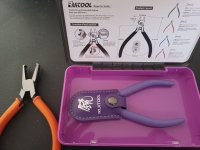
My SOG Powerpint liked to open up when clipped to my pocket, or even loose in it .

Found this design on Thingiverse that did what I wanted, but it was too stiff in PLA. Surprisingly, TPU 95 did the trick ..
I'll look into that. It's currently so dry in the house that the unit is reading about 30% or less.

For @signcrafter, I can tell you after having the AMS connected for about a week now I am really digging the capabilities it adds to my prints. Besides multi color, I am more apt to print in a color that goes with the object since its much less of a PIA to swap out the filament. Actually it is painless since the machine does it all.

For me, that's the whole reason that sold me on it. On my AD5M, I had to cut the filament, remove the roll, and then reload by hand. Meanwhile, I can load up four in the AMS, and just select what color I want

I rarely ever actually use multicolor because of the waste. That being said, I'm wondering how long until we have an A1-priced toolchanger (in the vein of the Snapmaker U1) at a similar price to the A1 and other entry-level 3D printers.

I really need to look into using TPU for AMS--or perhaps something like 65D. I use it where I need something to be flexible, and recently, I've found it can make stuff much more durable (not to mention the harder TPUs are stiff, but also some of the strongest filaments out there). I hate having to disconnect my AMS, attach the top mount reel, and then load it. I really don't need most of what I make to be that flexible, so the stiffer stuff would work well (it's just pricey--except for some of the cheaper 65D).
 

signcrafter

Well-known member
Joined
May 9, 2012
Messages
12,317
The AMS 2 pro is an improved version of the AMS. It also has a filament drying function but that does not run while it is printing. To dry the filament, you have to pull each one out of the feeder and make sure it can't get tangled up and then set the AMS to run a drying cycle. It will spin the spools hence the need to disconnect them from the feeders.

Current pricing looks like the AMS 2 pro is only 50 more than the AMS at bambu but the AMS is only available with the printer combo. (549) The combo with the AMS 2 Pro is 640 .

1770767612068.png
Your right, I didn't notice that the P1S combo for 549 is just the ams and not the ams 2 pro. The pictures looked the same to me so thanks for pointing that out. Thought the one for 639 just came with the buffer and other items pictures. Not as good of a deal but still save some money over buying the P1S and ams 2 separately. Thinking I still might go with the AMS 2 bundle for 90 bucks more then the ams(1?) combo. It's on the higher end of what I wanted to spend but also don't want to get something and regret not spending a few extra dollars for something I might want down the road.
 

Citation

Well-known member
Joined
Jan 20, 2016
Messages
3,210
Location
Indy
Your right, I didn't notice that the P1S combo for 549 is just the ams and not the ams 2 pro. The pictures looked the same to me so thanks for pointing that out. Thought the one for 639 just came with the buffer and other items pictures. Not as good of a deal but still save some money over buying the P1S and ams 2 separately. Thinking I still might go with the AMS 2 bundle for 90 bucks more then the ams(1?) combo. It's on the higher end of what I wanted to spend but also don't want to get something and regret not spending a few extra dollars for something I might want down the road.
As an alternative to the Bambu, you might consider the Creality K2 plus. Two of my sibs bought these models. Both have been reasonably happy with the machines. You do trade off a bit of the Bambu polish but in exchange you get a bigger printer that has a lot of capabilities and works with stock Orca slicer.

At full retail they are quite a bit more expensive than what you are looking at. However, the Creality ebay store has some big discounts
https://www.ebay.com/itm/376460111962
$695.20 after coupon. The K2 plus has a 350x350 build volume and active chamber heating. Do note it's a big printer and heavy to boot.
 

pcrov

Well-known member
Joined
Feb 27, 2023
Messages
375
Location
Ontario, CA
That being said, I'm wondering how long until we have an A1-priced toolchanger (in the vein of the Snapmaker U1) at a similar price to the A1 and other entry-level 3D printers.

This is what I'm hoping to see. I've had my A1 mini for 7 months now and it's a fantastic machine. I've only run up against the smaller max print volume a few times and it hasn't been too bad to work around. I don't plan to upgrade until this next generation of tech (e.g. multi-head/toolchangers) comes down to consumer level pricing.
 

Dh3256

Well-known member
Joined
Mar 19, 2018
Messages
1,139
A lot of the concern with Bambu is when you send things via the app or from your computer, it goes through Bambu servers (China) and therefore subject to monitoring, theft, etc. Some of it is the "big brother" watching concerns, and some of it is genuine IP concerns if printing your own designs.

The flip side is that Bambu is super reliable because of the closed ecosystem. You don't have to worry as much about the printer firmware, slicer, and hardware playing nicely because they are all designed to work together well. For beginners, Bambu is a great place to start.
The security issue was thoroughly discussed previously, and the "goes through Bambu servers" is only true if you connect the printer to the internet. Those with Bambu printers and that concern simply don't connect it to the internet and transfer the files via a local LAN or removeable media. That completely avoids any security concerns or issues.
 

Firebrick43

Well-known member
Joined
May 12, 2015
Messages
13,989
Location
West central Indiana
20260209_090512.jpg

Useful for deeper cavities becoming more common with 2x8 wall construction
You know that filling cavities with caulk is exactly what makes the caulking fail.

Even the caulk companies that want to sell more caulk tells you not to fill up deep cavities with it but protect the cavity with a prophylactic such a foam backer rod and caulk should only be applied in a thin bead. Any caulk that is applied deeper than the width of the crack will fail by detaching because it can’t stretch.
 

Model A Fan

Well-known member
Joined
Dec 1, 2011
Messages
1,210
Location
NW Washington
@signcrafter
Is there a thread about a newb getting into 3D printing? Didn't really want to ask a question that has been asked 100 times already. I started reading the post and will keep reading as time allows to learn what I can. I've kicked around the idea of getting a printer for a few years and think I'm ready to pull the trigger. But don't know much of anything about them. Also not not the biggest computer guy. I can get around and have done some sketch up work for laying out stuff for remodeling projects and did take a drafting/CAD course 25 years ago in high school. So not completely stupid but haven't kept up and probably forgot most if not everything I learned back then.

Want to get a machine and play around with it and see if I can figure it out. Just want to make things for shop organization, drawer dividers, hardware bins, holders for m12 and m18 batteries and tools(have bought a bunch online), etc. Is there a decent machine for a beginner? I was googling and since I really don't know what to look for in a machine it's hard to figure out what machines are decent. Prices are all over the place, don't want to spend 1000 dollars on something and not be able to figure it out. But also don't want to spend 200 on one and it be junk, is there a good middle of the line machine that isn't overly complicated to get up and running? I'm starting to look at file sharing on thingiverse and ready to buy a machine and see if I can get some things printed and learn as I go. Thanks for any advice or if there is already answers to all this if you have a link so I can go read it.
I'd honestly recommend the P1S. I've had a handful of problems, but nothing catastrophic (yet 😅 ). The biggest issues I've had were failure to detect filament, blobs, failure to adhere, and a few others that were corrected by fiddling with it.

For $600, you can be printing in 4 colors within an hour if you're super fast at setting it up.

My recommendation would be to buy a bunch of filament when you buy your machine (if you buy a Bambu machine) because they give you an even better deal than their normal sales.

A lot of the concern with Bambu is when you send things via the app or from your computer, it goes through Bambu servers (China) and therefore subject to monitoring, theft, etc. Some of it is the "big brother" watching concerns, and some of it is genuine IP concerns if printing your own designs.

The flip side is that Bambu is super reliable because of the closed ecosystem. You don't have to worry as much about the printer firmware, slicer, and hardware playing nicely because they are all designed to work together well. For beginners, Bambu is a great place to start.
You trade privacy for convenience. I don't use the app and I just download the file to my phone, load it to my computer, edit it, load to Micro SD card, load it back onto my machine and away it goes. I do a batch at a time so I can just print what I want to work on right away and then once I'm done with one batch I move to the next.
 

mike93lx

ALLIANCE MEMBER
Joined
Dec 9, 2013
Messages
37,384
Location
Richmond, VA
I'd honestly recommend the P1S. I've had a handful of problems, but nothing catastrophic (yet 😅 ). The biggest issues I've had were failure to detect filament, blobs, failure to adhere, and a few others that were corrected by fiddling with it.

For $600, you can be printing in 4 colors within an hour if you're super fast at setting it up.

My recommendation would be to buy a bunch of filament when you buy your machine (if you buy a Bambu machine) because they give you an even better deal than their normal sales.


You trade privacy for convenience. I don't use the app and I just download the file to my phone, load it to my computer, edit it, load to Micro SD card, load it back onto my machine and away it goes. I do a batch at a time so I can just print what I want to work on right away and then once I'm done with one batch I move to the next.
I use the app, but the printer is in local only mode. To monitor it remotely, I have a eufy camera on top.

It's been nice using their app to check status and send files as I have the printer in a different part of my house
 

loganb

ALLIANCE MEMBER
Joined
Dec 29, 2011
Messages
5,502
Location
Omaha, NE
You know that filling cavities with caulk is exactly what makes the caulking fail.

Even the caulk companies that want to sell more caulk tells you not to fill up deep cavities with it but protect the cavity with a prophylactic such a foam backer rod and caulk should only be applied in a thin bead. Any caulk that is applied deeper than the width of the crack will fail by detaching because it can’t stretch.

Correct, it's about where and how you install the caulk that matters. The long nozzle let's you reach deeper into the cavity so that we can place the backer rod and caulk seal where it needs to be. The goal here is to install the caulk where it belongs, not fill the cavity
 

pcrov

Well-known member
Joined
Feb 27, 2023
Messages
375
Location
Ontario, CA
You trade privacy for convenience. I don't use the app and I just download the file to my phone, load it to my computer, edit it, load to Micro SD card, load it back onto my machine and away it goes.

You can also connect to (at least) A1 and P1 series printers via FTPS (LAN mode not required.)

Port: 990
username: bblp

For the password look on the printer lcd, under the settings menu LAN mode (or possibly wifi, depends on the firmware) for the Access Code.

1770841873174.png

I use WinSCP for it. Free and works great.
 

mike93lx

ALLIANCE MEMBER
Joined
Dec 9, 2013
Messages
37,384
Location
Richmond, VA
You can also connect to (at least) A1 and P1 series printers via FTPS (LAN mode not required.)
What does that do for you? The ability to move files to the card?

I have mine Lan-only and did it by putting wifi credentials on the SD card
 
To avoid these ads, REGISTER NOW!
Top Bottom