To avoid these ads, REGISTER NOW!

Very simple home (or business) inventory program ?

BillK

Well-known member
Joined
Aug 24, 2006
Messages
9,362
Location
Beautiful Southern Maryland
Hey guys,
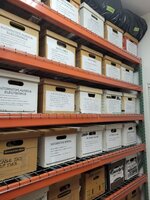
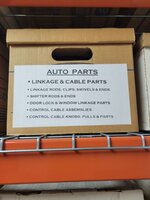
Does anyone know of a REAL simple home inventory program or app ? I am doing a clean up at home and at the shop and want to put everything in boxes. What I would like is to have numbers on the boxes and be able to list items with a box number in the inventory program so I will know later which box something is in.

I have looked for quite a while and it seems like everything is just way to sophisticated :) I don't need prices or pictures or anything crazy. Just want a list of items that I can search and tell me which box the item is in ?

It would be great if the data was cloud based so I could search it from anywhere but that is not a deal breaker.

Any suggestions ?
 
To avoid these ads, REGISTER NOW!

JABgj

Well-known member
Joined
Nov 11, 2013
Messages
547
Location
So. California
Look at Asset Tiger. App on your phone, you can put a bar code sticker on your box/boxes, enter your info and scan the label for contents. There is more to it, but it might work for you.
 

finn

Well-known member
Joined
Mar 27, 2005
Messages
16,361
Location
The UP, God's country
I made an excel spreadsheet for oil and fuel filters at one time, including what filter fit what vehicle.

Otherwise, it’s simpler to file tools and supplies by category in the various shelves, drawers, and cabinets. All the paints go in one or two hanging steel cabinet, all the welding supplies in another, brake parts in a third, building electric in a fourth, automotive test equipment in another, household / facility fasteners, automotive fasteners, bathroom cleaning and TP in the John, You get the picture.

I don’t see much utility to becoming a slave to my tool and supply inventory. If I’m running low on something, I’ll make a note, typically on my phone.

The only point otherwise, I suppose is in case of a fire or total loss, but I doubt I would ever claim six rolls of toilet paper.
 

PFSard

Well-known member
Joined
Sep 12, 2013
Messages
2,423
Location
Mesa, AZ
I use Excel to keep track of pretty much everything in my house and garage. I can't see why using a spreadsheet would not work for stuff stored in boxes, especially if you group similar things together. Good luck. Sounds like it could be a substantial undertaking that would save you a lot of time in the long run.
 

75gmck25

Well-known member
Joined
Jul 21, 2014
Messages
1,328
Location
Alexandria, VA
Excel can do a lot more and look a lot better than the average quick and dirty project.

If you build a flat rows and columns spreadsheet with all the data info you need, you can then use Excel to design a form that comes up when you load that spreadsheet.

An Excel form can then be used for data entry, to access reports you need, or anything else you want to do with the data. You can also add additional tables that can feed the dropdown boxes so that you don't need to type things in. For example, you could create a Location table that lists garage, house, shed, etc., and when you dropdown the box in your form to enter a location it would only display those locations as a choice to pick. If you added another location, just add one line to the Location table and now it shows up in the form.

Go your library or bookstore and pick up a book on creating a project in Excel. You might even find an inventory spreadsheet and entry form on the internet that is already built. Then take a little time to understand how the project file works, and change it to meet your needs. There is no need to design it from scratch.
 

4xdog

Well-known member
Joined
Aug 18, 2012
Messages
5,628
Location
Santa Fe, NM
I have a similar idea, but a little more complicated.

MS Excel is a great option. I've created thousands -- tens of thousands -- of worksheets to organize and present all kinds of information.

But to be most valuable to my use, I'd want to link the worksheet data to a bar-coded, iPhone-scannable, sticker attached to the item. Things like artwork, valuable books, expensive tools, nice furniture, and so on. I'd like to leave those who have to clean up after me some sort of road map.

Any labelmakers that print and software that links barcodes to worksheets?
 

kbuhagiar

Well-known member
Joined
Dec 27, 2005
Messages
1,759
Location
Escondido, CA
Another vote for MS Excel. It is an amazing piece of software, if you take the time to figure out all of it's features.

It wasn't until I had used it for five or six years that I realized I was only utilizing abou 10% of its capabilities.
 

PCMusicGuy

Well-known member
Joined
Feb 15, 2009
Messages
854
Location
Houston, TX
What about QR codes? You could write a description, turn it into a QR code with a free converter, print it out, and attach it to the box. Later, you then scan it with your phone to "remember" what it is.
 
OP
B

BillK

Well-known member
Joined
Aug 24, 2006
Messages
9,362
Location
Beautiful Southern Maryland
What about QR codes? You could write a description, turn it into a QR code with a free converter, print it out, and attach it to the box. Later, you then scan it with your phone to "remember" what it is.
LOL I am trying to keep this simple :) I might as well just use a loose leaf notebook with a page for each box.
 

Old tool guy

Well-known member
Joined
Apr 13, 2023
Messages
3,343
I vote excel also, but maybe even better would be google sheets. That way you automatically have offsite storage, for in case of fire you don't lose your documentation.
Isn‘t google sheets the same as excel, except with auto cloud storage? Do an excel sheet and email it to yourself.
 
To avoid these ads, REGISTER NOW!

kbuhagiar

Well-known member
Joined
Dec 27, 2005
Messages
1,759
Location
Escondido, CA
LOL I am trying to keep this simple :) I might as well just use a loose leaf notebook with a page for each box.
Bill,

That sounds similar to my system, except I also converted each page to a label and affixed each label to the front of each corresponding box.

inventory 2.jpginventory 3.jpginventory 4.jpginventory 1.jpg
 

mike93lx

ALLIANCE MEMBER
Joined
Dec 9, 2013
Messages
37,894
Location
Richmond, VA
Isn‘t google sheets the same as excel, except with auto cloud storage? Do an excel sheet and email it to yourself.
Why introduce the requirement for manual intervention? Google sheets is free and works very similarly to excel

I have an office 365 subscription, which also does auto backup, so I stick with excel as I use it every day already
 

Old tool guy

Well-known member
Joined
Apr 13, 2023
Messages
3,343
Because i hate google software. We used excel & word & such, the accounting dept decided we could save a ton of money in software license fees by going to google programs. Terrible choice. It reminded me of a company trying to create an almost-as-good suite, but it had a lot of compromises. Everybody that had used google stuff liked the change (about 5% of the company) but everybody you was used to windows software hated it.
 

mike93lx

ALLIANCE MEMBER
Joined
Dec 9, 2013
Messages
37,894
Location
Richmond, VA
Because i hate google software. We used excel & word & such, the accounting dept decided we could save a ton of money in software license fees by going to google programs. Terrible choice. It reminded me of a company trying to create an almost-as-good suite, but it had a lot of compromises. Everybody that had used google stuff liked the change (about 5% of the company) but everybody you was used to windows software hated it.
This is for a home inventory, not to run the accounting department of a large company
 

WisJim

Well-known member
Joined
Dec 20, 2010
Messages
2,301
Location
Menomonie, WI
I use a Google spreadsheet for my book inventory, my music CDs, LPs, and some other category of stuff. I like it because I can access it on my phone and check to see if I already have a specific book or CD etc and it helps me avoid buying duplicates. I'm working on one for my tools but I would like to add photos of the collectible and valuable tools so it's taking longer.
 
OP
B

BillK

Well-known member
Joined
Aug 24, 2006
Messages
9,362
Location
Beautiful Southern Maryland
Just want to mention that I have a point of sale system at my shop and could just use it but it is only on one computer that is not on the internet and is pretty complex. Requires way to many keystrokes to put a new part in.

I dont want to fool with excel. I am looking for something turn key but simple. Maybe it doesnt exist.
 

duneslider

Well-known member
Joined
Jan 20, 2013
Messages
2,268
Location
Riverton, Utah
I'm not sure you are going to find what you want for free. How much are you willing to spend for something that does this? AssetTiger, Limble, etc? I think these would do what you want but aren't free. There might be some templates in existence for google/excel that do a lot of what you want. I just don't know how many people create good software and then give it away for free?
 

Bill T

Well-known member
Joined
Mar 28, 2009
Messages
140
Location
Easley,S.C.
I restore British sportscars for a hobby. When I get a new project, I start an Excel spreadsheet. As I disassemble, I look at the part and grade it's condition (reuse, used but acceptable, replace, etc,). I keep the file on my phone. When I go to car shows or look at catalogs, sales fliers, before I purchase a part, i can do a simple search to check the status. Will what I have work, do I need a new part? I have (4) restorations going on currently. A 20 second search on a part keeps me on track. If I buy a part, I update my file. The older I get, the more I depend on notes and spread sheets.
If you are only using the Excel tool for tables, lists, it is a very simple tool to master. If you don't want to fool with your phone to pull up your list, just print it ou and carry it with you to the car show. Same thing with the contents of your shop. If heaven forbid, you have a theft or a fire, having a print out and a lot of pictures will go a long way to get your insurance refund.
 

bdbecker

ALLIANCE MEMBER
Joined
Nov 18, 2015
Messages
5,583
Location
Iowa
Do a search for "free cmms". There are a handful of software packages out there that might be useful.

One example is Fiix. They have a free (no credit card needed) basic version that allows you to track inventory and locations. If you really wanted to go nuts, you could even integrate PMs for your vehicles based on mileage and/or time, or track your 'honey-do' list digitally. There is always the risk that they might eventually decide to start charging for it, so just be aware of how much time you are investing into it.


Dodgepu360

Well-known member
Joined
Oct 5, 2005
Messages
192
Location
Seguin, TX
I have a pretty mediocre knowledge of google sheets and forms but I was able to throw together a simple google form with 2 questions and the ability to add a picture.
Box number?
Contents?
Take a picture of the contents

I have this info go into a google sheet, every form response is a new row. I can filter the columns and search for whatever item I am looking for to see what box it is in. There is also a link to the picture.

This topic is something I had been thinking of how I will keep track of all my ****, I hate not being able to find what I know I have. I think if I put some effort into this I can make it pretty easy to do and pretty slick to find what I'm looking for when I need it.
 

97tj-neil

Well-known member
Joined
Jan 4, 2013
Messages
90
Location
PA
Just want to mention that I have a point of sale system at my shop and could just use it but it is only on one computer that is not on the internet and is pretty complex. Requires way to many keystrokes to put a new part in.

I dont want to fool with excel. I am looking for something turn key but simple. Maybe it doesnt exist.
I'm missing something. Excel is turnkey and simple. If you also have a M365 account, the file can be cloud based and you can access it from the Excel phone app.
 
To avoid these ads, REGISTER NOW!
Top Bottom