To avoid these ads, REGISTER NOW!

Welding and machining a computer desk!

DocsMachine

Well-known member
Joined
Sep 16, 2006
Messages
1,849
I spend altogether too much time sitting at this damn PC, and... well, long story short, the old desk I'd been using for far too many years, was just plain falling apart. I'd reinforced and rebuilt it several times, but really, it was just cheap sheetmetal and pressboard, so there was a limit to what I could do.

The kicker was, a year or so ago, I splurged on a nice big WACOM graphics tablet, to make it easier to do my webcomic. (Shameless plug. :D )

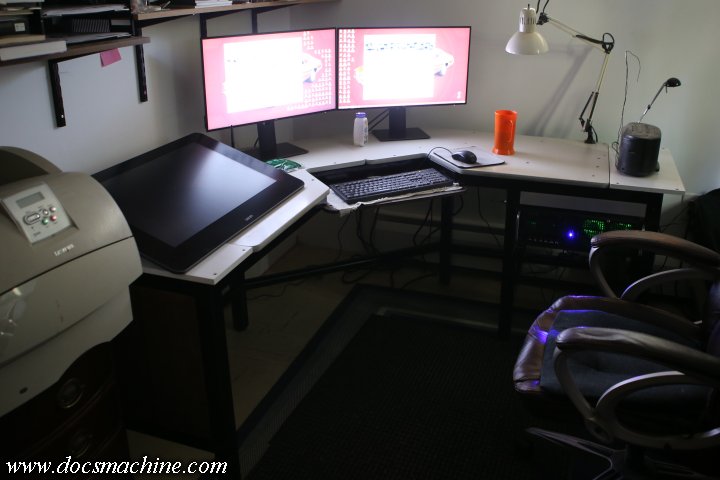
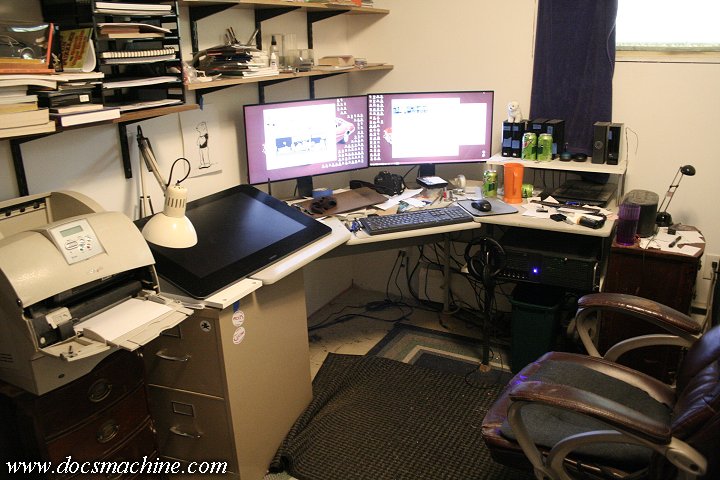
The tablet was very useful, but hung over the end of the old desk by an easy eight inches. I'd also been remodelling my spare room into a proper office, and because the desk had briefly been literally supported by another piece (a big office type credenza I kept a lot of my papers an invoices in) I wound up with the tablet end of the desk sitting on an old 2-drawer filing cabinet, both just to hold it up, and to 'stretch' the deck enough to properly support the tablet. :D
desk068.jpg


It all worked, but it was a mess. I'd been thinking about building a proper desk for a while, and finally, towards the beginning of August, I started on it.

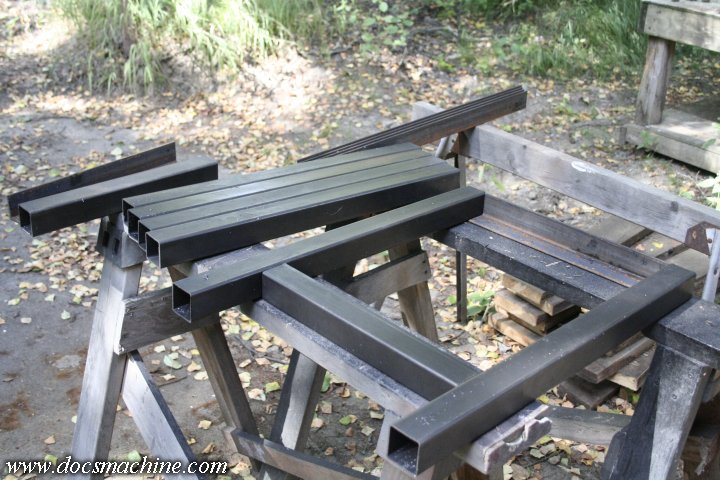
My horizontal bandsaw is still down while I work on the gearbox, so I just had my local metal supplier cut everything to size for me, in 2" thinwall box tubing and 2" angle:
desk001.jpg


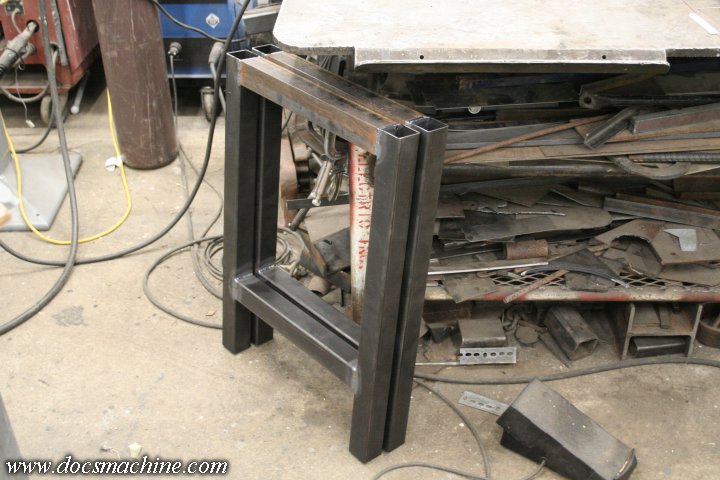
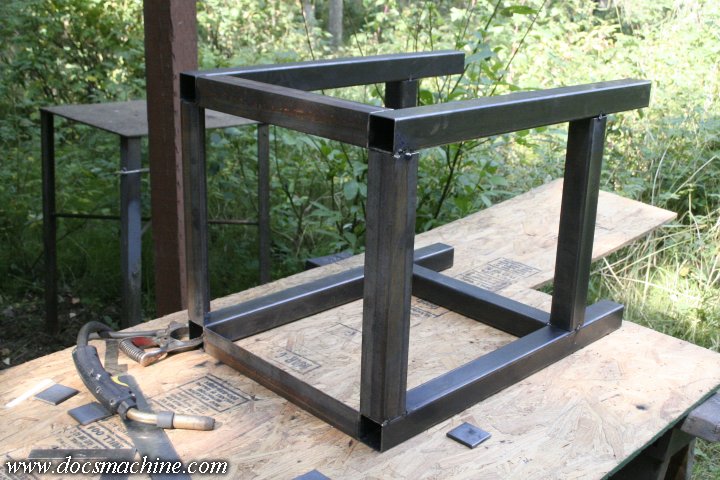
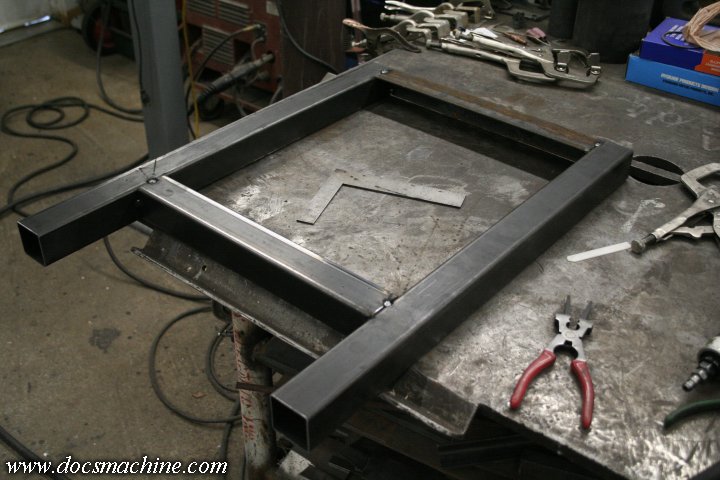
I started by tacking together what would be the end faces ...
desk002.jpg


desk003.jpg


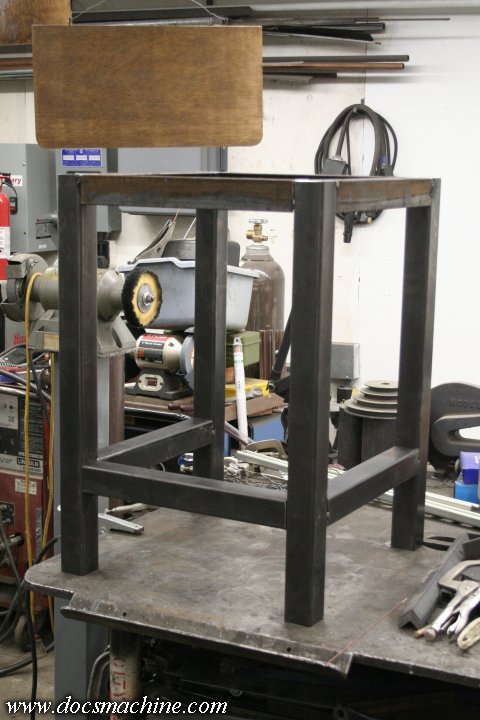
And then carefully added a third leg.
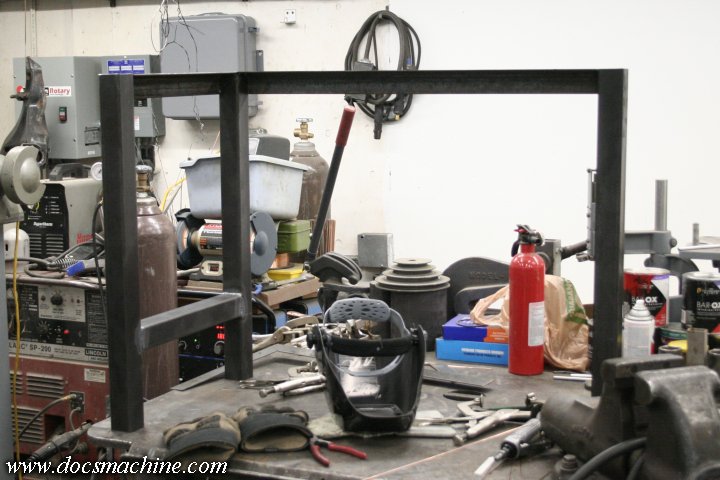
desk004.jpg


That leg got tied in with a chunk of round bar, which would act as a footrest.
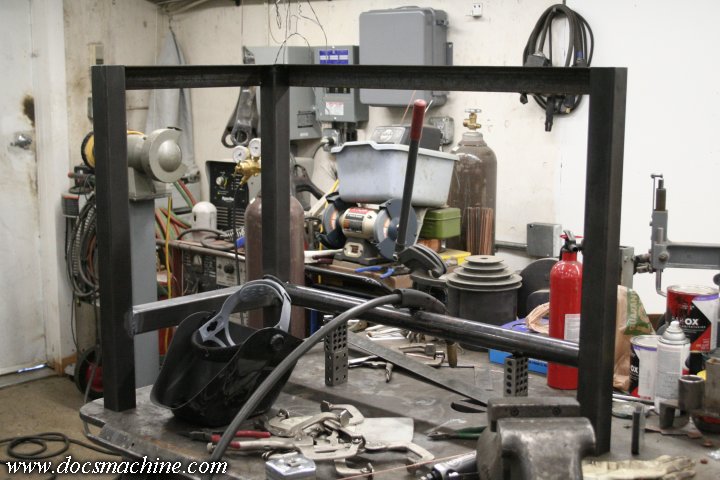
desk005.jpg


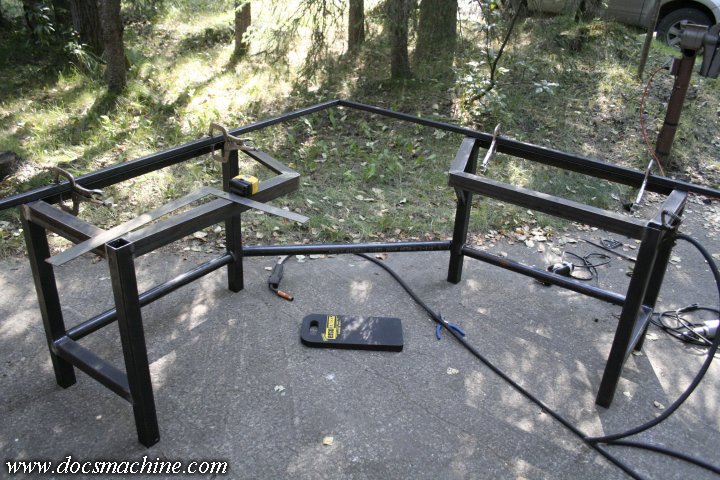
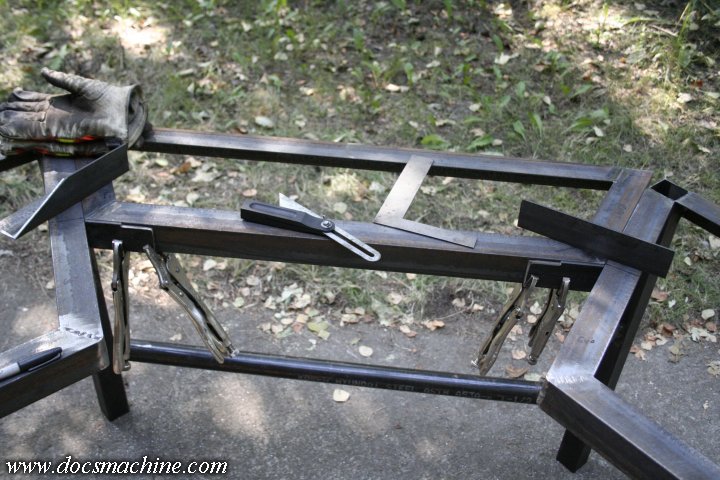
Once I had two of these, mirror imaged to each other, I took it out on the shop's apron- the only place I had with enough room for the full desk :D - and got 'em squared up to each other in order to get some measurements and angles.
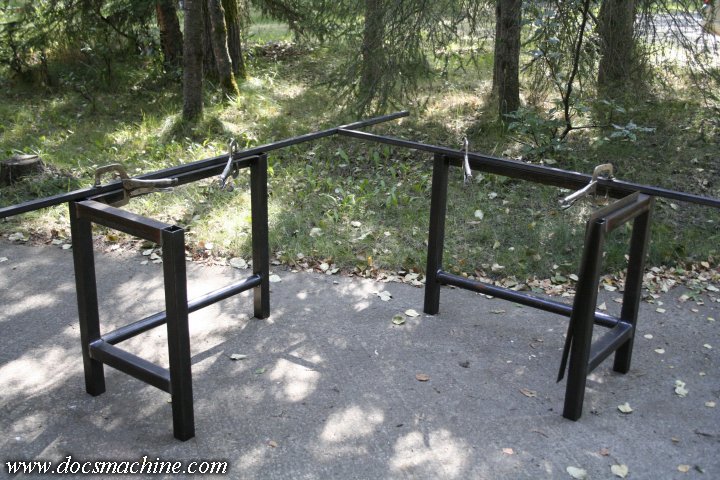
desk006.jpg


The original desk was a corner unit, where the operator sat facing the 'point' of the corner, with a "wing" on either side. I liked that setup, so I was emulating the general layout, just with a heavier frame and longer 'wings'.

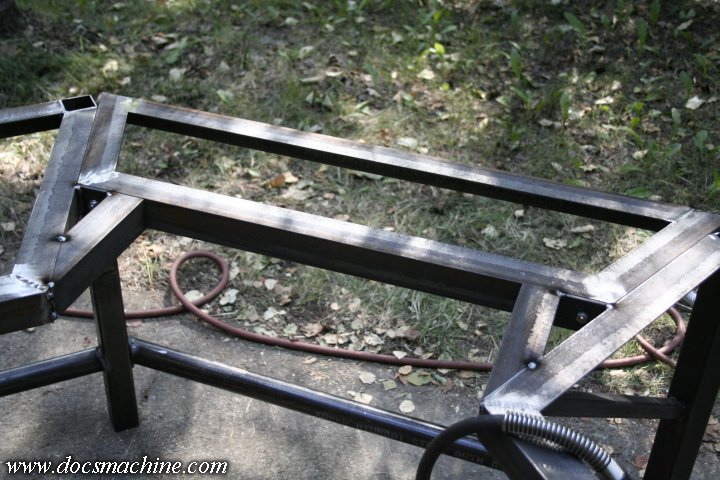
So with a little careful measuring, I added the rest of the perimeter of the 'frame' for the desktop.
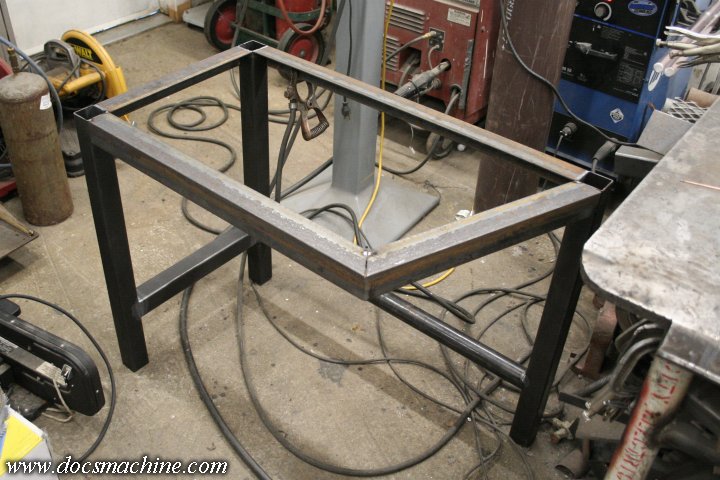
desk007.jpg


And, knowing how rickety the original desk was, I added a brace to help support the top frame, but high enough it wouldn't get in the way of my feet or legs.
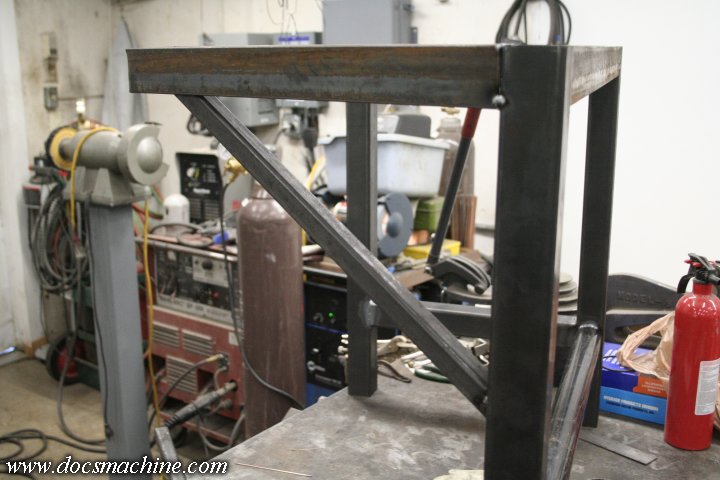
desk008.jpg


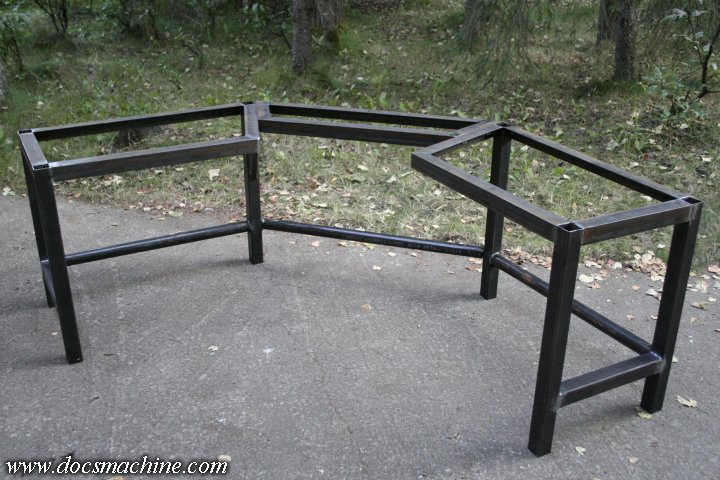
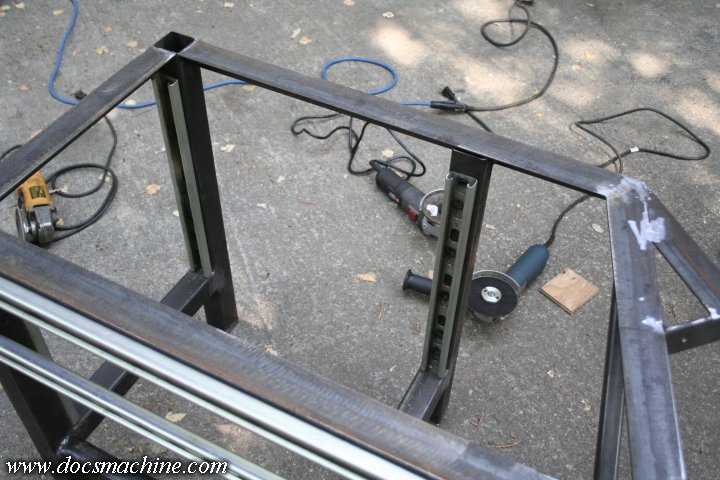
With the perimeter frame on both halves, I once again set 'em up and squared them to each other, in preparation to fab a center section to tie them together.
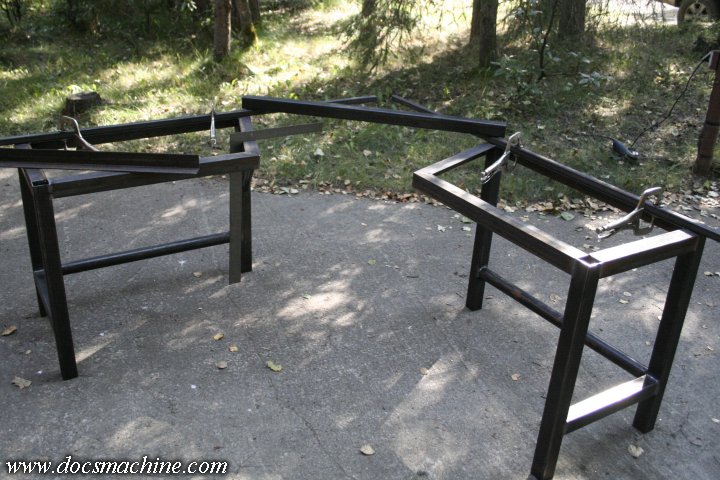
desk009.jpg


(To be continued...)
 
To avoid these ads, REGISTER NOW!
OP
D

DocsMachine

Well-known member
Joined
Sep 16, 2006
Messages
1,849
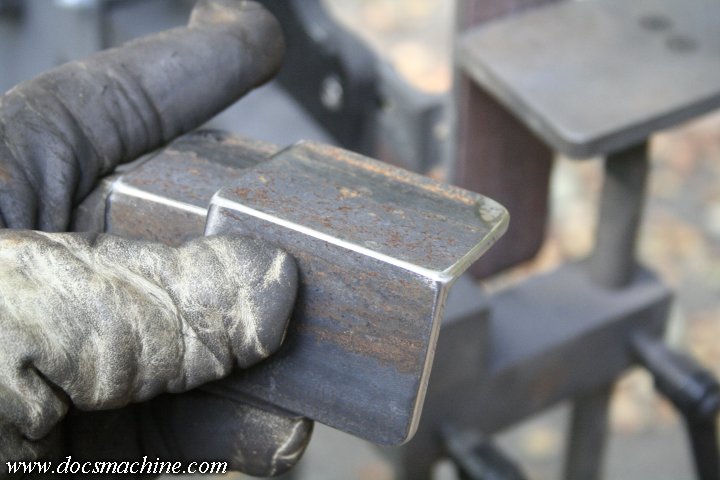
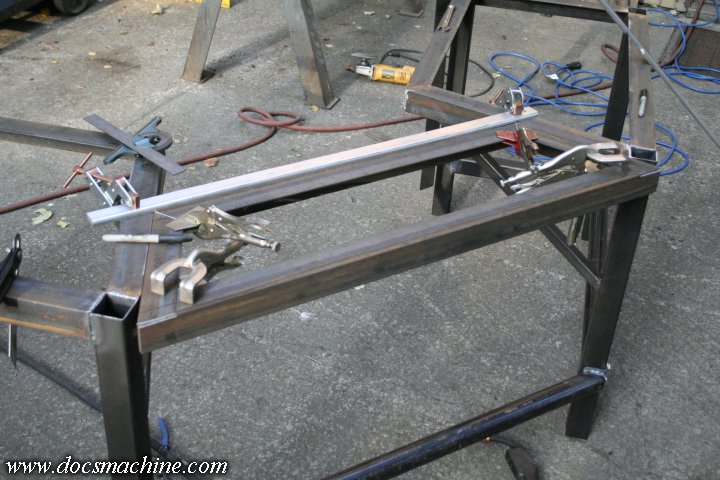
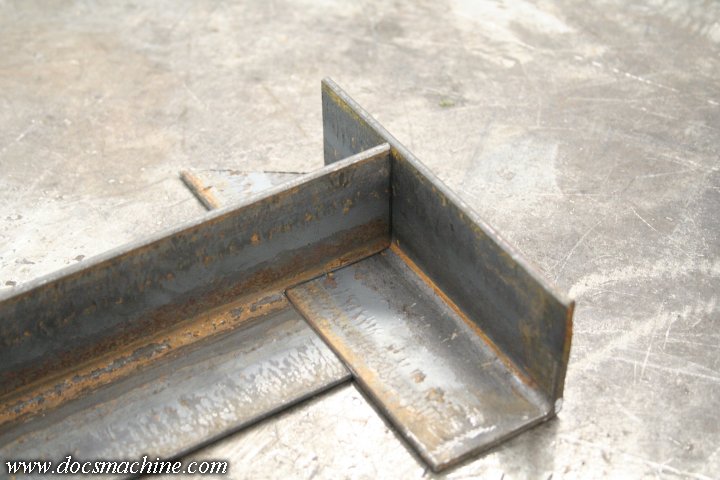
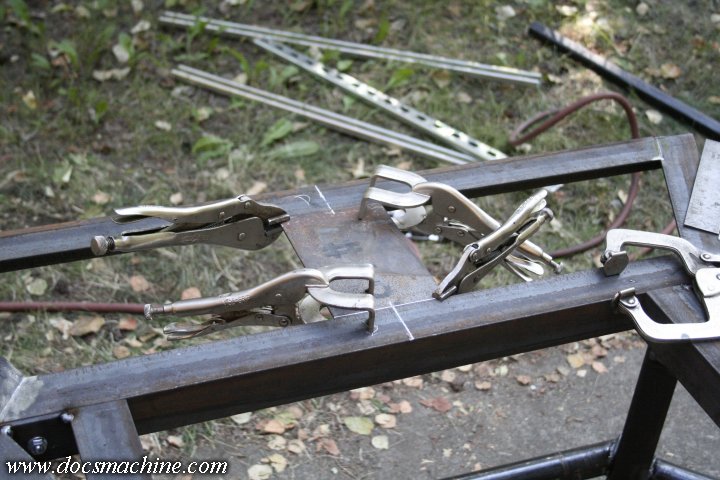
One of the first things I did to tie the wings together was add the middle footrest bar. To do that, I bandsawed two chunks of angle (with the DoAll, not the Wells, which is still down :D ) and licked 'em smooth with the 2x72 belt grinder.

desk010.jpg


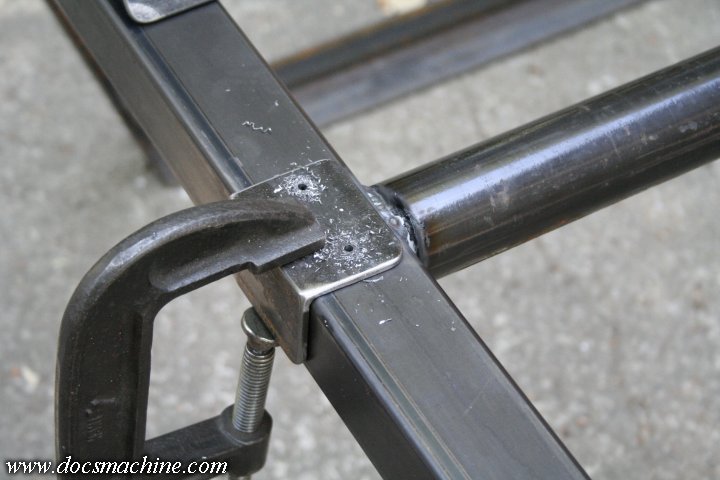
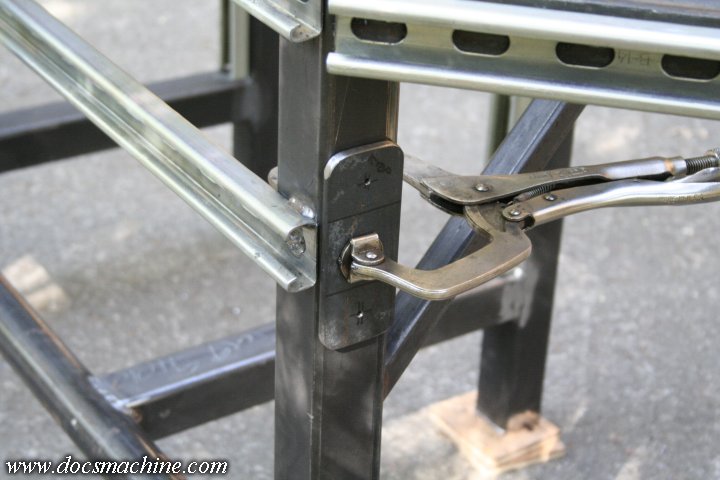
Those got clamped to the wing frames and pilot drilled...

desk011.jpg


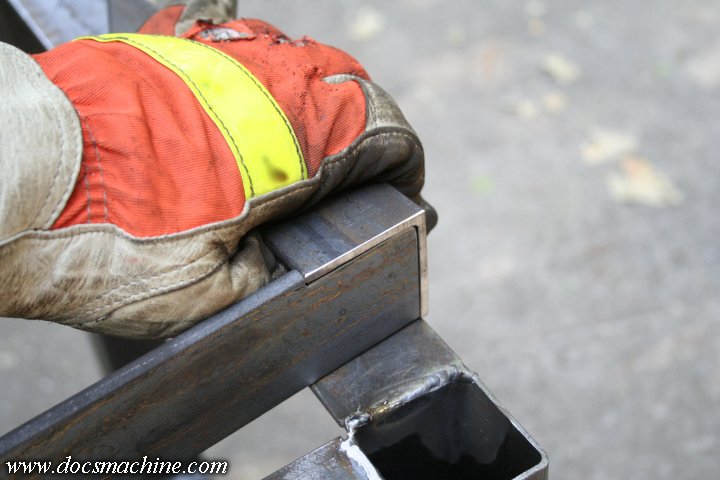
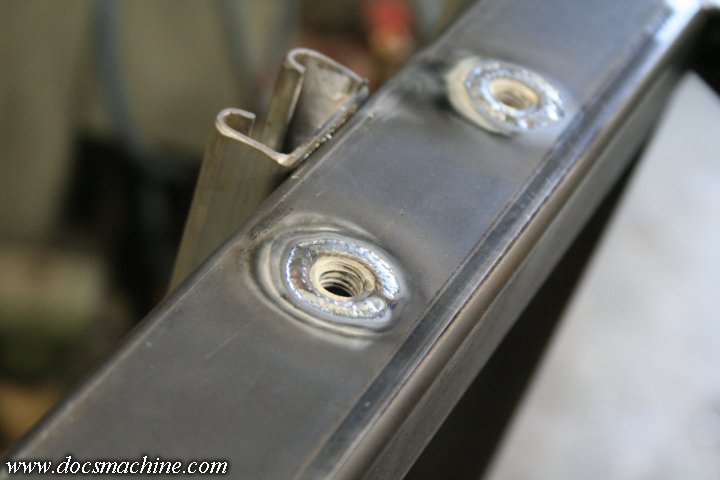
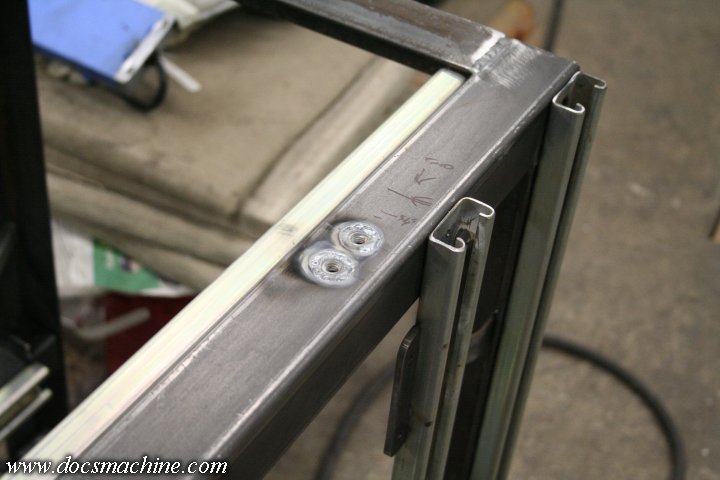
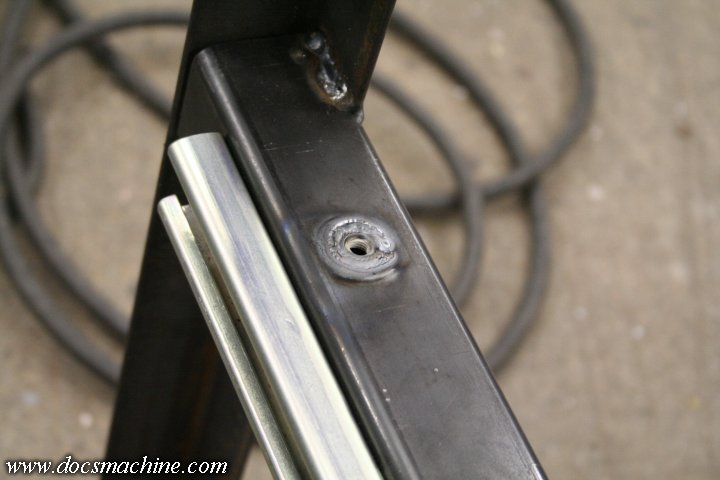
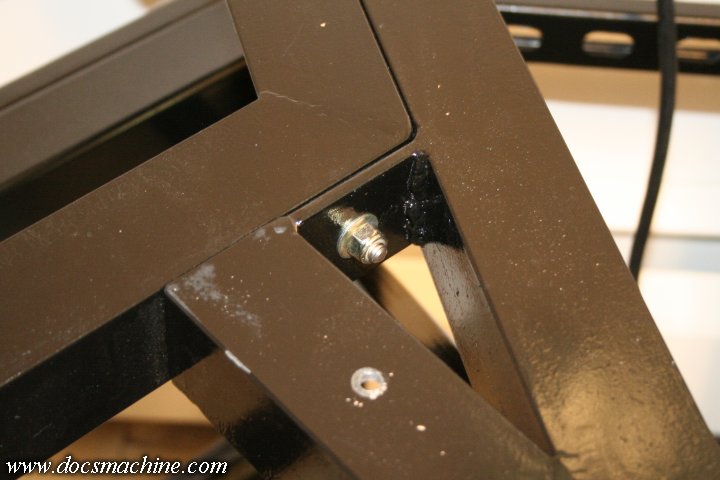
And then, filing the serial numbers off an idea I'd stolen from Street Rodder, I used a step-drill to drill, well, a stepped hole in the leg, into which a flanged nut would sit, very nearly flush with the tubing.

desk012.jpg


Those got TIGged into place- often you don't even need to use filler- and ground smooth.

desk013.jpg


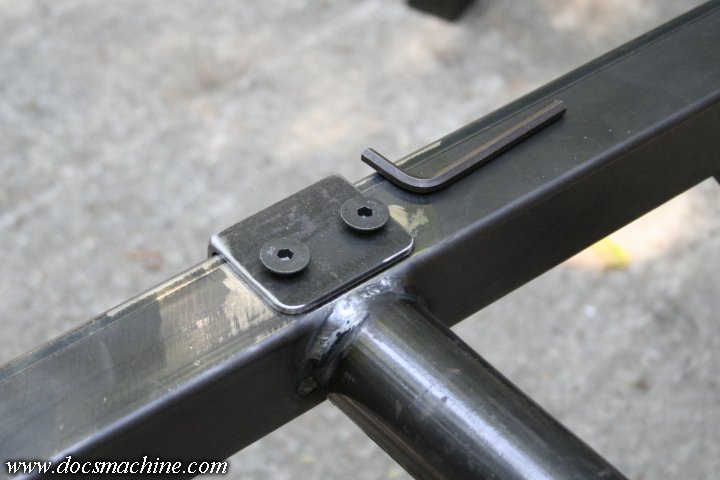
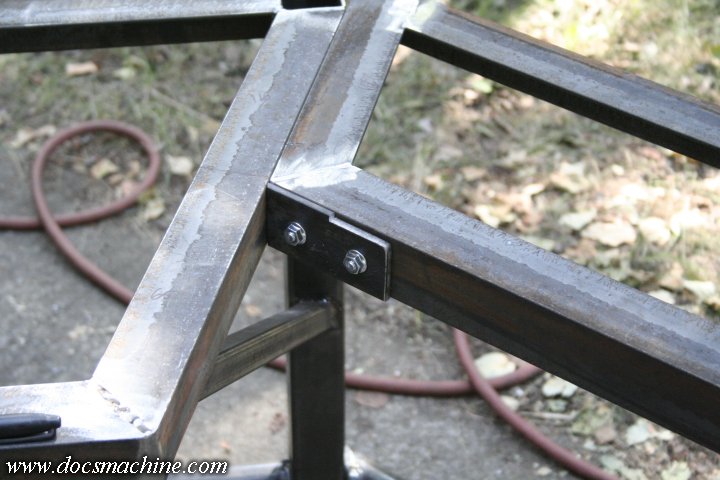
I then bolted the two cut sections of angle iron, using some countersunk screws to 'center' them over the nuts, giving me the most possible room for movement as shift about when welded.

desk014.jpg


That gets the two wings bolted together, and semi-permanently spaced.

desk015.jpg


After full welding, I replaced the countersunk bolts with standard hex heads and double-chcked my angles and alignment.

desk016.jpg


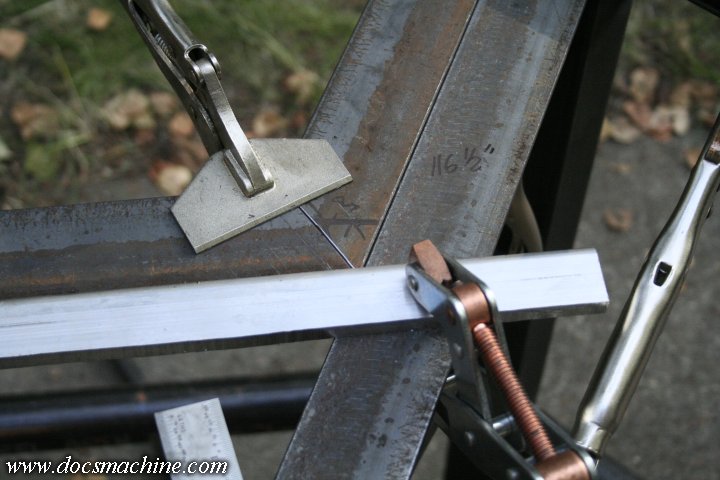
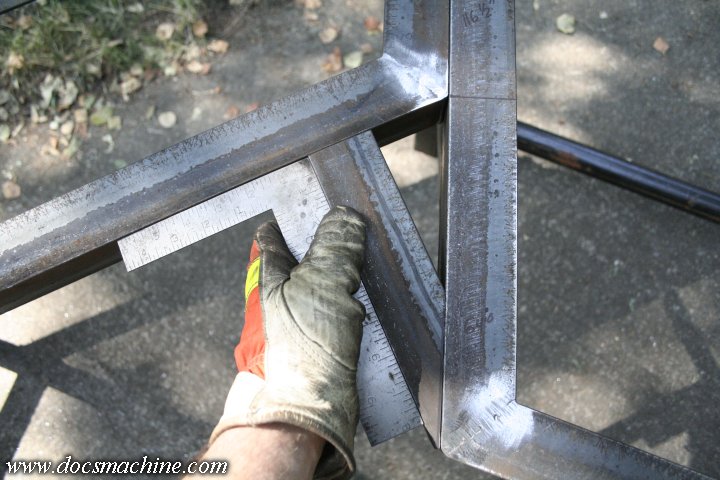
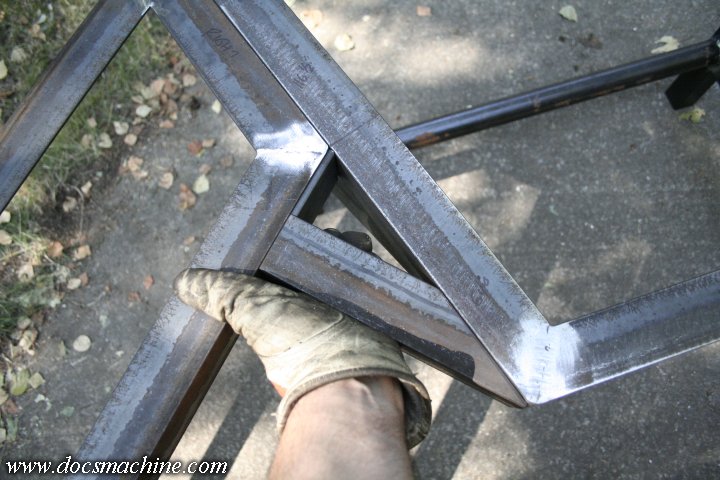
Then it was time to fit the center section proper. If you'v ever wondered why people here on the Journal make such a big deal about bandsaws and belt grinders, wonder no more. This oddball trapezoidal piece only took like 20 minutes to fit and tack.

desk017.jpg


You need to fit a 116.5 degree angle? No sweat. Belt-grind that puppy 'til you're happy and start hot-gluin'. :D

desk018.jpg


Once that piece was takced, I took it inside to TIG it fully...

desk019.jpg


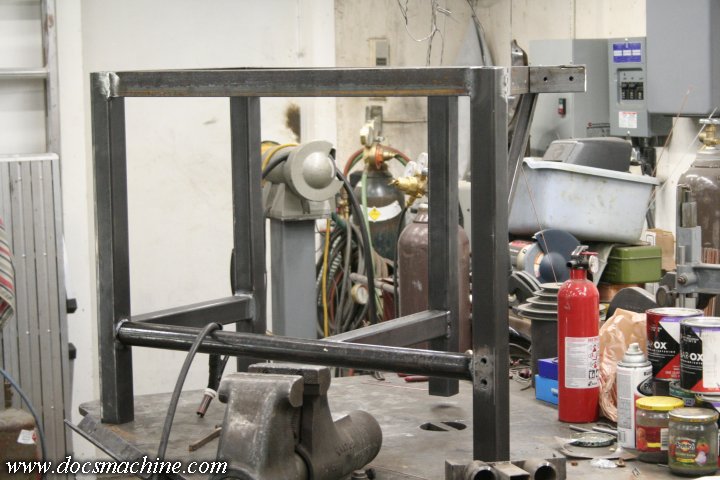
And once drilled for two bolts per side, the frame is surprisingly solid.

desk020.jpg


(To be continued...)
 
OP
D

DocsMachine

Well-known member
Joined
Sep 16, 2006
Messages
1,849
For those curious, I had to make the frame so it could be taken apart- it would have been far too big to get into the house if welded solid.

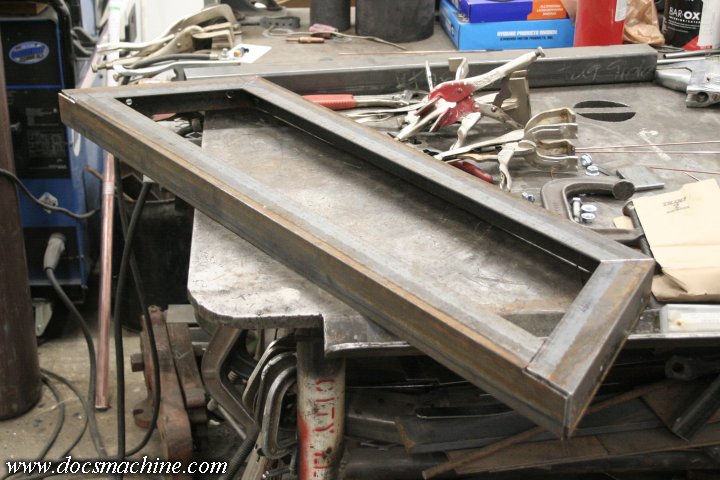
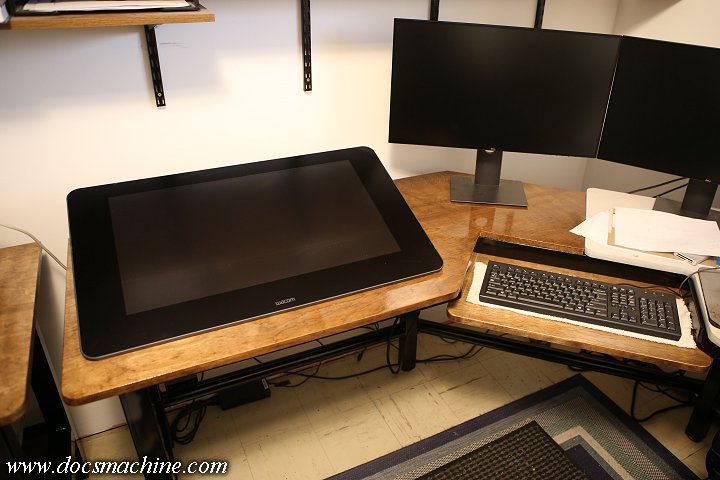
Anyway, as shown in the original desk shot, the setup has a central keyboard tray at the apex. The trapezoidal piece fills in some of that, but I needed two sections to fill it in to form the rectangular cutout shape I wanted.

So again a few minutes with a bandsaw and belt grinder gets me two pieces just right to fill in those corners.

desk021.jpg


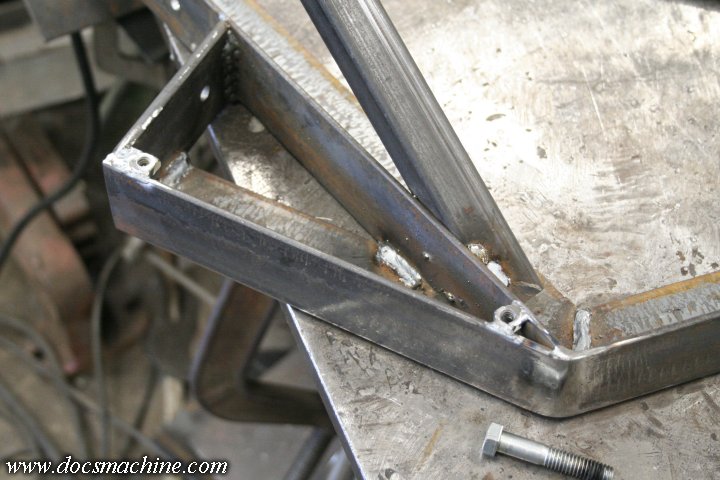
Now, I still can't just weld these into place, so I fab up two short sections of flat plate to fit inside the angle:

desk022.jpg


Those fit in like so:

desk023.jpg


Once the two plates are fitted, they're clamped and the whole trapezoid section is unbolted to they can be drilled and bolted.

desk024.jpg


desk025.jpg


With the assembly back in place, those plates can then be tacked on, along with the previously fitted sections of angle iron:

desk026.jpg


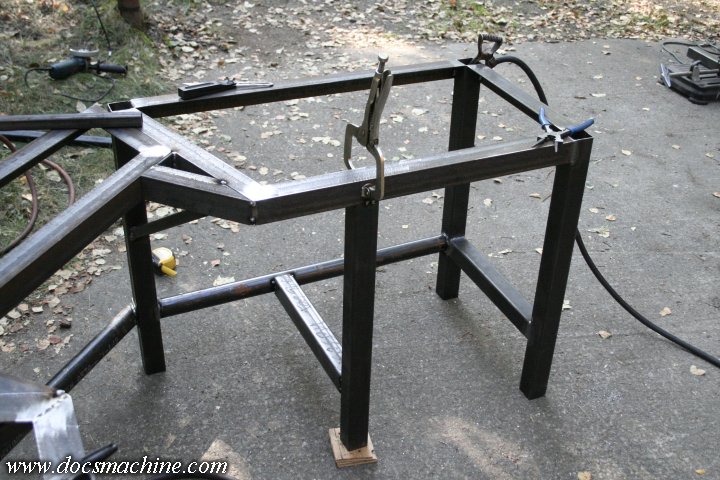
And, before I break it all apart to take it inside for a good hard TIGging, I fit the fourth 'leg' to what's going to become the PC "bay".

desk027.jpg


The sharp-eyed among you might notice the bits of plywood under that leg. The two wing sections are essentially three-legged, and as such, "self level" like a stool. With the middle section having a little tolerance for things to shift a bit, there's no need for adjustable levelling feet anywhere- once you bolt it down, all six normal feet will have more or less equal pressure on them.

Well, this seventh won't, of course. I could have just left it "loose", as in not in contact with the floor. The frame is solid enough at this point you can sit on the keyboard tray and there's no sagging or movement.

But I tend to overengineer things, so on that leg I plan to have a single adjustable foot. When the table is installed for the final time, I'll adjust that foot to have a little pressure on it, and it'll help make the entire thing just that much more rock-solid. :D

Another bit is a wide flat plate in the center of the trapezoid- copying the original desk, the two top sections of the desk surfaces will meet in the center. The plate here gives a place to screw them to.

desk028.jpg


Then, everything is taken in, one and a time, and fully TIG welded.

desk029.jpg


Now, one other trick: The old desk had lasted me over 20 years. I'd had to modify and rebuild and reinforce and reconstruct it several times over those years, and it had held a wide variety of monitors, PCs and other accessories (scanners, external drives, camera docks, charging bases, self-destruct consoles, you name it. :D )

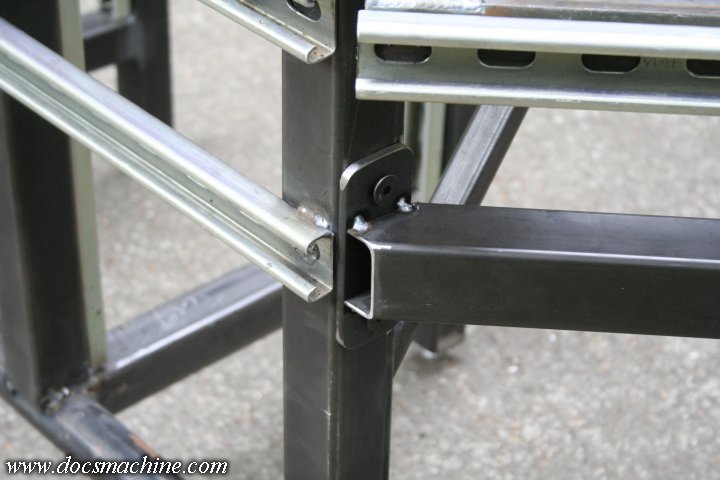
So I wanted this new desk to be modular and somewhat adaptable, should things change. To that extent, I mounted two sections of Unistrut to the back of each of the three pieces.

desk030.jpg


That way, I can make arms to hold the monitors directly (freeing up some desk space) or add cantilevered shelves, better lamp mounts, you name it. With Unistrut, there's a huge variety of off-the-shelf brackets, mounts, nuts, clamps, braces and whatever so I'll be able to hang anything I want back there.

The current plan is just the monitor mounts for the moment, but for now, I'm just getting the desk itself sorted out.

More to come! :D

Doc.
 

royce

Well-known member
Joined
Jun 22, 2014
Messages
3,103
Location
fairbanks ak
Doc,
Neat project and the stepped holes for the flanged nuts is a really slick trick.
Thanks for sharing

Royce
 

ClappedOutBport

Well-known member
Joined
Mar 30, 2016
Messages
998
And then, filing the serial numbers off an idea I'd stolen from Street Rodder

This line is gold. Looks like a super nice desk Doc. I haven't found much any of your work I don't like yet.
 

Muggzy

Well-known member
Joined
Jun 29, 2013
Messages
583
Location
Orange Co., NY
Curious to see how you're going to piece it so you can get it into the house [emoji106]

Sent from my Pixel XL using Tapatalk
 

ItsNemo

Well-known member
Joined
Mar 5, 2016
Messages
4,805
Location
Canada
My question is how the heck are you going to get this thing into your office? It looks big/heavy!
 
OP
D

DocsMachine

Well-known member
Joined
Sep 16, 2006
Messages
1,849
My question is how the heck are you going to get this thing into your office? It looks big/heavy!

-As I said, it's kind of modular. The left and right "wings" are only 20" wide, less than 30" tall, and about 3' long at the "point". The heaviest of the two- the right hand one with all the framing for the PC bay- is only about 60 or 70 pounds.

The whole desk, once assembled (but without the PC and monitors, etc.) is probably only about 200-ish pounds.

Doc.
 

gahrajmahal

Well-known member
Joined
Dec 12, 2008
Messages
2,526
Location
Cincinnati, Ohio
Reminds me of the desk I built for myself at a company I worked at (without permission). We manufactured frames and whatever with Bosch’s version of aluminum extrusions. (Like 80/20 T-slot extrusions) it worked out so well as I had an awkward corner to work with. I needed to be able to spread out C and D size drawings so I made a narrow shelf about a coffee cup high to place my monitor and other desk junk on across the back. That allowed me to keep the desk area clean.

What is your table top going to be made from and how will it attach to the frame? Inset?

Your build... HEAVY DUTY! I like it!
 
OP
D

DocsMachine

Well-known member
Joined
Sep 16, 2006
Messages
1,849
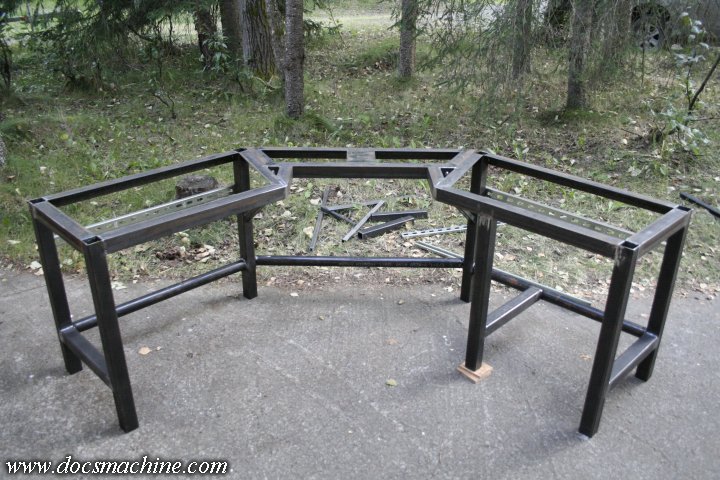
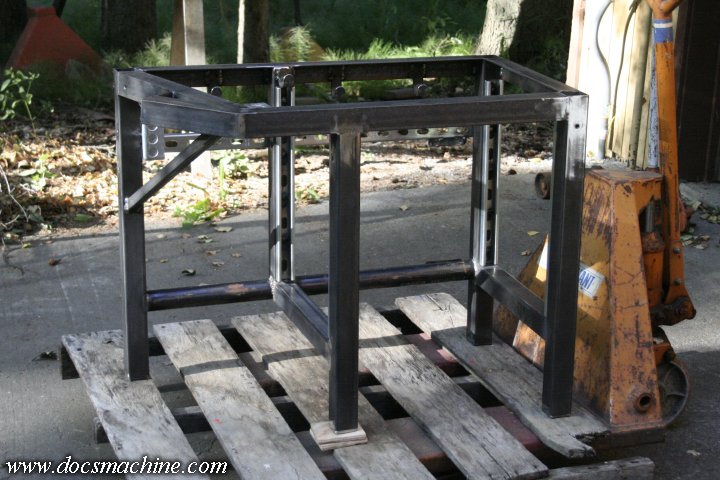
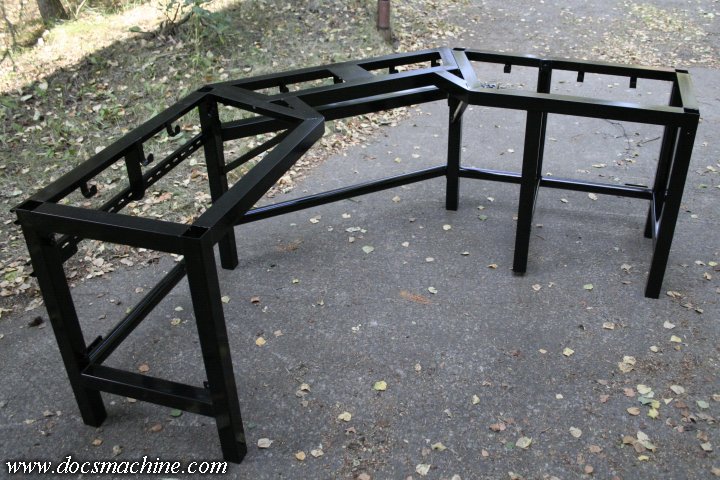
With the major welding completed, it looked like this:

desk031.jpg


The center 'trapezoid' section is bolted on with four bolts per side, and in two planes- between that and the lower 'footrest' brace, it's already very solid, and can be carried around as a unit.

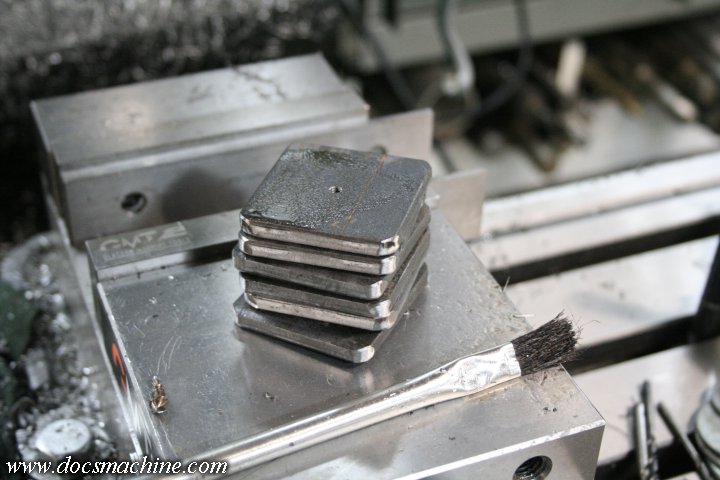
But there's still a lot of detail work to do, so next up I had the metal shop shear me some 2" squares of 2" bar stock, 1/4" thick, licked 'em smooth on the belt grinder, and then drilled the center of each one for 8-32.

desk032.jpg


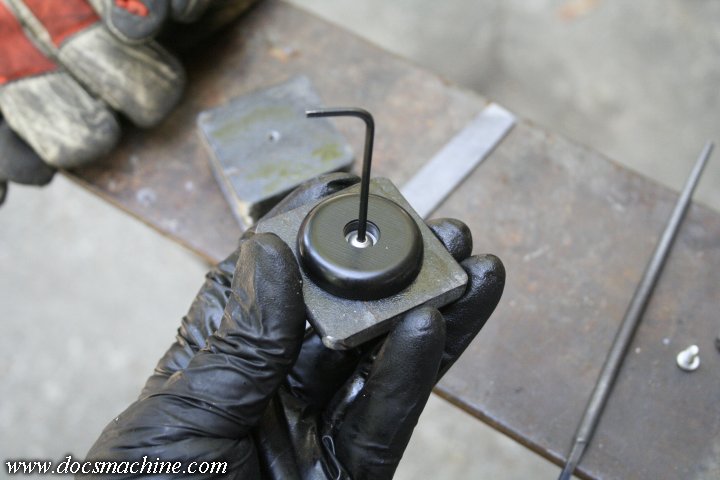
Why so small? All the screws do is hold on these little 1-1/2" round Home Depot rubber feet:

desk033.jpg


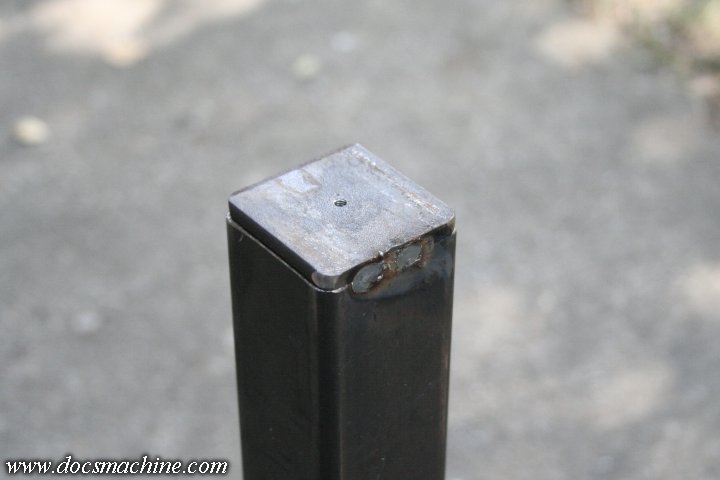
As I said, the side wings sort of "self level" so there was no real need for adjustable feet. Those squares got welded to each leg, with basically just a couple of long tacks. There was no need to weld them solid.

desk034.jpg


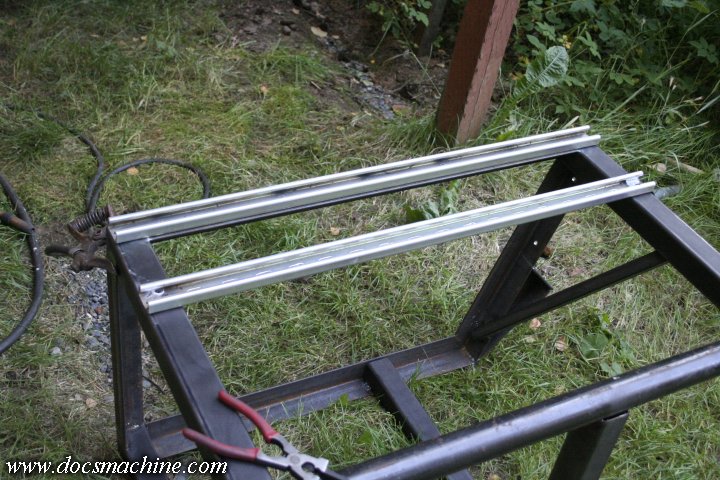
Next up was cutting more sections of Unistrut to go in the PC bay:

desk035.jpg


Again, the idea is to make this thing modular- the old desk outlasted no less than seven computers, ranging from desktops to towers, and I wanted this desk to accomodate anything I could throw at it, from rackmount (like the current PC chassis) to a small tower, to a big gaming tower, to an ATX, or whatever.

So I made the "bay" roughly rackmount width, and set it up with Unistrut rails. Using standard Unistrut t-nuts, and any sort of brace, bracket or shelf I can make fit in there, it'll take whatever size chassis I feel like throwing at it. Heck, leave the shelf out and I can just set a giant gaming case right on the floor.

Anyway, I wasn't real thrilled with how unsupported the lower of the two strut channels along the back was, so I whipped up a quick brace. Again, a shout-out to bandsaws and belt grinders- this fit took just a couple of minutes, total:

desk036.jpg


That got welded from the top rail to the lower strut, to help strengthen it- again, I tend to overengineer. :D

desk037.jpg


The primary plan for the Unistruts across the back is to mount the monitors- and LCD screens these days are fairly light, but I still wanted those braced as solid as possible, so nothing wobbles or bends.

After that, I needed a last cross bar across the middle section, for the lower Unistrut. Any monitors would most likely get mounted to the middle slice, so I needed that second rail there, most of all.

First, two sections of 1/4"x 2" bandsawed to length and licked smooth...

desk040.jpg


Clamped and pilot drilled...

desk041.jpg


More flange nuts...

desk042.jpg


And a fresh section of square tubing mitered, coped and beveled (and cut at an angle, too! :D ) and tacked in place.

desk043.jpg


(To be continued...)
 
OP
D

DocsMachine

Well-known member
Joined
Sep 16, 2006
Messages
1,849
Again, as I was getting ready to take it all apart for TIGging again, I also fitted and tacked the fourth leg/support for the back of the PC bay:

desk044.jpg

Then, after two, maybe three minutes of welding, grinding, chipping those little BBs off and bolting it all back together, it looked like this:

desk045.jpg

The PC bay is fully railed...

desk046.jpg

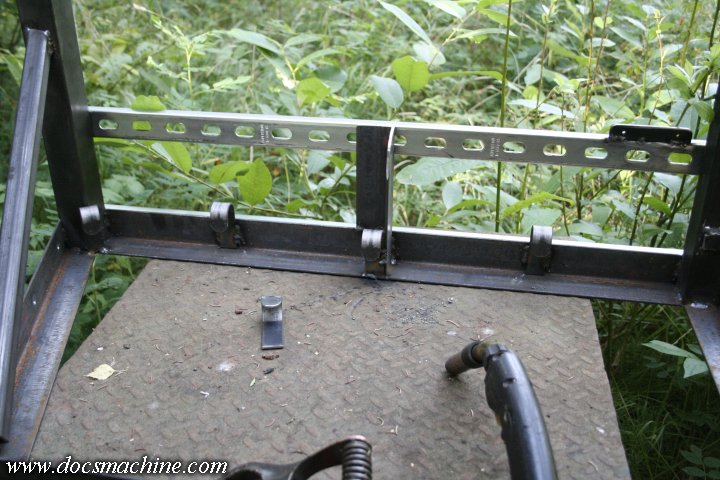
And on the tablet end, I added these tabs as well. You'll see in a bit. :D

desk047.jpg

And speaking of tabs, I made a couple strips like this to hold a pair of heavy-duty 10-plug surge suppressors:

desk048.jpg

Which got tacked on at the back 'bout there.

desk049.jpg

And finally, for a sense of scale (I was really just double-checking that all my measurements were correct :D ) I rolled my ratty old office chair out for comparison.

desk050.jpg

(to be continued....)
 
OP
D

DocsMachine

Well-known member
Joined
Sep 16, 2006
Messages
1,849
Now we're getting down to the detail work. Some 1/4"-20 nuts welded to the underside of the wing extensions, in order to bolt the keyboard tray to...

desk051.jpg


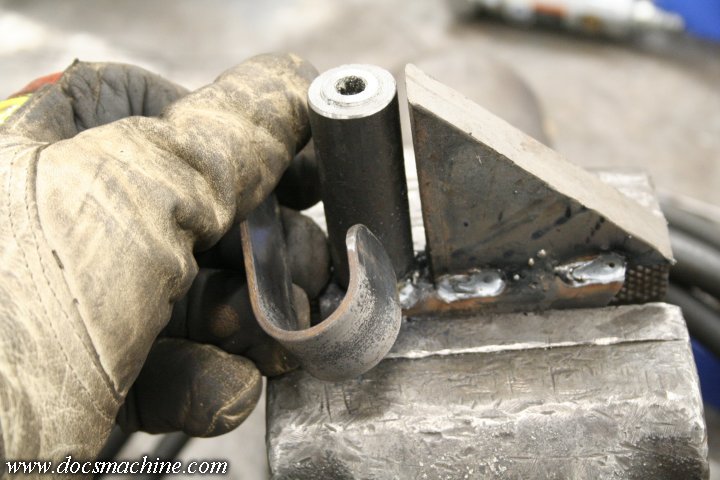
Then I welded some scrap together to make a quick and dirty bending jig...

desk052.jpg


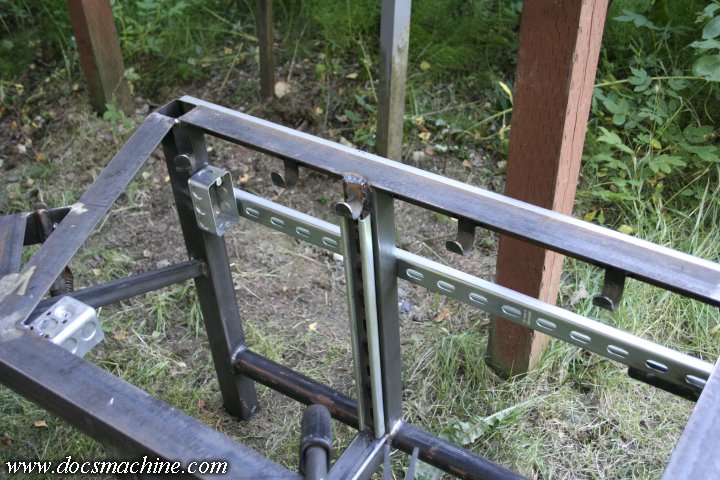
In order to make a series of wide 'hooks' to weld at the top rear rail, to hang all the cables on:

desk053.jpg


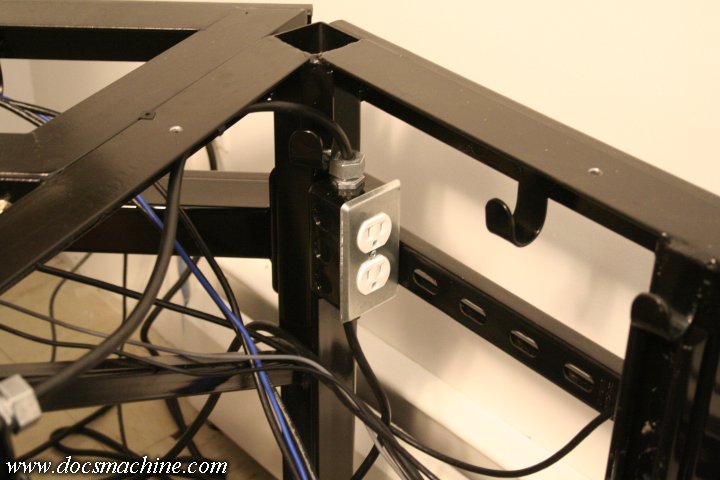
I also added two steel outlet boxes...

desk054.jpg


And on the far right hand face, I added four more of the flange nuts, this time in 5/16".

desk055.jpg


Oh, and another on the inboard leg of the PC bay- this one will eventually hold my headphones hook.

desk056.jpg


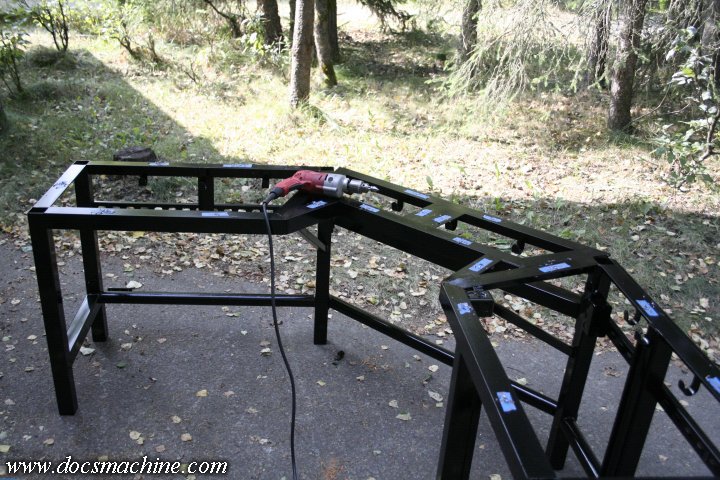
And finally ground, sanded a bit, slag-chipped and degreased....

desk057.jpg


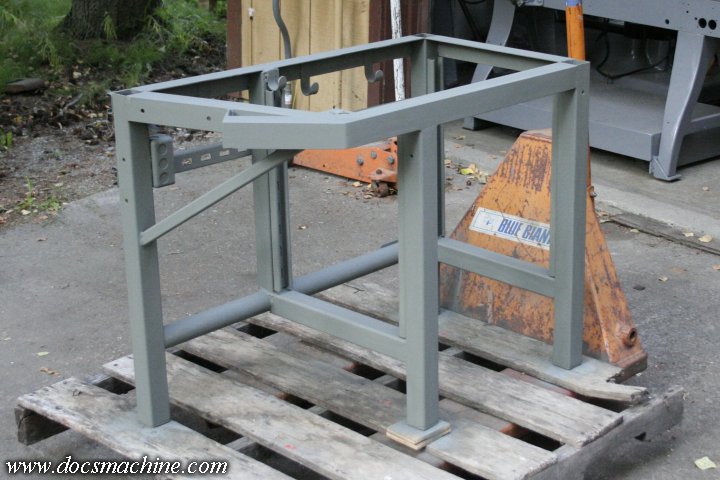
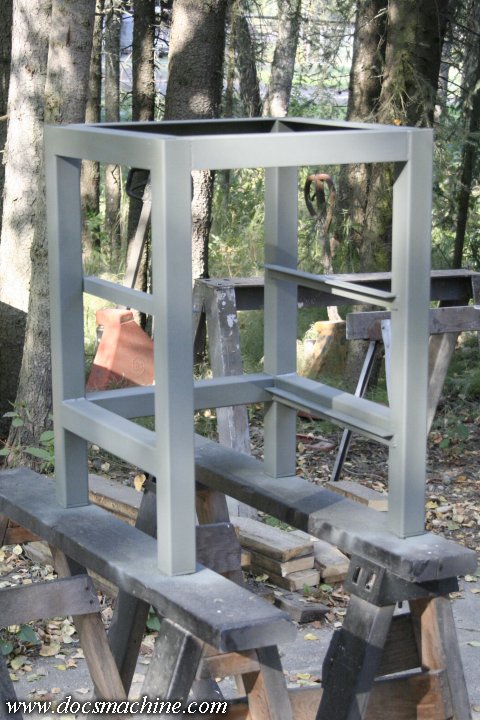
Etch-primed...

desk058.jpg


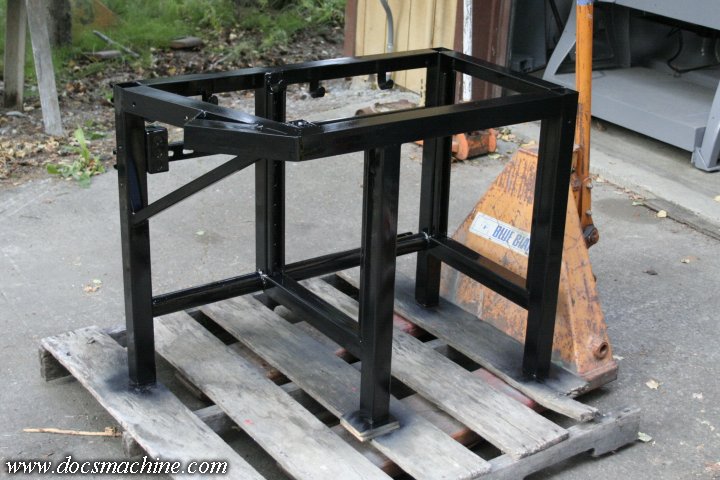
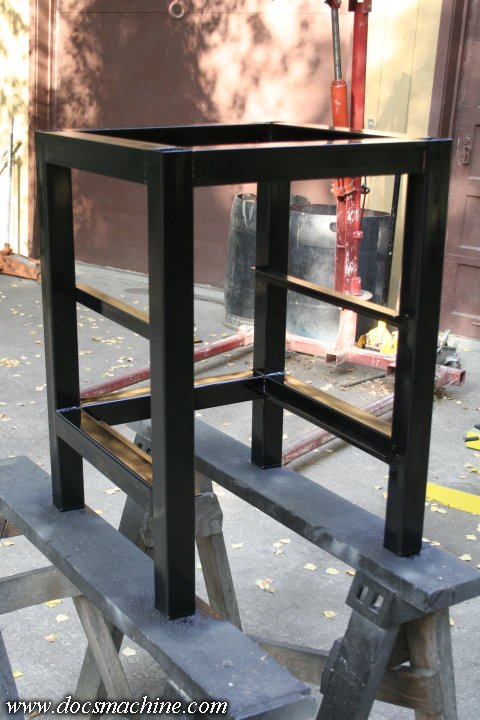
And painted!

desk059.jpg


Both primer and paint were just Rust-Oleum rattlecan, I'm not set up to spray anything more substantial than that.

More to come! :D

Doc.
 
OP
D

DocsMachine

Well-known member
Joined
Sep 16, 2006
Messages
1,849
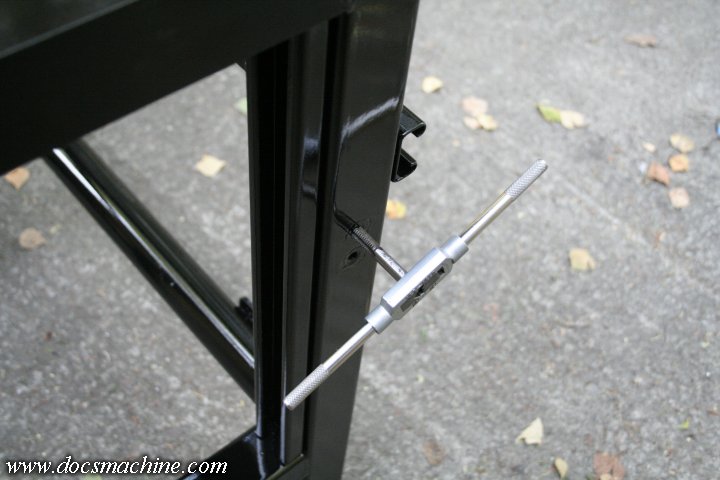
Once all the pieces had been primed and painted, I ran a tap through the threaded inserts to clear out any paint...

desk060.jpg


And then test-assembled it not only to make sure everything was still in order, but to also start fitting the tops.

desk061.jpg


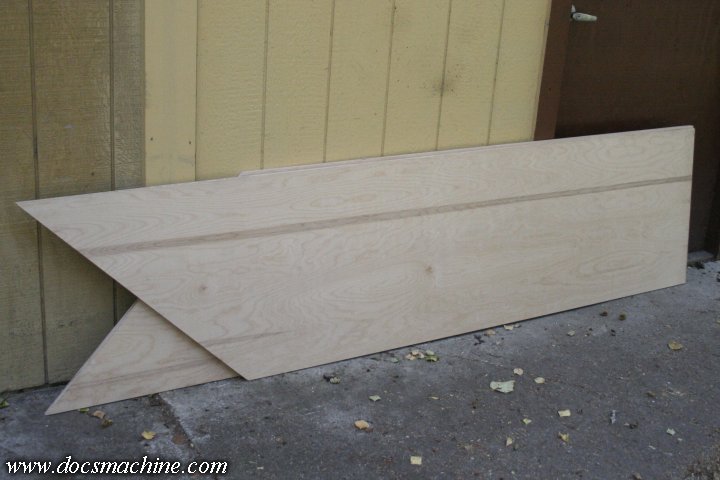
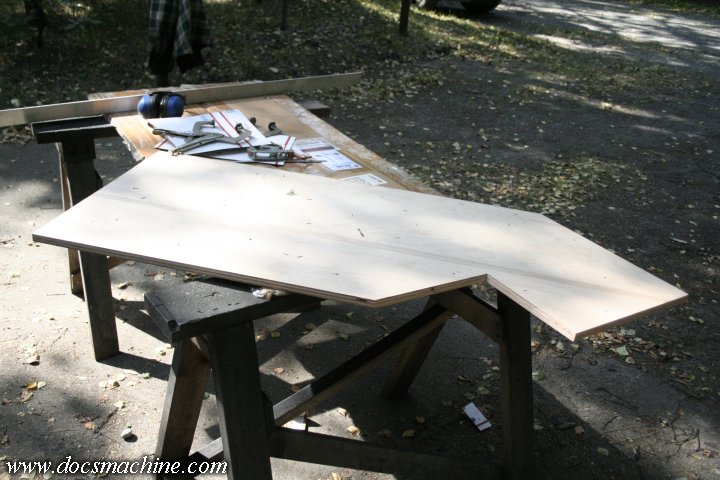
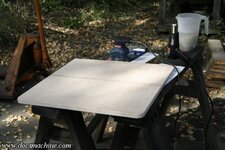
I'd picked up a sheet of 3/4" cabinet-grade birch plywood, and had a buddy with a Festool track saw help me rip it lengthwise and then nip a 45 degree corner off each piece.

desk062.jpg


And a quick test fit. Either his 45 or my 90 wasn't quite right- or more likely, both were a smidge off. :D

desk063.jpg


No problem, the error is very slight, with the wood winding up very slightly more acute than the table frame. (Or the frame being more obtuse than the wood. Whichever. :) )

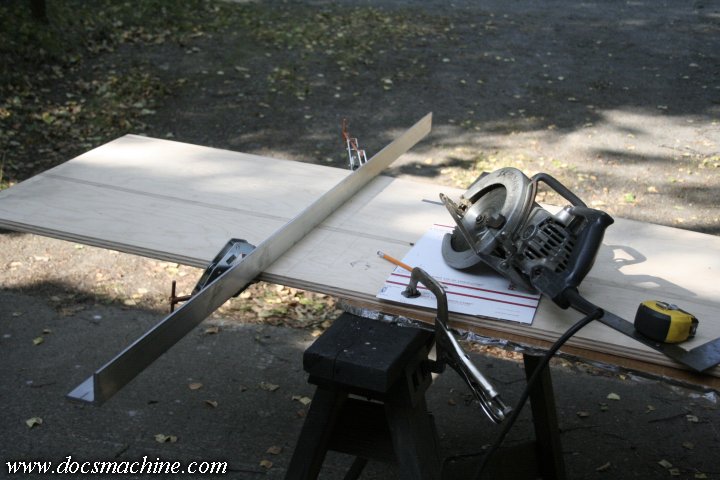
I marked positions, and then set up a quick and dirty guide to trim the ends to length.

desk064.jpg


And with a little care, sawed out the notch for the keyboard tray as well.

desk065.jpg


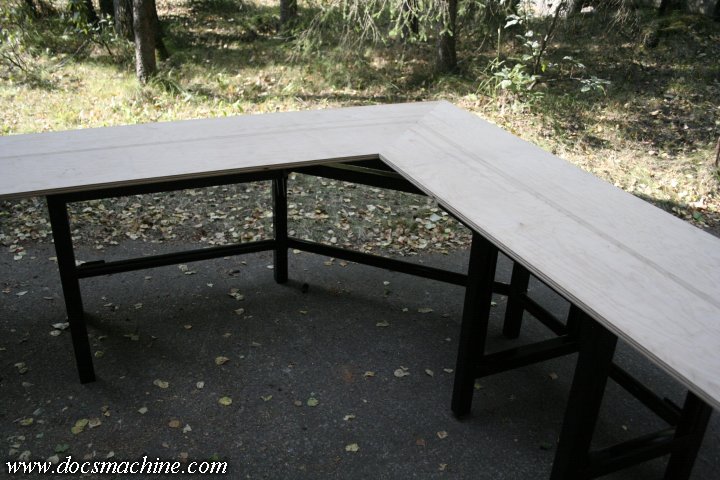
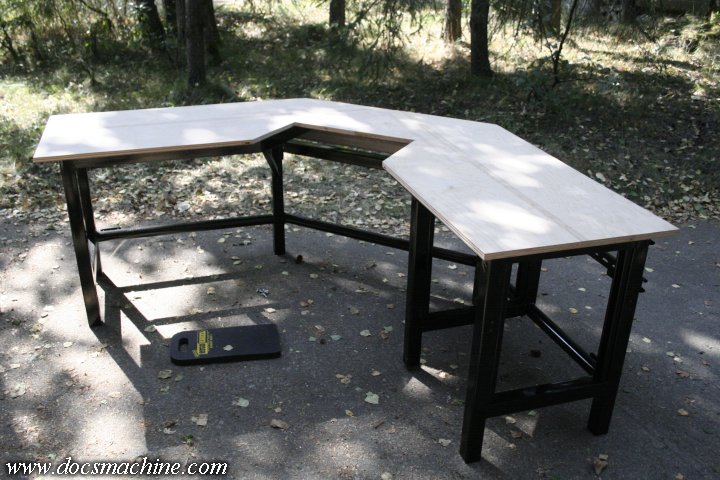
With both parts done, a quick trial fit:

desk066.jpg


Startin' to look like the real thing. :D There's a 2" overhang along most edges, except the keyboard tray, and on the left end, I added an extra inch of overhang, just to make sure I'd have plenty of room for the tablet.

The last step of this stage, which I'd kept reminding myself to do before I painted, but didn't, was to drill a series of holes to screw the decks down.

desk067.jpg


The top perimeter frame was of course made from 2" angle, specifically to give myself a nice easy flange to attach to. I'd considered through-bolts (visible from the top) and looked into threaded inserts (again, overengineering) but eventually settled on drilling just 1/2" deep starter holes, and running coarse, 5/8" wood screws in from underneath.

Each deck section has ten such screws, and that's half again more than the cheap pressboard tops of the old desk had- and those tops were a structural component of the desk. My setup ought to be sufficient. :D

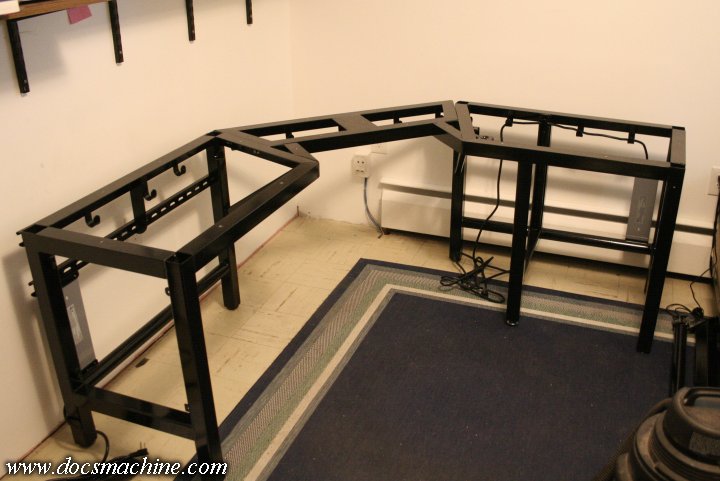
Finally, it was time to start moving it indoors. The old desk was dismantled, broken down and in places, dynamited, the floor swept and vacuumed for the first time in all too many months, and the new desk brought in in sections, and bolted together more or less in place.

desk069.jpg


When test-fitting, I'd used whatever fasteners I had on hand, but for the final assembly, I splurged on about $12 worth of Grade-8 hardware, including washers and Nylocks for that extra stability.

desk070.jpg


(To be continued....)
 
OP
D

DocsMachine

Well-known member
Joined
Sep 16, 2006
Messages
1,849
Now, one thing I'd forgotten to take into account, was my carpet. I'd stripped out the old rug a few years back, to find chipped but serviceable linoleum underneath.

The eventual plan is to install some laminate, but for the time being, I'd thrown down a large indoor-outdoor carpet from Homey-Dee. The problem there is that it doesn't reach the walls, so the rear legs would be on the linoleum and the front legs on the carpet.

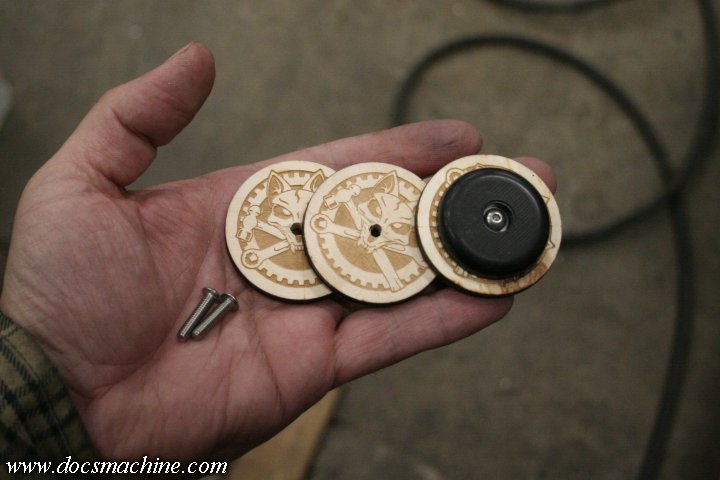
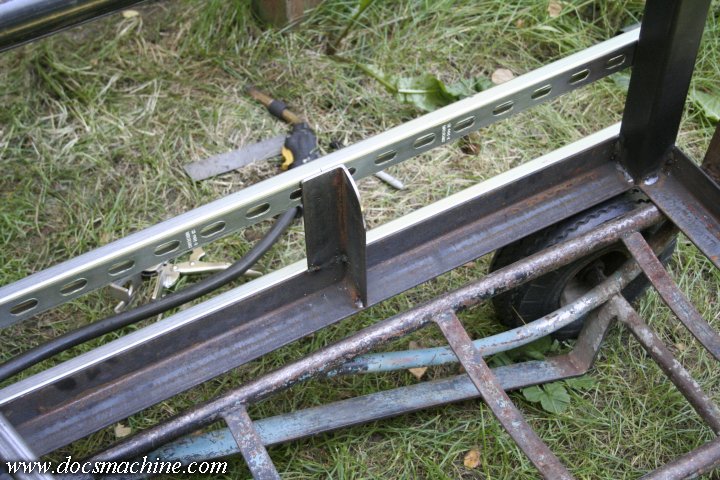
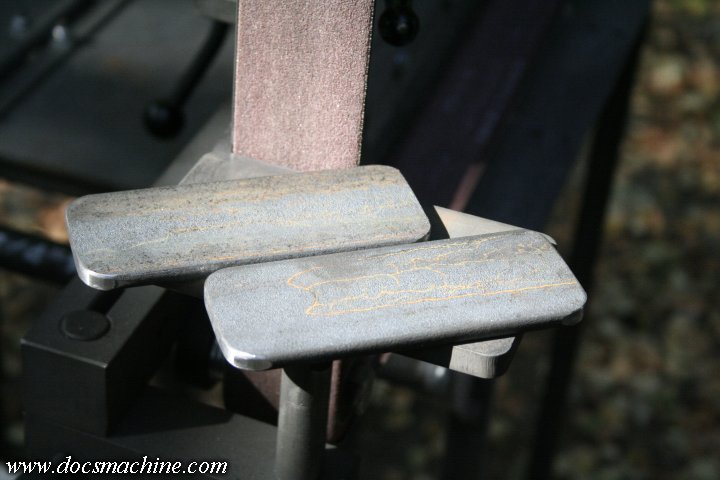
After a quick measure, I determined that some 1/4" spacers would level things back out nicely. I happened to have some 1/4" plywood that I'd been using in my laser engraver, and that reminded me I had a handful of these little test medallions I'd been playing with.

desk071.jpg


I simply drilled four of those, picked up some longer screws, and popped 'em into place.

I also mounted the two surge protectors...

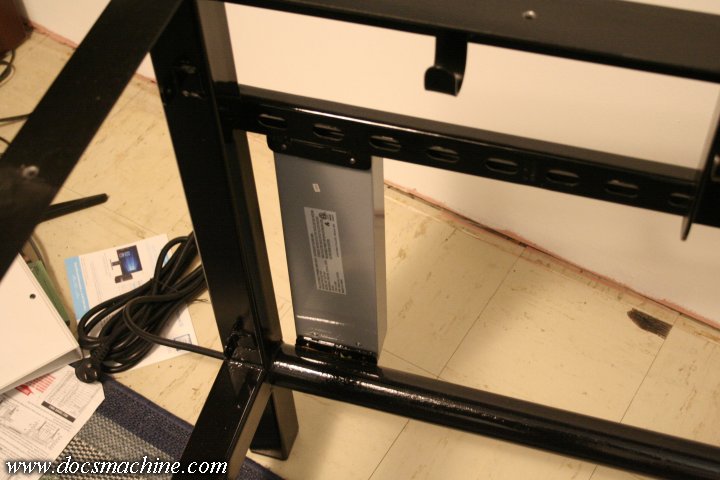
desk072.jpg


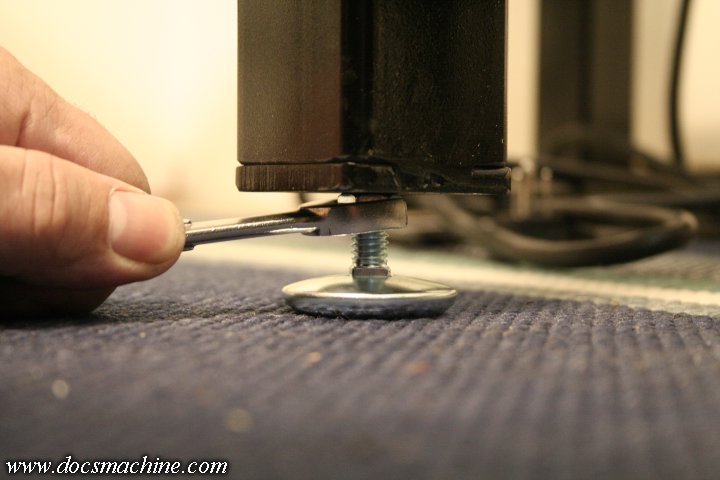
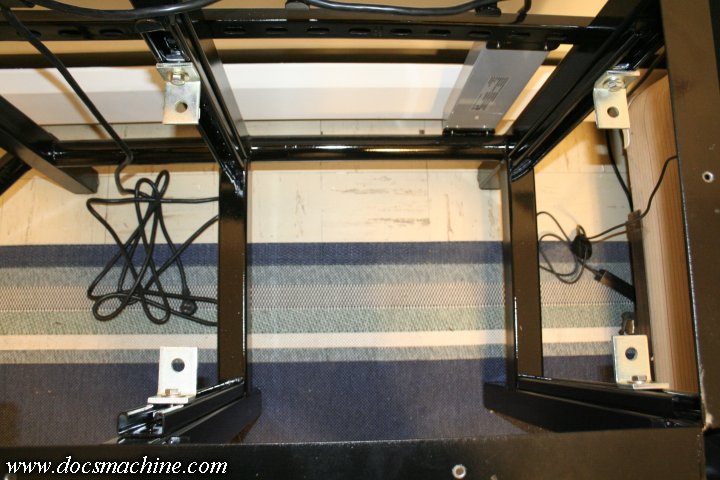
And the one adjustable foot for the inboard PC bay leg.

desk073.jpg


Now, at this point, I knew the woodworking was going to be time consuming- the main desk was going to take six pieces in total, each one needing to be sanded, edged, stained and varnished.

And a fun spoiler for later: I am NOT a woodworker. :D

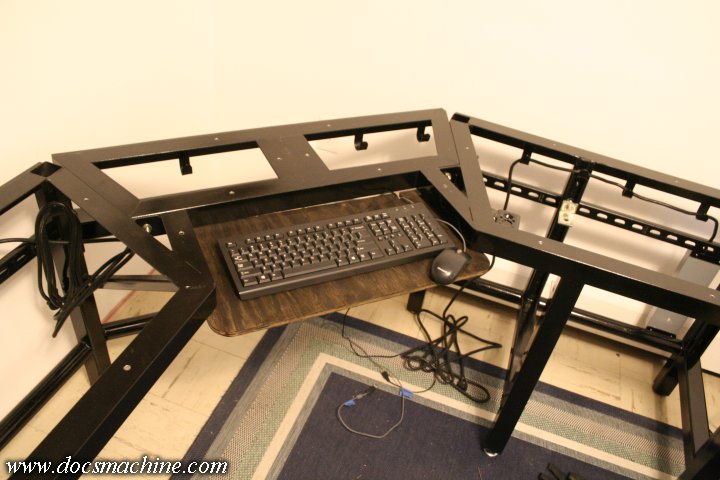
So for the time being- keeping in mind this is for my main PC, which I need and use for several hours every day- I made a temporary keyboard tray...

desk074.jpg


Popped in a set of Unistrut nuts and braces into the PC bay...

desk075.jpg


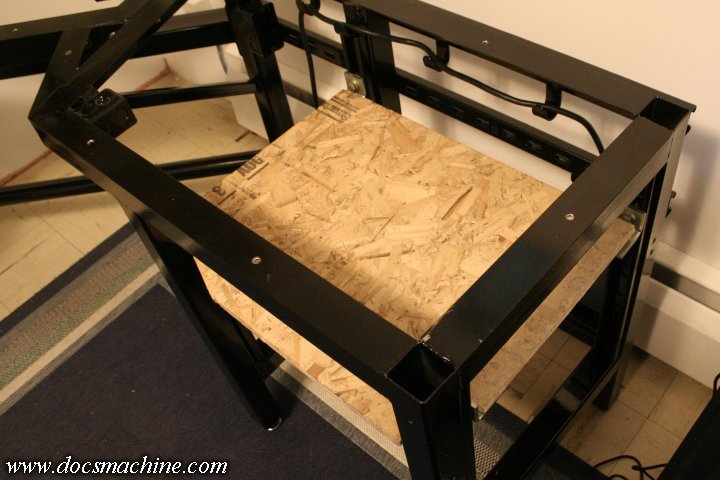
And whipped out a temporary PC shelf from a scrap of old OSB.

desk076.jpg


Both of which also gave me a set of workable measurements to fit the real thing to.

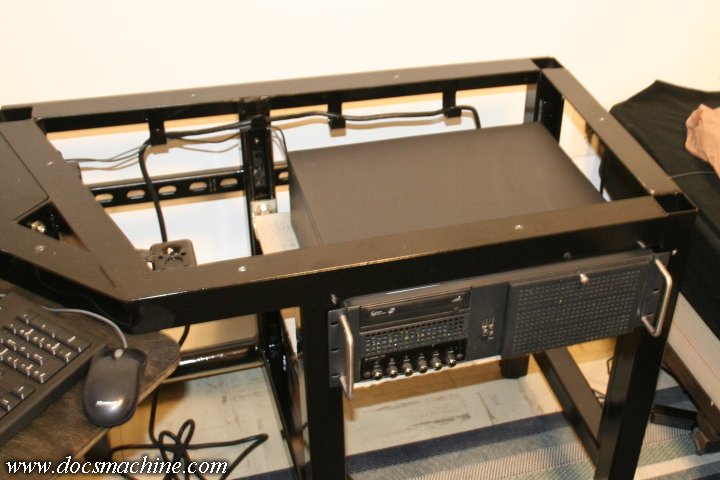
But after that, I was able to slide the PC into place...

desk077.jpg


And throw the old tops back on in order to use the thing while I started finishing the proper wood.

desk093.jpg


(To Be Continued...)
 
OP
D

DocsMachine

Well-known member
Joined
Sep 16, 2006
Messages
1,849
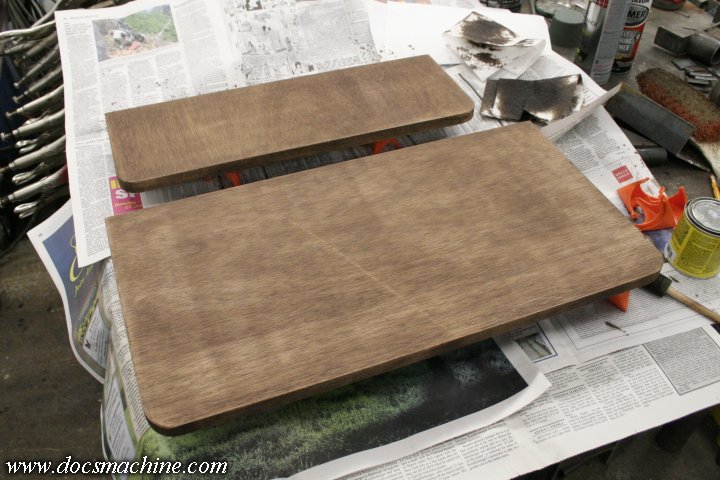
I started with the keyboard tray, since it was smaller and more easily replaced than the main top halves if or when I screwed something up. :D

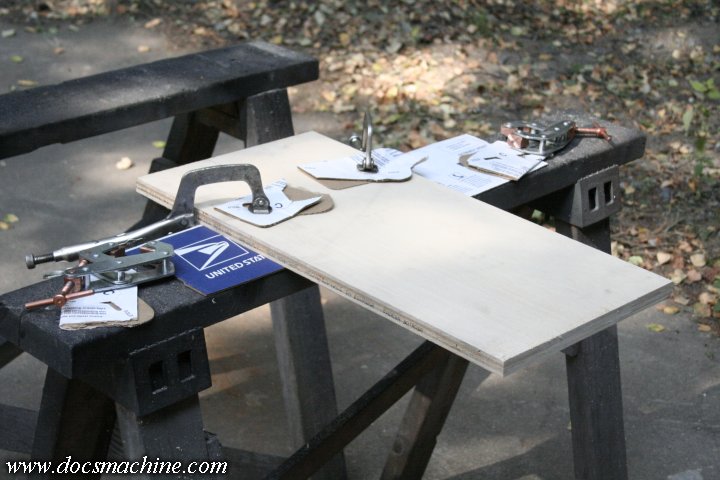
Easy enough to do, I sawed it to size...

desk078.jpg


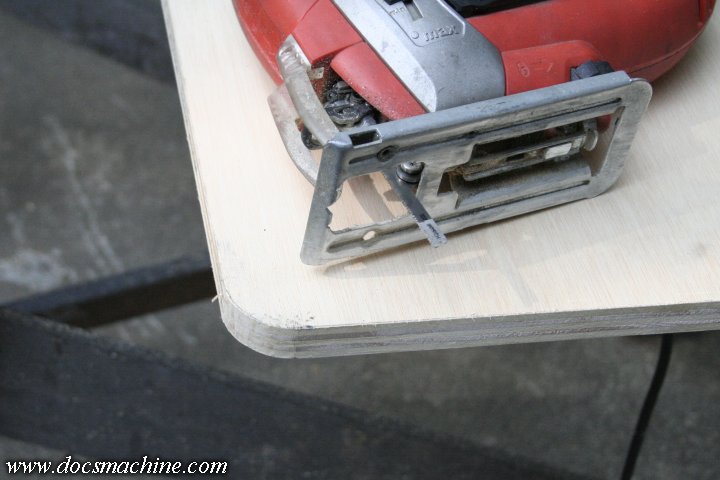
Used a sabre saw (with a metal cutting blade :D ) to round the front two corners...

desk079.jpg


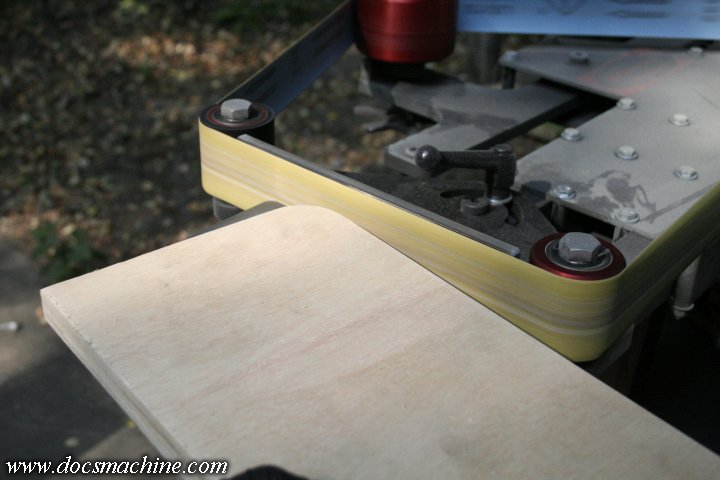
And then using my belt grinder in horizontal mode to smooth those cuts off a bit.

desk080.jpg


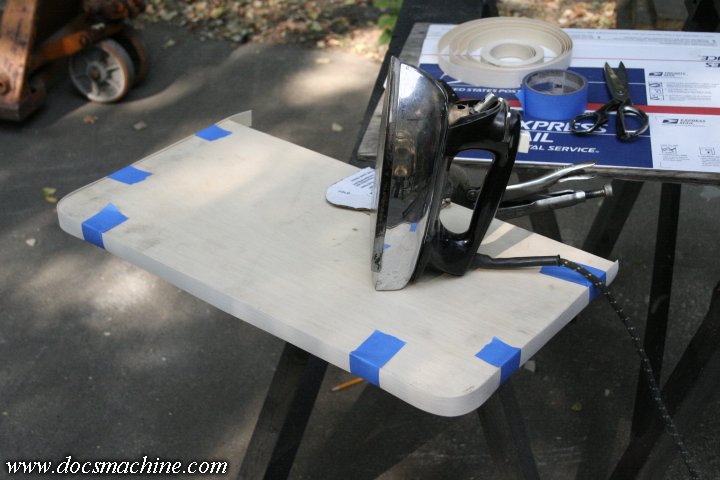
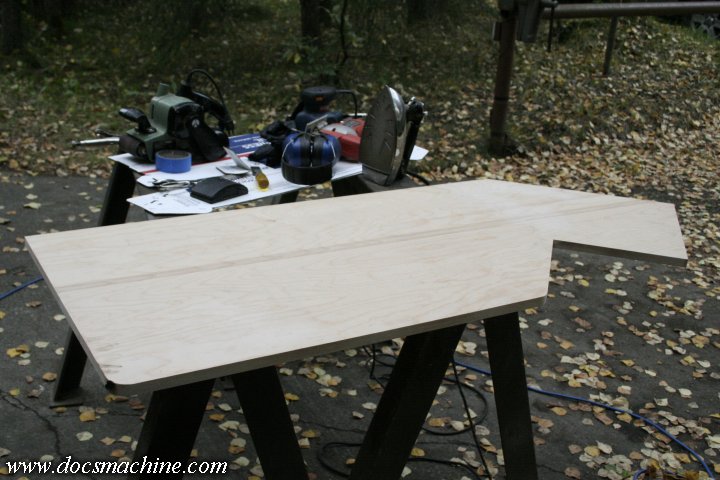
Now, to kind of hide the plywood a bit, I found some iron-on white birch edging, a sort of strip veneer. I cut a chunk to rough length and taped it into place while the iron was warming up...

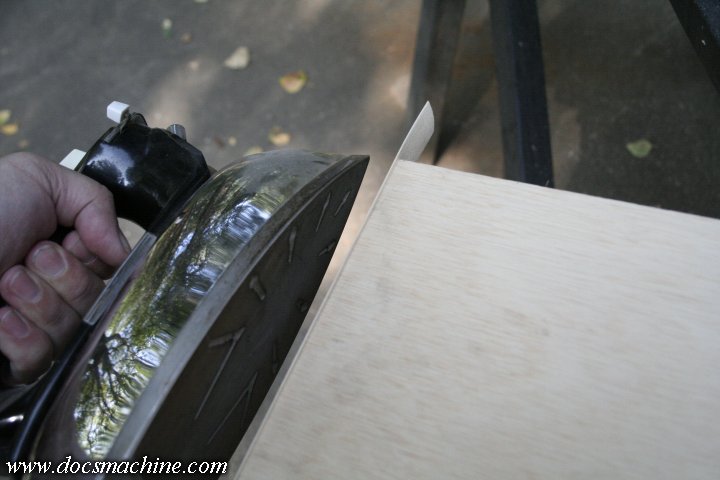
desk081.jpg


And then worked my way around in sections, ironing it on and holding it in place with a clean glove until the adhesive cooled.

desk082.jpg


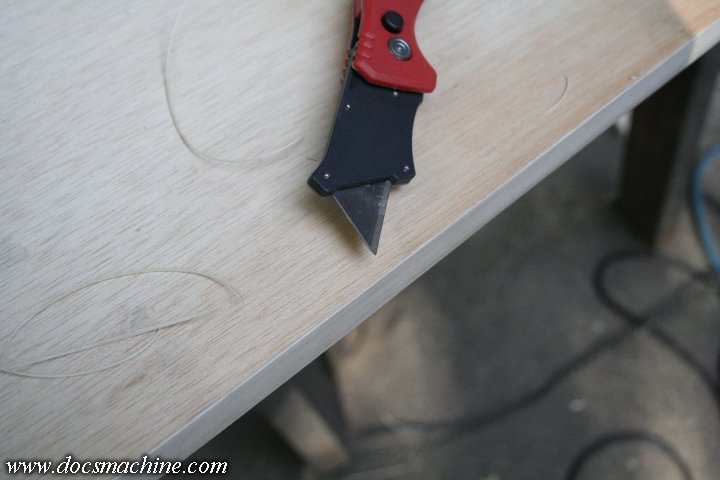
After that, it was a simple matter of very carefully trimming the excess using a sharp utility knife...

desk083.jpg


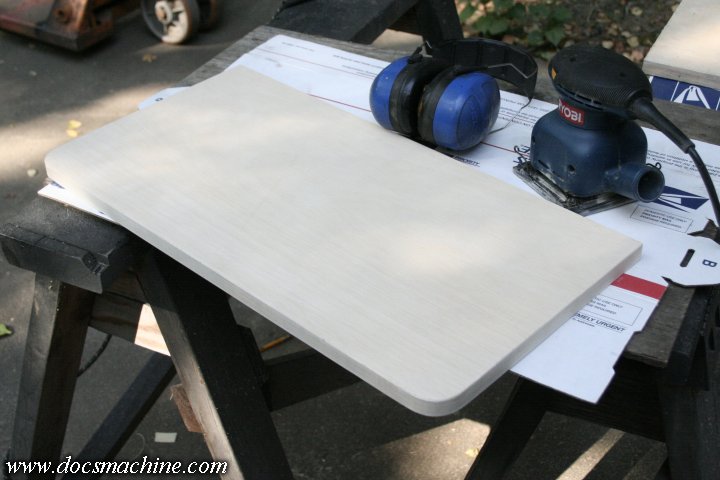
And then sanding the entire thing with some fairly fine 400 grit to get it nice and smooth.

desk084.jpg


After that, it was simply stain...

desk085.jpg


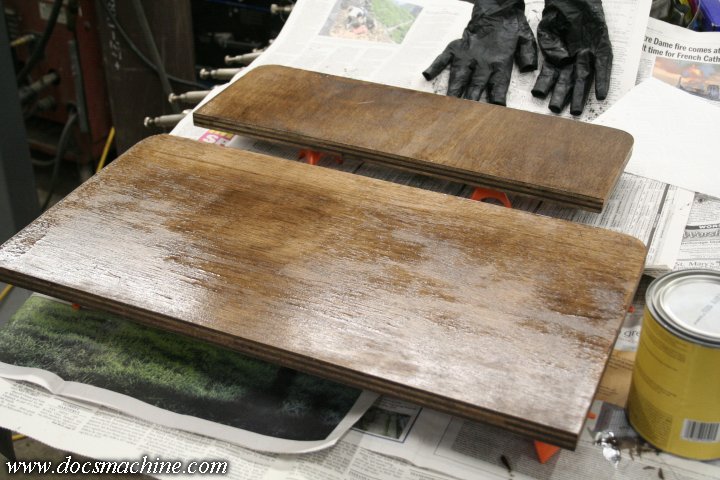
And varnish.

desk086.jpg


Of course, one of the common woodworking tricks I was not privy to, was to sand the bare wood, wet it lightly with a damp cloth, dry it with a hair dryer or heat gun, and then sand it again.

The wetting process raises the grain, the heat gun dries it already raised, and then sanding again knocks it back down to smooth.

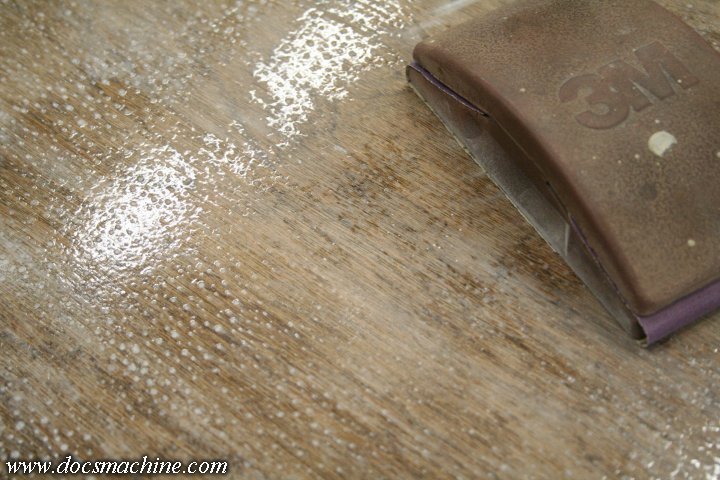
I didn't do that, here, and the stain raised quite a bit of grain, which was raised even more by the varnish. I eventually had to sand the varnish smooth(ish) and hit it with another coat.

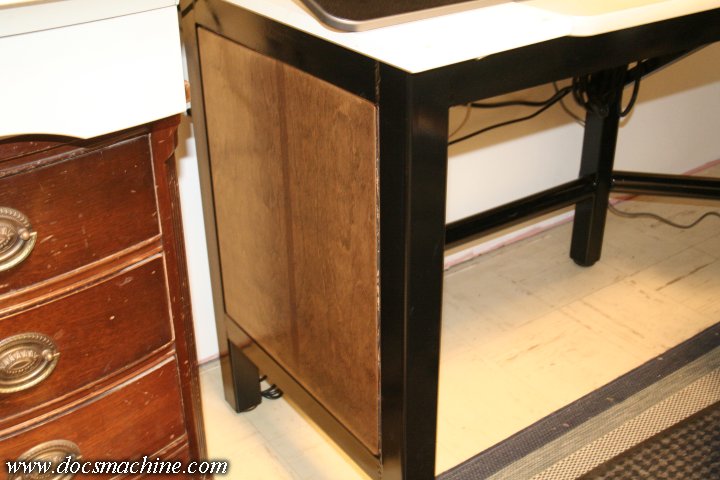
I did that with later pieces, with better results- although still not expert :D - with the next piece I tried being the left-end insert:

desk087.jpg


None of the wood is going to wind up in a museum, but hey, it's just a computer desk. It's glossy enough to look nice, but not so smooth I'm gonna worry about nicks and dings. :D

Doc.

(More to come!)
 
OP
D

DocsMachine

Well-known member
Joined
Sep 16, 2006
Messages
1,849
While I was working on the wood, there were still other little detail bits to do.

One was that I wired up one of the two outlet boxes with its own wall plug...

desk088.jpg


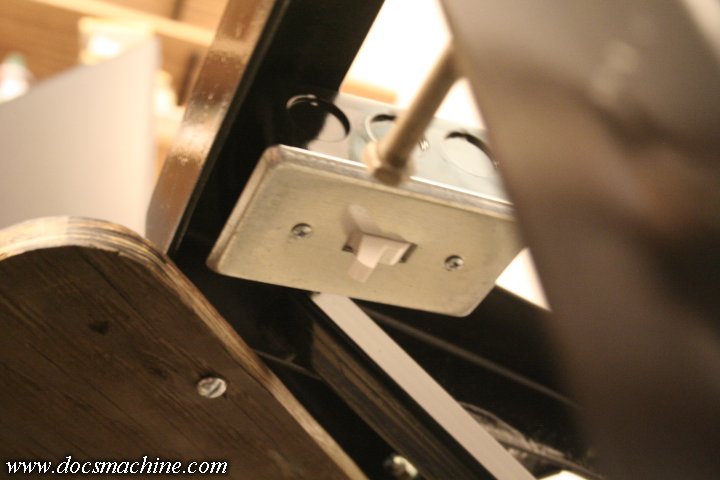
And wired that to a wall-type switch in the other box, tucked up underneath just to the right of the keyboard tray:

desk089.jpg


That gives me a switched outlet for desk lamps, and uses a far more long-term durable switch than the cheap rotaries that the typical desk lamp has. I've gone through at least a dozen lamps over the years, that die because the switch goes bad- and they're usually not easily replaceable.

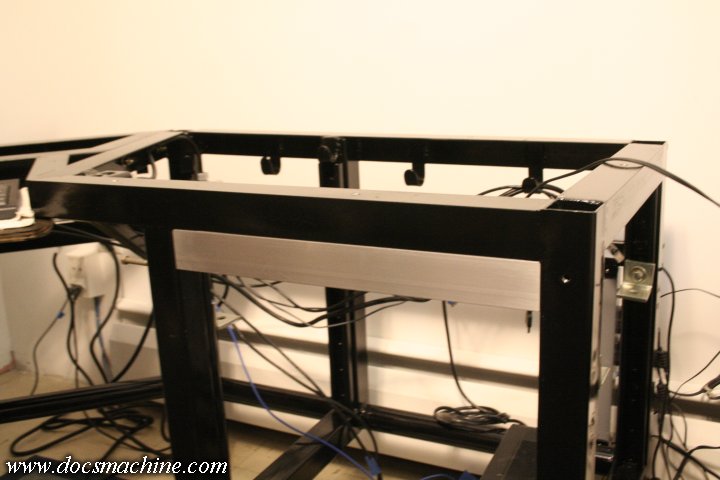
I also fitted this section of aluminum angle, which will eventually become an accessory bar.

desk090.jpg


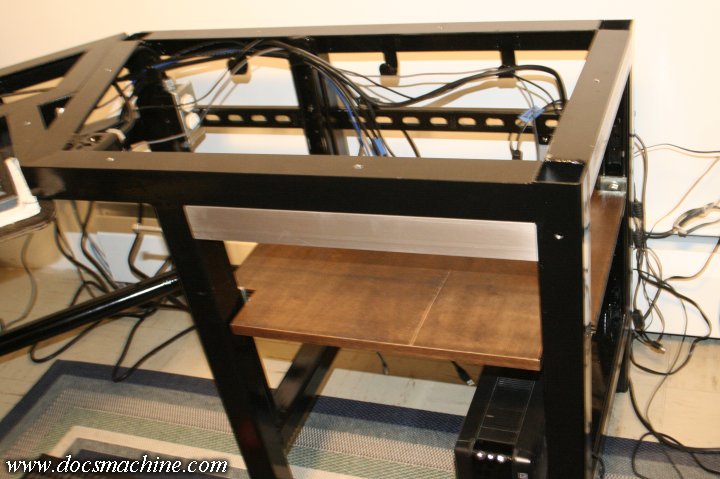
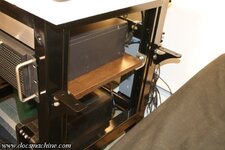
With that in, and the new, proper-wood PC shelf finished, I lowered the Unistrut brackets to where they now needed to be, and slipped the shelf in.

desk091.jpg


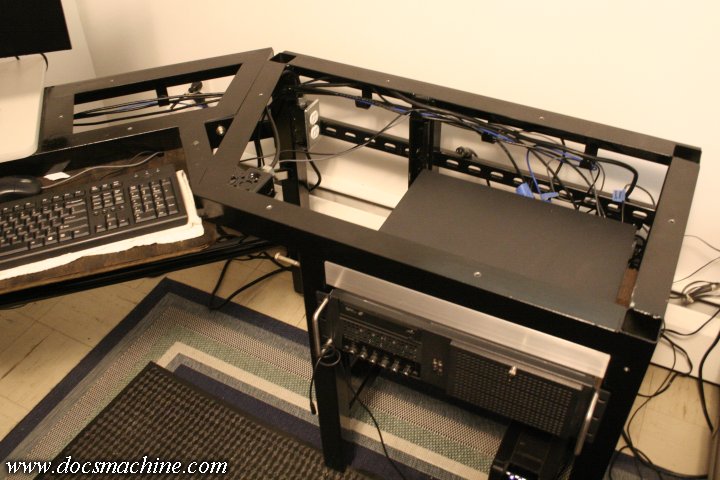
The PC goes in, and you can see how the J-hooks help organize the cables along the back.

desk092.jpg


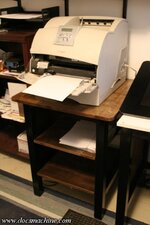
At this point, I lamented the fact I didn't make the desk long enough to accommodate the big laser printer I do all my invoicing and postage label printing. So a buddy of mine simply said "well, why not just make a separate stand?"

So I did. :D I had the same shop cut me another batch of pieces, and I started welding them together.

desk094.jpg


desk095.jpg


desk096.jpg


desk097.jpg


Easy-peasy.

(To Be Continued....)
 
OP
D

DocsMachine

Well-known member
Joined
Sep 16, 2006
Messages
1,849
I took one of the cut-off ends of the main desk top, and like the other pieces, rounded two corners, applied the same iron-on edge trim, and sanded it- this time using the wet, dry, sand technique.

desk100.jpg

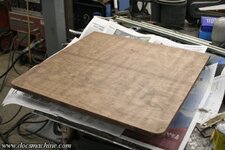
After staining, you could see these cross-grain striations appear- I'm told that's because the wide-belt sander they use to smooth this cabinet-grade stuff wasn't set right, had a worn belt, or both.

desk101.jpg

Again, no biggie, this is a workin' desk, not a showpiece. :D

I also did the two lower shelves for the printer stand, though I didn't bother worrying too much about the multiple-sanding cycles bit.

desk102.jpg

And brought inside, levelled and done!

desk103.jpg

And with the printer in place:

desk104.jpg

By that point the keyboard tray too, was done and dry, so I drilled it, picked up some stainless bolts, and installed it:

desk105.jpg

The white cloth is just there to quiet down this cheap plastic keyboard, which sounds like I'm tapping a ballpoint pen on an empty Tupperware container. I'll need to buy a better quality unit, I guess.

Next up is the side shelf, which takes the place of my now obsolete nightstand. So, two bars, snipped, licked and poked...

desk106.jpg

Violently unstraightened...

desk107.jpg

Sketched...

desk108.jpg

Bandsawed, belt-ground and TIGged...

desk109.jpg

Lightly smoothed and deburred...

desk110.jpg

And primed and painted.

desk111.jpg

And the next day, bolted into place on the far right end of the desk, using four thoughtfully preopositioned flange nuts...

desk112.jpg

The previously cut, trimmed, sanded, stained and cleared shelf drilled and screwed down...

desk113.jpg

And my antique (it still has a tape deck! ) clock radio and not nearly as antique reading lamp back into place.

desk114.jpg

Doc.

(More to come!)
 
To avoid these ads, REGISTER NOW!
OP
D

DocsMachine

Well-known member
Joined
Sep 16, 2006
Messages
1,849
Nice! That'll last you the rest of your life [emoji482]

-That's the idea. :D

The old sheetmetal-and-pressboard desk lasted me over 20 years, although admittedly I had to repair and reinforce it several times, plus adding the occasional upgrade.

This new one is solid as a rock, and I tried to make it somewhat upgradeable, so barring something like a Minority Report holographic tactile display becoming the norm, yeah, this thing should last me many years to come. :D

Doc.
 
OP
D

DocsMachine

Well-known member
Joined
Sep 16, 2006
Messages
1,849
We're finally getting down to the two top pieces. My shop is very crowded, so I was only able to lay out and work on one at a time. I started with the left-hand side, as that's the one where the tablet goes, and I need to use that pretty much nightly.

I got it rounded, trimmed and sanded...

desk115.jpg


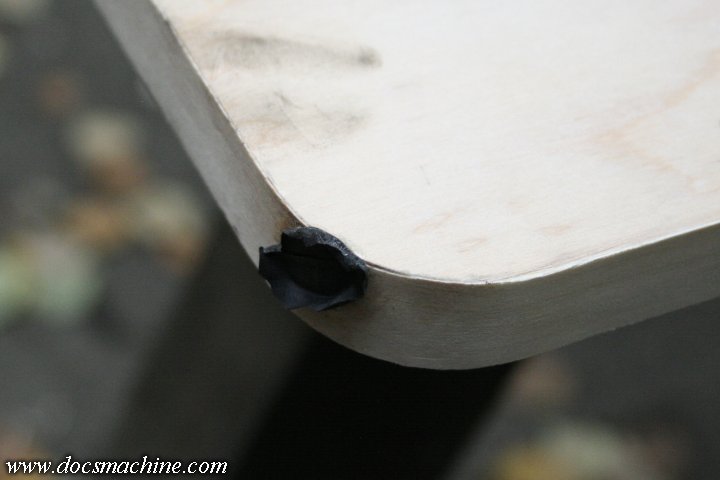
Although I had a whoops at the corner. I'd used a hand belt sander to smooth that corner after sawing it round, but didn't have the sander fully square to the plywood. When I went to add the trim, it wanted to either angle off to the side, or the corner would pull away.

I was forced to slice the trim slightly, glue it down as best I could with the iron-on adhesive, and then patch the slice with some superglue. Worked fine, in the end, but cost me the fingertip of a rubber glove. :D

desk116.jpg


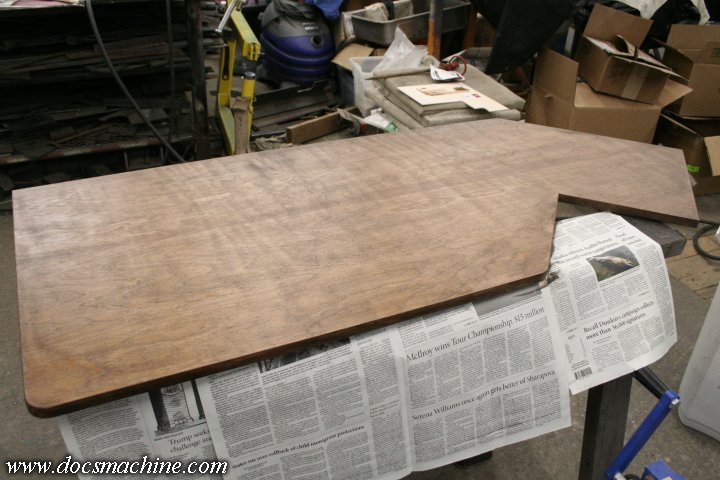
Once that was sanded smooth, I did the same sand, wet, dry, sand again cycle, and got it pretty darn good, all things considered. The stain went on and left me a nice smooth surface.

desk117.jpg


However, like all the rest of the varnish, the brush-on stuff was coming out splotchy. The smaller pieces were easy to get a good wet coat all the way across, but these big sheets kept giving me 'dry edges' where I'd brush the next row over the edge of the previous, and because it'd slightly cured, I'd get dry-brush marks.

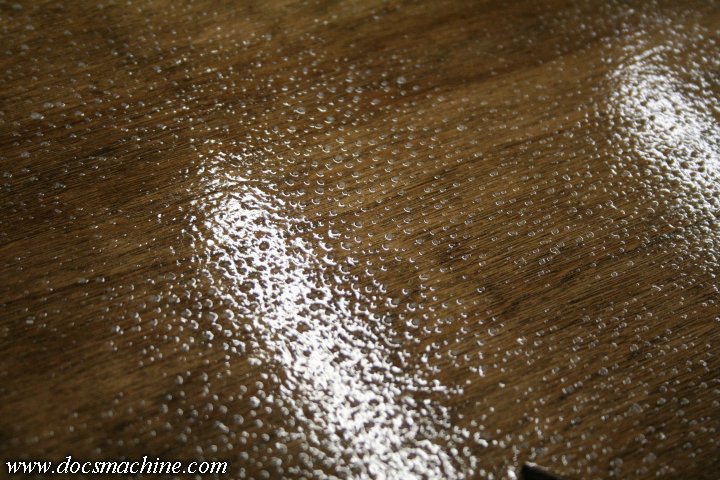
So, I had this brilliant idea [Narrator: It wasn't all that brilliant :D ] of rolling the next coat on.

Now, I'v been using the little 4" detail rollers for well over a decade, to paint industrial enamels on my rebuilt machine tools. It's always come out well, regardless of how sloppy I applied it.

Polyurethane varnish? Not so much. :D

desk118.jpg


I wound up with more bubbles than a bath bomb, and while that looks nice and wet, it's well dried and those bubbles and firmly entombed. :D

I like to think I'm a top-flight metalworker, but I never said I was a woodworker. :)

Anyway, after that had a chance to thoroughly dry, I sanded it smooth...

desk119.jpg


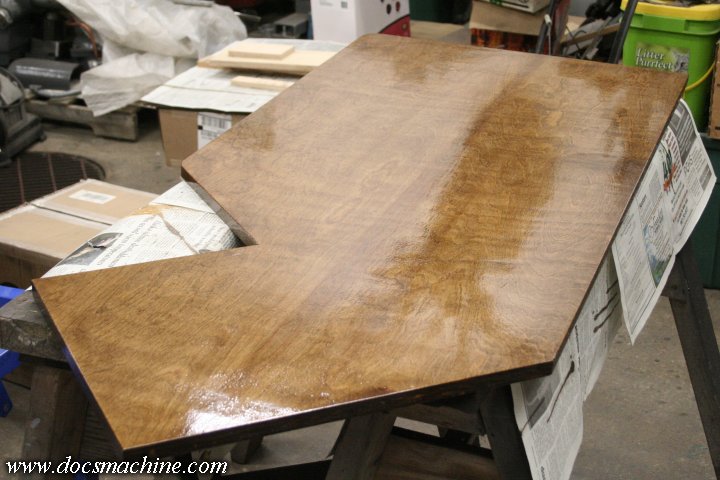
And hit it with two coats of spray polyurethane clear.

desk120.jpg


And, after more curing time, I was finally able to install it.

desk121.jpg


(To Be Continued...)
 
OP
D

DocsMachine

Well-known member
Joined
Sep 16, 2006
Messages
1,849
Now, while the other half was being worked on in a similar manner- except for the roller :D - I got ready to install the accessory bar as well, since the PC was going to have to come out anyway to install the new top.

desk122.jpg

For the time being, I planned to fit two things to the accessory bar- one was a camera card reader, and the other was a headphone plug.

The rackmount chassis I was using had neither built-in, so I was using "dongle" type card readers, and had a headphone extension cable coming around from the back of the PC.

AND... even when my PC has had a front headphone jack, they usually die in short order, from the constant use of the cable. I wanted a more permanently mounted one, and decided to bump it up to a full size 1/4" stereo plug rather than the little 1/8" version.

The headphone jack was easy, just needing a slight counterbore in order to have enough of the threaded boss sticking out the front.

desk123.jpg

Like so:

desk124.jpg

For the card reader, the only ones intended to be mounted anywhere, were for a 5.25" or 3.5" PC bay. I'd ordered one for a 3.5" bay, and so I needed to mill a matching slot in the bar. First mark it out....

desk125.jpg

Mill up to the lines....

desk126.jpg

And then file the corners round 'til the reader fits. :D

desk127.jpg

Mill, drill and lick a couple more pieces of angle in just the right way...

desk128.jpg

And you have a couple of mounts to accept pretty much any 3.5" bay accessory one might want to slide in there.

desk129.jpg

The headphone plug is easily wired after cutting the extension in half and doing a little soldering, and the rail is prepped with a little etch primer and more black paint.

After that, we're basically at the home stretch. Bring the final top section in and screw it down...

desk130.jpg

Start putting all the accessories and peripherals back in place...

desk131.jpg

Install the accessory bar, slide the PC back in place, and plug everything in...

desk132.jpg

And Done!

desk133.jpg

As I've said, it's solid as a rock, has plenty of room for my stuff, the 'footrest' bars are handy (footy? :D ) and it's all laid out pretty much exactly how I want.

It's not fully 100% complete yet, though. I still need to make myself a proper hook for my headphones (I'm just using a long bolt for the moment) I need to make a base/mount for the desk lamp, that will attach to the Unistrut rails out back (rather than clamp to the wood tabletop) and at some point I'll be making the arms to mount the monitors off the back rails as well.

But even still, it's a significant improvement over the old setup. I'm very happy with it.

Doc.
 

MoonRise

Well-known member
Joined
Nov 5, 2010
Messages
4,028
Location
NJ
Vise-Grips, swivel-pad deep-reach Vise-Grips, sheet metal spot-weld Vise-Grips, sheet metal flat-jaw Vise-Grips, and some Kant-Twist welding clamps. :D

Chain up your gas cylinder so it doesn't fall over. :eek:

Nice job and nice write up. :thumbup:

Where is the self-destruct switch, ala Morty? :lol:

re: blotchyness on the birch plywood

That's not really from the factory sanding. It's more of a chracteristic of the birch itself not absorbing the stain evenly and thus giving the blotchyness.

The fix is to apply a pre-stain conditioner to the wood before you apply the stain. Helps to even out the absorbtion of the stain and thus give a more uniform stain result.


From https://www.minwax.com/how-to-finish-wood/staining-wood/

Birch

Less expensive than hard maple, birch is often substituted for maple in furniture and kitchen cabinets. But, like hard maple, birch wood does not absorb stain evenly and should not be stained with dark colored stains. When staining, first apply a pre-stain wood conditioner, then select stains lighter in color.


And from https://www.familyhandyman.com/wood...enly-without-getting-blotches-and-dark-spots/

Problem woods

Some types of wood, like pine, cherry, birch and maple, are notoriously difficult to stain. A board that has a nice, attractive grain pattern can end up with dark, splotchy areas after you apply the stain.


And from https://www.popularwoodworking.com/projects/the-way-wood-works-birch/ , go to the section about "Seal birch before you stain" for some pictures of the blotchy result of staining some birch and the more uniform result when sealer/pre-stain conditioner is applied first and then the birch is stained.
 
OP
D

DocsMachine

Well-known member
Joined
Sep 16, 2006
Messages
1,849
Chain up your gas cylinder so it doesn't fall over. :eek:

-I was wondering if anyone would spot that. :D

Yep, the tank on the TIG ran dry right in the middle of some of the first welds, so I rolled the spare over. It's kind of tight back there, so I just swapped the regulator, figured I'd finish up what I was doing, and then roll the welders around to swap the tanks proper.

Then a week later as I was finishing up some other welds, I realized it was still standing there. :D

Where is the self-destruct switch, ala Morty? :lol:

That's built into Windows. :D

Doc.
 

gte718p

Well-known member
Joined
Mar 12, 2009
Messages
3,972
Awesome work.

A desk that cool deserves some good cable management.
 
OP
D

DocsMachine

Well-known member
Joined
Sep 16, 2006
Messages
1,849
A desk that cool deserves some good cable management.

-Workin' on it. Both monitor power cables need to be about 2' longer as they barely reach now, and I want 'em plugged into the UPS and loose enough I can get 'em tucked up into the hooks.

I need to make a bracket of some kind to hold the tablet power brick up and out of the way, and I need to come up with a mountable "hub" of some sort for the external hard drives.

The external drives may also get a shelf up underneath the desk- I don't necessarily need to see 'em or physically handle 'em- in which case I may set 'em up with a 3.0 hub and see if I can't find some 6" or 8" cables to neaten things up a bit.

I'd thought about going with a wireless keyboard and mouse, but I hate having the batteries go out all the time, especially right in the middle of a job.

And the cords from the two surge suppressors are both about four times too long. I'd opened the cases to see if I could shorten them easily, but they're pretty well built in. It'll be easier to just knife about three feet off the plug and and put new 90-degree plugs on anyway.

I'm still refining it, it's just that I need to actually, you know, do work here, and I've already spent too much spare time on it. :D

Doc.
 

bdbecker

ALLIANCE MEMBER
Joined
Nov 18, 2015
Messages
5,551
Location
Iowa
Very well done! I am definitely going to be using this build for inspiration when I get around to redoing my home office setup. I especially like the integration of uni-strut for future proofing.
 

ClappedOutBport

Well-known member
Joined
Mar 30, 2016
Messages
998
Beautiful work Doc. Very well designed and thought out. I power off all of my monitors and accessories with a power strip, so I would have had a light switch for that, but your usage may vary.

BTW, regarding keyboards, I highly recommend upgrading to a mechanical keyboard. Not only is typing more fun, your speed will likely increase slightly too. Lots of key styles, something for everyone.
 

gte718p

Well-known member
Joined
Mar 12, 2009
Messages
3,972
-

I'd thought about going with a wireless keyboard and mouse, but I hate having the batteries go out all the time, especially right in the middle of a job.

Doc.

I though of this comment today when my wireless mouse died in the middle of a video telephone call (VTC) that I was presenting on. Covered well, but still annoying. Actually just pulled it out put it back in and it started working, but that is the sure sign that it will die soon. Battery installed February 2017. I think it has had a good run.
 

slodat

ALLIANCE MEMBER
Joined
Feb 6, 2010
Messages
3,679
Location
Central-ish, WA
I’m reworking the user interface stuff for my CAD workstation. I bought a Das keyboard mechanical keyboard with Cherry brown switches. It is a treat to use. Also added a 3dConnexion CAD Mouse Pro wireless. Hands down best mouse I’ve ever used. It’s battery is charged via usb cord. Lastly I also added their Space Mouse Enterprise. Amazing tool if you are 3D modeling.
 
To avoid these ads, REGISTER NOW!
Top Bottom