To avoid these ads, REGISTER NOW!

Which WiFi thermostats?

themiller

Well-known member
Joined
Apr 24, 2012
Messages
4,805
Location
Seattle Suburbs
I’ve got 3 smaller school buildings - built a long time ago and with lots of little furnaces. There are ~18 80k BTU units. Just basic gas fired forced air heat controlled with 70’s era round dial thermostats and some more modern digital.

All have individual thermostats; I’d really like to replace the thermostats with something that I can control remotely, program, and set schedules.

I don’t want to create 16 different nest accounts - I’m looking for something geared at the small business. Usage charts, alerts if a furnace is running for 24 hours straight, etc. Any insight? The HVAC vendor I’ve been working with is great but we’re their smallest client and their recommendation is a bit much.

I have good WiFi in all buildings, could hardwire them but kinda a pain.
 
To avoid these ads, REGISTER NOW!

j.mo

Member
Joined
Oct 11, 2014
Messages
9
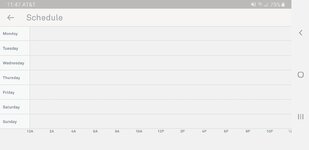
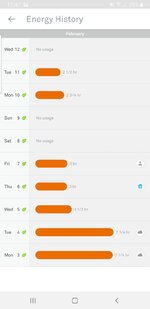
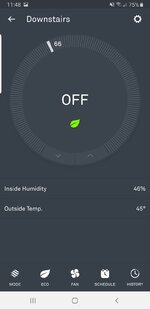
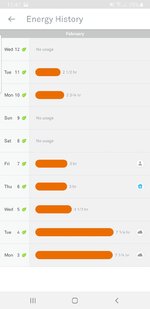
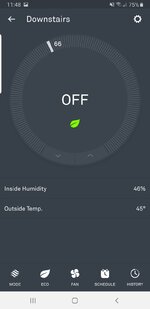
I have 2 nest thermostats in my house. Both under the same account. Very simple operation. I'd assume this is how yours would look as well, however with a few more thermostats. I'm not sure how they categorize, whether on the same wifi network or under the same account but you can certainly control multiples within 1 account easily. The app stays logged in and pulls them both up. They also easily integrate with all of my other smart home devices, so expansion for you is an option.
I've been thinking about swapping the 2 at my business, I wish I had already so I'd have more information on how those are controlled. Whether I'd have to log in separately or just add another location into my account. You can set schedules and see history right from the dashboard, for each thermostat.

I've read and heard many good things about the ecobee, however I have experience only with nest. e5d638c170d6d1fa350ea660ba096b1f.jpg

Sent from my SM-N950U using Tapatalk
4957c673eb064ffd7652ae930043a04e.jpg64b8cb61990fbf2f2ecf8394ae659a3e.jpgdc3fceb91cf8e893efbed0caab24fc86.jpg
 

Attachments

  • e5d638c170d6d1fa350ea660ba096b1f.jpg
    e5d638c170d6d1fa350ea660ba096b1f.jpg
    140.6 KB · Views: 0
  • 4957c673eb064ffd7652ae930043a04e.jpg
    4957c673eb064ffd7652ae930043a04e.jpg
    87.8 KB · Views: 0
  • 64b8cb61990fbf2f2ecf8394ae659a3e.jpg
    64b8cb61990fbf2f2ecf8394ae659a3e.jpg
    138.5 KB · Views: 0
  • dc3fceb91cf8e893efbed0caab24fc86.jpg
    dc3fceb91cf8e893efbed0caab24fc86.jpg
    175.2 KB · Views: 0
OP
T

themiller

Well-known member
Joined
Apr 24, 2012
Messages
4,805
Location
Seattle Suburbs
Thanks! Can you set all of their schedules and temps at once or do you need to click on each thermostat? I’m hoping for a system I can just press once and turn all up or down or change the schedule (school breaks, etc...)

I’ve googled the answer for this and it seems not - but I would love to hear 1st hand confirmation.
 
Last edited:

Falcon67

Well-known member
Joined
Jun 11, 2009
Messages
18,371
Location
Merkel, TX
We use an Ecobee in the house, works very well. Only ding I can give it is that the schedules program in 30 minute intervals and there are a couple that could really use a 15 minute increment.
 
OP
T

themiller

Well-known member
Joined
Apr 24, 2012
Messages
4,805
Location
Seattle Suburbs
Last edited:

wes73

Well-known member
Joined
Nov 18, 2013
Messages
218
Location
South Central PA

dave*99

Well-known member
Joined
May 5, 2009
Messages
4,254
Location
Coastal NJ
yes yes yes thank you!!!

and for anyone else in a similar spot - there is a product from Honeywell - RedLINK that I am also exploring.

I have 3 RedLink Honeywells spread across 2 houses. They work well. I control them from a Honeywell app, but I know they integrate with other control programs too.

My units use a Redlink wireless interface that is then hardwired to my network. It's a wireless interface box that talks to the thermostats and plugs into the ethernet wiring. I picked this because at times in the past I've had WiFi items that were not reliable. That has probably gotten better over time. But the RedLink system I have is not WiFi (although they make some that are) and it has been 100% reliable for about 6 years now.

My son has a Nest. It's ok for him but if you want to program hard start and stop times (and I think you do) then the Honeywell may be more suited for your commercial application. In fact the same Honeywell units were installed in our office building about 2 years ago.
 

kap

Active member
Joined
Aug 25, 2010
Messages
31
Location
Cape Cod Massachusetts
Don't get a NEST!!!!!! I did that 3 years ago in what was then a vacation home. After a few months, the NEST malfunctioned - furnace ran straight for about 48 hours - it was 112 degrees F in the house. Didn't cause any serious damage, but stressed the 25 year old furnace to the point that we had to replace it. Fought with NEST for months, and finally got some restitution from them. Currently using a professional Honeywell RedLink unit - works great. Doesn't have some of the bells and whistles of the NEST, but that's OK.
 

Showkey

"MEMBER EMERITUS"
Joined
Aug 9, 2014
Messages
8,638
Location
Wausau WI
After the novelty wears off..........of watching energy usage and looking a tstat from across the city, state or country. I fail to see the real value in $200-$400 tstat. Then add the extra failure points of the Wifi and the unit itself, the consequences of the failed unit. I’ll stick with dumb setback tstat that been time tested for 30 years.

As for monitoring temperature when on vacation, security system handles that, plus video.
 

jd_1138

Well-known member
Joined
May 8, 2013
Messages
17,042
Location
NE Ohio
We have a Nest E unit that was like $130 I think. Super easy hookup. Remove old thermostat, drill in trim plate, then plug the wires into the Nest -- green to green, white to white, etc..

It's nice to use your laptop, phone, tablet or the device itself to change the temp. Plus you get usage reports.
 

jd_1138

Well-known member
Joined
May 8, 2013
Messages
17,042
Location
NE Ohio
After the novelty wears off..........of watching energy usage and looking a tstat from across the city, state or country. I fail to see the real value in $200-$400 tstat. Then add the extra failure points of the Wifi and the unit itself, the consequences of the failed unit. I’ll stick with dumb setback tstat that been time tested for 30 years.

As for monitoring temperature when on vacation, security system handles that, plus video.

Our Nest E was only like $130 if memory serves. Of course the OP has 3 buildings, so that'd be $400 or so. If Wi-Fi fails, you can still control it with the unit itself. Just turn the Nest face/dial and the temp goes up or down, and the menu to switch from heat, AC, both is accessible by pushing in on the unit.

But it's pretty cool to be able to control it from the comfort of your bed on a tablet, phone, laptop, or Google Home assistant speaker. It's probably paid for itself by me turning the heat way way down to like 60 when we're in bed. Whereas if I had to get up, I may have left it on or set it to 65 or something.
 
OP
T

themiller

Well-known member
Joined
Apr 24, 2012
Messages
4,805
Location
Seattle Suburbs
Counted and I have 18 furnaces. Anyone that thinks running from area to area before every break and turning down 18 furnaces, or even opening an app and doing the same thing 18 times has way too much free time on their hands. This is a job for a computer to do. Considering our monthly heating bill is over $2k being a bit smarter will pay dividends quickly. We're also adding A/C so automating that control will be *very* important.

I've ordered up the RedLINK gateway and some of the Honeywell T stats. Thanks for all the suggestions.

I'll post an update when I get everything going.
 
Last edited:
To avoid these ads, REGISTER NOW!

chlorine

Member
Joined
Jul 21, 2009
Messages
12
I would suggest you talk with your IT team or provider as well if you're planning to have these on the network. You will want them segregated from the student's wifi network, and they might have some other requirements for security that the devices you pick need to meet.

Personally I prefer to have devices that don't need to tie back to a single company for management. Honeywell has some thermostats that keep everything local. What's good for a consumer in their home or even a small business is not necessarily good for you.
 

Showkey

"MEMBER EMERITUS"
Joined
Aug 9, 2014
Messages
8,638
Location
Wausau WI
I had the $200 Nest ........returned it after 3 days with marginal NEST tech support......they decided it would not work with a multiple zone system even if I purchased multiple Nests.

My son has one.........that’s where the novelty wore off.......now it s just an automatic $200 tstat.
 

rlitman

Well-known member
Joined
Oct 18, 2010
Messages
24,582
Location
Long Island
After the novelty wears off..........of watching energy usage and looking a tstat from across the city, state or country. I fail to see the real value in $200-$400 tstat. Then add the extra failure points of the Wifi and the unit itself, the consequences of the failed unit. I’ll stick with dumb setback tstat that been time tested for 30 years.

As for monitoring temperature when on vacation, security system handles that, plus video.

Huh? Smart thermostats do not rely on WiFi, so that is not a failure point. For the most part, only your remote access relies on WiFi.

I have an ecobee downstairs that I got after huge rebates for $75. My heating system does not have an outdoor reset control, but I can simulate that to a degree by altering zone timing using local weather conditions using IFTTT and Weather Underground data. It's not only saved me a bundle, but also has significantly increased the comfort.
 
OP
T

themiller

Well-known member
Joined
Apr 24, 2012
Messages
4,805
Location
Seattle Suburbs
... but I can simulate that to a degree by altering zone timing using local weather conditions using IFTTT and Weather Underground data. It's not only saved me a bundle, but also has significantly increased the comfort.

Yeah I'm pretty excited. We have rooftop powered ventilators that haven't been used in over 20 years because they're a PITA (have to turn them on/off at the breaker). I'm planning to integrate them with RedLINK as well so they can run at night to cool off the building during summer. Comfort is going to be much easier to come by.
 

Denwood

Well-known member
Joined
Sep 22, 2014
Messages
4,183
Location
Thunder Bay, Ontario, Canada
My previous commercial building used 9 ecobee3 stats. Zero issues and plenty of automation build around them.

Currently I’ve been retrofitting 3 commercial buildings with these stats and having the same experience. One site uses overhead line level radiant..again using
The ecobee3s with a 24V transformer and relay.

So 15 Ecobee stats installed so far covering:

1. Radiant in floor (4 stats)
2. Air handlers (5 stats)
3. Convention forced air (4 stat) 1 with HRV control integrated.
4. Overhead 110V radiant (2 stats)

Zero issues and they have saved my **** a few times with low temp alerts. In one case, failed overhead door seals (zone radiant couldn't keep up in -35C) and a tenant who propped an outside door open in similar conditions...
 
Last edited:

jlv03

Well-known member
Joined
Jan 19, 2020
Messages
344
Location
SE IA
I've had decent success with Nest for the last 8 years or so.

I think what gives Nest such a bad name is their claim that no "C" wire is required. From what I have read online and from the experiences of friends, this is very hit-or-miss (more miss).

What drove me to the Nest is constantly forgetting to adjust the thermostat when heading out of town for the weekend or week. Sure the house stayed nice and air conditioned, but it really didn't need to be if no one is home!
 

Falcon67

Well-known member
Joined
Jun 11, 2009
Messages
18,371
Location
Merkel, TX
>After the novelty wears off..........

The Ecobee works with Alexa and has a decent app. I don't usually touch the t-stat. The novelty of being able to manipulate the control via various means without direct contact with the device has not worn off in the last 3 years. But then - we're IT types, so we like the tech. Same with the lights, don't hardly put a finger on a switch anymore. Nice.
 

MJK

Well-known member
Joined
May 21, 2018
Messages
729
Location
Tucson, AZ
Don't get a NEST!!!!!!

I had a similar experience. I bought two for my house, about 6 months apart. Just out of warranty, the older one failed causing both the gas heat and the A/C to run non-stop simultaneously. Hundreds of dollars later, it was determined that the NEST baseplate failed and I could only get one direct from them. So, I called and inquired about buying a new base. I honestly answered that it was for the older of the two units (both of the same generation). They said:

A) It would still be under warranty if professionally installed, but it wasn't since I installed it. There was nothing wrong with the install, either per them or our A/C tech.

B) the failure is a 'known issue' and the recommended resolution was to buy a new one at full price. The rumor is that they used MOSFETs where really a higher current solution would be advised. They could not comment on the rumor.

C) If it had been under warranty (as the newer one still was), they would send out a new baseplate free of charge. They will not sell me one at any price. When I asked why I can't buy something they clearly have to resolve a known issue I was told that was 'just policy'.

When I asked if the design had been changed for the new unit they had just released, if base plates were available for newer models, or if they can offer any reassurance the same issue would not re-occur on the one I was advised to purchase I was told simply 'no' to all of the above.

So, yea. Don't buy a Nest.
 
Last edited:

nsula_country

Well-known member
Joined
May 23, 2013
Messages
1,534
Location
Northwestern Louisiana
I had a similar experience. I bought two for my house, about 6 months apart. Just out of warranty, the older one failed causing both the gas heat and the A/C to run non-stop simultaneously. Hundreds of dollars later, it was determined that the NEST baseplate failed and I could only get one direct from them. So, I called and inquired about buying a new base. I honestly answered that it was for the older of the two units (both of the same generation). They said:

A) It would still be under warranty if professionally installed, but it wasn't since I installed it. There was nothing wrong with the install, either per them or our A/C tech.

B) the failure is a 'known issue' and the recommended resolution was to buy a new one at full price. The rumor is that they used MOSFETs where really a higher current solution would be advised. They could not comment on the rumor.

C) If it had been under warranty (as the newer one still was), they would send out a new baseplate free of charge. They will not sell me one at any price. When I asked why I can't buy something they clearly have to resolve a known issue I was told that was 'just policy'.

When I asked if the design had been changed for the new unit they had just released, if base plates were available for newer models, or if they can offer any reassurance the same issue would not re-occur on the one I was advised to purchase I was told simply 'no' to all of the above.

So, yea. Don't buy a Nest.

Problems I have seen with Nest also involve the wire base/outputs. Seen a Nest take out a furnace board.

CT
 

Denwood

Well-known member
Joined
Sep 22, 2014
Messages
4,183
Location
Thunder Bay, Ontario, Canada
>After the novelty wears off..........

The Ecobee works with Alexa and has a decent app. I don't usually touch the t-stat. The novelty of being able to manipulate the control via various means without direct contact with the device has not worn off in the last 3 years. But then - we're IT types, so we like the tech. Same with the lights, don't hardly put a finger on a switch anymore. Nice.

That's what I like about the Ecobee3s I've installed so far. They are set and forget, however the remote sensors and Ecobee API ties in nicely with the automation I've been using.

Also, unlike NEST you have some dry contacts to play with, so on my brother's install we were able to integrate his Venmar EVO5 HRV with his ecobee. The EVO5 has no furnace interlock (so furnace fan runs with HRV) however it does have dry contacts for an external manual switch. His Ecobee3 (not the lite version!) runs the HRV quite nicely with fan integration now that the Ecobee3 dry contacts are connected to the HRV. Makes no sense to run an HRV without the HVAC fan running when they are integrated...

They are set and forget, have caused zero issues over 15 units installed so far..and they work perfectly if internet drops.

Yes, they do require a C wire..but that solves all your power issues that otherwise cause Nest or Honeywell "power" parasite tech issues. Ecobee does include a wiring device that will take a four wire system from your furnace and multiplex it into a 5 wire system (to control heat/cool and fan seperately) and these work flawlessly, although I've only used these twice over 15 installs.
 
Last edited:

dave*99

Well-known member
Joined
May 5, 2009
Messages
4,254
Location
Coastal NJ
The Honeywell RedLink units I have also has additional dry contacts. I use a set to control my Aprilaire humidifier. I can set and monitor the humidity remotely too. This came in handy when the old school control from Aprilaire failed and I needed a way to control the humidifier.
 

blunn

Well-known member
Joined
Nov 25, 2007
Messages
104
Location
White House, TN
I bought a Sensi thermostat just last week . Mounted using the existing holes from the old Honeywell , connected the wires and paired with the home WiFi , 10 minutes from box to working . One week into it , I’m still tinkering with schedules but so far it seems to work well . It links to Alexa so I can speak commands or use the app on other wireless devices . I bought the cheaper model , $88 on Amazon , same functionality as the touchscreen model . I cashed in rewards points from Speedway fuel and Opentable so I actually paid $40 , no brainer IMO .
 
To avoid these ads, REGISTER NOW!
Top Bottom