To avoid these ads, REGISTER NOW!

wifi and cell issue

junkyardwarrior

Well-known member
Joined
Nov 17, 2014
Messages
174
30x40 metal building. I am in the shop more than I'm in the house. Anyway I do not have a phone out there. Cell service is fine-as long as the doors are up. Once the doors are down, there is no service at all. Same for wifi. Shop is 33' from the house and as long as the doors is up I have wifi from the house but soon as the doors are down, no signal. Most of the time it's a good thing since the ol lady can't call & gripe at me but I also use the shop for work, and in the future am planning on running a SxS and ATV repair.

Have yall come up with a wifi extender and/or cell extender that would work in this application? I looked online but everything I looked at, couldn't even get through the advertisements to see the actual product.
 
To avoid these ads, REGISTER NOW!

35k0

Well-known member
Joined
Feb 19, 2020
Messages
621
Location
Minnesota
Wilson We Boost Cell Booster. Worth the money. They work great and are probably the most popular. There are generic ones on Amazon that seem to get great reviews though too.
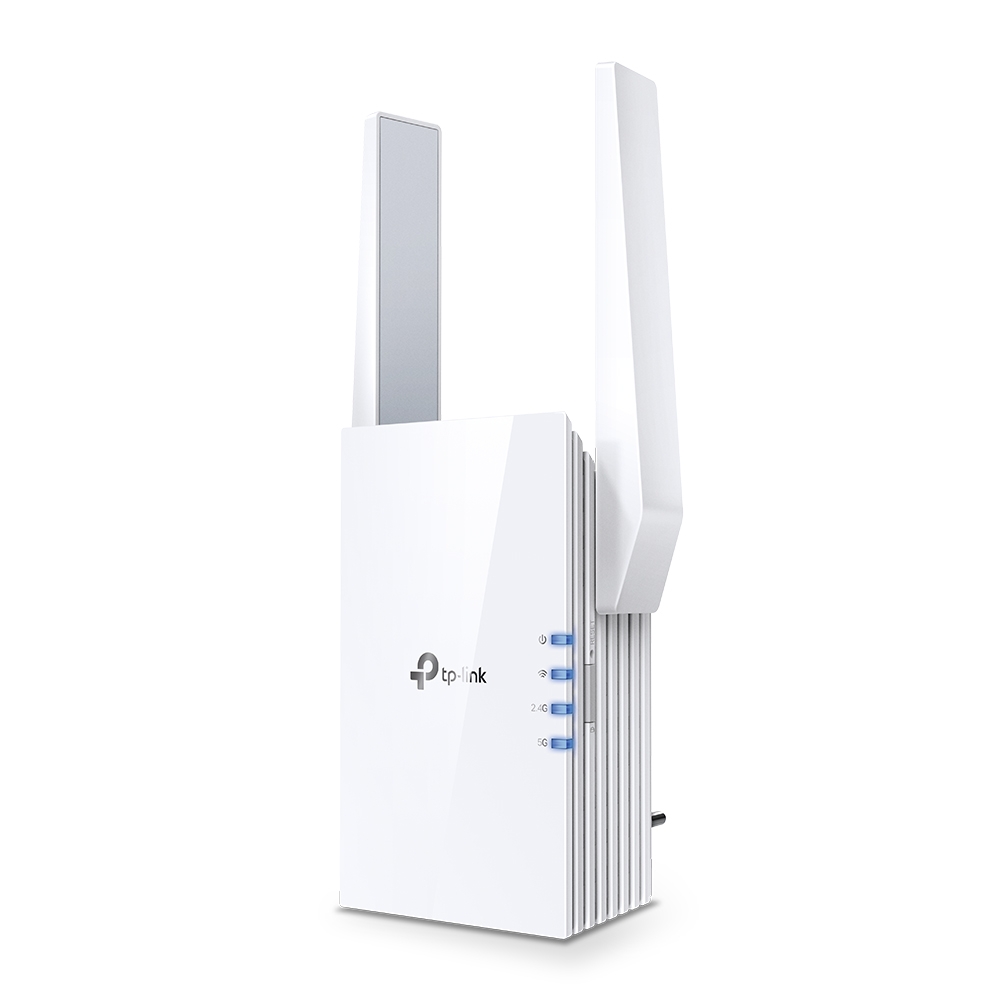
I use a TP link repeater go get WIFI to my garage but am looking at one of these as they supposedly have more coverage.
 

cretedog

ALLIANCE MEMBER
Joined
Mar 27, 2012
Messages
232
Location
North Dakota USA
My shop and house are about the same distance apart as yours. Steel siding on both. Poor to none cell and wifi in the shop. Ordered a hotspot/ extender from Walmart for about $100. Ran a Cat 5E to it from our house router so not using it as just a wireless extender (although it can be used either way). Works great and can now use computers, tv, cameras, alarms, remote stats..... etc. in the shop- which you'll most probably want in the future.

JMc
 

Attachments

  • IMG_5912.jpg
    IMG_5912.jpg
    454.9 KB · Views: 21
  • IMG_5911.jpg
    IMG_5911.jpg
    400.9 KB · Views: 21

DaveMcLain

Active member
Joined
Oct 5, 2017
Messages
28
Location
Central Missouri
If you can use some direct burial Cat 5e cable make a run from the house and then set up a new AP inside of your building. Give it its own SSID and you can power it using a POE injector from the house. An AP like a TP Link EAP225 is only about 60 bucks on websites like Amazon and it comes with a power injector. Mounted up high it will give you great coverage in both bands and then you'll be able to use wifi calling on your phone.
 

stevied916

Well-known member
Joined
Oct 10, 2018
Messages
84
Location
Northern CA
We run something similar to this on the back of our house. You need a powered switch to supply poe to the unit. In the web interface, you set the network name and password to your current wifi one and your phone will switch to the best signal.


mikedodge

Well-known member
Joined
Jun 27, 2017
Messages
2,760
My building is metal too and wifi drops fast once it's out of it. So i stuck a wifi extender in a box outside right under the rafters and it solved the problem. That might work the same for you but opposite. An extender right outside might strengthen the signal enough to make it usable inside.
 

rockcrawler

Well-known member
Joined
Jan 11, 2013
Messages
930
Location
Dallas, TX
I ran CAT6 in underground PVC, a switch in the shop and hardwired a wireless access point on the ceiling. Works great.
 

DaveMcLain

Active member
Joined
Oct 5, 2017
Messages
28
Location
Central Missouri
If he runs a cable from one building to another and is powering the AP that's at the end of that cable using a power injector in the first building how is it possible to "fry" anything?
 

mike93lx

ALLIANCE MEMBER
Joined
Dec 9, 2013
Messages
37,408
Location
Richmond, VA
If he runs a cable from one building to another and is powering the AP that's at the end of that cable using a power injector in the first building how is it possible to "fry" anything?
A surge can travel down the cat6 and fry what it's plugged into. Any copper/metallic wiring can do this and the problem is that the data cable usually won't have surge protection

Fiber eliminates the issue
 

Greeny

Well-known member
Joined
Feb 25, 2013
Messages
572
Location
Shreveport, LA
Remember to never run an ethernet cable between two buildings. It's the best way to fry the electronics at both ends the day you get a power surge.
I'd like to better understand this.
If a power surge is going to fry electronics, how does an ethernet cable amplify the problem?
 

75' forty

Well-known member
Joined
Feb 1, 2013
Messages
431
Location
Foley, Alabama
I am using the Netgear powerline adapter. ~$80 and is strong enough to stream TV.
Requirement is it needs to be on the same service as the house.


I have zero complaints so far. Hooked up in 5 minutes.
Oddly enough; before this i couldn't get signal in the shop from the house, but now this is strong enough that i get signal in the house from the shop.

My shop is 30x40 (not metal) and about 60ft from the 2 points where this is plugged in.
 
To avoid these ads, REGISTER NOW!

ipgenie

Well-known member
Joined
Jan 29, 2020
Messages
561
Location
Idaho
At work we used to use some adapters to link buildings together over phone wire. It was basically the same tech the phone companies used for DSL. The run was about 1/4 mile of 1/2" PVC conduit buried a few feet deep. About every other year we would have a lighting storm and one of the modems would be damaged, needing replaced. A few years later we were able to run fiber and the problem was resolved.

That said, I ran cat 5 from my shop to the house 20 odd years ago when I buried the water line. It's in the same trench as the grid power, water and propane lines, 6 feet down in poly pipe 'conduit'. My internet service connection is first to the shop (I'm not sure why all you guys run it to the house first, priorities are mixed up I guess 😎) then it runs 50-60 feet to the house over that cat 5. It's never been a problem for us.
One of these days when I replace my switches I'm going to use the cat 5 to pull fiber through the poly to upgrade the connection to 10GB but that's really overkill for a home. Shouldn't need to ever upgrade again in my lifetime.
 
Last edited:

haveissues

Well-known member
Joined
Feb 9, 2011
Messages
379
Location
Hudson Valley NY
Some outdoor rated cable has a drain line and can be grounded at both ends. I have a wireless link between the barn and the house along with a access point in the barn. With wifi calling enabled internet and cell works great.
 

racecougar

Well-known member
Joined
Jan 26, 2021
Messages
4,981
Location
Missouri
I installed this one over the Summer: https://www.amazon.com/dp/B09ZXLK8Z7/?tag=atomicindus08-20

I zip screwed the mount to a downspout while I ran the cables and got it all connected. When I plugged it in, I immediately had 2-3 bars inside the building (no service in the building before), so I never bothered to actually aim the antenna. It's still working great today. I'm able to stream, make/receive calls, etc. without issue.

Make sure you buy one for the band that your phone uses.
 

niget2002

Well-known member
Joined
Oct 2, 2012
Messages
11,122
Location
Josephine, TX
You can get ethernet grounding adapters to kill any surge from flowing between the buildings.

For the cell service, the We Boost that was recommended is a great option. Travel trailers have the same issue with killing signals and a lot of people use the We Boost devices to fix that issue. There's an antenna that gets mounted outside of the building and then a repeater that gets mounted inside.
 

Metal-Marc

Well-known member
Joined
Aug 31, 2009
Messages
7,140
Location
Foothills of the Adirondacks
You can get ethernet grounding adapters to kill any surge from flowing between the buildings.

Sure you can.

You need two of these.

And you need a proper low impedance ground system in order to work properly. Good luck with that if you don't do this for a living.

If you run fiber between both buildings, it will be much cheaper, and be failsafe.

Some people insist there is no problem using cat6 copper cables between buildings until there's a surge. Then it usually gets expensive.
 

Augus7us

Well-known member
Joined
Jan 14, 2017
Messages
1,190
Location
Central Ohio
No issues burying copper cables. Millions of miles of it buried around the globe.


Just hook it up and it will save your stuff. Plenty of folks in the reviews showing photos of units that saved their gear. I doubt "impedance" tests were done when installing.

Site if full of folks that have buried cat5/6.
 

olytdi

Well-known member
Joined
Dec 3, 2011
Messages
2,202
Location
Olympia, Washington
I just solved an identical problem with my new metal pole barn. My new building is about 50 ft from the house and I get good wifi outside around the house including at the new building but when I walk inside, there is no wifi connection or cell service.

Talked with a neighbor (who works for Google) about my options, having failed to run a CAT cable when I should have, and he suggested using a mesh system with line-of-sight between one of the devices at the house and the other at the building. Let me explain:

My internet comes in at the center of my house where I have a cable modem connected to the first of 4 Google Mesh routers with an ethernet cable. Then I have additional mesh routers distributed outward in the house that are not hard wired but daisy chain over wifi -- you just have to plug in the wall wart for the device. That makes things quite maleable. One of these additional routers is in a bedroom window which is line-of-sight with the last router that I mounted in a window in the shop whereby they can directly communicate. I now have 140 mps down and 14 mps up inside the shop. Plus, I now have internet coverage over most of my 5 acres. With cell service over wifi, phone service is perfect.

It's a solution that worked fantastically for me but then I had a window in the shop facing the house that made this possible. Without any windows to pull this off, you'll likely need to go with one of the other suggestions. I think you could get away with your housebound router not being in a window but you'd have to have your pole barn router in a window to pick up the signal.

I had no idea that a mesh system would work this well and was very surprised at the effectiveness. They're stupid easy to set up and pretty much idiot proof. Evidently the Google system has software that focuses and optimizes the mesh so it will tune to your outlay. All installed and controlled from a cell phone app. I got a Google Mesh 3 pack unopened off of Nextdoor for $50 and bought a 4th off of ebay for $30. They're widely available new, used, and refurbed. I couldn't be more satisfied with this solution for under a hunred bucks and my new building now has wifi for the shop, the sound system, and the two Liftmasters!

Good luck!
 

Gizmosity

Well-known member
Joined
Jun 17, 2014
Messages
376
Location
SW Wisconsin
My house and shop are 100 yards away and I intended on trenching and putting CAT6 in conduit. I have bad shoulders and they have gotten worse over the last couple years and the idea of a 100 yard, 3 foot deep trench, even in the sandy soil we have made me look at other options. I would have had to lay it on top of an existing water line to the shop so renting a trencher was out.

Starlink is the only viable option where we are and the best reception was near the shop, even farther away from the house. A wireless bridge was suggested to me from a trusted source. It was pretty much plug and play. I mounted the units on the fascia of the shop and house, as high up as I could so snow sliding off the roof wouldn't be an issue. The signal is great at the house. Not cheap, but well worth the expense given our situation.
 

Metal-Marc

Well-known member
Joined
Aug 31, 2009
Messages
7,140
Location
Foothills of the Adirondacks
No issues burying copper cables.

I posted the info for anyone interested in learning to do it the right way. That may not apply to you.

Lots of info available on the Internet for anyone wanting to learn about fiber vs copper between buildings.

Sometimes, there's no issue with copper lines between buildings until one day. Or it may never happen. But if a power surge happens, for the same amount of money spent on fiber vs copper, you're protected if you ran fiber.

OTOH, there's plenty of curmudgeons on GJ. That's life. :ROFLMAO:
 

mike93lx

ALLIANCE MEMBER
Joined
Dec 9, 2013
Messages
37,408
Location
Richmond, VA
No issues burying copper cables. Millions of miles of it buried around the globe.


Just hook it up and it will save your stuff. Plenty of folks in the reviews showing photos of units that saved their gear. I doubt "impedance" tests were done when installing.

Site if full of folks that have buried cat5/6.
And it's being ripped out to install fiber where possible.

Just because copper is currently buried doesn't make it the best choice.
 

Augus7us

Well-known member
Joined
Jan 14, 2017
Messages
1,190
Location
Central Ohio
I posted the info for anyone interested in learning to do it the right way. That may not apply to you.

Lots of info available on the Internet for anyone wanting to learn about fiber vs copper between buildings.

Sometimes, there's no issue with copper lines between buildings until one day. Or it may never happen. But if a power surge happens, for the same amount of money spent on fiber vs copper, you're protected if you ran fiber.

OTOH, there's plenty of curmudgeons on GJ. That's life. :ROFLMAO:
Im always up for learning. Can you show me the white paper that says you should not bury copper ethernet cable?
And it's being ripped out to install fiber where possible.

Just because copper is currently buried doesn't make it the best choice.
Uhh yeah for bandwidth reasons. Not because its copper. Or maybe you can share the data that says its being replaced because its copper?
 

tdkkart

Well-known member
Joined
Jun 17, 2006
Messages
6,887
Location
Eastern Iowa
And it's being ripped out to install fiber where possible.

Just because copper is currently buried doesn't make it the best choice.
Hmmm??, I've been running copper under ground line(phone) and ethernet directly plugged into my computers, routers, printers etc for nearly 30 years. Never had a single puff of smoke out of any of the devices. Now, other than the WeeFee routers where they connect to the incoming fiber it's all wireless, with the exception of the possible future hardwired connection for the same reason as the OP here.
 

mike93lx

ALLIANCE MEMBER
Joined
Dec 9, 2013
Messages
37,408
Location
Richmond, VA
Hmmm??, I've been running copper under ground line(phone) and ethernet directly plugged into my computers, routers, printers etc for nearly 30 years. Never had a single puff of smoke out of any of the devices. Now, other than the WeeFee routers where they connect to the incoming fiber it's all wireless, with the exception of the possible future hardwired connection for the same reason as the OP here.
That's awesome, glad to hear
 
OP
J

junkyardwarrior

Well-known member
Joined
Nov 17, 2014
Messages
174
I would call my Computer Guy and he would not only solve the problems, he stands behind his work.

If you're paying, tell him to stop by. Local ones, I can build another shop for what they want JUST for the service call. And they wonder why they aren't busy all the time....
 

Williebeeguy

Active member
Joined
Dec 23, 2022
Messages
26
Location
McHenry,IL
We have a 40x80 shop with 3 floors and it's a faraday cage for everything. We just ran wifi hot spots in the rafters and anywhere we couldn't get good signal.

To get around an extra internet connection from cable company we bought an antenna that beams the wifi signal across the street. It's made for mountainous areas and can bean the signal like 2 miles. It was like $200 for the gizzy. We beam it maybe 350'. No issues we just have to cut branches or trees out of the line of sight
 
To avoid these ads, REGISTER NOW!
Top Bottom