To avoid these ads, REGISTER NOW!

WiFi Extenders

To avoid these ads, REGISTER NOW!

67carl

Well-known member
Joined
Dec 10, 2013
Messages
3,887
Location
California
Having just gone through this I highly recommend a mesh network. I tried a netgear extender and wasn't happy with it; buggy, not much improvement and it has a different wifi name so I had to reconnect when going from 1 location to another.

Picked up a mesh system (and a new modem - got rid of the Comcast modem/router and the rental fee), and it was super easy to install, even with several switches. Performance is amazing.

https://www.amazon.com/gp/product/B084GTH5LL/?tag=atomicindus08-20
 

DGersic

Well-known member
Joined
Mar 12, 2017
Messages
6,266
Location
DeKalb, IL
Anyone know anything about WiFi extenders? Need to ensure I can get WiFi in the garage.


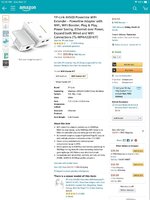
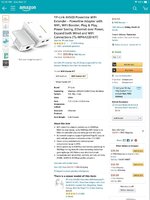
I have a detached garage, just out of range of the house WiFi access points. I used a network over power lines set to get out there, comes with a wall wart sized access point for the garage.

Works good for me, easy to set up, and cheap.


Sent from my iPad using The Garage Journal mobile app
 

banjopete

Well-known member
Joined
Oct 5, 2014
Messages
300
Location
Edmonton, Alberta, Canada
I have a detached garage, just out of range of the house WiFi access points. I used a network over power lines set to get out there, comes with a wall wart sized access point for the garage.

Works good for me, easy to set up, and cheap.


Sent from my iPad using The Garage Journal mobile app
I'm in this boat. I've tried the wifi extender at the wall nearest the garage inside the house and it made no perceived difference for my wifi signal. Totally useless would be how I would describe it.

The powerline options are what I would like to try next. What unit did you use?
 

vpd66

Well-known member
Joined
Mar 1, 2010
Messages
709
Location
Central Wisconsin
Having just gone through this I highly recommend a mesh network. I tried a netgear extender and wasn't happy with it; buggy, not much improvement and it has a different wifi name so I had to reconnect when going from 1 location to another.

Picked up a mesh system (and a new modem - got rid of the Comcast modem/router and the rental fee), and it was super easy to install, even with several switches. Performance is amazing.

https://www.amazon.com/gp/product/B084GTH5LL/?tag=atomicindus08-20

My shop is 50ft from my house and is a metal building. Will a mesh network work for met? I get great Wifi until I walk threw the door of my shop then the signal fades. The metal building seems to be the killer in my setting.
 

Leaflessshadetree

Well-known member
Joined
Aug 1, 2013
Messages
7,144
Location
Don't ask.
I'm running over power as well. I put a WIFI router where ever I need them. One at the far end of the house, one in each shop. Works fine, but I don't use the internet heavily in the shops (ordering parts, looking up specs or repair info).
 

ScaldedDog

Well-known member
Joined
Jan 15, 2008
Messages
1,065
Location
Sedalia, CO/NSB, FL
My shop is 50ft from my house and is a metal building. Will a mesh network work for met? I get great Wifi until I walk threw the door of my shop then the signal fades. The metal building seems to be the killer in my setting.
Not if it's like mine - a Morton building with metal on both sides of the walls.

I used a Ubiquiti bridge, and ran the wire from the barn-side bridge node through the wall to a switch, and plugged an AP into the switch. Works great!

I just used the relatively cheap 5ghz bridge nodes, not the much more expensive 60ghz B2B bridge, and it has been flawless.

Mark

Sent from my SM-G986U using Tapatalk
 

DGersic

Well-known member
Joined
Mar 12, 2017
Messages
6,266
Location
DeKalb, IL
I'm in this boat. I've tried the wifi extender at the wall nearest the garage inside the house and it made no perceived difference for my wifi signal. Totally useless would be how I would describe it.

The powerline options are what I would like to try next. What unit did you use?


2c2336599aaedff8989805d978ba223b.jpg


Sent from my iPad using The Garage Journal mobile app
 

Attachments

  • 2c2336599aaedff8989805d978ba223b.jpg
    2c2336599aaedff8989805d978ba223b.jpg
    193.2 KB · Views: 117

vpd66

Well-known member
Joined
Mar 1, 2010
Messages
709
Location
Central Wisconsin
Not if it's like mine - a Morton building with metal on both sides of the walls.

I used a Ubiquiti bridge, and ran the wire from the barn-side bridge node through the wall to a switch, and plugged an AP into the switch. Works great!

I just used the relatively cheap 5ghz bridge nodes, not the much more expensive 60ghz B2B bridge, and it has been flawless.

Mark

Sent from my SM-G986U using Tapatalk


Could you give a little more detail on your setup? Do you have a link for the Ubiquiti bridge and what is an AP???
 

bad_idea

Well-known member
Joined
Jun 11, 2011
Messages
4,332
Location
Pasquotank, NC
I just setup the WiFi at our house this past week. I bought the TP-Link Deco X20 (mesh network) setup with three nodes (routers that all work together to form one large network) - $240 on Amazon. I have a 2000 sq ft single story house and a 1200 sq ft detached garage - all on a 1/2 acre lot. I have the main node in the living room in the middle of the house, one in the master bedroom in a window sill, and the third in the garage. The one in the garage is wired with ethernet and the one in the bedroom is communicating wirelessly.

I have excellent WiFi all through the house, garage, and entire backyard. Very pleased.
 

aggie113

Well-known member
Joined
Jul 22, 2015
Messages
467
Location
San Antonio, TX
No idea what your range is from the house, but you could possibly just do with an extended range AP installed in the side of the house nearest the garage.
 

JazzBlueRT

Well-known member
Joined
Jun 11, 2017
Messages
1,215
My shop is 50ft from my house and is a metal building. Will a mesh network work for met? I get great Wifi until I walk threw the door of my shop then the signal fades. The metal building seems to be the killer in my setting.

Run a Cat5(e) or Cat6 cable.

A hacker can sit in-between the house and your workshop and broadcast an access point with the same name as yours. You computer will connect to it because it will have a stronger signal and will not require a password. Once that happens, the hacker can record everything you do, obtain your passwords etc....

They also do this at hotels so never do anything important on a hotel wifi system or any public wifi for that matter.
 

ScaldedDog

Well-known member
Joined
Jan 15, 2008
Messages
1,065
Location
Sedalia, CO/NSB, FL
Could you give a little more detail on your setup? Do you have a link for the Ubiquiti bridge and what is an AP???
As a previous poster mentioned AP is access point, which is a device that transmits and receives Wi-Fi signals, and passes them onto, and off of, the wired network. Just think of it as antenna, which, in their simplest form, is what they are.

The bridge nodes I used are the Nanobeam 5ac Gen2 (https://store.ui.com/collections/op...**********-devices/products/nanobeam-5ac-gen2), and they cost $100 per side. They can work independently from Ubiquiti's other gear, so you don't need to have an all Ubiquiti network to use them. There are cheaper options, I'm certain, but I wanted something I could manage and troubleshoot, though there has been zero of the later in the year I've had them.

Whatever you use, the principle of getting wifi in and out of a metal building is the same: Use outside devices to transmit wifi between buildings, pass the traffic through the wall on a wire, and use access points inside to allow wifi clients (e.g. your phone, computer, TV, thermostat, etc) to connect to the network.

Mark

Sent from my SM-G986U using Tapatalk
 
To avoid these ads, REGISTER NOW!

Sumboodie

Well-known member
Joined
Mar 20, 2021
Messages
10,660
Location
AK
I need to do something. Got new internet service and it's an intergrated modem and router.

The wifi signal is horrible. With my old router, I had coverage everywhere on my ~1/2 acre property.

This thing barely gets a signal into my attached garage, which is maybe 35ft feet away.
 

gungatim

Well-known member
Joined
Jan 8, 2013
Messages
8,101
Location
west mich
Run a Cat5(e) or Cat6 cable.

A hacker can sit in-between the house and your workshop and broadcast an access point with the same name as yours. You computer will connect to it because it will have a stronger signal and will not require a password. Once that happens, the hacker can record everything you do, obtain your passwords etc....

They also do this at hotels so never do anything important on a hotel wifi system or any public wifi for that matter.

LGR
 
Last edited:

HenryAZ

MEMBER EMERITUS
Joined
Sep 18, 2012
Messages
1,054
Location
South Congress AZ
If I run a cat6 wire to my shop do I have to buy another router for Wifi in my shop?

No to the router. Terminate the cable with a small switch (8 port), when then becomes part of your LAN. Then plug a Wi-fi Access Point into the switch (I prefer EnGenius APs because you can configure/monitor them with just a browser). Now you also have some extra switch ports (on your LAN) that you can use for other things in your garage, such as cameras.
 

vpd66

Well-known member
Joined
Mar 1, 2010
Messages
709
Location
Central Wisconsin
No to the router. Terminate the cable with a small switch (8 port), when then becomes part of your LAN. Then plug a Wi-fi Access Point into the switch (I prefer EnGenius APs because you can configure/monitor them with just a browser). Now you also have some extra switch ports (on your LAN) that you can use for other things in your garage, such as cameras.

This makes the most sense to me. Running a cat6 cable to my shop is not a big deal for me. It is gravel between my house and shop and like I said it is only about 50ft distance. Only one device and a 8 port switch sounds easy to me. Thank you for the simplified explanation. It is amazing how this simple task can get complicated in a hurry! I guess there are my ways to skin a cat.
 

vorpal

Active member
Joined
Nov 6, 2017
Messages
27
Location
Edmonton, AB Canada
Run a Cat5(e) or Cat6 cable.

A hacker can sit in-between the house and your workshop and broadcast an access point with the same name as yours. You computer will connect to it because it will have a stronger signal and will not require a password. Once that happens, the hacker can record everything you do, obtain your passwords etc....

They also do this at hotels so never do anything important on a hotel wifi system or any public wifi for that matter.

Yes, this is also why you hide your SSID (WiFi name) from broadcasting... you and your guests will connect because you will tell them what the name and passwords are but the outside world won't see it.

To the original poster, if the garage/shop is outside your home WiFi broadcast range, a Mesh network won't be effective. Mine was borderline, WiFi would work for phones but not my garage door openers and WiFi thermostat. After many trials with extending my home network to my garage, I opted for a Cat 5e cable connection to a garage router when we installed underground conduit from the new garage to the house. That finally got me the same internet speed I have in the house. I had 'pretty good' internet before by extending the home WiFi through access points, but every time I tried something like video (Zoom meeting from the garage/shop) it was too slow.

Cable connection fixed that problem.
 

b-boy

Well-known member
Joined
Oct 2, 2013
Messages
2,155
Location
Buffalo NY
This makes the most sense to me. Running a cat6 cable to my shop is not a big deal for me. It is gravel between my house and shop and like I said it is only about 50ft distance. Only one device and a 8 port switch sounds easy to me. Thank you for the simplified explanation. It is amazing how this simple task can get complicated in a hurry! I guess there are my ways to skin a cat.

Just throwing this out there. Fiber is also an option. It will cost a little more, but not that much more.

If you do run Cat6, make sure you get weatherproof cable.
 

boatshoes

Well-known member
Joined
Feb 20, 2019
Messages
126
Location
Atlanta
Run a Cat5(e) or Cat6 cable.

A hacker can sit in-between the house and your workshop and broadcast an access point with the same name as yours. You computer will connect to it because it will have a stronger signal and will not require a password. Once that happens, the hacker can record everything you do, obtain your passwords etc....

They also do this at hotels so never do anything important on a hotel wifi system or any public wifi for that matter.

This is wrong in multiple ways. Your device won't connect to the same SSID unless it has the exact same password. If the hacker has your exact password, you have bigger concerns than a fake AP. (Like a hacker lurking in your freaking driveway, haha)
Obtaining passwords depends on if the website you're on is using HTTPS, etc...
Hotel wifi can be perfectly safe if it's set up correctly. The question is, is it correct? That's why it's better to not trust it as a general rule.
There are tools to reveal hidden SSIDs too, so don't let that be a false sense of security. Keep strong passwords and change them periodically if you live in a densely-populated area.
OP, there are multiple ways to skin this cat and most are pretty good, except for wifi repeaters. Pulling cable would be best choice (but some work), Point to Point bridge would be my next option.

EDIT: OP has given us ZERO information on their setup (is the garage attached, existing wireless setup, etc). vpd has hijacked this thread somewhat about a detached shop, hence the mix of replies. I think we're discussing 2 different scenarios. Not trying to police or anything, but there's a lot of confusion going on here.
 
Last edited:

ScaldedDog

Well-known member
Joined
Jan 15, 2008
Messages
1,065
Location
Sedalia, CO/NSB, FL
This is wrong in multiple ways. Your device won't connect to the same SSID unless it has the exact same password. If the hacker has your exact password, you have bigger concerns than a fake AP. (Like a hacker lurking in your freaking driveway, haha)

Obtaining passwords depends on if the website you're on is using HTTPS, etc...

Hotel wifi can be perfectly safe if it's set up correctly. The question is, is it correct? That's why it's better to not trust it as a general rule.

There are tools to reveal hidden SSIDs too, so don't let that be a false sense of security. Keep strong passwords and change them periodically if you live in a densely-populated area.

OP, there are multiple ways to skin this cat and most are pretty good, except for wifi repeaters. Pulling cable would be best choice (but some work), Point to Point bridge would be my next option.
/\ Great post. I certainly would have run a wire, but it was going to be a pain. The bridge was cheap and easy, so I thought I'd try it, and it's been fine. A wired connection is always better, though, if reasonably doable.

Copper. It's the future. [emoji1787]

Mark

Sent from my SM-G986U using Tapatalk
 

gungatim

Well-known member
Joined
Jan 8, 2013
Messages
8,101
Location
west mich
My shop is 50ft from my house and is a metal building. Will a mesh network work for met? I get great Wifi until I walk threw the door of my shop then the signal fades. The metal building seems to be the killer in my setting.
LGR
 
Last edited:

MikeF2316

Well-known member
Joined
Dec 29, 2012
Messages
9,605
Location
Thornhill, ON
No to the router. Terminate the cable with a small switch (8 port), when then becomes part of your LAN. Then plug a Wi-fi Access Point into the switch (I prefer EnGenius APs because you can configure/monitor them with just a browser). Now you also have some extra switch ports (on your LAN) that you can use for other things in your garage, such as cameras.

This is what I did, although I used a Netgear AC1750, which is also configurable with a browser. The distance from the back of my house (where the router is) and the back of the garage where I put the AP is only about 60 feet.

When I went into the garage, my computer seamlessly switched to the AP. Then when I went back into the house, even to the front, I remained connected to the Netgear AP, the signal was that good. So I got the bright idea to turn off the wifi on my router and put the AP in that central location. Now this AP covers my whole property with no issue. It's kind of a hokey setup, but it works.
 

vpd66

Well-known member
Joined
Mar 1, 2010
Messages
709
Location
Central Wisconsin
look at my post right above yours.

you put the transmit AP on the house aimed at your shop.
you put the receive AP on the shop aimed at the house.

you run ethernet from the AP on the shop INSIDE the metal building, and connect your computer or a router.

if you had a WOOD barn, you wouldn't need the 2nd AP, since the transmit AP on the house would make it INSIDE the barn. they do a good 500'.

my shop is 350 ft. from house and metal except roof.

I can pickup wifi from the house transmit AP behind the shop, into the woods, and up the road, but not INSIDE the shop...

those little plug in extenders are good for 20ft. or so. I have two I played around with, they help getting across a large house but not outside.

the ones I posted are used commercially in public parks, mobile home parks, etc. and only $60 ea. edit link below, they are now only $40 ea...

https://www.amazon.com/gp/product/B00P4JKQGK/?tag=atomicindus08-20

If I understand this right I could just run the cat5 cable to the AP you referenced inside my shop and it would give me the same WIFI inside my shop?
 

BruceMc

Well-known member
Joined
Jan 17, 2015
Messages
2,163
Location
Fairbanks, AK
Whatever you use, the principle of getting wifi in and out of a metal building is the same: Use outside devices to transmit wifi between buildings, pass the traffic through the wall on a wire, and use access points inside to allow wifi clients (e.g. your phone, computer, TV, thermostat, etc) to connect to the network.

/\ This is the principle that always gets overlooked. About the only other alternative for getting a (usable) wifi signal through a metal wall is to mount the antenna/device in a window. Which can be a crapshoot.
 

khnitz

Well-known member
Joined
Nov 12, 2020
Messages
101
Location
Livingston County, MI
Not if it's like mine - a Morton building with metal on both sides of the walls.

I used a Ubiquiti bridge, and ran the wire from the barn-side bridge node through the wall to a switch, and plugged an AP into the switch. Works great!

I just used the relatively cheap 5ghz bridge nodes, not the much more expensive 60ghz B2B bridge, and it has been flawless.

Mark

Sent from my SM-G986U using Tapatalk

This is the setup I used, as well! I have a Ubiquiti wireless bridge to go the ~150' from the house to the shop and then I used one of the APs in the shop from my Netgear Orbi mesh network for wireless coverage in the shop and surrounding area of the yard (the main router and other AP cover the house).

The only thing I tweaked in my setup was to make sure that the Ubiquiti units (as they are Power over Ethernet) are connected to a switch, and then to my Orbi APs or Router, and not directly plugged into them. This seems to have resolved an issue I had where my network would go offline and be unreachable at times or lose internet access (though our local internet service has many outages, too).
 

ScaldedDog

Well-known member
Joined
Jan 15, 2008
Messages
1,065
Location
Sedalia, CO/NSB, FL
This is the setup I used, as well! I have a Ubiquiti wireless bridge to go the ~150' from the house to the shop and then I used one of the APs in the shop from my Netgear Orbi mesh network for wireless coverage in the shop and surrounding area of the yard (the main router and other AP cover the house).

The only thing I tweaked in my setup was to make sure that the Ubiquiti units (as they are Power over Ethernet) are connected to a switch, and then to my Orbi APs or Router, and not directly plugged into them. This seems to have resolved an issue I had where my network would go offline and be unreachable at times or lose internet access (though our local internet service has many outages, too).

I did the same with mine. In the barn, the bridge node is plugged into a Ubiquiti PoE switch, as are the other wired devices, including the Ubiquiti PoE AP. In the house, the bridge node is plugged into a PoE injector, then into the UDM Pro that runs the network. The only think I don't like about my setup is the Nanobeam bridge isn't manageable with Unifi. It's been as reliable as a piece of wire, though, so there hasn't been much to manage. I would like to at least be able to see the bridge nodes in the Unifi interface, but that's not worth the $500 cost of the Unifi B2B bridge, that I could never justify by it's increased bandwidth. My 40Mb WISP connection means the slowest link on my network is more than 2x faster than my internet connection.

Mark
 

BearsFan315

Well-known member
Joined
Jun 12, 2014
Messages
689
Location
Portsmouth, VA
Small house Small garage, and this one works great for me. my router is in the front of my house and the extender is in the front of my garage by window, but i now get full signal anywhere in my garage and my back yard. so i can stream music on my phone while mowing the lawn :)

NETGEAR Wi-Fi Range Extender EX6120

between the 2 probably 50 or so feet several walls, pond, hvac unit, etc... but over a year now and no complaints.
 

GRivera

Well-known member
Joined
Mar 27, 2017
Messages
529
Location
20 mins south of Baltimore
Not sure what Internet service OP has but I went through with a metal pole barn nearly 200' from my house. The powerline set up didn't work. I have Verizon Fios cable and internet. After much frustration I rented trencher from HD and buried a 1" conduit from house to barn with CAT6 and RG6 cable. Using the RG6 connection, the Fios TV One box, and a Verizon Fios Network Extender I have full internet on same wifi address as house. Also, with TV One box I get full access to everything in the house. So digging a trench wasn't fun but at the end of the day the results are worth it and only cost one day of aggravation and purchasing wire.
 
To avoid these ads, REGISTER NOW!
Top Bottom