To avoid these ads, REGISTER NOW!

wireless/smartphone controlled switches

GN4WHLN

Well-known member
Joined
May 8, 2009
Messages
2,073
Location
Alta Loma, CA
Does anyone have suggestions for a wireless switches for lighting that can be controlled with an app? I seem to find switches that have good ratings but when I check out the app, there seems to be a lot of very negative ratings regarding poor app software. I'd like something that can be both Android and Apple controlled.
 
To avoid these ads, REGISTER NOW!

cybrdyke

Well-known member
Joined
Sep 9, 2014
Messages
3,442
Location
USA
Caseta by Lutron
www.casetawireless.com

I dont puch much faith in reviews of apps. Seems like folks dont bother writing reviews when everything works as it should, but everyone loves to ***** when they have one tiny little flaw.
Good luck,
CD
 

Showkey

"MEMBER EMERITUS"
Joined
Aug 9, 2014
Messages
8,638
Location
Wausau WI
I have used the WeMo app and devices for two years. Same units controlled from Apple and android. No issues, no hub needed, fairly easy to setup. One tip on setup is disable WiFi extender units during initial setup.
 

adamgayton81

Well-known member
Joined
Aug 3, 2016
Messages
121
Location
North Alabama
I have Iris by Lowe’s and have had pretty good luck with all my controlled devices (HVAC, alarm, garage doors, lights, outlets, blinds, vents, sprinkler, and water/smoke/glass/& CO2 sensors).


Sent from my iPhone using Tapatalk
 

Double J

Well-known member
Joined
Sep 27, 2008
Messages
143
Location
Springfield, OH
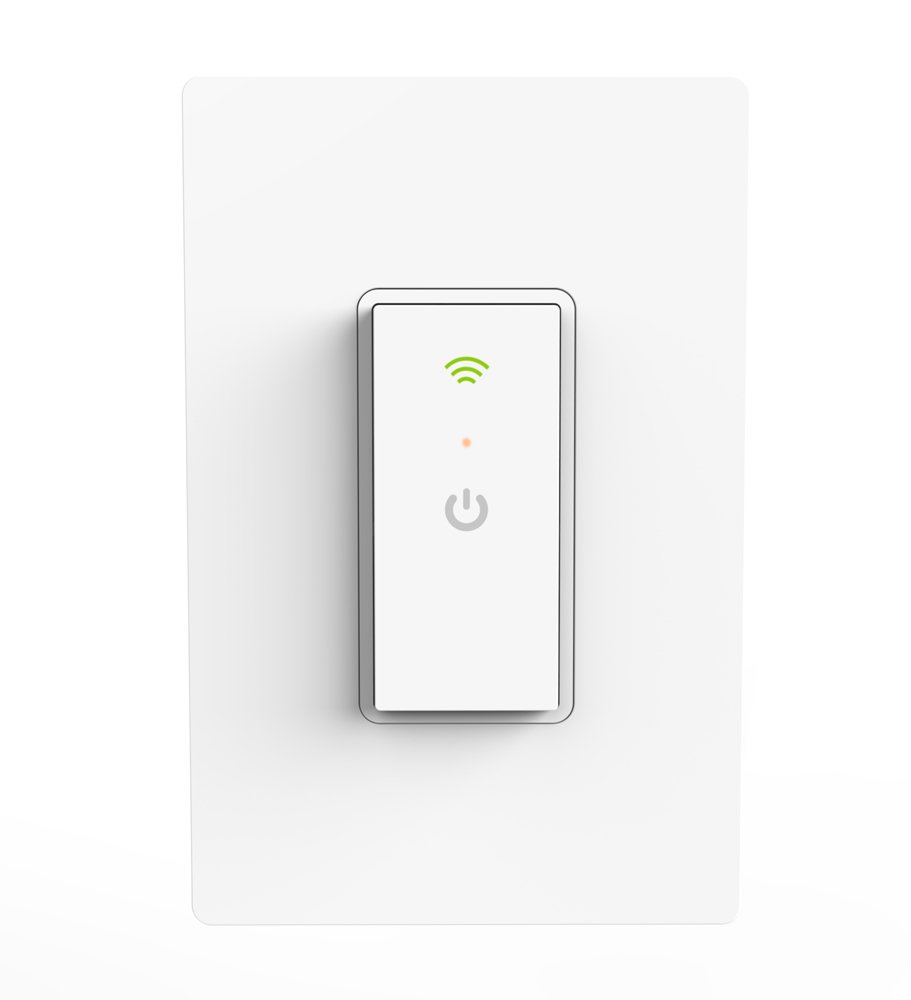
I just installed one of these for my man door light. Works as advertised.

Clicky link

41O6lm-EuSL._SL1000_.jpg
 
Last edited:

Estley

Active member
Joined
Dec 16, 2014
Messages
32
I have a smart things hub, a couple of echoes, GE zwave switches and some other misc devices, it's fairly easy to get them all to work together, and you're not dependent on one app, you can make it as easy or as elaborate as you want.


Sent from my iPad using Tapatalk Pro
 

dogdog

Well-known member
Joined
Nov 15, 2011
Messages
12,711
I have used the WeMo app and devices for two years. Same units controlled from Apple and android. No issues, no hub needed, fairly easy to setup. One tip on setup is disable WiFi extender units during initial setup.

nooooooooooooooooo although better support now than before... still **** product, **** security.

Here is my latest dealing with them.... have that wemo for a few years now and have another two still in the box afraid of using it. The wemo after a while running would turn on and turn off at different times after running fine for a while, just decide not to follow any rules it is set. I have to reload the rules and reboot it manually to get it working and monitoring it a few days. Lets say that is unreliable.


But the support is much better than last time..... more professional more knowledgeable and less tech snobs that have no clue about their own products.

I dunno what's next. but it's just every year something new.
 
Last edited:

Showkey

"MEMBER EMERITUS"
Joined
Aug 9, 2014
Messages
8,638
Location
Wausau WI
^^^^^^^^^guess that’s why the reviews vary sooooooooooooo wildly. I have 5 switches through out the home and shop. Have had no issues .........just purchase two more WeMo switches at Costco.


My guess many of the problems with all WiFi controls and devices are rooted in the WiFi at the installed location.
I had a common well known WiFi printer that had a mind of it’s own. Inconsistently not connecting or loosing connection etc over a long period of time........... purchased a new WiFi router ( upgrade). and the printer now is functioning perfectly. The old WiFi router had no issues with all the other devices in the home. The location of the printer had no effect on the problems. My son had the same printer.........he could never understand why I hated that dam printer. I screwed around with that printer for hours.........updates, reboots, tech support, clean installs.
 
Last edited:
OP
G

GN4WHLN

Well-known member
Joined
May 8, 2009
Messages
2,073
Location
Alta Loma, CA
Thanks everyone, I want to set up our exterior and some interior lighting so it can be turned on when my wife or daughter comes home after dark or so I can turn on the back yard security lights from the house (they turn on in the garage) if the dogs are barking. I suspect I'll find some other uses too.
 

dogdog

Well-known member
Joined
Nov 15, 2011
Messages
12,711
^^^^^^^^^guess that’s why the reviews vary sooooooooooooo wildly. I have 5 switches through out the home and shop. Have had no issues .........just purchase two more WeMo switches at Costco.


My guess many of the problems with all WiFi controls and devices are rooted in the WiFi at the installed location.
I had a common well known WiFi printer that had a mind of it’s own. Inconsistently not connecting or loosing connection etc over a long period of time........... purchased a new WiFi router ( upgrade). and the printer now is functioning perfectly. The old WiFi router had no issues with all the other devices in the home. The location of the printer had no effect on the problems. My son had the same printer.........he could never understand why I hated that dam printer. I screwed around with that printer for hours.........updates, reboots, tech support, clean installs.

I am running the Asus RT-AC5300, it gets coverage. that thing is function as a timer and is acting weird like possessed with a mind of it's own after some time, and I am not even trying to connect to it. When I do, there is no issue on the connection. the switch is literally about 20' away. I am not even doing anything special to it like IFTTT, other than running it as a timer, I don't connect to it at all once the time is set. If I wasn't invested in this **** switch (4x) already, I would have never bought it. But I do give credit, when it functions, it's a dam easy to set my on/off time instead of fiddly with the small buttons on a digital timer.
 
To avoid these ads, REGISTER NOW!

dogdog

Well-known member
Joined
Nov 15, 2011
Messages
12,711
Thanks everyone, I want to set up our exterior and some interior lighting so it can be turned on when my wife or daughter comes home after dark or so I can turn on the back yard security lights from the house (they turn on in the garage) if the dogs are barking. I suspect I'll find some other uses too.

I think the wifi capable switch is what you needed or any of the wireless stuff posted. If you needed any more complex functions, you'll needed to find those IFTTT capable stuff that you can program the unctions and dependencies what you want for more complex stuff. You can take your chance with WeMo, it is IFTTT capable, you might be the other 1/2 that likes it.
 

kspwski

Well-known member
Joined
Dec 22, 2011
Messages
56
Location
Central Iowa
Pay attention to the wireless technology used. WiFi is an option, but a wireless automation technology (zwave, zigbee, insteon, etc) would be better. My recommendation would be to go zwave, this does mean you need a hub. The hub takes care of interaction between internet and zwave along with more processing/rule making. I like choosing one hub that I trust and can update easily to put on the web vs every cheap light switch having web access. Zwave is standardized so any zwave switch will talk to any zwave hub.

If you really only want a few lights and don't want to bother with a hub, leviton has a wifi line that I would consider.
 

Estley

Active member
Joined
Dec 16, 2014
Messages
32
Pay attention to the wireless technology used. WiFi is an option, but a wireless automation technology (zwave, zigbee, insteon, etc) would be better. My recommendation would be to go zwave, this does mean you need a hub. The hub takes care of interaction between internet and zwave along with more processing/rule making. I like choosing one hub that I trust and can update easily to put on the web vs every cheap light switch having web access. Zwave is standardized so any zwave switch will talk to any zwave hub.

If you really only want a few lights and don't want to bother with a hub, leviton has a wifi line that I would consider.


I love zwave, i started with the idea i was only doing a couple of switches. I'm glad i went with a hub though, because pretty soon "a couple of switches" turned into pretty much the entire house. HA is a snowball, once you see the convenience of one thing, you just keep going.


Sent from my iPad using Tapatalk Pro
 

biggziff

Well-known member
Joined
Apr 9, 2015
Messages
623
Location
Upstate NY
I've been using WeMo for at least 3 years. No real issues. Works as advertised. The app works fine on Apple or Android for me.
 

Falcon67

Well-known member
Joined
Jun 11, 2009
Messages
18,371
Location
Merkel, TX
We're using a Hue node and bulbs along with Kasa switches for controlling other lights. Working just fine.
 

ard

Well-known member
Joined
Feb 16, 2015
Messages
4,391
Location
Sierra Foothills... California
I run a bunch of Zwave devices. Homeserver controller.

Has an app for the phone, can access at home via the home network, OR via a website when away. (Can turn the latter on and off for security, I keep it off as I really don't NEED it.)

Love zwave, very reliable and robust. Homeseer has a learning curve. There are other controllers with simpler operations. I would *not* go to a proprietrary system that requires you only buy their devices....
 
Last edited:

DieselSJ

Active member
Joined
May 4, 2017
Messages
28
Location
QC AZ
I've started setting up switches and outlets controlled by my Amazon Echo. Works great through the Alexa app on my phone and through voice controls on the Echo. I'll have the shop lighting and door locks controlled through it when I'm done with the build.
 

kspwski

Well-known member
Joined
Dec 22, 2011
Messages
56
Location
Central Iowa
I use Homeseer as well with my computer as a hub. Homeseer and Alexa work well together so everything is voice controlled. I did not want a bunch of fragmented solutions which can happen easily in today's home automation space.
 

jpinca

Well-known member
Joined
Sep 23, 2011
Messages
225
Location
NorCal
I'm using the Caseta dimmer switches, Cree Connected bulbs, and a Wink hub.

I like the Wink. It interfaces with my Ring Doorbell and cameras. I can set it up and control it from my iPhone. It also supports IFTTThttps://ifttt.com/. Maybe some day I'll figure out how to use that.
 

Git

Well-known member
Joined
May 18, 2008
Messages
6,894
Location
S Cal
Another HomeSeer user here

I have been using Z wave devices for years but finally upgraded to the HomeSeer software to run on my computer several months ago

What I like about it is the ability to have sensors and then link them to do different things. For example, I have one sensor by the front door (exterior) that can detect motion, temperature and luminance (how much light there is). So with that sensor I can create an 'event' in Homeseer that if the temperature goes above a certain point, turn on this switch that controls our whole house fans and also turn them off when the temp goes below x degree. Or - if the motion sensor detects motion, turn on all the outdoor lights and the entry way light for 5 minutes and then turn them off.

I just bought a water shut off valve (black Friday sale) and a water sensor for under my 14-year-old water heater. So the plan is if the water sensor detects a leak, it will automatically shut off the main water valve and sound an alert. I just installed the valve actuator yesterday - I was a little concerned if it would be strong enough but it looks like it should work fine.

https://domeha.com/z-wave-water-main-shut-off-valve
 

Attachments

  • dome.jpg
    dome.jpg
    20.5 KB · Views: 9
To avoid these ads, REGISTER NOW!
Top Bottom