To avoid these ads, REGISTER NOW!

Wifi inside and outside metal pole barn?

wyliesdiesels

Well-known member
Joined
Aug 14, 2012
Messages
20,073
Location
Modesto, CA
OK, I wanna say I've been fighting this issue all weekend. We've got a guest 5th wheel just outside the barn.
I've re-oriented the access point twice, tried putting a wireless bridge in the RV. At this point, I just ordered another access point and I'm installing it outside the building.
skip all that

setup a P2P radio system using 2 radios- one hardwired on the building pointed at the RV and one on the RV hardwired in the RV. you can then take the cable from this radio and either connect it to a switch (bonus use a 48v powered radio that can be powered by a POE switch) or direct into your computer.

ubiquiti is the brand I use usually
 
To avoid these ads, REGISTER NOW!

dcg9381

Well-known member
Joined
Jun 20, 2018
Messages
11,917
Location
Austin, TX
setup a P2P radio system using 2 radios- one hardwired on the building pointed at the RV and one on the RV hardwired in the RV. you can then take the cable from this radio and either connect it to a switch (bonus use a 48v powered radio that can be powered by a POE switch) or direct into your computer.

ubiquiti is the brand I use usually

Funny, when I built the shop, that's how I did internet. Only with 1 radio pointed at the neighbors home (with their permission).
This RV is within about 10 feet of the shop wall. It's a lot more work for me to setup a P2P system on the shop and then mount one on the RV and another one on the shop...

Now that you mention it, I think this RV already had Ubiquity receiver in it, I found the Poe injector yesterday.. For this particular application, it's just way easier for me to drop another AP in near that RV.

Ubiquiti stuff is the bomb.
 

dcg9381

Well-known member
Joined
Jun 20, 2018
Messages
11,917
Location
Austin, TX
if its 10' away why not just run an outdoor cat6 cable and be done with it?

I'd want to bury it. I know that 10' of burial distance sounds trivial, but with the soils here, I might not survive it... And my jackhammer is loaned out. I've got wire up at the top of the building and already have a punch through bulkhead for Co-ax.

My point is largely that the steel building is really causing attenuation.. More than I suspected. Add the aluminum skin of an RV and it's too much.


EDIT: I ended up putting an AP outside, even with Unfi's "long range" access points, too much attenuation with a steel building.
 
Last edited:

cgrutt

Well-known member
Joined
Mar 4, 2016
Messages
8,362
Helped one of my buddies replace a bunch of cameras at another buddies house today. Replaced the old RG59 Siamese wiring with CAT6. Been pulling wire for eleven hours I'm beat lol...

20230425_192457.jpg
 

AntonLargiader

Well-known member
Joined
Nov 20, 2016
Messages
1,372
Location
Charlottesville, VA
Maybe there should be a Ubiquiti thread but this is where the rest of it is, so...

Local guy is selling a Unifi Security Gateway and an AC Pro AP. Both look like older products; the SG would (I think!) be a router that I can bring into the Unifi system but it wouldn't host the Network Application. The AC Pro is a pretty beefy AP but it's WiFi 5 rather than WiFi 6. Both products are still in the Unifi store but are not on the website in the current products.

Is there a downside to mixing WiFi 5 and WiFi 6 APs? Is the Security Gateway still a useful product for me?
 

wyliesdiesels

Well-known member
Joined
Aug 14, 2012
Messages
20,073
Location
Modesto, CA
The security gateway would be your router/DHCP server/basic firewall, etc

The unifi network application is hosted on the controller. Thats how its always been...

No issues mixing wifi 5 and wifi 6.

Many hosts cant even do wifi 5 let alone 6. The hosts connection will just revert down to whatever it supports..
 

AntonLargiader

Well-known member
Joined
Nov 20, 2016
Messages
1,372
Location
Charlottesville, VA
Things I read indicate that the 2.4 GHz band is a WiFi 6 thing, but the AC Pro is definitely dual-band. Must be some terminology detail that I'm not fluent in.

As for hosting the NA, yes the NA is hosted on the controller but in my case that's a PC that normally isn't present. I'd like the controller to be a Unifi product (like the Dream Router) so that it's always there. The Unifi consoles and cloud Key units can host the NA, but the SG is not a console and can't do it.

So if I understand right, these components will work, but the SG doesn't really get me where I want to be. The only draw is that they are less expensive, but for $199 (rather than the $120 that this guy is asking) I can add a new and current router/host/AP in the form of the Dream Router. I'm probably better off doing that.
 

wyliesdiesels

Well-known member
Joined
Aug 14, 2012
Messages
20,073
Location
Modesto, CA
Things I read indicate that the 2.4 GHz band is a WiFi 6 thing, but the AC Pro is definitely dual-band. Must be some terminology detail that I'm not fluent in.

As for hosting the NA, yes the NA is hosted on the controller but in my case that's a PC that normally isn't present. I'd like the controller to be a Unifi product (like the Dream Router) so that it's always there. The Unifi consoles and cloud Key units can host the NA, but the SG is not a console and can't do it.

So if I understand right, these components will work, but the SG doesn't really get me where I want to be. The only draw is that they are less expensive, but for $199 (rather than the $120 that this guy is asking) I can add a new and current router/host/AP in the form of the Dream Router. I'm probably better off doing that.
why not just buy a cloud key? i have one at my shop and it works great
 

AntonLargiader

Well-known member
Joined
Nov 20, 2016
Messages
1,372
Location
Charlottesville, VA
Maybe I don’t understand what the Cloud Key is. Right now I have a Lite 8-port switch and two APs. I’m using a Netgear router I had and would prefer to get a UniFi one. Also I could stand to add another AP. The Dream Router:
- is a router
- can host the NA
- is an AP
- is $200

The Cloud Key, for about the same price, can host the NA but it seems to be primarily a video recorder that can incidentally host the NA. Doesn’t solve my router need. I want a router AND a console hosted NA.
 

wyliesdiesels

Well-known member
Joined
Aug 14, 2012
Messages
20,073
Location
Modesto, CA
Maybe I don’t understand what the Cloud Key is. Right now I have a Lite 8-port switch and two APs. I’m using a Netgear router I had and would prefer to get a UniFi one. Also I could stand to add another AP. The Dream Router:
- is a router
- can host the NA
- is an AP
- is $200

The Cloud Key, for about the same price, can host the NA but it seems to be primarily a video recorder that can incidentally host the NA. Doesn’t solve my router need. I want a router AND a console hosted NA.
theres 2 types of cloud keys. one that has a SSD drive and one that doesnt. its primary function is to be the controller and it has the NVR function as well. its not incidental that it can host the controller functions.

but that is correct that it wont do router functions.

it would replace the software controller on your computer

if you want an all in one, then get the dream machine as it can be both the controller and the router...

I happen to have the cloud key gen 2 plus for my shop. im currently only using the network app on it and i dont need a unifi router as im using an SD wan solution from peplink that has hardware VPN, cellular backup plus IP geo blocking....
 

AntonLargiader

Well-known member
Joined
Nov 20, 2016
Messages
1,372
Location
Charlottesville, VA
I'm getting the Synology NAS specifically so I have NAS. The possibility of putting the NA on it would be a bonus. If it works, maybe I'll buy that stuff that a local has and then my router would be in the Unifi system.

At first I thought you meant getting Cloud Key rather than Synology for performing NAS, which led me down the rabbit hole of seeing if the Unifi NVRs can be used as NAS. The general concensus on the Ubiquiti forums seems to be: get a Synology NAS.
 

wyliesdiesels

Well-known member
Joined
Aug 14, 2012
Messages
20,073
Location
Modesto, CA
for data integrity, security, etc i would not run a unifi controller on the NAS that houses my data... thats just asking for trouble... when the cloud key costs $199, i just dont get the reasons for not using one.
 
Last edited:
To avoid these ads, REGISTER NOW!

AntonLargiader

Well-known member
Joined
Nov 20, 2016
Messages
1,372
Location
Charlottesville, VA
Update that's in keeping with several aspects of this thread:

1) I never got around to buying another router, and the Unifi line has changed. Talking with a friend who operates an ISP and does LOTS of this stuff, and has a lot of Unifi installations out there, I got the Unifi Express which is a 2-port router, hosts the Network App (although they now call it Unifi Network) and is an AP. The other option was the Cloud Gateway Ultra which isn't an AP, has more ports, and is sold out. Will install it this weekend. He said if it doesn't do what it need to do he'll buy it from me (new product that he hasn't tried yet either but he just bought two for testing).

2) Our neighbor, who cannot access the Ting fiber that we can, wants to split the service with us (which was originally my idea). While my wife has been perfectly happy with the super cheap 5 MBPS service, clearly we would bump up to gigabit for this. The only question is how to get to their house, which is 50~75' away. Option 1 is to bury a cable, option 2 is to use a PtP bridge.

Burying a cable makes for a super easy setup if they only need one AP. It would be a PoE AP from our system which is on a pretty big UPS, so they'd have uninterrupted internet during the frequent power outages that we have in Virginia. Outdoor rated cable isn't very expensive and the neighbor would do the digging.

A bridge would be easier to set up, easier to fix, easier to change... just costs a bit more. In the Unifi line, there are only $500 and $1000 options but in the UISP line there are TONS of cheaper products and I don't understand the differences. Can anyone suggest the right PtP bridge products for sending half a gigabit of internet about 75' away?

FWIW their house is wood construction, one-floor with a basement, probably about 50' long in the direction going away from our house in case anyone thinks some kind of antenna mounted on our house would be enough.
 

mikedodge

Well-known member
Joined
Jun 27, 2017
Messages
2,849
Update that's in keeping with several aspects of this thread:

1) I never got around to buying another router, and the Unifi line has changed. Talking with a friend who operates an ISP and does LOTS of this stuff, and has a lot of Unifi installations out there, I got the Unifi Express which is a 2-port router, hosts the Network App (although they now call it Unifi Network) and is an AP. The other option was the Cloud Gateway Ultra which isn't an AP, has more ports, and is sold out. Will install it this weekend. He said if it doesn't do what it need to do he'll buy it from me (new product that he hasn't tried yet either but he just bought two for testing).

2) Our neighbor, who cannot access the Ting fiber that we can, wants to split the service with us (which was originally my idea). While my wife has been perfectly happy with the super cheap 5 MBPS service, clearly we would bump up to gigabit for this. The only question is how to get to their house, which is 50~75' away. Option 1 is to bury a cable, option 2 is to use a PtP bridge.

Burying a cable makes for a super easy setup if they only need one AP. It would be a PoE AP from our system which is on a pretty big UPS, so they'd have uninterrupted internet during the frequent power outages that we have in Virginia. Outdoor rated cable isn't very expensive and the neighbor would do the digging.

A bridge would be easier to set up, easier to fix, easier to change... just costs a bit more. In the Unifi line, there are only $500 and $1000 options but in the UISP line there are TONS of cheaper products and I don't understand the differences. Can anyone suggest the right PtP bridge products for sending half a gigabit of internet about 75' away?

FWIW their house is wood construction, one-floor with a basement, probably about 50' long in the direction going away from our house in case anyone thinks some kind of antenna mounted on our house would be enough.

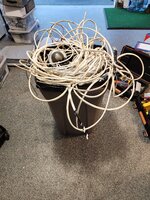
How far can they see your wifi signal from? I can see several of our neighbors from further then 75 feet away and again a basic wifi extender would increase it all the more. I'd be starting with that route even just to test it and see how it goes.
 

AntonLargiader

Well-known member
Joined
Nov 20, 2016
Messages
1,372
Location
Charlottesville, VA
I can find out. His garage is on the other end of his house and basement-level so I figure that might get a bit iffy. And just seeing the WiFi might be a lot different than getting good xfer speeds, at least if my shop here is anything to go by.
 

dcg9381

Well-known member
Joined
Jun 20, 2018
Messages
11,917
Location
Austin, TX
2) Our neighbor, who cannot access the Ting fiber that we can, wants to split the service with us (which was originally my idea). While my wife has been perfectly happy with the super cheap 5 MBPS service, clearly we would bump up to gigabit for this. The only question is how to get to their house, which is 50~75' away. Option 1 is to bury a cable, option 2 is to use a PtP bridge.
If you can dig, I'd strongly advise doing that and doing it with fiber if possible as it's immune to the results of a lightening strike which can get even if it's a few lots away.

PtP bridge is likely technically more complicated and is subject to interruption in certain weather conditions. That being said, my neighbors house is a good 300' away from our shop and we were able to use a unfi nano station "bridge" (which has a directional antenna) and just point it at their house. Speed was down, but way faster than 5Mbps.

A bridge would be easier to set up, easier to fix, easier to change... just costs a bit more. In the Unifi line, there are only $500 and $1000 options but in the UISP line there are TONS of cheaper products and I don't understand the differences. Can anyone suggest the right PtP bridge products for sending half a gigabit of internet about 75' away?
You can do this with unifi way cheaper than that and if you provide an access point to your neighbors on the same network, unifi makes it pretty easy to keep their wifi SSID and passwords separate and segmented from your network. I know that the Unfi Dream Router will do this as the "brains" of the operation, it's under $300, but if you read the details it's only good for about 700 Mbps. The point to point part of it, you could do with their nanostations, under $150 for 2 of them.

But it's a lot easier to do with a cable and will provide you a lot less hassle.

How would I do it? I'd run a fiber cable between, fiber to ethernet dongles on both ends. Dream machine on your end (or similar).
On your neighbors side, I'd install a POE hub and then drop in Unifi access point(s)... the access points just "pop up" on your unifi control panel and it's just easy to create unique SSIDs.
 

mikedodge

Well-known member
Joined
Jun 27, 2017
Messages
2,849
I can find out. His garage is on the other end of his house and basement-level so I figure that might get a bit iffy. And just seeing the WiFi might be a lot different than getting good xfer speeds, at least if my shop here is anything to go by.

True. The extender should bring it back up but a direct connection would be the best way to go.
 

wyliesdiesels

Well-known member
Joined
Aug 14, 2012
Messages
20,073
Location
Modesto, CA
Update that's in keeping with several aspects of this thread:

1) I never got around to buying another router, and the Unifi line has changed. Talking with a friend who operates an ISP and does LOTS of this stuff, and has a lot of Unifi installations out there, I got the Unifi Express which is a 2-port router, hosts the Network App (although they now call it Unifi Network) and is an AP. The other option was the Cloud Gateway Ultra which isn't an AP, has more ports, and is sold out. Will install it this weekend. He said if it doesn't do what it need to do he'll buy it from me (new product that he hasn't tried yet either but he just bought two for testing).

i wouldnt use unifi products unless you know how to program and maintain them or have someone that can

2) Our neighbor, who cannot access the Ting fiber that we can, wants to split the service with us (which was originally my idea). While my wife has been perfectly happy with the super cheap 5 MBPS service, clearly we would bump up to gigabit for this. The only question is how to get to their house, which is 50~75' away. Option 1 is to bury a cable, option 2 is to use a PtP bridge.

since you will have your neighbor sharing the internet, you should set them up on a separate subnet and VLANs so they cant see your network and vice versa

what kind of speed do they want? 1Gbps? you will either need to bury a cable or use an air fiber PtP

Burying a cable makes for a super easy setup if they only need one AP. It would be a PoE AP from our system which is on a pretty big UPS, so they'd have uninterrupted internet during the frequent power outages that we have in Virginia. Outdoor rated cable isn't very expensive and the neighbor would do the digging.

I wouldnt just set them up with an AP. the cable you bury or the PtP you setup should go into a switch so they can hardwire stuff in their house. connect the AP to that

you also dont want cable connecting 2 different buildings without lightning arrestors. preferably you should use fiber to isolate the buildings
A bridge would be easier to set up, easier to fix, easier to change... just costs a bit more. In the Unifi line, there are only $500 and $1000 options but in the UISP line there are TONS of cheaper products and I don't understand the differences. Can anyone suggest the right PtP bridge products for sending half a gigabit of internet about 75' away?
unifi line requires a controller

if they want gigabit, then you should use Air Fibers

BTW you cant send "half a gigabit" of internet over a PtP. they would have access to the same speed you have from the fiber internet unless you do traffic shaping which would require an advanced router.

too complicated for a novice
FWIW their house is wood construction, one-floor with a basement, probably about 50' long in the direction going away from our house in case anyone thinks some kind of antenna mounted on our house would be enough.
bury fiber and setup fiber switches on each end for isolation. AP in their house could be powered by switch. plug switch into a UPS if they really need it during a power outage.
 

dscheidt

Well-known member
Joined
Apr 26, 2017
Messages
2,909
FYI, obvious info to IT people, no way in hell would I be piggy backing on my neighbor's system if he had control of my router.
he's already got access to all your internet traffic. controlling the routers doesn't give him much he doesn't already have, and it eliminates a bunch of hassle. Most people have so little purely internal traffic.
 

AntonLargiader

Well-known member
Joined
Nov 20, 2016
Messages
1,372
Location
Charlottesville, VA
I'd run a fiber cable between, fiber to ethernet dongles on both ends.
What components would you use? I see the SFP/RJ45 media converters for a lot less $ than I expected, but also some comments saying they aren't the right thing for this.

For PtP radio, the airMAX NanoBeam 5AC looks like a good compromise between cost and function. It moves about a half gigabit.

Ultimately it's not really my decision which way it goes; if the neighbor wants to dig then it's OK with me (fiber, not copper).
 

dcg9381

Well-known member
Joined
Jun 20, 2018
Messages
11,917
Location
Austin, TX
What components would you use? I see the SFP/RJ45 media converters for a lot less $ than I expected, but also some comments saying they aren't the right thing for this.
So I haven't done this. I ran ethernet between shop and house. I regret it. Same configuration fried a bunch of stuff in a prior home due to a "nearby" (100s of feet away) lightening strike.

I just did another "multi-building" residential setup. The local internet company who brought in fiber used these for fiber to POE:


Sumboodie

Well-known member
Joined
Mar 20, 2021
Messages
10,745
Location
AK
I have an antenna thing I need to setup. It's supposed to shoot signal outside I guess.

Have one for cell inside too. It's like a Faraday cage inside.
 

dcg9381

Well-known member
Joined
Jun 20, 2018
Messages
11,917
Location
Austin, TX
skip all that

setup a P2P radio system using 2 radios- one hardwired on the building pointed at the RV and one on the RV hardwired in the RV. you can then take the cable from this radio and either connect it to a switch (bonus use a 48v powered radio that can be powered by a POE switch) or direct into your computer.

ubiquiti is the brand I use usually

The RV had one of the typical repeaters, blah blah. I don't want to maintain that. And I tried installing my own repeater in her RV, it wouldn't do the job. Hardwiring to the RV is a lot more difficult than setting an AP outside the building on the RV side.

My RV tenant is relatively "unsophisticated" so having wifi (versus a Cat 5/6 connection) is probably the right way to do it. I isolate her from the rest of the network and setup a "guest wifi" (also isolated) so no one is calling me and asking for a password.

You and I are on the same brand... all I buy.
 

dcg9381

Well-known member
Joined
Jun 20, 2018
Messages
11,917
Location
Austin, TX
I have an antenna thing I need to setup. It's supposed to shoot signal outside I guess.
Directional antennas are great. Seriously. They can make a huge difference in line of sight.
But if you're inside a steel cage, antenna engineering may not get you out of that problem.
 

AntonLargiader

Well-known member
Joined
Nov 20, 2016
Messages
1,372
Location
Charlottesville, VA
FWIW we went with radios. Less expensive, and reusable at the neighbor's lake house if we decide to switch to fiber at some point. Two Nanobeam 5ACs, currently going to the Netgear router (in their house) that I was using before I bought the Unifi Express recently.

Configuration wasn't bad. Set my radio to AP ON, PtP bridge, and give it an IP and a name. Their radio to AP OFF, PtP bridge, and an IP and name. I did start a UISP application and added both radios to it but I don't know that it was actually necessary. Both radios and the Netgear show up on my UniFi topography. Now to get some VLANs set up. They have existing cable internet service for a while so we have plenty of time to work out any bugs.

Fiber would have been easier I think, better technologically, and more expensive. Pulling cable through the places in the house where I wanted it to go was a real PITA (90 year old brick house) but it did give me the opportunity to position the AP in my wife's office better.
 
To avoid these ads, REGISTER NOW!
Top Bottom