Kyle, I'd agree cooling is one of the tougher ones. In desert areas I've seen some great work done on earth tube cooling, but any of these solutions really need to be designed in from the get go. In summer, cooling is our largest power consumer.
TJ, that Panasonic ERV with a $500 rebate is a kicking good deal! Our unit continues to perform flawlessly. There have been zero complaints from the Missus since installing it.
I'm using a few different strategies at home to control lighting:
1. My favourite is using the SmartThings motion sensor:
It is powerered by a small lithium cell, with a 2 year expected life. You can mount it anywhere. In heavily used areas this fires up the lights, then powers them off after 5 minutes of no motion detection. You can set this however you like.
2. You can also use door sensors (I'm using the SmartThings multi-sensor) to trigger lights on and off. Our front door, opened at night will trigger the outside lights to light for 10 minutes, then turn off.
3. Geo-location. If my wife arrives in the driveway, the system senses she has arrived, and fires up the entry and main floor lights. This is all done via the app and iOS...so very seamless.
4. Automation timers. I'm using a free app that starts a timer when bedroom overhead lights are turned on. After 30-45 minutes, they turn off. This one reduces the need for motion sensors everywhere..and makes sure lights are not left on.
5. "AutoDimmer" free app. This is a very, very cool app. I'm using a free weather information app that reads outside LUX (brightness) from a local Weather Underground station. You can setup up any lights you'd like to dim at four different levels, depending on LUX levels outside. So if the dining room lights are triggered (or turned on) when it's sunny outside, they dim 80%. Most of the 1st and 2nd floor lights are controlled this way...and I've shown that it saves a lot of power, while keeping light levels at wife approval levels

6. SmartThings lighting apps. These can turn on lights, and set them to whatever brightness level you like. Our living room area lights (just 2 of four) are triggered by motion, but dimmed to 90%. This is perfect for TV viewing. The other two can be turned on and off manually...but if the system sees no motion for 20 minutes, it turns everything off.
7. SmartThings presence. If all the family members are gone, the system figures this out by iOS geolocation and shuts everything off that is not essential.
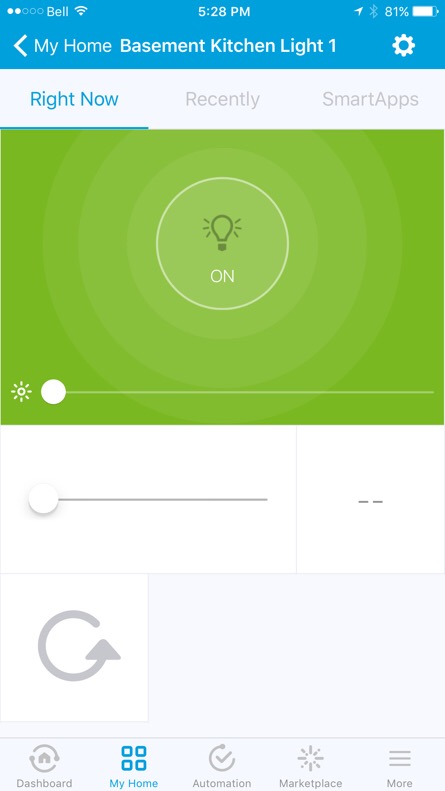
So basically, we never dim the lights using the app! If a light(s) is turned off by automation and one wants manual control, one just flips the manual switch off, then on.
At night (the hub goes into night mode at midnight) the motion sensors run automatons that only run at night. For example, if you walk across the main floor, dining room light 1 (of 3) lights at 10% brightness, as does one of the stair lights, and 2 of the 7 kitchen lights. If motion is not detected again after 5 minutes (or whatever you choose) the lights are turned off.
I realise that's a chunk of info, however it works very well for the family. If you go down that route, I'd be happy to help you set up your hub...once you figure out the SmartThings web IDE, it's all cut and paste.
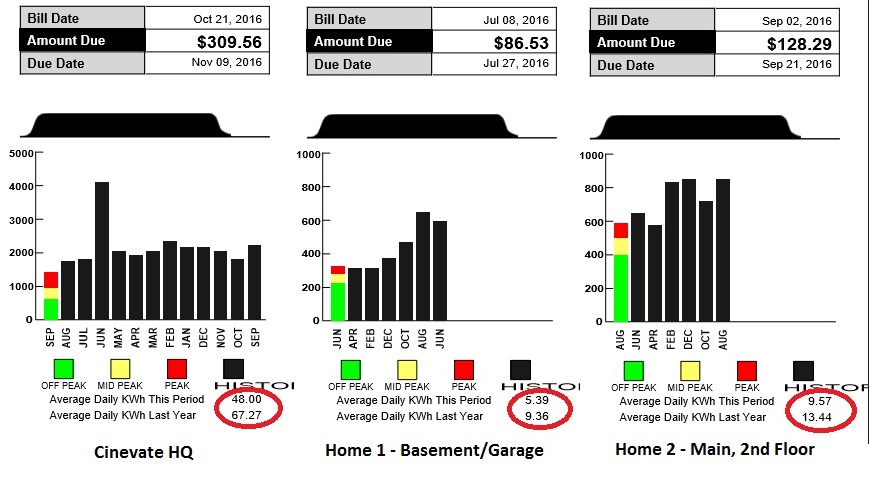
As a reminder of how effective all of this is, here's the power usage before/after automation that I posted a few weeks back. The home savings are around 35% with respect to usage.