lasteagle83
Active member
- Joined
- Feb 12, 2009
- Messages
- 32
....
Last edited:


I just use excel for inventory on my trains and tools
bob

I use excel as well, but there is a collectible software program that's nice (I will try to find the name of it), it lets you include a picture, location where item is and purchase information (date, price, etc), it will also run "reports" and is searchable, which is great if you're looking for tools stored in several boxes (I do that in excel). Also good for insurance in case the need arises. I believe it exports a file that excel can read. It would be real nice to have that list on a pda or iphone when you're out shopping for tools.
I was going to use that as well but it's going to be a lot of work to get it started. Have a template??

What are you trying to do? I'm not trying to be a wise guy, but I don't understand what is complex about getting it started -- just label and resize the columns with the info you want to capture, and start filling in the data! I'm about to undertake this same exercise, and would love to help develop a template, but I think I'm missing some of the more advanced things you'd like to do.
Out of curiosity, are you guys looking to record each individual item (e.g., 10mm 3/8 SO socket, 11mm 3/8 SO socket, etc.) or record things as sets (e.g., 10mm-19mm 3/8 SO socket set)?
you nailed it on the head right there. That's what I want it for (insurance and want/need list)
Please share the name of the software. I could have the Excell master do it for me (the wife) but it's much easier using a known template. I can use Excell on my BlackBerry too when I'm at the swap meet in tool mode.
Here is home inventory software from an insurance companies site.
"Know Your Stuff" Home Inventory Software Version 3.06
http://old.iii.org/static/knowyourstuff/allstate/download.html
Please note that the I.I.I. is providing this electronic home inventory for you to install on your computer. To safeguard your privacy, the I.I.I. will not have access to your personal home inventory files. It is your responsibility to save your home inventory in a secure location.
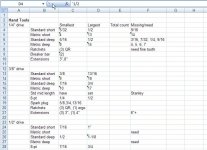
I have attached an Excel file that I use for my tools, you have to delete the .txt at the end to use it (it wouldn't allow me to upload an xls file). It's not my actual tool inventory (it would be too big of a file) but I copied the header row and added a few tools as an example. The reason for using so many cells is that it works better with the 'auto complete' feature on excel (saving you lots of typing) and it's great for sorting the tools by the different headers, type, size, mfg, etc.
Well it was a good try. Windows will not let me just change the file extension and it doesnt know what to do with your file, since it now sees it as text, its converted the excel formatting into useless garb. Youll have to save it in excel as a text delimited file. That should give it a .txt extension that can be converted back into .xls.
Im currently working on an excel sheet to track my vehicles. Everything from routine maint to fuel efficiency, to annual cost, etc. A tool inventory is a good idea too!
Open up a folder, tools, folder options, view, uncheck the "Hide extensions for known file types"
That should allow you to rename and change the extensions.

I started inventorying my tools, I'm using excel (mickeyO's template with some changes)......this is going to take a very long time! Will be easy to maintain (new tool purchases) after the major inventory is completed.
If you can get someone to do the typing while you read off the info it can go real quickly. I did mine when I moved all my tools from my old shop to two new places, we did in a few hours, I read off the info my girlfriend typed it in. I use the inventory mostly to find tools that I don't use often and that are packed away in bins, it makes it a snap to locate them. I would love to get one of those iPhone type things to have when I'm tool shopping to see what I have and if it's a duplicate tool, what I paid. Also good for reselling stuff if I would have kept up with adding the purchase price.

Remember to put a single quote in front of the fractional sizes, otherwise Excel may interpret them as dates or numbers. ('3/8)


Alright, since I am in the house watching bowl games all day I decided to play around some more with the inventory tool. I gave up on Open Office as it is just to slow and buggy for me to fight with. I instead fired up MS Access 07 and here is what I have so far for an entry screen:
This db currently has the following abilities:
Customizable lists that will allow you to tailor it to fit your needs, to include:
Manufacturers - I am working on adding all the ones listed in the tool section.
Catagories - These will have the most common, wrench, ratchet, sockets.
Type - this will have common types - 1/4 deep, 1/4 shallow, 3/8 shallow, Flex head, fine tooth etc.
Sizes - SAE, Metric, n/a
Model Number - You can add your own, or if I can find them I will import lists if I can get my hands on them
Item/tool image.
It will also allow you to store purchase info and even store a scanned image of the receipt. (Good so you can really show the insurance folks what things cost)
It has the ability to duplicate entries (including image and receipt info) that will allow for quick entry of items purchased at the same time and are just a different size.
I have not got into the reports yet but there will be the basics such as a listing by manufacturer or type or category.
I plan on using this once I am finished but figured I would share it with anyone that would like a copy.
Only real drawback(for you) is that you have to have a copy of MS Access 07 to run it.