To avoid these ads, REGISTER NOW!

Need Wifi to Shop

jives

Well-known member
Joined
Jan 4, 2013
Messages
2,806
Location
Central NY
Hi folks:
I know this has been asked in a number of different ways, but frankly they are talking Greek to me. I am out of my element here. Anyway, I am now teaching remotely from my tiny bedroom corner computer set up, but I'd like to do it from my shop. I think I could do some cool things to enhance my classes, and at least be able to move around!

Problem is, the house wifi only extends about 10' outside the house. Shop, with metal siding, is about 75' away. I've contacted my college's IT folks (yet to get back to me), but I thought I may get some creative answers here.

This is theoretically temporary and cheap. No running wires, just need to boost the signal to extend the range reliably.

Thoughts, with easy explanations?
 
To avoid these ads, REGISTER NOW!

u2slow

Well-known member
Joined
Nov 20, 2011
Messages
3,588
Location
BC
uld do some cool things to enhance my classes, and at least be able to move around!

Problem is, the house wifi only extends about 10' outside the house. Shop, with metal siding, is about 75' away. I've contacted my college's IT folks (yet to get back to me), but I thought I may get some creative answers here.

This is theoretically temporary and cheap. No running wires, just need to boost the signal to extend the range reliably.

Thoughts, with easy explanations?
I have a similar metal-clad shop of similar distance. First I had to get a strong enough wifi router to reach to the shop. At the shop, you need an the antenna on the outside on the building.

Another thought is the powerline-ethernet adapters.

After some trying, I got tired of fighting the wifi, and ran cable across the yard. Good enough for cheap & temporary.
 

SGKent

Banned
Joined
Feb 12, 2010
Messages
1,959
Location
Citrus Heights CA
Permanent bury a cat 6 in a conduit. Temp lay a cat6 cable loosely, or hold down gently with the hoops used on drip irrigation. Hook the cable up to a network switch in the shop and you can run your computers there. If you want wifi get an Access Point like the Netgear AC1200 or AC2000. You plug the cat 6 wire into it. Someone said he got a 100' premade cable kit from Menards. Cutting and crimping the cat6 wire takes a little finesse - same to punch down in a wall plate. I'd use a premade length and just coil the extra for now. Good to 300' +/-.
 
OP
J

jives

Well-known member
Joined
Jan 4, 2013
Messages
2,806
Location
Central NY
OP here. Okay, so maybe running wire is the solution. When I put in power from the house to garage I did bury an empty conduit along the power conduit. It runs from the inside of the garage to the outside of the house. Not sure the connections at either end. . .guess I'll need to Google it and learn a few things. . .
 

tez929rr

Well-known member
Joined
Dec 26, 2005
Messages
3,759
Location
Welfare, TX
OP here. Okay, so maybe running wire is the solution. When I put in power from the house to garage I did bury an empty conduit along the power conduit. It runs from the inside of the garage to the outside of the house. Not sure the connections at either end. . .guess I'll need to Google it and learn a few things. . .

I have a similar situation and ran weather proof Cat 6 shallow underground and bought a $30 router - works perfectly.
 

sweetk30

Well-known member
Joined
Jan 2, 2011
Messages
2,306
Location
finger lakes area upstate ,ny
i got lucky as my shop had a 2" conduit for the 100 amp feed and a 1" for the cable and phone . i dont have phone so i used it as a pull and swapped it for a cat6 line and now i have perfect internet in my shop 125ft away . best thing in my opinion was the cable .
 

dcg9381

Well-known member
Joined
Jun 20, 2018
Messages
11,748
Location
Austin, TX
Short non-technical answer is run a line in that conduit. Have someone come out and install ethernet ends and setup an access point for you...

Outside of that, there is ethernet-over-power options (sometimes they work, sometimes they don't) or a directional antenna / repeater (technical).
 

bobj49f2

Banned
Joined
Nov 13, 2009
Messages
430
Location
SE Wisconsin
Permanent bury a cat 6 in a conduit. Temp lay a cat6 cable loosely, or hold down gently with the hoops used on drip irrigation. Hook the cable up to a network switch in the shop and you can run your computers there. If you want wifi get an Access Point like the Netgear AC1200 or AC2000. You plug the cat 6 wire into it. Someone said he got a 100' premade cable kit from Menards. Cutting and crimping the cat6 wire takes a little finesse - same to punch down in a wall plate. I'd use a premade length and just coil the extra for now. Good to 300' +/-.

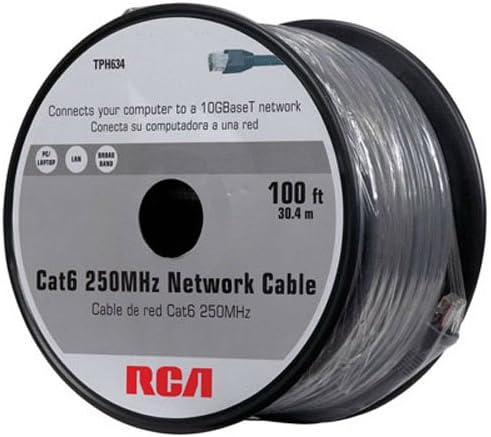
I got the 100' premade cable from Menards, cost less than the 100' spool and ends separate. The ends are PIA to use, good ones cost about $25 apiece.

518H434r6IL._AC_.jpg
 

Tmart86

Well-known member
Joined
Jul 12, 2017
Messages
151
Location
Cedar Rapids Iowa
Wireless options.

Mesh wifi router like ubiquity unifi mesh
Point to point wireless plus a access point in the garage. 2x Ubiquity nanostation 5ac plus a basic router setup as an access point

Wired:
Direct bury or conduit plus cat6a or fiber
Router in the house and access point in the garage.
 

SGKent

Banned
Joined
Feb 12, 2010
Messages
1,959
Location
Citrus Heights CA
I got the 100' premade cable from Menards, cost less than the 100' spool and ends separate. The ends are PIA to use, good ones cost about $25 apiece.

518H434r6IL._AC_.jpg

Sometimes it takes me two or three tries to get the cable end right. I'll do 10 perfectly and the next will give me fits. It is 8 wires that are twisted in pairs of 4, and the colors have to go in a certain order. Frankly going with a pre-made cable like that with ends already crimped on it is the easiest solution, although the wall plates are easier to punch down than crimping on ends. If the long conduit doesn't have pull string one can kite one thru it with compressed air.
 

bobj49f2

Banned
Joined
Nov 13, 2009
Messages
430
Location
SE Wisconsin
Sometimes it takes me two or three tries to get the cable end right. I'll do 10 perfectly and the next will give me fits. It is 8 wires that are twisted in pairs of 4, and the colors have to go in a certain order. Frankly going with a pre-made cable like that with ends already crimped on it is the easiest solution, although the wall plates are easier to punch down than crimping on ends. If the long conduit doesn't have pull string one can kite one thru it with compressed air.

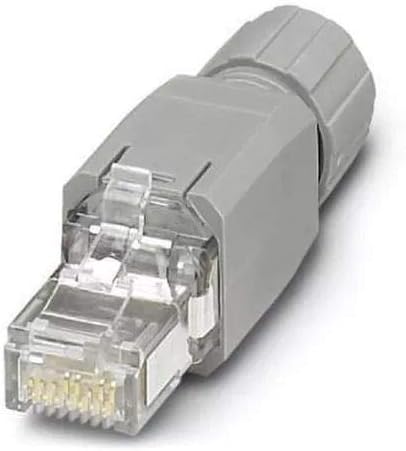
I build industrial control panels and install them. Most everything I build is controlled with ethernet and I run a lot. We use some really nice but expensive connectors, a lot easier to use than the cheap plastic **** ends sold at the big box store.

415RWJMSx5L._AC_SX425_.jpg


If I have to pull a pull string through a piece of conduit I use a piece of foam, tie the pull line in middle, stuff it conduit and use my shop vac to **** it out the other end. That's works pretty good. You can buy foam plugs but a scrap piece of foam is cheaper.
 

matt_i

Well-known member
Joined
Mar 14, 2008
Messages
10,726
Location
SE Michigan
My advice is you are going underground is to make sure you have a wet-location cable. Just like you wouldn't run NM in underground conduits, you wouldn't want to put the standard Cat cable in underground conduits.

It will work great...for awhile...then you'll have to do it again.

Across the lawn I wouldn't worry if its short term like a couple of weeks.
 

SGKent

Banned
Joined
Feb 12, 2010
Messages
1,959
Location
Citrus Heights CA
I build industrial control panels and install them. Most everything I build is controlled with ethernet and I run a lot. We use some really nice but expensive connectors, a lot easier to use than the cheap plastic **** ends sold at the big box store.

415RWJMSx5L._AC_SX425_.jpg


If I have to pull a pull string through a piece of conduit I use a piece of foam, tie the pull line in middle, stuff it conduit and use my shop vac to **** it out the other end. That's works pretty good. You can buy foam plugs but a scrap piece of foam is cheaper.

I've heard that works well too.
 

Redwards329

Active member
Joined
Jan 4, 2015
Messages
44
As mentioned in a comment above mesh system for wireless.
75’ is nothing for todays wireless capabilities. With today’s wireless no need to bury wires and conduit etc. spend a couple hundred bucks on the mesh system, it’s plug and play.
I’ve got a Linksys Velop 2 tower mesh system.
One tower inside 2000 sqft house attached to modem. 2nd tower in garage over 100 ft away to shop and Smart TV. I can stream YouTube or whatever inside metal shop, doors closed on both shop and garage. My in-laws even use it in their RV when visiting. The mesh system is way better than the old router and extender setup we had prior.
 
To avoid these ads, REGISTER NOW!

Falcon67

Well-known member
Joined
Jun 11, 2009
Messages
18,371
Location
Merkel, TX
Ubiquity/Unifi is waaay outside the OP's skill set. You will have a problem with wifi because of the construction of the building. Range extender is going to be iffy and low bandwidth. Your students will really enjoy the choppy video and audio. Depending on where your house router is, get your IT people by the hairs and get a terminated Cat whatever 150'~200' cable and run it. Even cheap-*** Belden stuff will last months/possibly years in a wet conduit. This is a temp lashup, don't over think it. If you want a more permanent solution, same - dig a shallow ditch and fish the wire through a 3/4 or 1" conduit to the shop. Connect a wifi router or a 5 port Netgear switch, plug in and get back to teaching.

PS - I am "Campus IT" LOL.
 

Greeny

Well-known member
Joined
Feb 25, 2013
Messages
572
Location
Shreveport, LA
Super easy solution.

https://www.amazon.com/gp/product/B00P4JKQGK/?tag=atomicindus08-20

I have a metal shop, similar distance. This $40 gadget sits in the house, pointed through the window toward the shop. WOrks well enough to surf and stream Netflix and you-tube.
Instructions with the unit are terrible, but youtube has several how-to videos. Set up was easy and just works with no on-going tinkering needed.
 

ScaldedDog

Well-known member
Joined
Jan 15, 2008
Messages
1,065
Location
Sedalia, CO/NSB, FL
yup... this is the way to do it :bowdown:

This stuff just arrived yesterday, so it was timely.

Ubiquity/Unifi is waaay outside the OP's skill set.

Agreed. I posted it for others who may want a different solution. Overkill, to be sure, but I like this stuff. I'm just a semi-retired corporate sales guy now, but worked for an ISP in the '90s and still enjoy getting into the networking weeds.

Actually, I wanted to do the 60Ghz B2B bridge to get GigE speeds, but it's backordered 'till summer, and $500. The 5Ghz stuff will work fine for my needs.

Mark
 
Last edited:

bamawildcat

Well-known member
Joined
Jul 12, 2014
Messages
148
OP already came back and said he buried an empty conduit. In my mind, the battle is already won. Find each end of the conduit. Tie a surveyor's string to a plastic Wal-Mart sack. Stuff in one end of the conduit. Run the shop vac on the other end. ***** the string through. Buy direct bury CAT5e/6/7. Attached to string in conduit, and tie another string to the CAT 5e/6/7. Pull string from the conduit to get wire to the other end. Now you have wire and another pull string when you need it. Throw your favorite IT weasel $50 to get ends put on. Run it through a lightning protector, and now you have a system wired for life that is reliable.
https://www.homedepot.com/p/Micro-C...Ethernet-Cable-Blue-TR4-560BLOU-250/312137589
 

tez929rr

Well-known member
Joined
Dec 26, 2005
Messages
3,759
Location
Welfare, TX
OP already came back and said he buried an empty conduit. In my mind, the battle is already won. Find each end of the conduit. Tie a surveyor's string to a plastic Wal-Mart sack. Stuff in one end of the conduit. Run the shop vac on the other end. ***** the string through. Buy direct bury CAT5e/6/7. Attached to string in conduit, and tie another string to the CAT 5e/6/7. Pull string from the conduit to get wire to the other end. Now you have wire and another pull string when you need it. Throw your favorite IT weasel $50 to get ends put on. Run it through a lightning protector, and now you have a system wired for life that is reliable.
https://www.homedepot.com/p/Micro-C...Ethernet-Cable-Blue-TR4-560BLOU-250/312137589

Every time this comes up the IT guys want a solution with multiple devices. That seems like adding possible failure points to me. Running a cable (especially when the OP already has conduit) is close to foolproof.
 

ScaldedDog

Well-known member
Joined
Jan 15, 2008
Messages
1,065
Location
Sedalia, CO/NSB, FL
Every time this comes up the IT guys want a solution with multiple devices. That seems like adding possible failure points to me. Running a cable (especially when the OP already has conduit) is close to foolproof.

This IT guy would always prefer a copper run to wireless, and fiber over copper. In the OP's case, he'd be crazy to do anything else. Sometimes, though, running a physical line isn't possible or practical, and wireless, and the devices that go with it, are the best answer.

Mark
 

tez929rr

Well-known member
Joined
Dec 26, 2005
Messages
3,759
Location
Welfare, TX
This IT guy would always prefer a copper run to wireless, and fiber over copper. In the OP's case, he'd be crazy to do anything else. Sometimes, though, running a physical line isn't possible or practical, and wireless, and the devices that go with it, are the best answer.

Mark

:thumbup:

But look through the many threads on this topic and you’ll see what I’m talking about. Guys insisting that a few inch deep 100 foot trench run is an arduous task. With metal siding like the OP or me, it’s a lot easier to hard wire than to fight the Faraday cage issues. That cheap router I have sits in the center of a 30 by 80 steel building and I get a very strong signal through all the stick interior walls.
 

SGKent

Banned
Joined
Feb 12, 2010
Messages
1,959
Location
Citrus Heights CA
:thumbup:

But look through the many threads on this topic and you’ll see what I’m talking about. Guys insisting that a few inch deep 100 foot trench run is an arduous task. With metal siding like the OP or me, it’s a lot easier to hard wire than to fight the Faraday cage issues. That cheap router I have sits in the center of a 30 by 80 steel building and I get a very strong signal through all the stick interior walls.

Garage guys want simple plug and play wifi. IT guys want copper or fiber to wifi. One can run copper for a lot less money than point to point over the air, and the copper is rarely where the problem is when it breaks.
 

ncfireman1918

Well-known member
Joined
Jan 19, 2010
Messages
235
Location
Triad, NC
15 years in IT here, got out of it about 13 years ago to do sales for big software companies. I just finished up a 30 x 40 metal shop that is just shy of 200' from the house. I trenched in 1" conduit, and pulled direct bury CAT6 (wet location rated). Terminated both ends, and added an extra access point for my Google WiFi. Not difficult, and bulletproof. I thought about Ubiquiti or one of the other P2P bridge solutions for about a half a second, but decided that copper was the easier and cheaper solution. I'm just a rando on the Internet, take that for what it's worth...
 

Lucid Moments

Well-known member
Joined
Aug 9, 2015
Messages
1,775
Location
Gainesville, Ga
Ubiquity makes really good stuff, but their product is aimed at enterprises. I have some of their stuff and got what turned out to be a doa router and the process process to get it exchanged was so bad that I eventually threw it away and bought another one out of my pocket.
 

larry4406

Well-known member
Joined
Jan 27, 2006
Messages
19,232
Location
Northern Virginia
15 years in IT here, got out of it about 13 years ago to do sales for big software companies. I just finished up a 30 x 40 metal shop that is just shy of 200' from the house. I trenched in 1" conduit, and pulled direct bury CAT6 (wet location rated). Terminated both ends, and added an extra access point for my Google WiFi. Not difficult, and bulletproof. I thought about Ubiquiti or one of the other P2P bridge solutions for about a half a second, but decided that copper was the easier and cheaper solution. I'm just a rando on the Internet, take that for what it's worth...

I ran 1" conduit to my barn as well just for this purpose...

But then there are the naysayers that talk about parallel paths between detached structures, voltage differentials, surges, potential to fry components, etc, makes my head spin..:willy_nil

Thus I have done nothing... (yet)..
 
Last edited:

sweetk30

Well-known member
Joined
Jan 2, 2011
Messages
2,306
Location
finger lakes area upstate ,ny
got me a 150ft premade cable almost 5 years ago .

pulled the old phone line out of the 1" conduit and in the cat 6 premade . plugged in both ends and done for under 60 bucks back then . still using the thing as i type this now . :beer:
 
OP
J

jives

Well-known member
Joined
Jan 4, 2013
Messages
2,806
Location
Central NY
I ran 1" conduit to my barn as well just for this purpose...

But then there are the naysayers that talk about parallel paths between detached structures, voltage differentials, surges, potential to fry components, etc, makes my head spin..:willy_nil

Thus I have done nothing... (yet)..

This is basically where I am at. Too many choices of stuff I know nothing about, and frankly, holds no interest for me. My internet provider has yet to get back to me -- unusual -- and my employer's IT dept simply offered the standard fare about relocating the router. The router, BTW, is a Cisco EA2700 and has no antenna.

I guess the answer is not so simple. . . arrrrrggggghhh.
 

larry4406

Well-known member
Joined
Jan 27, 2006
Messages
19,232
Location
Northern Virginia
This is basically where I am at. Too many choices of stuff I know nothing about, and frankly, holds no interest for me. My internet provider has yet to get back to me -- unusual -- and my employer's IT dept simply offered the standard fare about relocating the router. The router, BTW, is a Cisco EA2700 and has no antenna.

I guess the answer is not so simple. . . arrrrrggggghhh.

We are in same boat. My IT guy from work said to hard wire with underground rated Cat5/Cat6 since I have conduit. He said there are surge protectors one can buy that are installed inline via RJ45 jacks. I don’t know if one puts the protector at the house head end, at the barn, or at each end.

Following along as I want to install mine this spring/summer...
 

ScaldedDog

Well-known member
Joined
Jan 15, 2008
Messages
1,065
Location
Sedalia, CO/NSB, FL
We are in same boat. My IT guy from work said to hard wire with underground rated Cat5/Cat6 since I have conduit. He said there are surge protectors one can buy that are installed inline via RJ45 jacks. I don’t know if one puts the protector at the house head end, at the barn, or at each end.


Following along as I want to install mine this spring/summer...
You'll want to run shielded Cat6, and terminate it with an ethernet surge protector at each end. You can see how they work in the photo. Mount it on the side of your house/barn, and run the shielded cable into one side. The other side doesn't have to be shielded, as long as it ingresses the building immediately. Ground the center post to a rod on each end.

Mark
b786d9f14827b06a9cacbc161cfff99b.jpg


Sent from my SM-G935V using Tapatalk
 

GA_Brown

Member
Joined
Oct 20, 2018
Messages
21
Location
Georgia
Like others have said look into a mesh network.

Mesh Network Explained:
https://www.linksys.com/us/r/resource-center/whole-home-mesh-wifi/

I went with a Linksys Velop 3 node mesh network and have not regretted it. I have an acre + lot and can get Wi-Fi any where on my property. In fact my neighbor’s internet went out and they asked if they could have access to my network until they got theirs fixed, our houses are at least 100’ apart.

Only issue I see is if it will penitrate the metal building but if you have power in your garage, you could put a node in there.

Good luck.
 

larry4406

Well-known member
Joined
Jan 27, 2006
Messages
19,232
Location
Northern Virginia
You'll want to run shielded Cat6, and terminate it with an ethernet surge protector at each end. You can see how they work in the photo. Mount it on the side of your house/barn, and run the shielded cable into one side. The other side doesn't have to be shielded, as long as it ingresses the building immediately. Ground the center post to a rod on each end.

Mark
b786d9f14827b06a9cacbc161cfff99b.jpg


Sent from my SM-G935V using Tapatalk

Thank you Mark! Looks to be a relatively inexpensive Ubiquiti product
https://www.ui.com/accessories/ethernet-surge-protector/
 

u2slow

Well-known member
Joined
Nov 20, 2011
Messages
3,588
Location
BC
Garage guys want simple plug and play wifi.

:spit: What?

In my 20+ year experience any wifi stuff that claims to be super simple, and 'plug & play', is anything but. Cat 5 was already plug & play.

I ran 1" conduit to my barn as well just for this purpose...

But then there are the naysayers that talk about parallel paths between detached structures, voltage differentials, surges, potential to fry components, etc, makes my head spin..:willy_nil

Thus I have done nothing... (yet)..

My Cat5 across the back yard lawn has been working great. :pimpflash
 
To avoid these ads, REGISTER NOW!
Top Bottom