I think your choice of CAD package largely depends on what you intend to do with it. For 99% of hobby work, fusion 360 is probably your best bet. It is VERY powerful software for the money. A hobby license is free, and even the pro version is only a few hundred bucks a year. You can draw parts to laser cut, make models to 3D print or machine, and pretty much do whatever you want within reason. The free version's CAM is VERY limited, so you can't run a lot of machines or toolpaths off it, but it is still MILES better than sketchup.
I have Fusion 360 and Solidworks, and Solidworks is far and away better CAD. That said, it is not free, and has a very real price tag. I think the basic version is like, 4 grand, and then the maintenance is $1200/year. If there is an educational version or a "maker" version of solidworks available, I would HIGHLY recommend that route. Dassault Systems who publishes Solidworks has their **** together, and they are much more respected in the CAD industry than Autodesk. Fusion is online/cloud based, and that is a real hurdle sometimes. Solidworks is still local, and you can still purchase a perpetual license.
I got fusion mostly for the CAM, and it is something like $500 for the year. I probably won't renew it and will try to use the CAM built in to Solidworks.
Engineering CAD is a whole 'nother animal than Sketchup. Proper parametric modeling takes some practice to get the workflow down and if you are coming from a strictly AutoCAD background, it will take some serious mental shifting to make the switch. The biggest difference is AutoCAD is basically a computerized pencil, and you draw exactly what will be printed on the drawing. If you need to change things, you need to redraw them. Parametric modeling uses a system of constraints and relationships to define the model. You basically start with a rough shape/sketch and start adding "rules" to force the model to do what you want until it is fully defined in space. What this allows is for you to make changes to the model and the objects and relationships downstream will adjust to fit the new parameters. Once you have a model that is correct, you can then derive engineering drawings or CAM data from the model to make the parts. The drawings and dependent features will automatically adjust to the new parameters and update to the new design.
I also really like the way Solidworks does assemblies. In my mind, Solidworks models like I think as a fabricator and machinist. You draw a block to mimic your stock. You then perform operations like cuts and extrudes much like a mill or lathe would cut stock. Same with weldments, sheet metal or other things. You build the components in the computer like you do in real life. In the assembly mode, you literally take parts you drew in separate files and combine them like you would in the shop. Right down to the fasteners if you like.
Once you taste how nice real CAD is, the other stuff is just a joke.




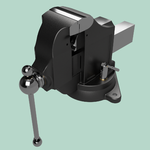


 . Took the class at MSU in 04'/05' and the community college classes a few years later. I think I've got an .iso cd-rom image file for autocad2007 along with key gen or cracked file burned onto a cd... or it maybe it's on my external hdd