To avoid these ads, REGISTER NOW!

Anybody make the switch to smart light switches?

To avoid these ads, REGISTER NOW!

dogdog

Well-known member
Joined
Nov 15, 2011
Messages
12,711
Not sure what a smart switch is... but I do have 2 that is wifi capable and used that as a timer for driveways and hallways... works fine, but I would not recommend it for the brand it is...basically the complain is the DST and the App is horrible... DST I have to login to the switch at least twice a year for it to adjust the time properly...

saying that my local Costco have two switch in package that claims wifi enabled and 3 or Nth way compatible (with another switch) as well as dim-able ... I think it's around $50 for the two switch... Feit brand I think... just can't find it on their website to link it for you...

For some area of the house it is definitely worth it..
 

AntonLargiader

Well-known member
Joined
Nov 20, 2016
Messages
1,372
Location
Charlottesville, VA
I have them for outside. I like to be able to turn on the outside lights when I arrive home, when guest leave, etc. from anywhere. So far I don't have a use for them indoors, but that may change.

EDIT I posted more on this subject in a different thread, including some brand name info.
 

Heap64

Well-known member
Joined
Mar 17, 2006
Messages
135
Location
Illinois
I have a few ge z-wave switches, dimmer switches and a fan control along with a smartthings hub. I'm happy with it. The wife a little less, but she's warming up.

Outside light dusk to Dawn. Foyer comes on when we return home. Living room and hallway lights default to different power levels at night vs daytime. I really like that you can dim from multiple places on my 3 way and 4 way switch locations.

Sent from my Pixel 3 XL using The Garage Journal mobile app
 
Last edited:

Fasthotrod

Well-known member
Joined
Dec 14, 2015
Messages
218
Location
Oklahoma
Like Heap64, we went with the GE Z-Wave switches. Started off with just a couple, but I've now got them all over the dang place. I have a Samsung Smart Things hub that talks to them, and we also have Google Home which talks to the smart hub, so we've been able to control things in the house and the shop by voice which is pretty cool.

We also use the "If This, Then That" (ITTT) app to setup routines to automate things. For example, I have the outdoor shop lights kick on every morning at 6 a.m. and turn off at sunrise, and then have them turn on again at sunset and turn off at 9 p.m.

If I am working out in the shop and come into the house, I can check the Samsung Smart Things app to see if I remembered to turn the lights off... if not, then I either press the light buttons to turn them off, or tell Google to turn off my shop lights.

The GE switches can be bought as a simple on/off switch, or as a dimmer. You can also get companion switches that can be used in 3-way applications where you have multiple switches for a single light circuit like the kitchen.

Hope this helps.

Mark
 

Big Kev-O

Member
Joined
Dec 9, 2019
Messages
7
Location
Simi Valley
The Lurton Caseta setup requires a bridge connected to you WiFi router. z-wave and zigbee are also kind of outdated and unless your already using one that is not the best way to go. Wemo, TP link , Leviton and a few other communicate directly with your WiFi. Make sure it indicates “HomeKit” compatible if you have and iPhone or “ Alexa or SmartThings” compatible for android. There is also the option to buy just bulbs. Philips just released a new line of bulbs that work direct with WiFi, Home Depot stocks them, some are under $20.

Keep in mind these switches are fairly large on the back side, they might not fit in place of the old switch.
 
Last edited:

dylanmitchell

Well-known member
Joined
Feb 11, 2013
Messages
166
Location
Southern California
Put a Lutron motion sensor in the garage a few years ago. Turns light on when you walk of drive in and have it set to time out after 10 minutes. If you're out of the line of site it will go off while you're working in the garage and you end up doing the wave.

Lutron Maestro Motion Sensor Switch, No Neutral Required, 250 Watts, Single-Pole, MS-OPS2-WH
 

ard

Well-known member
Joined
Feb 16, 2015
Messages
4,391
Location
Sierra Foothills... California
I've added probably 15-18 'smart' devices. All the 'in the wall' switches are homeseer zwave stuff, -100 and -200 stuff. Then a few plug in modules mostly Aeon.

Controlled with a homeseer controller. Plus 3 Cooper 5button scene controllers.

Kinda grows on ya.
 
OP
S

SALIV8

Well-known member
Joined
Dec 11, 2008
Messages
2,114
Location
chicago and s/w michigan
The Lurton Caseta setup requires a bridge connected to you WiFi router. z-wave and zigbee are also kind of outdated and unless your already using one that is not the best way to go. Wemo, TP link , Leviton and a few other communicate directly with your WiFi. Make sure it indicates “HomeKit” compatible if you have and iPhone or “ Alexa or SmartThings” compatible for android. There is also the option to buy just bulbs. Philips just released a new line of bulbs that work direct with WiFi, Home Depot stocks them, some are under $20.

Keep in mind these switches are fairly large on the back side, they might not fit in place of the old switch.

Thanks.

I have no neutral at all locations.
 

Heap64

Well-known member
Joined
Mar 17, 2006
Messages
135
Location
Illinois
Another neat thing is we had a Spotlight above the fireplace on its own switch. It never got used. That is now a smart switch. I can trigger it from a scene now, or have it automatically go on and off along with any power level when we trigger a whole different switch. This is the type of stuff you start thinking of. Is it worth a $35 switch? Well that depends on if you like to do this kind of stuff or not.

Sent from my Pixel 3 XL using The Garage Journal mobile app
 

Git

Well-known member
Joined
May 18, 2008
Messages
6,894
Location
S Cal
z-wave and zigbee are also kind of outdated and unless your already using one that is not the best way to go.

I've added probably 15-18 'smart' devices. All the 'in the wall' switches are homeseer zwave stuff, -100 and -200 stuff. Then a few plug in modules mostly Aeon.

Controlled with a homeseer controller. Plus 3 Cooper 5button scene controllers.

Kinda grows on ya.

I would definitely disagree with Z-wave being outdated! Who wants a home automation setup that relies on your wifi or internet being up?

Z-wave is the way to go. It's an open standard so you have a number of manufacturers making products and competing for your money. Z-wave is a 'mesh' network Each hardwired device acts as a relay/repeater, so the more devices you have, the better your network works.

With HomeSeer and some of the more advanced switches, the switch itself can be used to control other Z-wave devices. For example, the HomeSeer software can detect 'multitaps' of a light switch. If you press the on switch twice or 3 times in a row, the software can detect that and run 'events' like turning on other lights, devices, etc. Some of the dimmer switches even have small colored led lights running down the side which can not only show you how much the light is dimmed, they can also be used for other things like displaying a red light if the front door is unlocked. So instead of having to look at some app on your phone when you come into your house from the garage, all you would have to do is look at one of your light switches and if for example it is showing a blinking blue led, that would mean the garage lights are still on. Then you could program that light switch if you press off 3 times, it will turn off all the lights in the garage. Really a lot what you can do with Homeseer and Z-wave

If your thinking about getting into Home Automation, you need to look at the big picture and see what is available before you start spending your money
 

aggie113

Well-known member
Joined
Jul 22, 2015
Messages
473
Location
San Antonio, TX
The smartest switches I have are ones that sense motion for the laundry room and hallway lighting :)
I'm hesitant to put things "online" for my house as you never know who might get control of things.
 

ard

Well-known member
Joined
Feb 16, 2015
Messages
4,391
Location
Sierra Foothills... California
With HomeSeer and some of the more advanced switches, the switch itself can be used to control other Z-wave devices.

I popped in a few of these, one at the back door to control all backyard and pool lighting with 5 canned scenes. (Instead of needing a bank of 8 switches)

EATCORE15983_WB_1_PE_001.jpg
.

Same at the front door.


Just an example of some of the non-obvious solutions you can get.

.
 

Git

Well-known member
Joined
May 18, 2008
Messages
6,894
Location
S Cal
Currently sold out on Amazon, but you may get lucky and they will come back in stock...

attachment.php
 

Attachments

  • 9900 - 003.jpg
    9900 - 003.jpg
    105.4 KB · Views: 423

jbwilkins

Well-known member
Joined
Mar 16, 2016
Messages
310
Location
Nashville Tn
I would definitely disagree with Z-wave being outdated! Who wants a home automation setup that relies on your wifi or internet being up?

I agree.....I was already invested in Z-Wave, but my reason for not adding WiFi switches came down to WiFi congestion and coverage.....

While a switch doesn't require a ton of bandwidth congestion with most standards can be an issue and Z-Wave is 'mesh', each device acts as a repeater for the signal, so coverage isn't usually an issue.......

I toured a 'Smart Home' at the International Builder Show last year that required 2 wireless networks, one for the home controls/lighting and one for internet access.....Every light was 'addressable', couple that with all the other connected products, one network couldn't handle the data needs.....
 

rjacobs

Well-known member
Joined
Jul 24, 2015
Messages
3,880
Location
Dallas, TX
I have dumb on/off switches and thinking of splurging for some Lutron Caseta Smart switches.

Ive researched the various systems extensively over the past few months for a new home build. We are planning to go with the Caseta setup, but ours wont be that extensive. You are limited to 75 devices on the newer firmware loads(old was 50, so you will still see a lot that claim 50 devices). The advertised range from the hub is 30 ft...but everybody says they get a lot more range than that. You can get a single wall plugin that is a lamp controller plus an extender. The hub needs to plug directly into your router. Caseta is its own protocol, no need for wifi, 3rd wires, etc... If you read the reviews from some of the 3rd party, supposedly un-biased reviewers, most will say Caseta is the better system out there because its all in one vs. buying switches from here, control hub from there, etc... and trying to control it with a 3rd or 4th system(google, apple, etc...).

I toured a 'Smart Home' at the International Builder Show last year that required 2 wireless networks, one for the home controls/lighting and one for internet access.....Every light was 'addressable', couple that with all the other connected products, one network couldn't handle the data needs.....

That network was likely garbage. No reason for that. Take something like a Ubiquiti UI network and their HD AP's can handle 500 "users" at a time. I cant imagine ANY house having 500 items in it. And if the item count is an issue, you will likely be running multiple AP's to get coverage. Ill be running 5 or 6 AP's in my new house, but the cheaper ones ill be running can "only" handle 250 users at a time(and ill have at least 5, so 1250 items could connect at once). These AP's run at 1733mbps throughput... which is theoretically faster than the Cat6 ethernet(1 gig) they are wired with can run. Ubiquiti also has switches that can switch 10g... So data throughput shouldnt be an issue. And Ubiquiti stuff isnt even REALLY geared at the high end pro user. My buddy who builds out wifi networks for huge office spaces says Ubiquiti's limits are pretty low compared to what some of the stuff he uses. He just built a network out where the AP's can handle ~1000 clients at once and are all connected with fiber that can run 10g+ speeds. He said unless you need ultimate security, nobody runs Cat cable to computers anymore... crazy.

I also cant imagine that smart switches/devices that run on the wifi network really transmit any meaningful data to clog up the system.
 
To avoid these ads, REGISTER NOW!

Chevota Guy

Well-known member
Joined
Aug 29, 2019
Messages
90
Location
Palm Springs CA
Like a few others I have also gone with the GE branded (Jasco OEM) Z-Wave devices and a few Leviton outlets as well. I'm using a Universal Devices ISY994 Z-Wave controller and have over a dozen devices connected. The controller works well, but is a little too geeky for my wife but she enjoys having the automation.

We have several outdoor fountains, low voltage landscape lights, entry lights and many outlets connected using Z-Wave. I have many set up with programmed timer functions. In a few areas I have 3 and 4 way dimmers for can lights and am happy overall.

My wife loves having the ISY controller connected to the Amazon Alexa Echo if she wants to over ride the timer programs I have set up.

I have had them for three years and did have one switch fail during a power interruption. A couple of times the outdoor outlets have disconnected from the mesh network likely due to their relative distance from the other Z-Wave switches, but they reconnected fine by doing a network "heal" from the controller.

In all the system has really helped increase the convenience in our house. The diagram below shows how my system is connected. I chose Z-Wave because I also have notifications and alarms for my door locks connected and it is nice to have one system that is so universal.

View media item 99124
 

Git

Well-known member
Joined
May 18, 2008
Messages
6,894
Location
S Cal
rjacobs - I don't think it is a matter of the network not being able to handle the data, it is more along the lines that most routers can only handle 'X' amount of devices with set static ip's before they run out of memory and start causing problems.

I ran into this problem myself and at the time I was using some pretty good routers. Linksys EA9500v2 and I also tried a Netgear Nighthawk X10. Between IP cams, ITOF devices like wifi thermostats, printers, Amazon Echos, etc I currently average around 50 devices connected to my network at one time, and I want them all to be at a specific IP address. What finally solved the problem for me was to dump the router and move to pfSense running on a computer. My old router was then turned into an Access Point strictly for wifi.

Also, Z-Wave is more than just lighting devices. I use it to turn off my air compressor every night (motorized ball switch plugged into a Z Wave outlet). I have several 'water sensors' that will turn off the main water supply line if they detect a leak (garbage disposal started leaking recently and the system saved at a minimum the cabinet from being ruined). You can even build out a home security system - door and window sensors, motion detectors, sirens, etc.

Lots of options with Z-Wave that I don't think you have with other standards
 

OneOfEm

Well-known member
Joined
Dec 7, 2015
Messages
255
rjacobs - I don't think it is a matter of the network not being able to handle the data, it is more along the lines that most routers can only handle 'X' amount of devices with set static ip's before they run out of memory and start causing problems.


--DISCLAIMER-- I haven't seen every consumer router router config.

That sounds more like an issue of how the static IP's were set up. There's usually a way to set the DHCP scope/pool (which IP's are available for DHCP) and the netmask for the wireless network (which IP range is "local" - larger than the DHCP pool, in this case). If that's done, you set the static IP within the device from the available pool outside of the DHCP scope, not within the DHCP reservations in the router, and there's no additional load on the router.
 

rjacobs

Well-known member
Joined
Jul 24, 2015
Messages
3,880
Location
Dallas, TX
rjacobs - I don't think it is a matter of the network not being able to handle the data, it is more along the lines that most routers can only handle 'X' amount of devices with set static ip's before they run out of memory and start causing problems.

I ran into this problem myself and at the time I was using some pretty good routers. Linksys EA9500v2 and I also tried a Netgear Nighthawk X10. Between IP cams, ITOF devices like wifi thermostats, printers, Amazon Echos, etc I currently average around 50 devices connected to my network at one time, and I want them all to be at a specific IP address. What finally solved the problem for me was to dump the router and move to pfSense running on a computer. My old router was then turned into an Access Point strictly for wifi.

A standard router can have 253 static(or non static) IP addresses. The Unifi stuff has a theoretical limit of infinity IP addresses since you can build a bunch of sub-networks. The routers on Unifi are running actual computers inside of them via ARM processors(the current USG4 Pro has an octocore processor) so processing power shouldnt be a problem. I could see that being an issue on a home consumer router. As you did, you went to PFSense on a real computer, which is what the Unifi stuff is. A lot of people dont like the form factor of the Unifi stuff so they run PFSense on small servers. They also do it because the current USG4 doesnt have 10g ports so speeds can get limited on a 1g ethernet port. The new Dream Machine Pro will fix all that.

My guess is whoever put together the networking in that house wasnt a networking guy, but an A/V or home automation person and thus was buying what you can buy at Best Buy or the like and trying to make it work, with limited success. Or the home automation people built out there own network and an IT person came in and built out the wifi separately.

Its not how I would have done it, but the eventual home owner I am sure was none the wiser.
 

Git

Well-known member
Joined
May 18, 2008
Messages
6,894
Location
S Cal
OneOfEm - I wish it was that easy

It's pretty basic that when you set a static IP Address on a device (IP Cam, Computer, etc) you set up the DHCP pool on your router to use a different range

The EA 9500 was not a cheap router - $350 when it was on sale a couple of years ago. Numerous calls to tech support and they even replaced the router. It finally boiled down to the fact that the router has only 256 mb of ram and was not designed to have more than about 20 static ip reservations. It runs out of memory, it's not the 'load' on the router.

Currently, with my pfSense setup, the DHCP pool is very narrow - .243 to .253, everything else is static/reserved

My pfSense setup is currently using about 500 mb of memory

attachment.php
 

Attachments

  • TRI-400.jpg
    TRI-400.jpg
    11.9 KB · Views: 197
Last edited:

Kevin Essiambre

Well-known member
Joined
May 1, 2014
Messages
208
Location
Ottawa, Ontario, Canada
I have installed lutron caseta products throughout my apartment. It's the only location that I have installed a Hub for app control.

I like the caseta line because of how easy it is to pair devices with the hub.

I do regret not going with the Lutron RA line though... they make some things for that line that caseta currently doesn't make.

Sent from my new phone. Autocorrect may have changed stuff.
 

terabitdan

Well-known member
Joined
Jul 16, 2016
Messages
152
My one or two smart switch experiment has exploded into well over 20 devices, locks, door and window sensors, fire alarms, motion detectors, etc. Every new switch in the house is a smart switch. I went with SmartThings since it supported just about everything and allows for complete customization. I’ve used the GE/Jasco switches and dimmers with great success.

Now, I recommend you take a look at the Inovelli zwave switches. They work with or without a neutral wire, though with some reduced functionality, they support scenes, and can use a standard dumb switch for the remotes if you like. They support notifications and are easily customizable, even when the hub doesn’t support it.

I’d also recommend zigbee or zwave over WiFi based simply for the better security. They use an encrypted protocol which is not so easily hacked as WiFi. They also use a different frequency. If the distance to a single switch is too far, just put another in the middle.

Doing a mesh WiFi is very doable, but much more expensive than the $99 zwave and zigbee hubs. But really, just about anyone can come in the house and connect to the guest WiFi. That means anyone with a compromised phone, tablet or laptop can unknowingly, or worse, intentionally, hack just about any WiFi network.

For a single light switch, maybe not a big deal. But these smart device networks grow so easily when you realize how nice it is to control and protect your house.

For me, the $99 hub to partition the controls onto a separate network is worth it. YMMV.

Dan


Sent from my iPhone using The Garage Journal mobile app
 

cderalow

Well-known member
Joined
Nov 13, 2011
Messages
1,326
Location
Potomac, MD
I agree.....I was already invested in Z-Wave, but my reason for not adding WiFi switches came down to WiFi congestion and coverage.....

While a switch doesn't require a ton of bandwidth congestion with most standards can be an issue and Z-Wave is 'mesh', each device acts as a repeater for the signal, so coverage isn't usually an issue.......

I toured a 'Smart Home' at the International Builder Show last year that required 2 wireless networks, one for the home controls/lighting and one for internet access.....Every light was 'addressable', couple that with all the other connected products, one network couldn't handle the data needs.....

pretty much how my house functions with a few devices that are present on both networks.

my fios router provides the home control network using its built in wifi. internet traffic is covered by a google mesh system.

There's 3-4 devices hard wired into a switch in my basement that connects the mesh to the router. two different bands of IP addresses to help me sort out what's what.
 

wanderer

Well-known member
Joined
Jan 29, 2010
Messages
2,698
I am using the same switches with a wink controller. I got them because I was tired of the programmable ones that need adjusted for daylight savings. Are use them on my outside lights and I’m very happy with them. I have them set up so that they come on with a timer or when the GPS sees me coming down the road to the house it turns the lights on for me.
 

Specracer

Well-known member
Joined
Nov 12, 2016
Messages
271
Lutron. Do carefully think about how many devices you will have. Its not just switches. The processor is one, a pico is one, etc, adds up. Point is, as mentioned above, RA2 has more head room (quantity of devices), and also the ability to add in another repeater adding range.
 

rjacobs

Well-known member
Joined
Jul 24, 2015
Messages
3,880
Location
Dallas, TX
I have installed lutron caseta products throughout my apartment. It's the only location that I have installed a Hub for app control.

I like the caseta line because of how easy it is to pair devices with the hub.

I do regret not going with the Lutron RA line though... they make some things for that line that caseta currently doesn't make.

Ive thought hard on going with Lutron RA2 Select, but EVERYTHING about it is more expensive. The main reason I have thought about it is the increase in range, but I think I can cover my whole house with the main unit plus one range extender plug in. I will likely only have maybe 10-12 switches on it so it wont be hard to stay under the 75 unit max.
 

Kevin Essiambre

Well-known member
Joined
May 1, 2014
Messages
208
Location
Ottawa, Ontario, Canada
Ive thought hard on going with Lutron RA2 Select, but EVERYTHING about it is more expensive. The main reason I have thought about it is the increase in range, but I think I can cover my whole house with the main unit plus one range extender plug in. I will likely only have maybe 10-12 switches on it so it wont be hard to stay under the 75 unit max.
I know there is a price jump from Caseta to RA or RA2 but it would have been worth it for me. I am committed now, so I will stick with caseta for awhile. It works for what I need. I have made some custom extension cords with a Caseta Switch to control xmas lights and whatnot. I wish they made what I need for the caseta line.

Sent from my new phone. Autocorrect may have changed stuff.
 

Git

Well-known member
Joined
May 18, 2008
Messages
6,894
Location
S Cal
...I have made some custom extension cords with a Caseta Switch to control xmas lights and whatnot. I wish they made what I need for the caseta line...

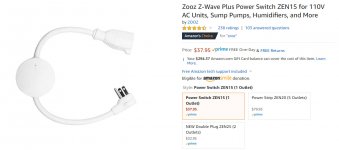
Not only is this a switch - it also a repeater and energy monitor that will log how many watts whatever is plugged into uses. They go on sale for about $25

attachment.php
 

Attachments

  • TRI-410.jpg
    TRI-410.jpg
    130.6 KB · Views: 124

Kevin Essiambre

Well-known member
Joined
May 1, 2014
Messages
208
Location
Ottawa, Ontario, Canada
Not only is this a switch - it also a repeater and energy monitor that will log how many watts whatever is plugged into uses. They go on sale for about $25


attachment.php
I know that there are products like that out there, but I only want to have one app for my lighting control (lighting is the only hone automation items I currently have).

That is a great product to know about though. I am in Canada though so it's probably more expensive than that.

Sent from my new phone. Autocorrect may have changed stuff.
 

56Mark

Well-known member
Joined
Oct 26, 2014
Messages
359
Location
Fall Branch, TN
I recently bought a Hubitat hub that uses both Z-wave and Zigbee devices. I picked the hubitat becuase it runs independently of the router and internet and things happen almost instantly, except for internet connected devices like Alexa (the sassy biotch). I am just getting started with it and have a lot to learn. I bought it just to add motion control to lights on our front porch. I bought a Dome zwave motion sensor, a zooz zwave light switch, and a zooz chime/siren. Currently the motion sensor turns the lights on for 3 minutes, announces "front porch motion" on our google mini's, and notifies my phone, and rings the chime. My big hound dog learned quickly what the chime means and "greets" whoever at the front door. Only one false trip in about a month now that I guess was a bird. I also have it set to turn the porch lights on 10 minutes after sunset and leave them on for 2 hours after sunset. I already have plans to expand with door switches and more motion sensors. It is fun and very frustrating at times when it doesn't do what I expect when creating "rules". A bit of learning curve to get it programmed and kind of geeky. Unlimited what you can get it to do with the right devices.
 

rjacobs

Well-known member
Joined
Jul 24, 2015
Messages
3,880
Location
Dallas, TX
I know there is a price jump from Caseta to RA or RA2 but it would have been worth it for me. I am committed now, so I will stick with caseta for awhile. It works for what I need. I have made some custom extension cords with a Caseta Switch to control xmas lights and whatnot. I wish they made what I need for the caseta line.

Yea its pretty limited, but I think it will work for my wife and I as we dont really care to control much beyond a few light zones, have geo fencing, timer scene's, etc... We also dont have any other kind of smart home stuff from Google, Amazon, Apple, etc... so we arent trying to integrate to anything.

The RA2 Select can integrate with a lot more stuff and you then control it all with the app, but going from a $125 kit(hub and 1 switch) to an almost $600 kit(for the RA2 hub and 1 switch) is crazy, plus some of the RA2 switches are $125...
 

dogdog

Well-known member
Joined
Nov 15, 2011
Messages
12,711
whats the security on those stuff ? Mine is pretty horrible... anyone with my Wifi Access once can control my switches, no verification, can't even remove them.

 

Kevin Essiambre

Well-known member
Joined
May 1, 2014
Messages
208
Location
Ottawa, Ontario, Canada
whats the security on those stuff ? Mine is pretty horrible... anyone with my Wifi Access once can control my switches, no verification, can't even remove them.

With caseta you need to be logged into the app with your account to add, remove, or control devices.

Sent from my new phone. Autocorrect may have changed stuff.
 
To avoid these ads, REGISTER NOW!
Top Bottom