red vette mike said:
I have been taking photos of my garage project from the start(I am about 90% through.) . The camera is a Canon Rebel SLR. When I try to move the photos onto this web site (actually my wife is doing it as she is more computer savvy than me) the photos are too "big"-that is they have to much 'mb's'. There is likely a way to reduce the 'size' of these pictures. Any of you folks know how would be the best way to amend the pictures so I can put them on this site? I am using the 'manage attachments' function. Thanks of any help.
If you're using a pc with windows and microsoft office, you probably have a built-in photo editing tool on your computer that's easy to use. It's called Microsoft Office Picture Manager. Here's a quick step by step to get you started. Make sure you make a copy of the file so you're not destroying the original like Der Bugmeister said earlier.
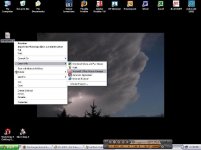
If you right click on your image, you get a menu that has "open with" as an option. Select "open with" and then select Microsoft Office Picture Manager (MOPM).
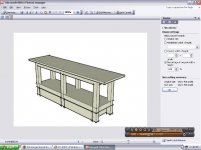
In MOPM, select RESIZE from the PICTURE menu. This launches a control bar on the right side of the screen. You have three options for resizing that you can play with and see what works for you. Click OK. Save the file and your done.
I attached some screen shots for you as I was doing this so that you could see what I did.