

You are using an out of date browser. It may not display this or other websites correctly.
You should upgrade or use an alternative browser.
You should upgrade or use an alternative browser.
Heat shrink printer for labeling wiring
- Thread starter R-mm
- Start date
humpty
Well-known member
We had a couple Brady printers for machine wiring. We had a bigger one with a qwerty keyboard, used that one more for labels, we also had smaller on, I think it was a BMP21, that one was almost always set up for wire labels. I think you can find the printer for <$100 and the kit for <$200.
Both were used by our Maint group and served us well.
Like all printers they get you on the consumables.
humpty
Both were used by our Maint group and served us well.
Like all printers they get you on the consumables.
humpty
todd_fuller
Well-known member
- Joined
- Jul 9, 2013
- Messages
- 305
I have a Rhino label printer from Dymo. It has a good selection of consumables. It works good when I need it. It does, however, eat the ribbon sometimes and when it does you have to throw away the whole cartridge.
jeepnut24
Well-known member
Well NOW I need a new tool. I just used clear heat shrink and a regular dymo. Now I need one that prints right on the heat shrink. Love this site for new tools.
this site = economic stimulus
here's an affordable well reviewed rhino https://www.amazon.com/dp/B005MR516Y/?tag=atomicindus08-20
here's an affordable well reviewed rhino https://www.amazon.com/dp/B005MR516Y/?tag=atomicindus08-20
andersen24
Well-known member
Whaaaaaaaaaaaa? Where the hell have I been and why haven't I known about such unicorn magic? I am SO ordering one of these, they're bad ***!!!!!!!
rdoty
ALLIANCE MEMBER
The Rhino 4200 is quite affordable and works well. 3rd party heat shrink label tape is much cheaper than name brand and works just fine. Suggest getting the 3-5 packs in several sizes - otherwise you will run out in the middle of a job. Ask me how I know...
The shrink wrap label tape comes in 5' cartridges - that doesn't seem like much, but you can get a lot of wire labels out of it.
The shrink wrap label tape comes in 5' cartridges - that doesn't seem like much, but you can get a lot of wire labels out of it.
I have the Dymo 4200 right now on my work truck, it works ok. If I did it all over again I would probably just buy the Brady BMP21 or the Dymo Rhino 5200 just because the 4200 is lacking in some special characters and is made a little cheaper. Whatever you buy make sure you buy the rechargeable battery for it, these things eat disposable batteries like crazy.
Don1357
Well-known member
That reminds me, I need to get a new sharpie.
Paul_The_Builder
Well-known member
I have a Rhino 5200 that my work bought me. Its alright.
I bought a Brother P-touch labeler that works off computer software and USB for my home use. Both labelers will do shrink tube labels.
I MUCH MUCH prefer the Brother P-touch labeler that works through a laptop and USB. I can lay out labels exactly as I want them on the computer screen, easily pull labels from excel spreadsheets, add icons or custom graphics, or whathave you.
I bought a Brother P-touch labeler that works off computer software and USB for my home use. Both labelers will do shrink tube labels.
I MUCH MUCH prefer the Brother P-touch labeler that works through a laptop and USB. I can lay out labels exactly as I want them on the computer screen, easily pull labels from excel spreadsheets, add icons or custom graphics, or whathave you.
Last edited:
Htscheg
Well-known member
Dammit now I need one!!!!
awdblazer
Well-known member
i have the brady one
its awesome does stick on labels or heat shrink tubing
has rechargable batteries as well
its awesome does stick on labels or heat shrink tubing
has rechargable batteries as well
I use an Epson label works (I think they bought them from a Korean company). The one I have is above your budget, but I know they offer less expensive ones, just not sure whether one would fit in your budget. Zoro was the best deal with a 20% coupon. I’ve been very happy with it.
With the Brady, I just read a comment somewhere this morning indicating it eats batteries when not being used. I don’t know. But mine sits idle more often than it is used, so that would drive me nuts, rechargeable or not. I use AA’s in mine because the usage doesn’t justify a lithium rechargeable and even eneloop’s would likely drain too often for my uses.
With the Brady, I just read a comment somewhere this morning indicating it eats batteries when not being used. I don’t know. But mine sits idle more often than it is used, so that would drive me nuts, rechargeable or not. I use AA’s in mine because the usage doesn’t justify a lithium rechargeable and even eneloop’s would likely drain too often for my uses.
txvwnut
Well-known member
Ive had one for quite some time now, haven’t used it but a couple of times. Actually it’s been so long since I’ve used I don’t even remember the brand.
jfleisher
Well-known member
I use a Panduit LS8E Thermal Transfer Printer in our data center, over 100,000 cables with no issues!
allinon72
Well-known member
Use this one at home and work, the AA battery version. Works perfect.
https://www.amazon.com/dp/B00IELD1O4/?tag=atomicindus08-20
https://www.amazon.com/dp/B00IELD1O4/?tag=atomicindus08-20
Gummi Bear
Well-known member
I’ve only ever used the Brady. It works pretty good. Over the years I’ve had several of them. They somehow disappear between jobs, and I wind up buying another
I went to the woods because I wished to live deliberately...
Henry David Thoreau
I went to the woods because I wished to live deliberately...
Henry David Thoreau
foghorn1966
Well-known member
Avoid the Brady ID Xpert They have been discontinued, Brady had a good trade in on them to a newer printer. This trade in window expired a year ago. Suspect consumables (expensive) are going to benot much longer available.
timgunn1962
Well-known member
I've used the Rhino 4200 for a year or two. I use it mainly on sites that are between one and eight hour's drive from home and might need between two and perhaps thirty labels per job. The time taken to one-finger in the characters is insignificant in my case.
It has made marking cables much easier and they look more professional. The 19mm, 3/4", max tape is limiting when heat-shrink-labelling armored cables (max circumference is under 38mm, so max diameter is under 1/2"). Thinner stuff is no problem.
I've always bought the Dymo heat-shrink tapes, but borrowed an identical machine loaded with an import tape a few weeks ago and couldn't tell the difference. I'll be buying the import ones off ebay for home use from now on.
It's definitely worth getting the rechargeable battery.
It has made marking cables much easier and they look more professional. The 19mm, 3/4", max tape is limiting when heat-shrink-labelling armored cables (max circumference is under 38mm, so max diameter is under 1/2"). Thinner stuff is no problem.
I've always bought the Dymo heat-shrink tapes, but borrowed an identical machine loaded with an import tape a few weeks ago and couldn't tell the difference. I'll be buying the import ones off ebay for home use from now on.
It's definitely worth getting the rechargeable battery.
ddawg16
Well-known member
They problem is not the printer....it's the cartridge's...those *****'s are expensive.
I use the Rhino at work. (I 'borrow' it for stuff at home)
You want 1/4" for typical 12-18g wire.
3/8" for larger cables like Cat6
A little advice.....
Most of the heat shrink printers waste a lot of material every time you print. Yes, I know it's a PIA to type in the stuff. But you are better off entering in as much as you can to reduce waste.
In the case of electrical panels....for every wire, you are typically going to have 2 labels...one for each end. So, I'll type up as many IO points as I can....then print twice.
I've seen guys enter a single label then print....and repeat for each new label. Lots of waste
I use the Rhino at work. (I 'borrow' it for stuff at home)
You want 1/4" for typical 12-18g wire.
3/8" for larger cables like Cat6
A little advice.....
Most of the heat shrink printers waste a lot of material every time you print. Yes, I know it's a PIA to type in the stuff. But you are better off entering in as much as you can to reduce waste.
In the case of electrical panels....for every wire, you are typically going to have 2 labels...one for each end. So, I'll type up as many IO points as I can....then print twice.
I've seen guys enter a single label then print....and repeat for each new label. Lots of waste
jeepnut24
Well-known member
A little advice.....
Most of the heat shrink printers waste a lot of material every time you print. Yes, I know it's a PIA to type in the stuff. But you are better off entering in as much as you can to reduce waste.
This is good advice, and how I use my normal Dymo labeler. Then snip they with scissors
Not exactly what you are looking for but in my home shop, I print the words on papers cut them out and slide them into clear heat shrink tubing.
It is not portable but I can print any size and any color text with no special equipment needed.
It is not portable but I can print any size and any color text with no special equipment needed.
ddawg16
Well-known member
Not exactly what you are looking for but in my home shop, I print the words on papers cut them out and slide them into clear heat shrink tubing.
It is not portable but I can print any size and any color text with no special equipment needed.
That is actually a good idea....it would work great on larger cables.
They also make sleeves that are about 2" long with 2 holes at each end. You slide the paper label into it and then use a cable tie to attach it to the cable.
The lead in and margins ddawg mentioned are a good point. The Epson’s were pretty good in that respect, but not all the same, so you have to check the specs. Others don’t necessarily share that in the specs, which is all you need to know.
Grant Gunderson
Well-known member
I switched from the ptouch to the Brady. Just the fact that the Brady is way more efficient with consumables the upgrade paid for its self in just a couple of cartridges.
casmurbax
Well-known member
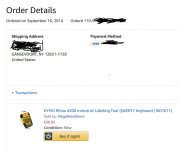
I bought the Dymo 4200 over 6 years ago. I am sure I bought it because somewhere on here it was mentioned that it printed on heat shrink. I have yet to print on a heat shrink, I forgot it does this. I do use it quite often.
That is actually a good idea....it would work great on larger cables.
They also make sleeves that are about 2" long with 2 holes at each end. You slide the paper label into it and then use a cable tie to attach it to the cable.
I use it on any size wire, with a decent quality printer the font size can be shrunk enough to fit on individual wires.
jeepnut24
Well-known member
That is actually a good idea....it would work great on larger cables.
They also make sleeves that are about 2" long with 2 holes at each end. You slide the paper label into it and then use a cable tie to attach it to the cable.
You can also use plastic drinking straws under the paper and clear heat shrink if you need more surface area. Depending on the purpose for the label that is...
Received the 4200 and made a few heat shrink labels. My observations and Q's -
-Doesn't love the 1.2v rechargeable AAs. Probably should have pony'd up for the rechargeable battery pack and xformer. Do 1.5v rechargeable AAs work better?
-If so any suggestions on brands? amazon has all china weirdness.
-Import heat shrink seems just fine to me. the real stuff is made in Belgium (!?) and beyond expensive. Guessing it lasts longer in heat/uv than the import.
-1/4in heat shrink tube does not work for anything over 16ga automotive wire, ordered some 1/2in to handle 12ga. Will see if I can stretch it to 8ga.
All in a class act. Nice manual reasonably nice interface. Happy for <$75.
-Doesn't love the 1.2v rechargeable AAs. Probably should have pony'd up for the rechargeable battery pack and xformer. Do 1.5v rechargeable AAs work better?
-If so any suggestions on brands? amazon has all china weirdness.
-Import heat shrink seems just fine to me. the real stuff is made in Belgium (!?) and beyond expensive. Guessing it lasts longer in heat/uv than the import.
-1/4in heat shrink tube does not work for anything over 16ga automotive wire, ordered some 1/2in to handle 12ga. Will see if I can stretch it to 8ga.
All in a class act. Nice manual reasonably nice interface. Happy for <$75.
Received the 4200 and made a few heat shrink labels. My observations and Q's -
-Doesn't love the 1.2v rechargeable AAs. Probably should have pony'd up for the rechargeable battery pack and xformer. Do 1.5v rechargeable AAs work better?.
I would just buy the rechargeable battery and charger. I have the same 4200 and ran it on AAs for a while and it just eats them up like crazy. The battery and charger thing are like 30 bucks, plus it seems to print better too for some reason.
I threw mine in on a Grainger order a while back so it was the Rhino brand battery just a lot more expensive because.. well Grainger *****. I'm sure you could find them cheaper from like Batteries+ probably.
https://www.dymo.com/en-US/where-to-buy-dymo
here's the Part numbers
Battery PN: 1759398
Charger PN: 15519
Yes it charges through the port on the bottom.
https://www.dymo.com/en-US/where-to-buy-dymo
here's the Part numbers
Battery PN: 1759398
Charger PN: 15519
Yes it charges through the port on the bottom.
thanks. b&h has a decent price free shipping https://www.bhphotovideo.com/c/product/835648-REG/Dymo_1759398_Rhino_5200_Rechargeable_Battery.html
FWIW perfect case for the 4200, charger, bunch of rolls of tape, book, etc
https://vetopropac.com/cp4/
https://vetopropac.com/cp4/
I have the official Dymo battery but a generic charger. I have it set on 9v 2A per the manual but I don't see any indication that the battery is in fact charging. Is this right? Do you get a little lighting icon or blinking symbol anywhere or no?
Yes there is a little battery icon in the top right corner of the display that will show up when it's charging whether the labeller is on or off. When it's done charging, the battery icon disappears so maybe yours is already fully charged?
If not Is the polarity correct on your charger? The center should be negative.
If not Is the polarity correct on your charger? The center should be negative.
Last edited:
rustyzman
Well-known member
I have a DYMO 5000. The 5000 is the older model and I believe the 5200 has since replaced it. I have used a mix of DYMO and no name shrink tubing in several sizes in it. All have printed and shrunk perfectly for me so far. It was a huge help when I was making my new motor control cabinet on my lathe. Allowed me to label every wire for future reference.
Great tool
Great tool
Yes there is a little battery icon in the top right corner of the display that will show up when it's charging whether the labeller is on or off. When it's done charging, the battery icon disappears so maybe yours is already fully charged?
If not Is the polarity correct on your charger? The center should be negative.
You were right. I got a reversible power supply now. The only thing I see when plugging it in is the battery icon disappears for a half sec then comes back, steady. Sound right?