To avoid these ads, REGISTER NOW!

Image posting... and testing.... Give it a go now.

Jacobs976

Well-known member
Joined
Sep 11, 2020
Messages
830
Location
Indiana
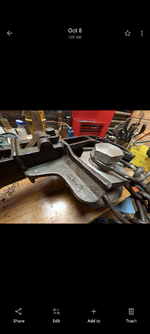
I'm still having trouble with pics from my camera. It's always been issues with portrait while landscape has been fine but I recently upgraded phones and now it appears to be any format getting an error after 100% upload. Attached is a generated photo(convenient and fairly detailed) that readily posted which should still be fairly high pixel count so I'm not sure what the problem is.

Is there any specs on the photo uploading program available to try pinning down the issue like max pixel format(ex 720x1280)? I believe even my old phone may have exceeded standard dimensions in portrait since cutting them shorter did fix them before but haven't tried cropping new photos or scaling the format down yet.

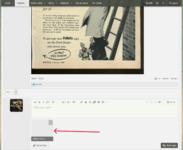
Edit: additional photo of generated castle through attachment instead of picture icon at top

Screenshot of image not viable does upload too apparently. So portrait screenshot is viable but portrait or landscape from camera isn't.
 

Attachments

  • 259.jpg
    259.jpg
    217.9 KB · Views: 19
  • OIG2.jpeg
    OIG2.jpeg
    325.2 KB · Views: 8
  • Screenshot_20251008-132910.png
    Screenshot_20251008-132910.png
    1 MB · Views: 10
Last edited:
To avoid these ads, REGISTER NOW!

four.cycle

Well-known member
Joined
Oct 19, 2015
Messages
28,953
Location
Tacoma, Washington
Something on another site came up, but I'm not at all sure it's applicable here.
On another site I use, I recently had issues trying to upload photo images.
Turns out the forum's software doesn't like punctuation marks in the filename - dashes and apostrophes have to be removed.
Again: not sure if this is even relevant here.
 

Outlawmws

Well-known member
Joined
Aug 9, 2011
Messages
39,260
Location
The Badlands
Something on another site came up, but I'm not at all sure it's applicable here.
On another site I use, I recently had issues trying to upload photo images.
Turns out the forum's software doesn't like punctuation marks in the filename - dashes and apostrophes have to be removed.
Again: not sure if this is even relevant here.

I think that is not uncommon, and should be looked at for individual failures.
 

KwikFab

Well-known member
Joined
Jul 27, 2024
Messages
1,202
Location
Central Valley, CA
Many times, images that fall within the parameters of what can be uploaded just don't.

Example -

Screenshot 2025-10-26 202829.png

Yet -

Screenshot 2025-10-26 202744.png

And larger pictures work; device plays no role (own 4 computers and 1 phone).

The picture taken before the one refusing to post.

20251022_152005.jpg

And a picture that's much larger than the 2 referenced above.

20251020_094551.jpg

Interesting for sure.

Never seen this before from other hosts.
 

Outlawmws

Well-known member
Joined
Aug 9, 2011
Messages
39,260
Location
The Badlands
My issue has not been posting an image. it's been getting then to show in posts. Often enough to be annoying they fail to load. Usually a page reload gets them to come up. but not always. They will often start to load, then stall then even the partila gets replaced with a no graphics marker. This may or may not be related ro my ISP and "upgrades" that seem to need "fixing" several times a week, since that went in 3-4 weeks back, but its also not a new problem - I had it before those upgrades.
 

four.cycle

Well-known member
Joined
Oct 19, 2015
Messages
28,953
Location
Tacoma, Washington
^ oh.. that's weird.. I have never experienced that here. only difficulties I've had were photos not uploading either due to file size or something about the filename the site's software didn't like... .and there was some glitchy about using the "Attach files" button (as opposed to the little "mountain" icon) thing that @Ryan fixed
 

KwikFab

Well-known member
Joined
Jul 27, 2024
Messages
1,202
Location
Central Valley, CA
Many times, images that fall within the parameters of what can be uploaded just don't.

Example -

Screenshot 2025-10-26 202829.png

Yet -

Screenshot 2025-10-26 202744.png

And larger pictures work; device plays no role (own 4 computers and 1 phone).

The picture taken before the one refusing to post.

20251022_152005.jpg

And a picture that's much larger than the 2 referenced above.

20251020_094551.jpg

Interesting for sure.

Never seen this before from other hosts.

Another image issue - even after resizing it doesn't upload just like the above example in my post I quoted.
 

Junkman

Well-known member
Joined
Dec 18, 2006
Messages
6,626
Location
Northeastern CT
OK... We just made some more changes... Test at will.
Could you please specify what types of images are allowed by the software? I am not talking about the picture itself, but as an example, a JPG, JPEG, PNG, and GIF are allowed; however, BMP and modern formats like WEBP and AVIF are not.
 

Lorydr

Well-known member
Joined
Sep 10, 2015
Messages
679
Location
Piqua, oHIo
I'm seeing improvement on pics I tend to post. I don't have to struggle anymore, fighting the bits & bytes.
 

Outlawmws

Well-known member
Joined
Aug 9, 2011
Messages
39,260
Location
The Badlands
Drag and drop is having trouble, in at least one thread - testing here:

failed with the same pic, trying another only copy/paste:


1763131576692.png


Hmmm: And Copy/paste from my snipping tool worked. very odd.

No it didn't- it got stripped out on save - trying it in edit mode - acts like it loaded -saving:

1763132011797.png

trying original pic from the pic upload icon:

Got the Oops we had problems" message but it loaded? lets see if is saves:

1763131664551.png

Retesting the icon load as no thumbnails are showing:

Failed but three thumbnails are showing in "edit" mode...
 
Last edited:

Outlawmws

Well-known member
Joined
Aug 9, 2011
Messages
39,260
Location
The Badlands
Testing with a drag and drop of the "snipper" tool image saved:

Nope, its "oops we had some problems" again. Its not taking any copy paste or direst uploads -wil try the "drop box" from the icon now:

Nope, its still "oops we had some problems"
 
To avoid these ads, REGISTER NOW!

welder4956

Well-known member
Joined
Apr 8, 2010
Messages
3,071
Location
Birmingham, AL USA
I found that using the Windows photo editor to reduce the file size causes the file to be unable to upload and gives me an "Oops" screen. I've been having to post full size images to avoid the problem.
 

Outlawmws

Well-known member
Joined
Aug 9, 2011
Messages
39,260
Location
The Badlands
I found that using the Windows photo editor to reduce the file size causes the file to be unable to upload and gives me an "Oops" screen. I've been having to post full size images to avoid the problem.

Still getting "Oops..." even full size.

And just tried a "super small" reduction from MS office picture manager, same result. this just started again yesterday.

The only thing working for me ATM is to take a screen shot in the sniping tool and copy/paste from that image in the snipping tool. No "saved image" path works.
 

four.cycle

Well-known member
Joined
Oct 19, 2015
Messages
28,953
Location
Tacoma, Washington
just had another failure ("Ooops we ran into some problems") in another thread. Filesize 742kb after re-sizing and removing file properties. 11/14/25 @ 08:00 PST
:rolleyes:
 

Private Lugnutz

Well-known member
Joined
Mar 30, 2012
Messages
30,595
Location
The Authentic Jersey Shore
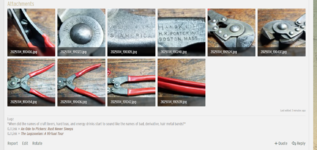
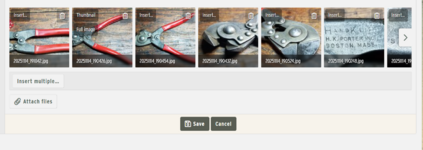
Taking completely selfish and opportunistic advantage of the focus on image posting to take one more stab at my old nemesis, I would trade all the "Oopses" in the world for the system simply not taking it upon itself to f&^%ing load my thumbnails in any order other than the order I originally loaded them! Sometimes randomly jumbled, sometimes in complete reverse. Either way, it ruins any sense of order in addressing them in the narrative of the post, which is very annoying. Latest example here. Except for the last thumbnail, which I did upload last, all the others have been completely reversed.

Discussed before, and verified before, by two different mods.

(Before anyone suggests inserting them into the post with the [Insert image (Ctrl+P] button, yes, of course I know that's an alternative. And there are times I will do that, especially when it's a deep post on a deep topic. But sometimes it's just easier and more effective to compose a quick paragraph and attach them with the [@ Attach files button], especially when there are a lot of photos. In this last case, ten (10), for example. Also, there was a time when the Attach option was far more lenient on size than the Insert option, and not having to re-size photos was the benefit of using that option. Besides, it's not a matter of one versus the other. There are two options and the expectation is for both to function.)
 

Private Lugnutz

Well-known member
Joined
Mar 30, 2012
Messages
30,595
Location
The Authentic Jersey Shore
One oddity and potential clue to isolating and resolving the loading disorder issue....

When you [Edit] the post, the photos are presented to you in the order they were originally loaded. But, when you hit [Save], the edited post re-orders them in the different (random, reverse, combination of random/reverse) order - again!

Here is how the site decided to load my photos....

1763212906203.png

Here's the order I originally loaded them, presented to me in EDIT mode...

1763212992847.png
 

four.cycle

Well-known member
Joined
Oct 19, 2015
Messages
28,953
Location
Tacoma, Washington
^ I've tried various ways of uploading the photos, but no matter what I do, when they are posted (using the "Attach files" tab at lower left) invariably they will be displayed out of order.

Okay... let's try it again....
Works when I post a random photo HERE.
But won't work when I try to post an image in "what did you cook?" thread.
The file is 331kb. Removed all file properties. Opened in Paint selected "save as" and saved as "filename.jpb" - still will NOT upload here or in "what did you cook" thread, but I am able to upload a different random photo in "what did you cook?" thread.

I am able to upload photos here in THIS thread... apparently out of any old folder:

The persecution & assassination of rock and roll, as performed by the Jimi Hendrix Experience ...jpg
The persecution & assassination of rock and roll, as performed by the Jimi Hendrix Experience - Eye Magazine July 1968

but not, it seems, the photo of dinner.
and it doesn't matter if I move the file out of "Pictures" and into another folder, it still won't upload.
Very weird. :unsure:
 
Last edited:

whateg01

Well-known member
Joined
Mar 13, 2006
Messages
11,358
Location
doo dah, kansas, usa
I prefer the photos online anyway rather than having to click each thumbnail after reading a sentence then back to the post then to the next thumbnail then back to the post then the next thumbnail, etc. it's like having to flip to an appendix in a book to see a diagram then back to chapter 3 to remember what I'm looking at in that diagram. Annoying af
 

Outlawmws

Well-known member
Joined
Aug 9, 2011
Messages
39,260
Location
The Badlands
We are working on things right now, so it might be a bit wonky for a bit.

@Ryan we are back to square one from yesterday - I had to use my only working "back door" to post pics..

Ah Just saw this:

Update: Things could be weird for the next few days as far as image uploading. We are upgrading a few things. Will notify you guys when done.
 
To avoid these ads, REGISTER NOW!
Top Bottom