To avoid these ads, REGISTER NOW!

Image posting... and testing.... Give it a go now.

To avoid these ads, REGISTER NOW!

Outlawmws

Well-known member
Joined
Aug 9, 2011
Messages
39,310
Location
The Badlands
Only copy/paste (from my snipping tool) and direct load from my computer work.

The drag and drop, either to the posting box or to the postcard "drop zone" fails as above.


Bike for 8 hours.jpeg
 

Leviton

Well-known member
Joined
Feb 25, 2019
Messages
921
Location
Oregon
I'm having problem attaching photo files again (similar to what was happening a month or so ago), so Wyliediesels and Outlawmws are not alone with their troubles.
 

Debcrow

Well-known member
Joined
May 14, 2019
Messages
4,087
Location
New Mexico
Me also. Tried attaching a photo on garage sale thread. I resized it myself before attaching it so it should work. Attaches to 100% as indicated in the box but never shows up in the box.
 

Leviton

Well-known member
Joined
Feb 25, 2019
Messages
921
Location
Oregon
I tried drag/drop and attaching multiple times with no luck. Also tied saving using sRGB and Adobe RGB with no luck and tried different sizes with no luck. Then I converted the attachments to .png files and that finally worked. <shrug>
 

Bad Habit

Well-known member
Joined
Mar 19, 2014
Messages
2,007
Location
Chumstick WA
Having issues again. Can't insert into body of post, get the oops msg. When I try and attach, it has a blank box for each picture but nothing comes through
 

four.cycle

Well-known member
Joined
Oct 19, 2015
Messages
29,152
Location
Tacoma, Washington
on 11/25/25 @ 17:06 PST Debcrow wrote:
Tried posting photo, but photos do not seem to be working for some reason, I will try again later.
I started having issues with photo images not uploading yesterday afternoon.
After re-sizing, re-naming, and removing file properties, still having difficulties.

filesize is 716kb - will forward to you under separate cover.
BK
 

kyrbz

Well-known member
Joined
Jan 30, 2012
Messages
1,322
Location
midwest US
Direct drag and drop mode still not working.

Yep, I keep getting a "Oops! We ran into some problems" banner when trying to post pics. I usually res down my pics to around 300KB when posting, so size shouldn't be an issue.
 

Private Lugnutz

Well-known member
Joined
Mar 30, 2012
Messages
30,667
Location
The Authentic Jersey Shore
Glad to see I am not the only one experiencing issues. It seems to be already well-documented. But FWIW...

I cannot upload photos using the [Insert image (Ctrl+P)] icon on the toolbar or the [@Attach files] button at the bottom regardless of the size of the photo (and I reduced them to VERY small, much smaller than the parameters I normally use) OR the extension (.jpg, .jpeg) from my computer.

I have NO issues with both from my phone.

Like Outlaw, I've been screengrabbing and pasting clips as a .png into the posting area.
 

vwpieces

Well-known member
Joined
Apr 28, 2020
Messages
5,925
Location
Hills, PA
OOPS from the Insert image yet the Windows screenshot and Ctrl-V works to show the ERROR.
on a PC... Chrome...
 

vwpieces

Well-known member
Joined
Apr 28, 2020
Messages
5,925
Location
Hills, PA
And this was an attempt from phone. But now the screenshot seems to work on insert image button from phone.

Screenshot_20251126-184639.png
 

vwpieces

Well-known member
Joined
Apr 28, 2020
Messages
5,925
Location
Hills, PA
Been having a lot of trouble with uploading pics for many months. PC, phone etc, but pasting a windows screenshot has worked consistently and been my workaround for some time.
Just Paste directly into the box, no other methods have been consistently successful.
 

vwpieces

Well-known member
Joined
Apr 28, 2020
Messages
5,925
Location
Hills, PA
I'll also ad that the Generic "Ooops. we ran into a problem" is of Zero help.
If a size limit was exceeded the popup should say that and show what the size limit is.
Any other tips or hints to the user via popup would allow them to realize the issue and take steps to change it.
 
To avoid these ads, REGISTER NOW!

four.cycle

Well-known member
Joined
Oct 19, 2015
Messages
29,152
Location
Tacoma, Washington
Will NOT upload:
1926 Ludwig Hohlwein Mea Magneto.jpg (459kb)

image was copied from website, pasted into windows "paint", saved as *.jpg image, and cropped with another application program.
forwarding image under separate cover. 11/26/25 18:22 PST
 

Outlawmws

Well-known member
Joined
Aug 9, 2011
Messages
39,310
Location
The Badlands
OK guys, try this back door:
  1. Copy the needed pic into Word or Excel.
  2. From that source click and "copy"
  3. Then in the posting window "Paste"
My results:

Word:


1764215307796.png


Excel:

1764215418134.png
 

Private Lugnutz

Well-known member
Joined
Mar 30, 2012
Messages
30,667
Location
The Authentic Jersey Shore
I cannot upload photos using the [Insert image (Ctrl+P)] icon on the toolbar or the [@Attach files] button at the bottom regardless of the size of the photo (and I reduced them to VERY small, much smaller than the parameters I normally use) OR the extension (.jpg, .jpeg) from my computer.

I have NO issues with both from my phone.
Retracted. Not working from my phone, either. When I had some success from my phone, it must have been due to something intermittent, not the difference in platform.
 

Bad Habit

Well-known member
Joined
Mar 19, 2014
Messages
2,007
Location
Chumstick WA
Same here, Pixel 10 phone. Even try down sizing on PC to 25%. But if it's been lifted from a website, it'll work (the memes must continue... ;) )
 

four.cycle

Well-known member
Joined
Oct 19, 2015
Messages
29,152
Location
Tacoma, Washington
22kb 96 dpi - no problem

22kb 72 dpi - no problem

891kb 180dpi - with weird character in filename: winterintromsø2.jpg

Pelton from Coal Creek 713 kb - 150 dpi - no problem


Braden Creek - 4275kb - 72 dpi

so... from this end... it's looking like I am able to post most anything except those images I've processed "in house" here with the Nikon software, which produces an image with 300 DPI.
not sure whether I can change that at this end. :headscrat
 
Last edited:

Private Lugnutz

Well-known member
Joined
Mar 30, 2012
Messages
30,667
Location
The Authentic Jersey Shore
Then I converted the attachments to .png files and that finally worked.
Dang! That's the ticket!

This image, 750 x 525, WILL NOT 'Insert' or 'Attach' as .jpg or .jpeg, but as soon as I saved it as a .png file, both methods worked.

20251125_200024.png

Makes sense. As a stopgap, I have been opening .jpg photos on my screen, using the [prt sc or F10] button to take a screenshot, then using the prompted Snipping Tool to crop the screenshot to just the photo, and then Paste it into the posting area. Screenshots are default .png.
 

Attachments

  • 20251125_200024.png
    20251125_200024.png
    724.4 KB · Views: 3

kyrbz

Well-known member
Joined
Jan 30, 2012
Messages
1,322
Location
midwest US
Following the advice of others, I converted my pic from a jpeg to a png and uploading pics is now working for me.

kei.png
 

Debcrow

Well-known member
Joined
May 14, 2019
Messages
4,087
Location
New Mexico
I tried drag/drop and attaching multiple times with no luck. Also tied saving using sRGB and Adobe RGB with no luck and tried different sizes with no luck. Then I converted the attachments to .png files and that finally worked. <shrug>

Just tried that. Converted jpg to png and it worked. Thanks
 

four.cycle

Well-known member
Joined
Oct 19, 2015
Messages
29,152
Location
Tacoma, Washington
Amanita muscaria Kalaloch beach 2 101625 02.jpg
Amanita muscaria Kalaloch Beach #2 10/16/25 - 3371 kb 300 DPI

seems to be working just dandy. Thanks Ryan! (y)

( I tried several other images as well - they all seem to work now irrespective of the "DPI" thing.)
 
Last edited:

The Bean

Well-known member
Joined
Dec 24, 2021
Messages
1,825
Location
Delaware Valley (SE PA)
I sometimes have experienced an error messsge uploading a photo taken with my phone.
1764343558840.png
I think it was an image size issue. To work around that, I take a screenshot of the photo and upload that smaller file. No difference in clarity of image.
Screenshot_20251128_101245_Gallery.jpg
Hope you all had a nice Thanksgiving.


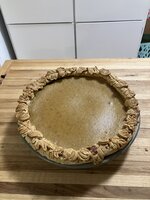
20251128_102014.jpg

This post includes both copy and paste as well as the attach button options.

FYI, that's homemade pumpkin pie. 🧡
 
Last edited:

Outlawmws

Well-known member
Joined
Aug 9, 2011
Messages
39,310
Location
The Badlands
Thanksgiving turkey f Carve 1.jpg


Yep, Drag and drop to the posting window working again, and so is drag and drop to the postcard:

Thanksgiving turkey g served.jpg

Thanks Ryan! Hope you had a great Thanksgiving day!
 
To avoid these ads, REGISTER NOW!
Top Bottom